
이 페이지는 앱이나 개발자의 공식 페이지가 아니며, 정보 제공 및 논평을 목적으로 작성된 독립 편집 간행물입니다. 명시적으로 달리 언급되지 않는 한, 해당 앱이나 개발자는 MWM, Apple, Google Play, 앱 퍼블리셔 또는 앱 개발자와 제휴, 보증, 후원, 승인 또는 공식적으로 연결되어 있지 않으며, 이 페이지의 어떤 내용도 해당 앱이 MWM의 서비스를 사용하여 개발되었음을 의미하지 않습니다. 모든 상표, 로고, 스크린샷 및 기타 콘텐츠는 해당 소유자의 자산입니다.


Postparty
Fortnite 및 Rocket League를 위한 최고의 하이라이트 릴입니다. 최고의 순간을 휴대폰으로 직접 동기화하고, 액션을 다듬고, 몇 초 안에 친구들에게 실력을 보여주세요.
다운로드
1M+사용자 평점
총 평가 수
37K+개발사
카테고리
Entertainment지원 언어
16최신 버전
1.7.1크기
55.0 MB출시일
2023년 2월 9일게임 플레이를 붐으로 바꾸세요
Fortnite 및 Rocket League 하이라이트를 휴대폰에서 직접 캡처, 편집 및 공유하는 완벽한 방법입니다.
원 버튼 캡처
클러치 플레이를 다시는 놓치지 마세요. 길게 누르면 콘솔의 최고의 게임 순간이 자동으로 모바일로 전송됩니다.
전문가 수준의 편집
복잡한 소프트웨어가 필요하지 않습니다. 몇 초 안에 클립을 편집하여 승리를 확정하는 순간을 강조하세요.
자주 묻는 질문
에 대해 알아야 할 모든 것 Postparty
Postparty 앱은 무엇인가요?
Postparty는 게임 순간을 캡처, 저장, 편집 및 공유하도록 설계된 애플리케이션입니다. 사용자는 지원되는 게임에서 개인 하이라이트 릴을 저장하고 게임 플레이 클립을 친구 및 팔로워와 쉽게 공유할 수 있습니다.
Postparty는 어떻게 게임 순간을 캡처하는 데 도움이 되나요?
Postparty는 사용자가 간단한 버튼 누르기로 Epic Games Fortnite 또는 Psyonix Rocket League의 순간을 캡처할 수 있도록 지원합니다. 콘텐츠를 앱 내에 저장, 보관 및 구성하여 쉽게 액세스할 수 있습니다.
Postparty 내에서 비디오 클립을 편집할 수 있나요?
네, Postparty에서 비디오 클립을 편집할 수 있습니다. 이 앱은 클립을 트리밍하는 도구를 제공하여 사용자가 공유하기 전에 최상의 순간만 선택하고 저장할 수 있습니다. 스크린샷 #1은 이 트리밍 기능을 보여줍니다.
클립 캡처에 Postparty와 호환되는 게임은 무엇인가요?
Postparty는 Epic Games Fortnite 및 Psyonix Rocket League와 호환됩니다. 사용자는 이 두 타이틀에서 게임 순간을 캡처하고 관리할 수 있습니다.
Postparty를 사용하려면 Epic Games 계정이 필요한가요?
네, Postparty를 사용하려면 Epic Games 계정이 필요합니다. 사용자는 Epic Games 계정으로 로그인하여 애플리케이션 내에서 콘텐츠를 직접 업로드하고 관리해야 합니다.
Postparty에서 게임 클립을 어떻게 공유할 수 있나요?
사용자는 다양한 방법을 통해 Postparty에서 게임 클립을 공유할 수 있습니다. 소셜 미디어, 메시지 또는 이메일을 통해 옵션을 선택하여 캡처된 순간을 유연하게 배포할 수 있습니다. 스크린샷 #2에는 눈에 띄는 "공유" 버튼이 표시됩니다.
Postparty는 캡처된 게임 플레이 비디오를 저장하나요?
네, Postparty는 캡처된 게임 플레이 비디오를 저장합니다. 이 앱은 개인 하이라이트 릴을 저장하고 구성하여 원할 때마다 다시 보거나 공유할 수 있도록 클립에 쉽게 액세스할 수 있습니다. 스크린샷 #3은 "멋진 순간들로 가득 찬 저장소"를 구축하고 있음을 나타냅니다.
다음 스크린샷과 설명은 앱의 공식 스토어 목록에서 직접 가져온 것이며 앱 개발자의 자산입니다.
앱 스토어
스크린샷
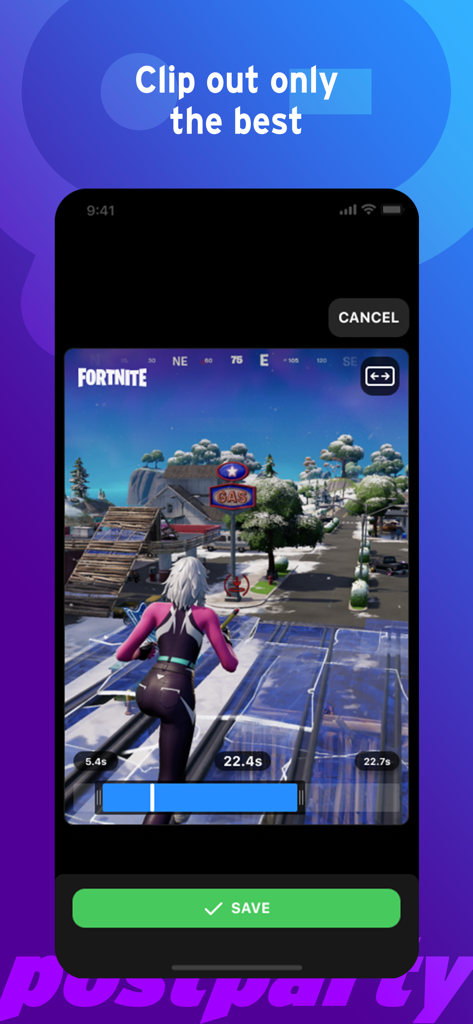
Postparty 앱 인터페이스로 Fortnite 게임 플레이 클립을 편집하고 저장하는 모습
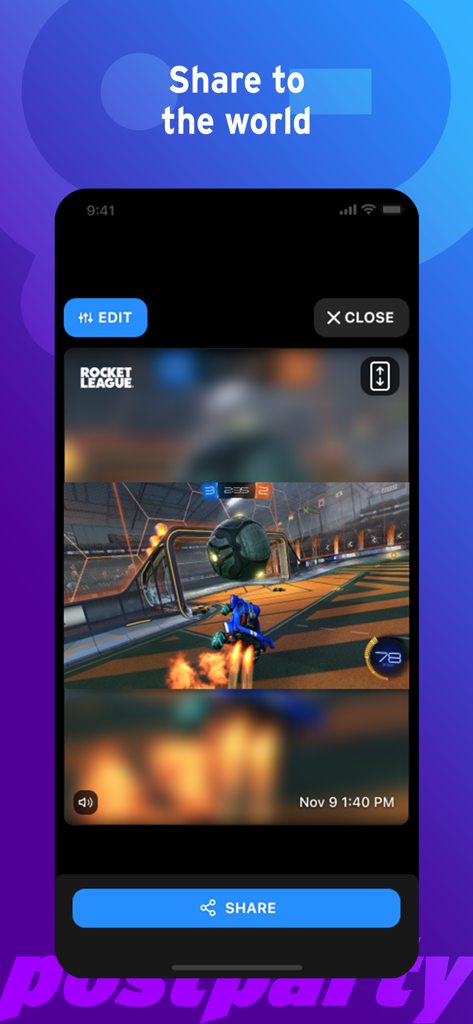
Postparty 모바일 앱에서 편집 및 공유 준비가 된 Rocket League 게임 플레이 클립
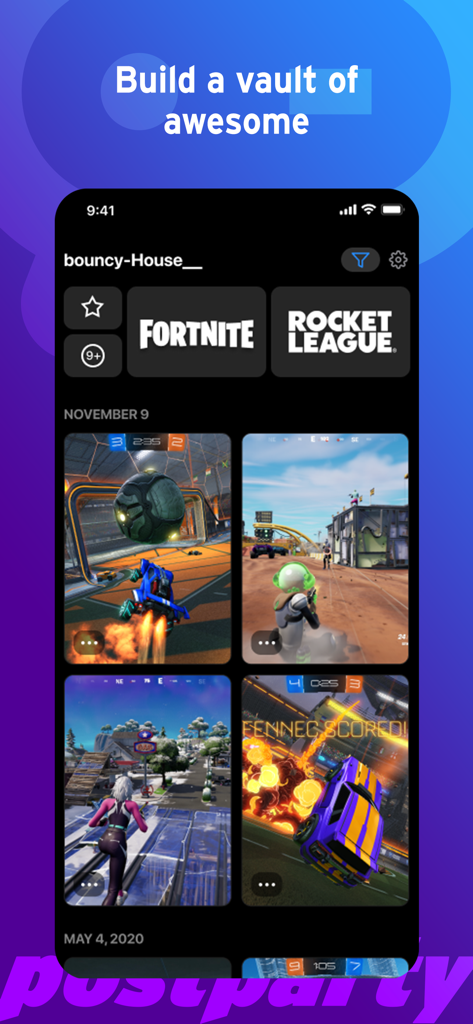
저장된 Fortnite 및 Rocket League 게임 클립 모음을 보여주는 Postparty 앱 인터페이스
설명
Download
비슷한 앱
유사한 기능과 사용자 경험을 가진 앱

Rematch – Sports Highlights
La Passe Video

Filma Eu
Endorfine Tecnologia LTDA

Gravae
Gravae Tecnologia LTDA

Allstar.gg
Allstar Gaming, Inc

Ace Trace - Shot Tracker
AI Photo Editor Lab SRL

GolfCam: Golf Video Editor
HONG KONG GOLFING CREATIVE LIMITED

Spash App
NGTV Experience

PUSHIT.
PUSHIT REPLAYS LTD
이 페이지는 앱이나 개발자의 공식 페이지가 아니며, 정보 제공 및 논평을 목적으로 작성된 독립 편집 간행물입니다. 명시적으로 달리 언급되지 않는 한, 해당 앱이나 개발자는 MWM, Apple, Google Play, 앱 퍼블리셔 또는 앱 개발자와 제휴, 보증, 후원, 승인 또는 공식적으로 연결되어 있지 않으며, 이 페이지의 어떤 내용도 해당 앱이 MWM의 서비스를 사용하여 개발되었음을 의미하지 않습니다. 모든 상표, 로고, 스크린샷 및 기타 콘텐츠는 해당 소유자의 자산입니다.