
이 페이지는 앱이나 개발자의 공식 페이지가 아니며, 정보 제공 및 논평을 목적으로 작성된 독립 편집 간행물입니다. 명시적으로 달리 언급되지 않는 한, 해당 앱이나 개발자는 MWM, Apple, Google Play, 앱 퍼블리셔 또는 앱 개발자와 제휴, 보증, 후원, 승인 또는 공식적으로 연결되어 있지 않으며, 이 페이지의 어떤 내용도 해당 앱이 MWM의 서비스를 사용하여 개발되었음을 의미하지 않습니다. 모든 상표, 로고, 스크린샷 및 기타 콘텐츠는 해당 소유자의 자산입니다.


Presentation Creator
모바일 기기에서 멋진 슬라이드로 고객, 교사, 상사에게 깊은 인상을 줄 수 있는 가장 쉬운 방법. 수백만 개의 무료 에셋에 액세스하고 워터마크 없이 내보내세요.
다운로드
661K+사용자 평점
총 평가 수
1K+개발사
카테고리
Graphics & Design지원 언어
24최신 버전
5.4.4크기
126.9 MB출시일
2021년 3월 2일전문가처럼 디자인하고, 보스처럼 발표하세요
가파른 학습 곡선을 건너뛰세요. 강력하고 직관적인 도구를 사용하여 디자이너 가격표 없이 고객을 확보하고 동료에게 깊은 인상을 주는 고충격 프레젠테이션을 만들 수 있습니다.
무료 비주얼 라이브러리
프리미엄 로열티 프리 이미지, 아이콘, 글꼴의 방대한 라이브러리에 즉시 액세스하세요. 개별 에셋에 비용을 지불하지 않고 멋진 슬라이드를 만드세요.
손쉬운 모바일 편집
휴대폰이나 태블릿에서 덱을 만들고 다듬으세요. 모바일 우선 인터페이스는 워크플로우가 비즈니스만큼 민첩하게 유지되도록 합니다.
자주 묻는 질문
에 대해 알아야 할 모든 것 Presentation Creator
프레젠테이션 크리에이터란 무엇인가요?
프레젠테이션 크리에이터는 사용자가 전문적인 프레젠테이션을 쉽게 만들 수 있는 앱입니다. 편집 도구, 무료 콘텐츠, 디자인 공유, 크기 조정 및 저장 기능이 포함되어 있습니다.
프레젠테이션 크리에이터는 이미지와 글꼴과 같은 무료 콘텐츠를 제공하나요?
네, 프레젠테이션 크리에이터는 사용자에게 무료 로열티 프리 이미지, 아이콘, 글꼴을 제공합니다. 사용자는 프레젠테이션을 향상시키기 위해 이러한 콘텐츠 팩에 비용을 지불할 필요가 없습니다.
프레젠테이션 크리에이터 앱에 내 이미지를 가져올 수 있나요?
네, 프레젠테이션 크리에이터 앱을 사용하면 자신의 이미지를 가져올 수 있습니다. 카메라 롤, 소셜 미디어 플랫폼, 다양한 스토리지 드라이브에서 콘텐츠를 추가할 수 있습니다.
프레젠테이션 크리에이터 앱으로 만든 프레젠테이션을 무료로 다운로드하고 공유할 수 있나요?
네, 사용자는 프레젠테이션 크리에이터 앱으로 만든 프레젠테이션을 무료로 다운로드, 보기, 공유할 수 있습니다. 디자인에 워터마크가 없습니다.
프레젠테이션 크리에이터에서 프레젠테이션을 다운로드할 때 어떤 파일 형식을 사용할 수 있나요?
프레젠테이션 크리에이터를 사용하면 JPEG, PNG 또는 PDF 형식으로 디자인을 다운로드할 수 있습니다. 사용자는 휴대폰에서 직접 디자인을 인쇄할 수도 있습니다.
프레젠테이션 크리에이터는 디자인 자동 크기 조정을 지원하나요?
네, 프레젠테이션 크리에이터에는 자동 마법 크기 조정 기능이 포함되어 있습니다. 사용자는 업그레이드 없이 무료로 디자인을 여러 번 크기 조정하고 재사용할 수 있습니다.
앱에서 프레젠테이션의 이전 버전을 복원할 수 있나요?
네, 사용자는 프레젠테이션 크리에이터 앱 내에서 프레젠테이션의 이전 버전에 액세스하고 복원할 수 있습니다. 이 기능은 이전 디자인 상태를 검색하는 데 도움이 됩니다.
프레젠테이션 크리에이터 앱은 템플릿을 제공하나요?
네, 프레젠테이션 크리에이터 앱은 수천 개의 전문적으로 디자인된 템플릿을 제공합니다. 이러한 템플릿은 다양한 유형의 프로젝트 및 목적에 맞게 완벽하게 사용자 정의할 수 있습니다.
프레젠테이션 크리에이터 앱으로 사진 배경을 제거할 수 있나요?
네, 프레젠테이션 크리에이터 앱을 사용하면 사진 배경을 제거할 수 있습니다. 이 기능은 한 번의 클릭으로 프레젠테이션 내 이미지를 편집할 수 있습니다.
프레젠테이션 크리에이터에 대한 구독이 있나요?
네, 프레젠테이션 크리에이터 PRO 연간 구독이 있습니다. 자동 갱신되며 iTunes 계정으로 청구되며 현재 기간이 종료되기 24시간 전에 갱신됩니다.
프레젠테이션 크리에이터 PRO 구독의 자동 갱신을 취소하려면 어떻게 해야 하나요?
프레젠테이션 크리에이터 PRO 구독의 자동 갱신은 언제든지 해제할 수 있습니다. 사용자는 이 옵션을 관리하기 위해 구매 후 iTunes Store의 설정으로 이동해야 합니다.
프레젠테이션 크리에이터를 사용하여 여러 장치에서 내 디자인에 액세스하고 편집할 수 있나요?
네, 프레젠테이션 크리에이터로 만든 디자인은 언제든지 저장 및 편집할 수 있습니다. 사용자는 Desygner 계정을 통해 컴퓨터와 모바일 장치 모두에서 프레젠테이션에 액세스하고 수정할 수 있습니다.
프레젠테이션 크리에이터에는 게시물 예약 기능이 있나요?
네, 프레젠테이션 크리에이터에는 예약 기능이 포함되어 있습니다. 사용자는 디자인을 만들고 특정 날짜와 시간을 설정하여 나중에 게시할 수 있으므로 콘텐츠 배포 시간을 절약할 수 있습니다.
다음 스크린샷과 설명은 앱의 공식 스토어 목록에서 직접 가져온 것이며 앱 개발자의 자산입니다.
앱 스토어
스크린샷
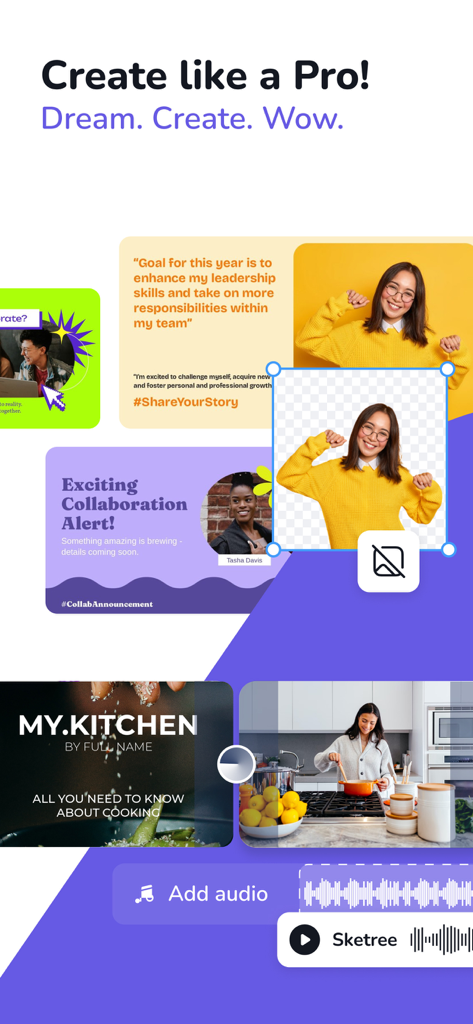
전문 프레젠테이션 템플릿과 배경 제거 도구를 보여주는 모바일 앱 인터페이스
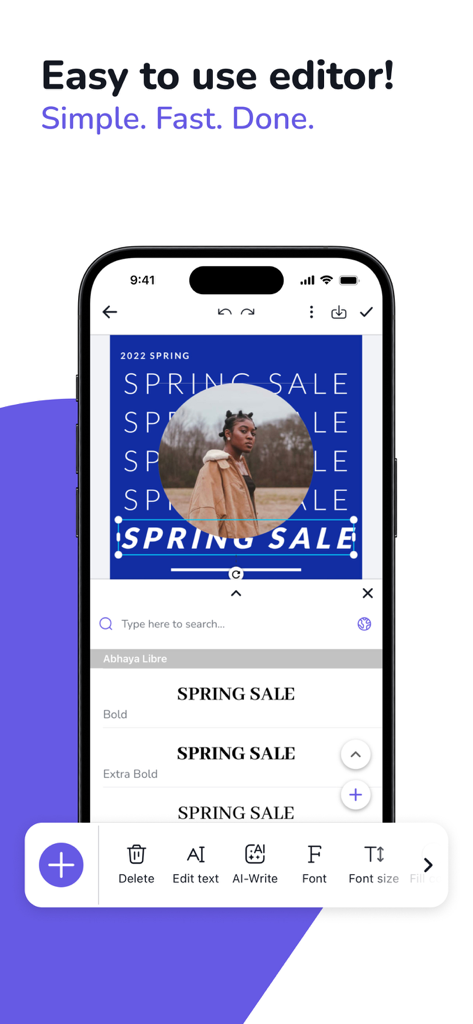
사용하기 쉬운 도구를 사용하여 스마트폰에서 그래픽 디자인을 편집하는 것을 보여주는 프레젠테이션 제작자 모바일 앱 인터페이스.
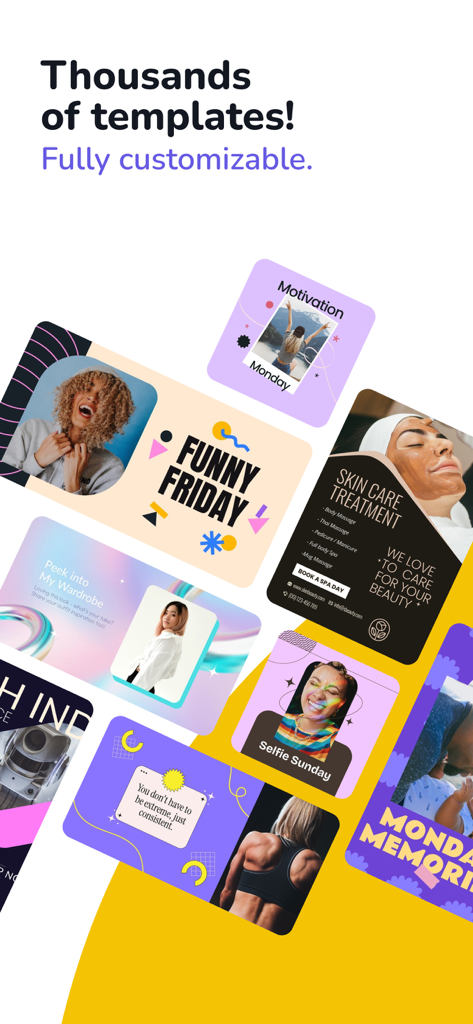
다양한 사용자 정의 가능한 프레젠테이션 및 소셜 미디어 템플릿 모음
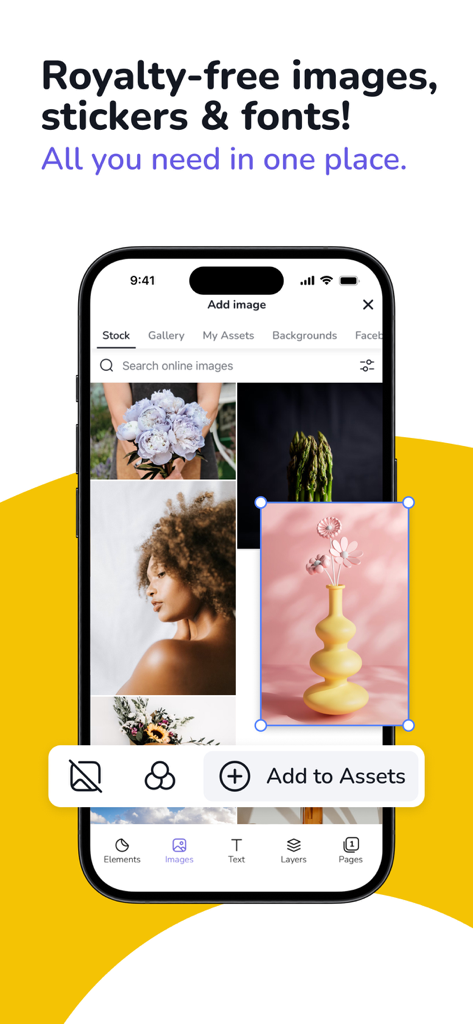
프레젠테이션 디자인을 위한 로열티 프리 스톡 이미지 및 에셋을 보여주는 모바일 앱 인터페이스
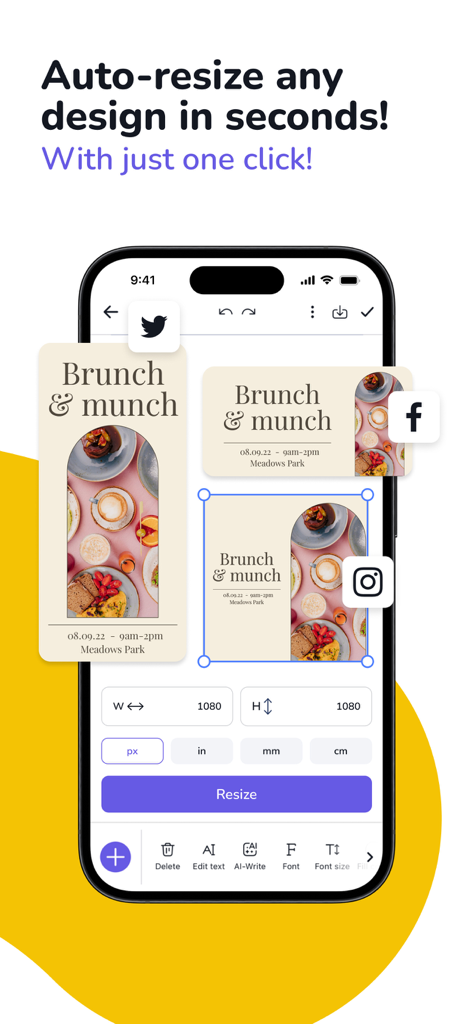
디자인을 소셜 미디어 플랫폼에 맞게 조정하는 자동 크기 조정 도구를 보여주는 스마트폰 화면.
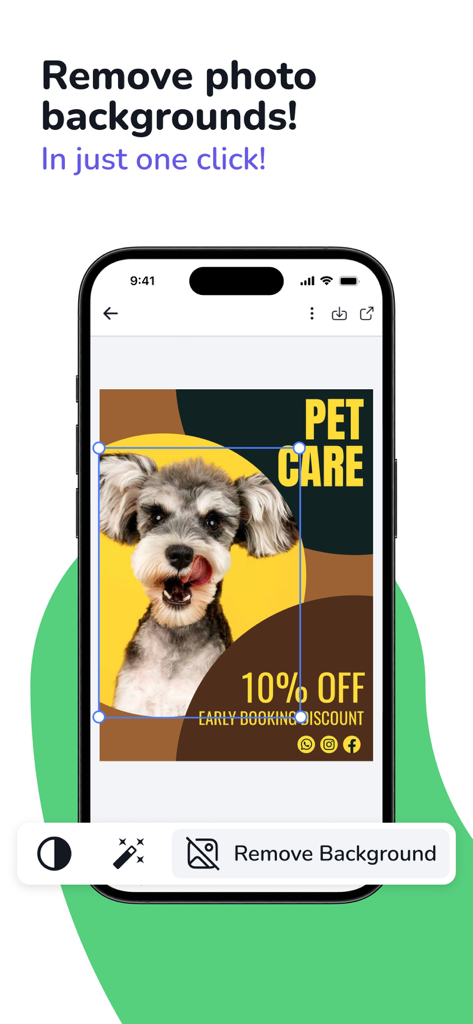
프레젠테이션 디자인에 있는 개 사진에 대한 원클릭 배경 제거 도구를 보여주는 모바일 앱 인터페이스.
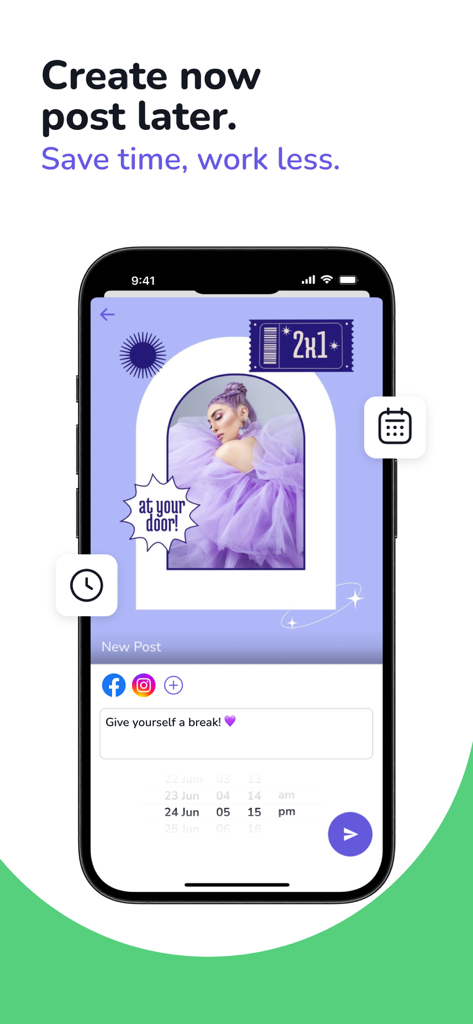
소셜 미디어 게시물을 만들고 예약하기 위한 모바일 앱 인터페이스
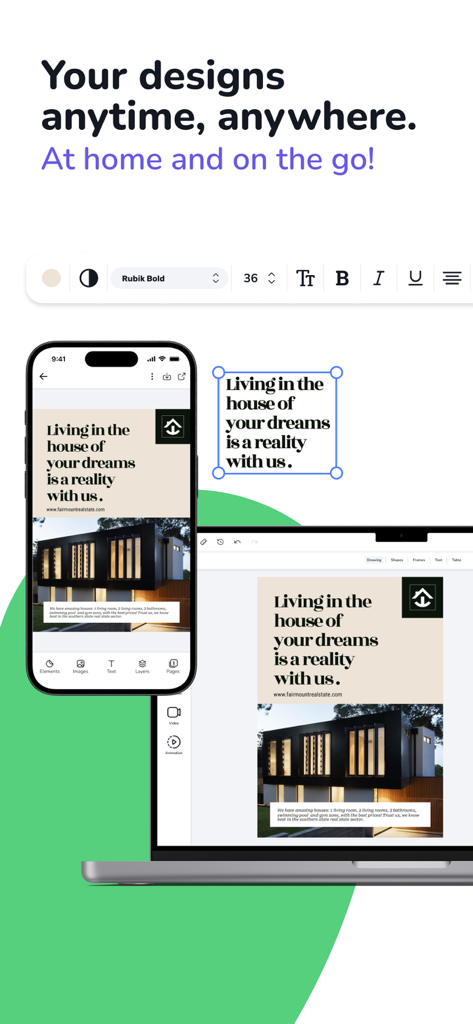
프레젠테이션 제작자 앱에서 편집 중인 동일한 부동산 프레젠테이션 디자인을 표시하는 스마트폰 및 노트북.
설명
Download
비슷한 앱
유사한 기능과 사용자 경험을 가진 앱

Google Docs
Google LLC

AiPPT - PPT & Slide Maker
Mge Information Technology Co.,Ltd

Slidey: Ai Presentation Slides
Andrii Fomichov

iSlide - 海量PPT模板,专业团队原创设计
Chengdu iSlide Network Technology Co., Ltd.

Microsoft PowerPoint
Microsoft Corporation
Google Slides
Google LLC

Good Slide
ShenZhen Meiyinet Technology Co.,Ltd

Beautiful AI Slides by GammaAI
Manjinder Kaur

Visme - Presentation & Charts
Easy WebContent, Inc.
이 페이지는 앱이나 개발자의 공식 페이지가 아니며, 정보 제공 및 논평을 목적으로 작성된 독립 편집 간행물입니다. 명시적으로 달리 언급되지 않는 한, 해당 앱이나 개발자는 MWM, Apple, Google Play, 앱 퍼블리셔 또는 앱 개발자와 제휴, 보증, 후원, 승인 또는 공식적으로 연결되어 있지 않으며, 이 페이지의 어떤 내용도 해당 앱이 MWM의 서비스를 사용하여 개발되었음을 의미하지 않습니다. 모든 상표, 로고, 스크린샷 및 기타 콘텐츠는 해당 소유자의 자산입니다.