Preview mini: Image & PDF tool

Preview mini: Image & PDF tool

다운로드: App Store
로고: Preview mini: Image & PDF tool

미리보기 미니: iPhone 및 iPad를 위한 macOS에서 영감을 받은 데스크톱 경험

이동 중에도 데스크톱 수준의 효율성을 요구하는 프로슈머를 위해 설계된 전문 PDF 및 이미지 편집 도구로 워크플로우를 제어하세요.

개발사

Marian Koenig

카테고리

Graphics & Design

다운로드

74K+

사용자 평점

4.3/5

총 평가 수

500

지원 언어

8

모바일에서의 데스크톱 경험

이 인터페이스를 사용하는 74K+ 명의 사용자.

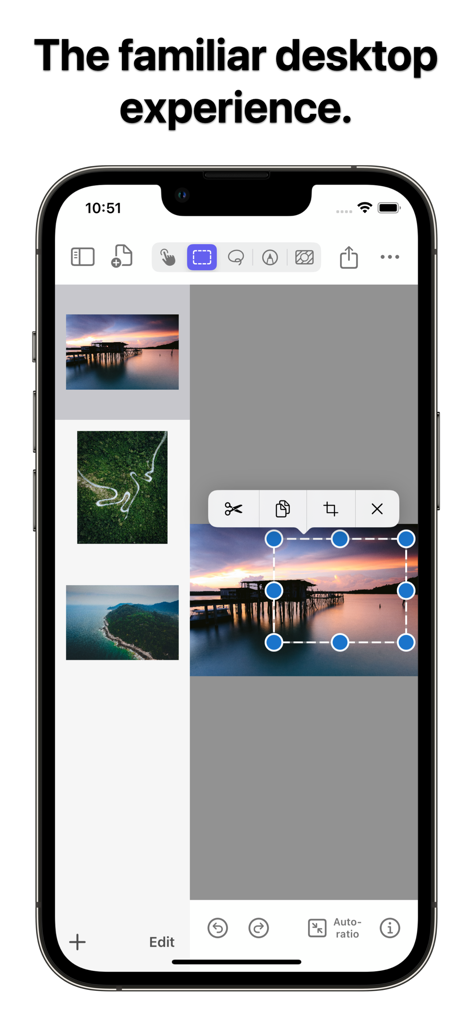
macOS에서 영감을 받은 이미지 편집 인터페이스를 보여주는 미리보기 미니 앱이 있는 iPhone 화면
macOS에서 영감을 받은 이미지 편집 인터페이스를 보여주는 미리보기 미니 앱이 있는 iPhone 화면

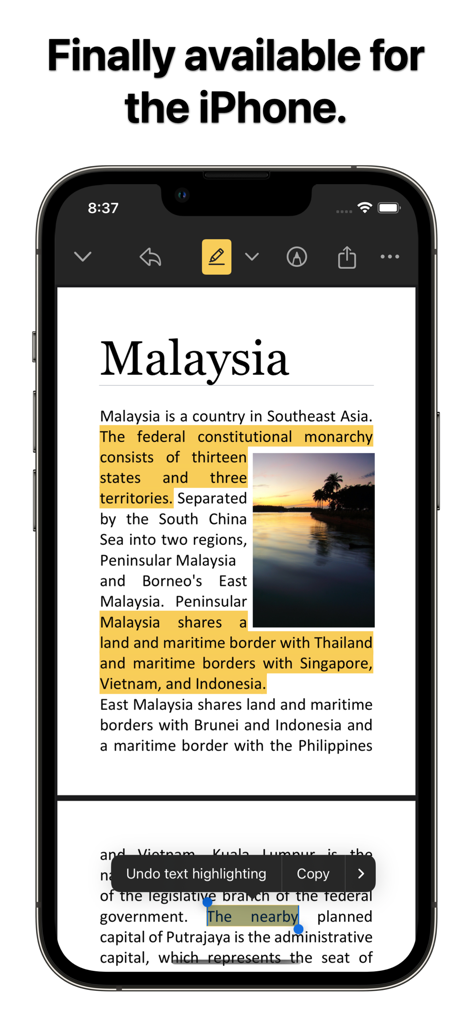
PDF 문서에서 텍스트를 강조 표시하는 미리보기 미니 앱 인터페이스를 보여주는 iPhone
PDF 문서에서 텍스트를 강조 표시하는 미리보기 미니 앱 인터페이스를 보여주는 iPhone

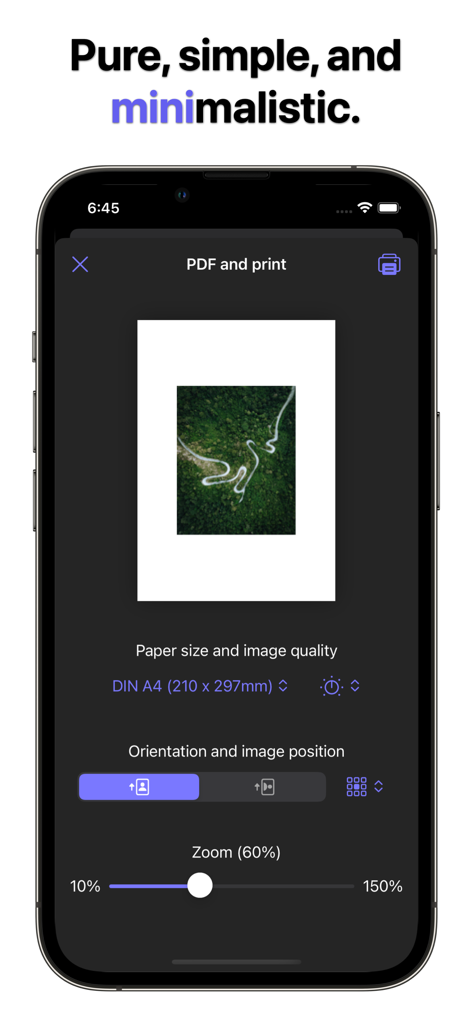
용지 크기와 확대/축소 컨트롤을 보여주는 미리보기 미니 앱의 PDF 및 인쇄 설정 화면
용지 크기와 확대/축소 컨트롤을 보여주는 미리보기 미니 앱의 PDF 및 인쇄 설정 화면

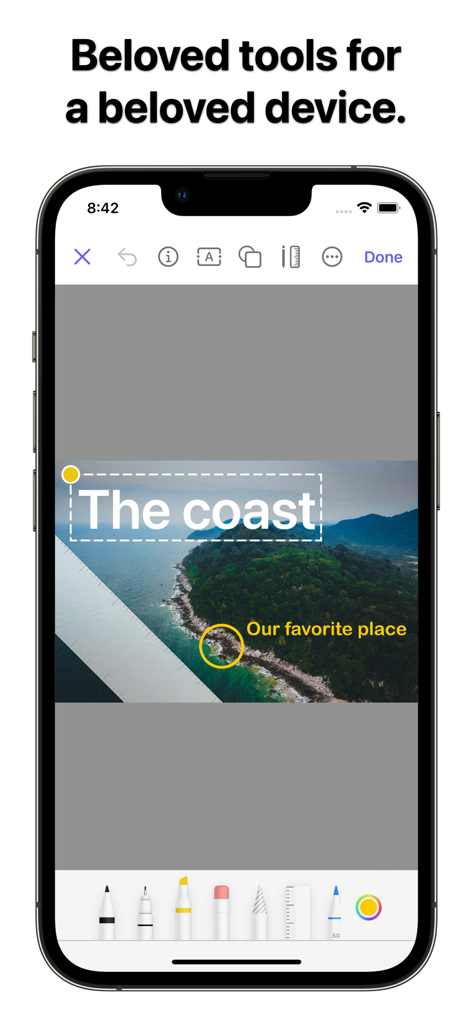
텍스트 및 그리기 펜을 포함한 이미지 주석 도구를 보여주는 미리보기 미니 앱 인터페이스를 보여주는 iPhone

텍스트 및 그리기 펜을 포함한 이미지 주석 도구를 보여주는 미리보기 미니 앱 인터페이스를 보여주는 iPhone

이동 중에도 데스크톱급 생산성

이 앱을 돋보이게 하는 도구, 74K+ 명의 사용자가 선택.

🖥️

macOS에서 영감을 받은 워크플로우

iPad 우선 전문가에게 최적화된 익숙한 창 제어, 드래그 앤 드롭, 키보드 단축키로 탐색하세요.

📑

고급 PDF 처리

모바일 오피스를 위해 설계된 고급 도구로 문서를 서명하고, 텍스트를 강조 표시하고, 여러 페이지 PDF를 관리하세요.

🖼️

프로 이미지 조작

HD로 자르고, 크기를 조정하고, 내보낼 때 실시간 파일 크기 미리보기를 통해 항상 전문 표준을 충족하는지 확인하세요.

앱 소개

에 대해 알아야 할 모든 것 Preview mini: Image & PDF tool.

설명

Preview mini is a powerful tool for working with images and PDFs on iPhone and iPad. Inspired by macOS. Created for iOS.  Preview mini combines the convenience of editing images and PDFs into a single application, offering advanced features for viewing, annotating, and converting files. The macOS-inspired desktop experience, featuring the brand-new File Desktop, familiar window controls, drag and drop, keyboard interaction, and even more to fall in love with. IMAGE EDITING – Highlight and crop image fragments – Rotate, flip, and resize – Add text, notes, and shapes – Support for blank templates with resolution selection PDF HANDLING – Edit and annotate PDF documents – Highlight text and create custom annotations* – Duplicate, convert, and manage PDF pages* – Add and remove passwords to protect files* IMPORT, EXPORT, AND INTEGRATION – Export images in HD quality* – Export JPEG/PNG with file size preview* – Support for keyboard shortcuts and trackpad for convenient use* *Features available in the full version of the application. Using Preview mini significantly simplifies the processing of images and PDF documents. You can quickly edit files, highlight important details, fill out forms, and add signatures without the need to switch between different applications. This saves you time, increases productivity, and makes working with documents convenient and intuitive! Download Preview mini and manage images and PDFs with macOS convenience on your iPhone and iPad! ––– Legal notice This application is NOT an Apple product. Preview mini is an independent development, inspired by macOS but not affiliated with Apple Inc. Images in the screenshots are provided by artists: Pok Rie (https://www.pexels.com/de-de/@pok-rie-33563) Fabian Wiktor (https://www.pexels.com/de-de/@fabianwiktor)

최신 버전

5.4

크기

103.5 MB

출시일

2022년 1월 26일

iPad 및 iPhone으로 macOS 미리보기의 강력한 기능을 가져오세요

74,000명 이상의 파워 유저와 함께 모바일 장치를 이미지 및 PDF를 위한 데스크톱급 워크스테이션으로 변환하세요. 지금 바로 미리보기 미니를 다운로드하세요.

다운로드: App Store

App information, icons, screenshots, and descriptions displayed on this page are sourced from the Apple App Store and are the property of their respective developers. Download estimates and rankings are based on MWM's proprietary models and may not reflect actual figures. This page is provided for informational and analytical purposes only.

Believe this page infringes your intellectual property? File a dispute