이 페이지는 앱이나 개발자의 공식 페이지가 아니며, 정보 제공 및 논평을 목적으로 작성된 독립 편집 간행물입니다. 명시적으로 달리 언급되지 않는 한, 해당 앱이나 개발자는 MWM, Apple, Google Play, 앱 퍼블리셔 또는 앱 개발자와 제휴, 보증, 후원, 승인 또는 공식적으로 연결되어 있지 않으며, 이 페이지의 어떤 내용도 해당 앱이 MWM의 서비스를 사용하여 개발되었음을 의미하지 않습니다. 모든 상표, 로고, 스크린샷 및 기타 콘텐츠는 해당 소유자의 자산입니다.
Printer App: Photo & Scan Pdf
iPhone을 강력한 모바일 오피스로 변환하세요. 모든 브랜드 프린터로 무선 인쇄하고, 고품질 OCR로 문서를 디지털화하고, 워터마크나 번거로움 없이 전문가 수준의 결과로 파일을 관리하세요.
주요 수치
다운로드
1K+
사용자 평점
1.0/5
총 평가 수
0
개발사
Muhammad Waqar Younis
카테고리
Business
지원 언어
31
최신 버전
1.12
크기
76.5 MB
출시일
2025년 5월 19일
기능
작업 공간 관리의 가장 스마트한 방법
이동 중에도 속도, 보안 및 고품질 결과를 위해 설계된 전문가 등급 제품군으로 문서 워크플로우를 간소화하세요.
즉각적인 범용 인쇄
까다로운 드라이버는 건너뛰세요. AirPrint를 통해 HP, Canon, Epson 등에 즉시 연결하여 워터마크 없이 라벨, 계약서, 사진을 인쇄하세요.
크리스탈처럼 선명한 디지털 스캔
영수증과 신분증을 고해상도 PDF로 변환하세요. 고급 OCR을 사용하여 이미지를 검색 가능한 텍스트로 변환하여 모든 문서에 전문가 수준의 모양을 보장하세요.
다음 스크린샷과 설명은 앱의 공식 스토어 목록에서 직접 가져온 것이며 앱 개발자의 자산입니다.
앱 스토어
스크린샷
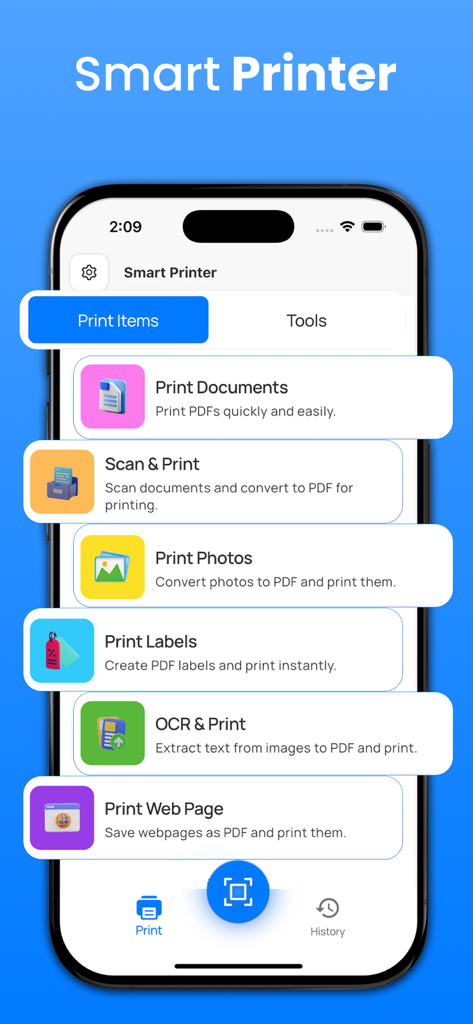
문서 인쇄, 스캔 및 인쇄, OCR과 같은 다양한 인쇄 및 스캔 옵션을 보여주는 모바일 프린터 앱의 메인 인터페이스.
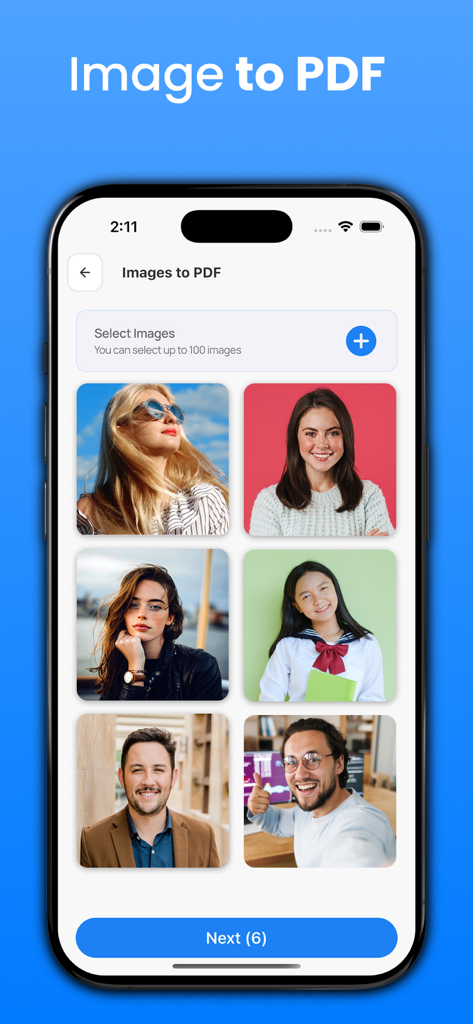
6개의 세로 사진 선택 기능이 있는 이미지 PDF 변환 기능을 보여주는 프린터 앱 인터페이스.
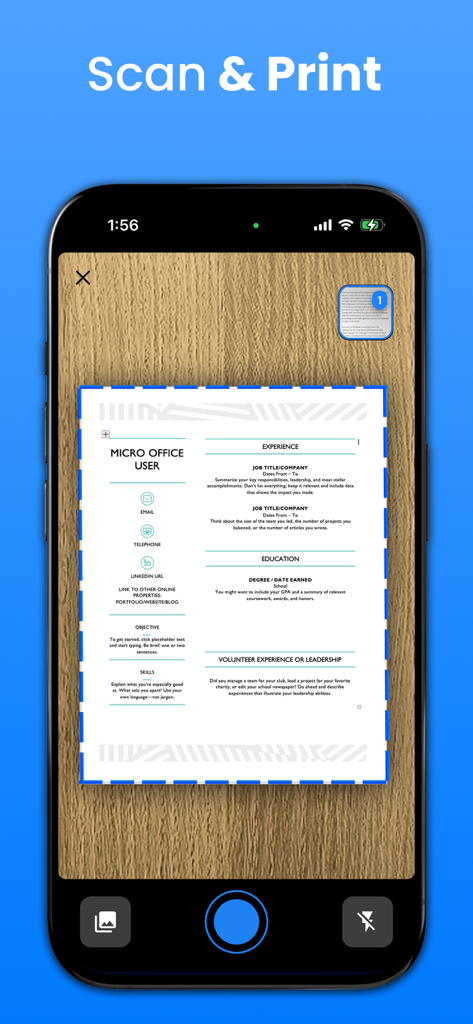
파란색 경계 감지선으로 문서를 스캔하는 스마트폰
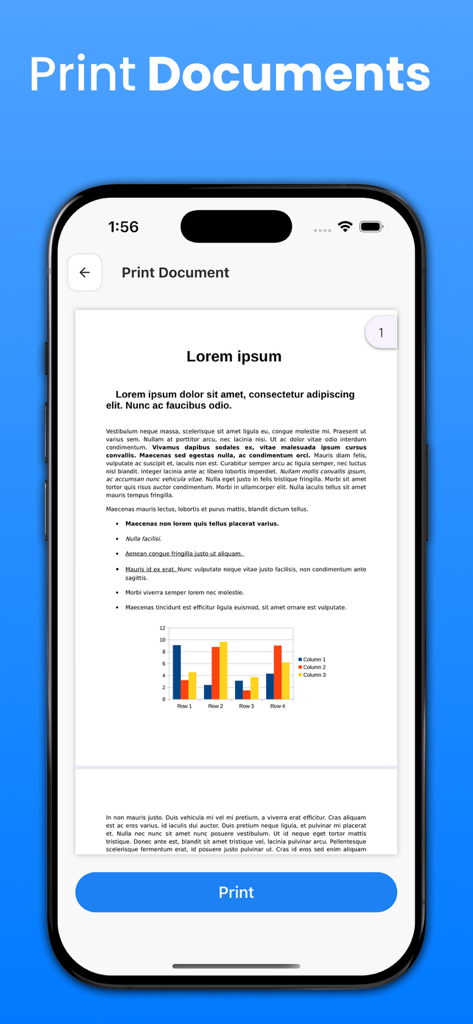
문서 미리 보기와 파란색 인쇄 버튼을 보여주는 모바일 앱 인터페이스
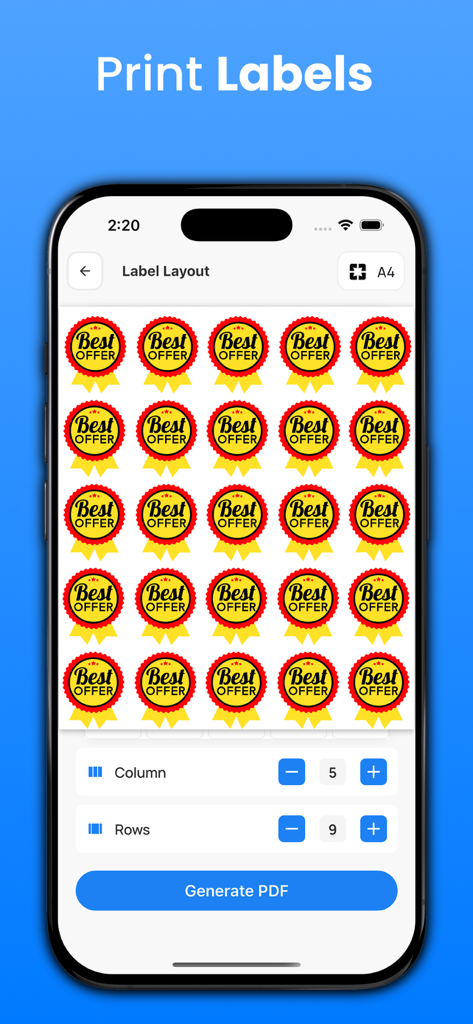
레이아웃 컨트롤이 있는 인쇄 준비 라벨 그리드를 보여주는 모바일 앱 화면.
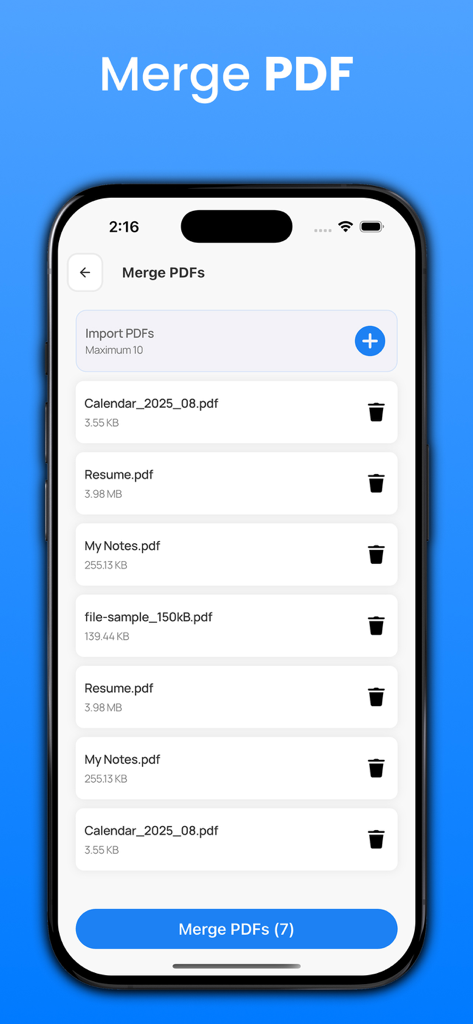
문서 목록이 있는 PDF 병합 기능을 보여주는 스마트폰 화면
설명
Printer App: Photo & Scan Pdf is a powerful all-in-one solution that turns your iPhone or iPad into a smart printer, scanner, and document manager. Designed for speed, accuracy, and ease of use, this app helps you scan documents, print photos, and manage files effortlessly without watermarks or complicated setup.
With Printer App: Photo & Scan Pdf, you can enjoy seamless wireless printing using AirPrint technology. The app automatically detects nearby compatible printers and connects instantly, eliminating the need for drivers or manual configuration. It works smoothly with popular printer brands such as HP, Canon, Epson, Brother, Pixma, Kodak, inkjet printers, and mini photo printers, delivering reliable and professional print quality every time.
Print photos, PDFs, emails, labels, calendars, webpages, and documents directly from your device. Printer App: Photo & Scan Pdf supports unlimited, watermark-free printing, making it ideal for home, office, school, and business use. Whether you are printing important contracts or everyday documents, the results remain clean, sharp, and professional.
The built-in scanner in Printer App: Photo & Scan Pdf comes with advanced OCR technology, allowing you to scan documents and convert them into searchable and editable text. Quickly digitize receipts, invoices, notes, ID cards, passports, contracts, and multi-page files. Automatic edge detection, smart cropping, and perspective correction ensure high-quality scans with minimal effort.
Powerful PDF and photo tools give you complete control over your documents. With Printer App: Photo & Scan Pdf, you can convert images to PDF or JPG, merge multiple pages, rearrange files, adjust layouts, and enhance scan quality. Sensitive documents can be protected using secure encryption, ensuring your files stay private and safe. Organize everything easily using the built-in file manager. Create folders, move files with drag-and-drop, rename documents, and edit content effortlessly. Printer App: Photo & Scan Pdf allows you to store unlimited files and access them anytime. You can also upload documents to Google Drive, Dropbox, or OneDrive, or share them directly via email. The app works offline, so you can scan and organize documents anywhere.
Perfect for students, professionals, remote workers, travelers, and small business owners, Printer App: Photo & Scan Pdf simplifies your daily document tasks. Download now and experience a smarter, faster, and more organized way to print, scan, and manage your documents.
이 페이지는 앱이나 개발자의 공식 페이지가 아니며, 정보 제공 및 논평을 목적으로 작성된 독립 편집 간행물입니다. 명시적으로 달리 언급되지 않는 한, 해당 앱이나 개발자는 MWM, Apple, Google Play, 앱 퍼블리셔 또는 앱 개발자와 제휴, 보증, 후원, 승인 또는 공식적으로 연결되어 있지 않으며, 이 페이지의 어떤 내용도 해당 앱이 MWM의 서비스를 사용하여 개발되었음을 의미하지 않습니다. 모든 상표, 로고, 스크린샷 및 기타 콘텐츠는 해당 소유자의 자산입니다.









