이 페이지는 앱이나 개발자의 공식 페이지가 아니며, 정보 제공 및 논평을 목적으로 작성된 독립 편집 간행물입니다. 명시적으로 달리 언급되지 않는 한, 해당 앱이나 개발자는 MWM, Apple, Google Play, 앱 퍼블리셔 또는 앱 개발자와 제휴, 보증, 후원, 승인 또는 공식적으로 연결되어 있지 않으며, 이 페이지의 어떤 내용도 해당 앱이 MWM의 서비스를 사용하여 개발되었음을 의미하지 않습니다. 모든 상표, 로고, 스크린샷 및 기타 콘텐츠는 해당 소유자의 자산입니다.
Printer: Smart Print App
이 앱은 당신의 폰을 디지털 사령부로 변모시킵니다.
주요 수치
다운로드
100k+
사용자 평점
4.4/5
총 평가 수
286
개발사
BEGAMOB GLOBAL LIMITED
카테고리
Business
지원 언어
33
최신 버전
1.2.0
크기
95.0 MB
출시일
2025년 12월 21일
기능
테크 분석가가 평가한 효율적인 모바일 인쇄 및 스캔 솔루션
Printer: Smart Print 앱의 주요 기능 분석
다양한 콘텐츠 인쇄 기능
사용자가 문서, 사진, 이메일, 텍스트, 웹 페이지 등 거의 모든 유형의 콘텐츠를 손쉽게 인쇄할 수 있도록 지원합니다.
광범위한 프린터 호환성
이 앱은 AirPrint 지원 프린터는 물론 HP, Brother, Canon 등 다양한 주요 프린터 모델과 원활하게 호환되어 사용자가 대부분의 프린터로 손쉽게 인쇄할 수 있도록 합니다.
문서 간편 인쇄
이 앱은 장치나 클라우드 저장소에 저장된 PDF, PNG, JPEG와 같은 일반적인 형식의 문서를 추가 단계 없이 빠르고 정확하게 인쇄할 수 있도록 해줍니다.
스마트 문서 및 사진 스캔
이 도구는 사용자의 휴대폰을 휴대용 스캐닝 장치로 변환하여 영수증, 계약서, 필기 노트를 포함한 문서와 사진을 언제 어디서든 스캔하고 편집할 수 있게 해줍니다.
통합 파일 관리
이 앱은 스캔 및 인쇄된 파일을 저장, 이름 변경, 정렬, 검토할 수 있는 파일 관리 도구를 제공하여 사용자가 중요한 문서를 체계적으로 정리하고 쉽게 찾을 수 있도록 돕습니다.
외부 앱 콘텐츠 바로 인쇄
사용자가 이메일 첨부 파일, 일반 텍스트, 웹 페이지 등 외부 앱의 콘텐츠를 복사하거나 내보내지 않고도 앱으로 직접 공유하여 손쉽게 인쇄할 수 있게 합니다.
손쉬운 사진 인쇄
사용자가 디지털 사진 라이브러리에서 사진을 선택하여 즉시 인쇄하고, 일괄 인쇄 기능을 통해 앨범을 만들거나 가족과 추억을 공유할 수 있도록 돕습니다.
데이터 동기화 및 접근성
이 앱은 로그인 및 데이터 동기화 기능을 통해 사용자의 문서가 여러 기기에서 안전하게 최신 상태로 유지되어, 기기를 전환하거나 나중에 다시 접속해도 작업을 원활하게 이어갈 수 있도록 합니다.
다음 스크린샷과 설명은 앱의 공식 스토어 목록에서 직접 가져온 것이며 앱 개발자의 자산입니다.
앱 스토어
스크린샷
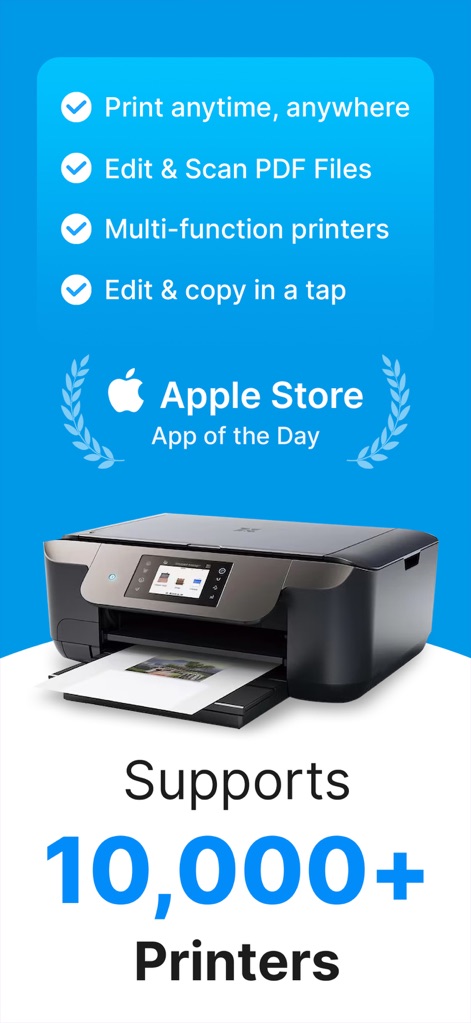
이 앱은 'Apple App of the Day'로 선정되어 그 우수성을 입증하며, 10,000개 이상의 다양한 프린터를 지원하여 광범위한 호환성을 자랑합니다.
스마트 프린트의 시작
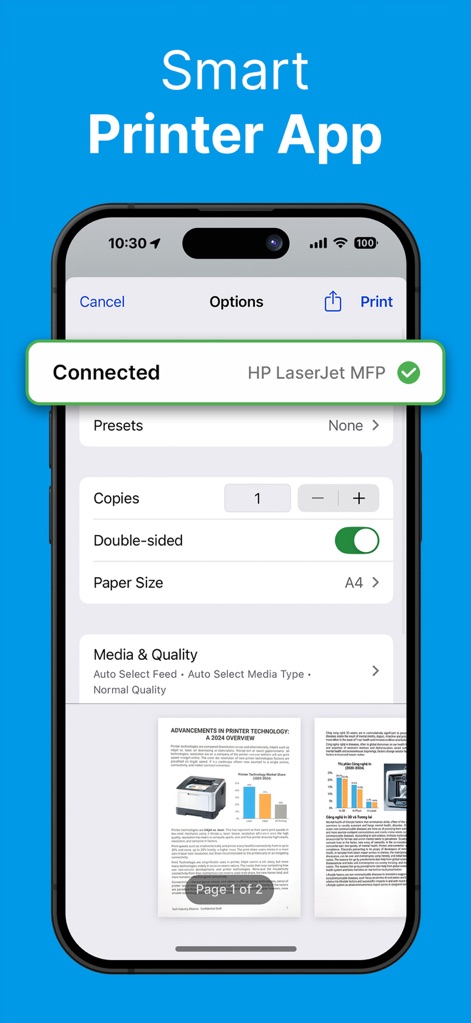
사용자는 연결된 프린터의 모델명(HP LaserJet MFP)을 확인하고, 필요한 경우 양면 인쇄와 같은 상세한 인쇄 옵션을 간편하게 조절할 수 있습니다.
손쉬운 인쇄 설정
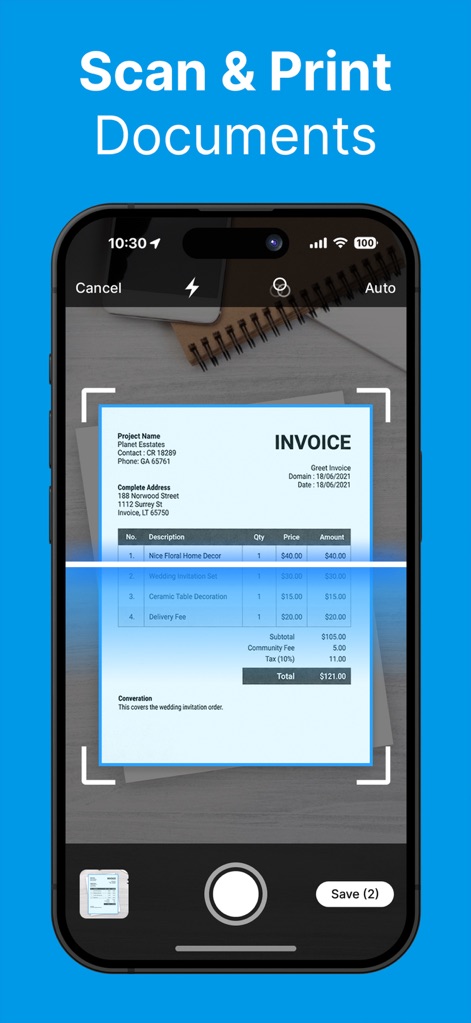
이 앱은 휴대폰 카메라를 활용하여 영수증과 같은 문서를 즉석에서 스캔하며, 스캔된 파일들을 '저장(2)' 버튼으로 한 번에 저장할 수 있게 합니다.
즉석 문서 스캔
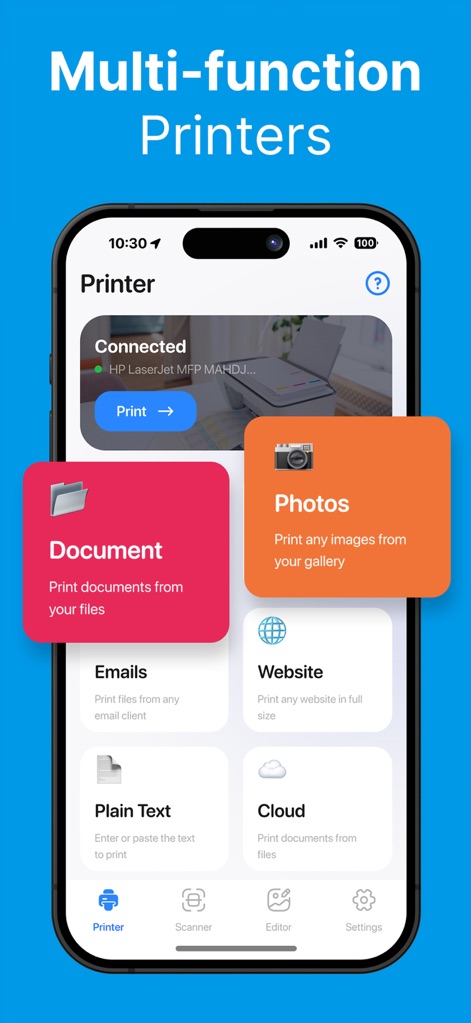
사용자는 연결된 프린터 상태를 즉시 확인하고, 문서 및 사진 인쇄를 포함한 다양한 소스에서 콘텐츠를 편리하게 관리하고 인쇄할 수 있습니다.
올인원 인쇄 허브
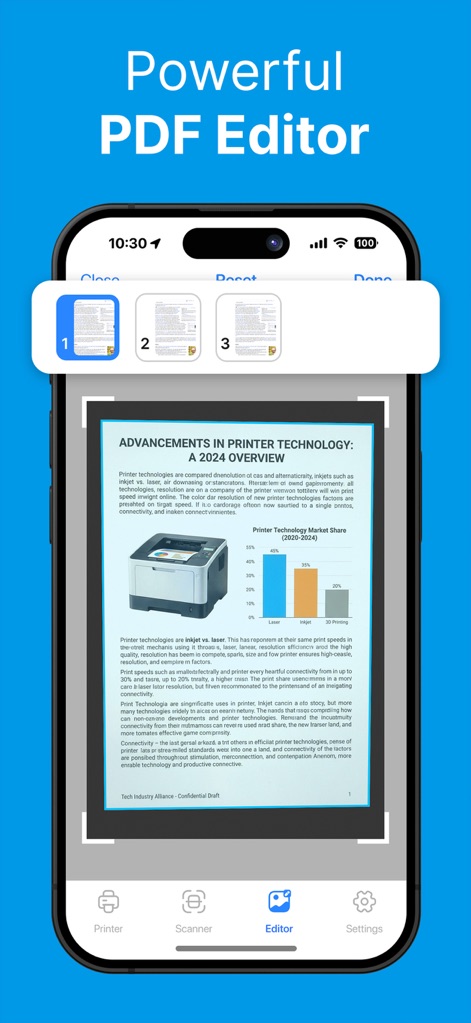
이 도구는 PDF 문서를 편리하게 편집할 수 있도록 하며, 상단에서 여러 페이지의 미리보기 썸네일을 제공하여 쉽게 탐색할 수 있습니다.
강력한 PDF 편집
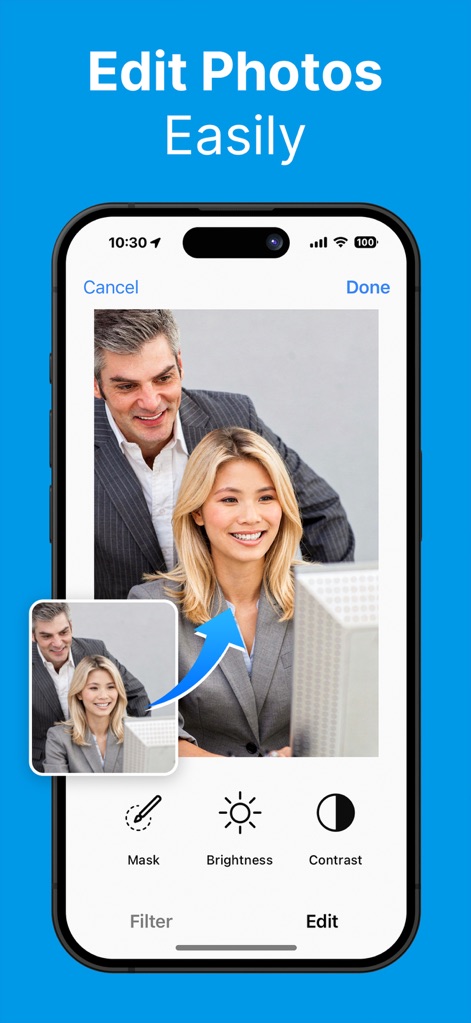
이 앱은 사용자가 사진을 쉽게 편집할 수 있도록 마스크 도구를 제공하며, 밝기 및 대비와 같은 기본 편집 옵션을 통해 이미지 품질을 향상시킬 수 있습니다.
간편한 사진 편집
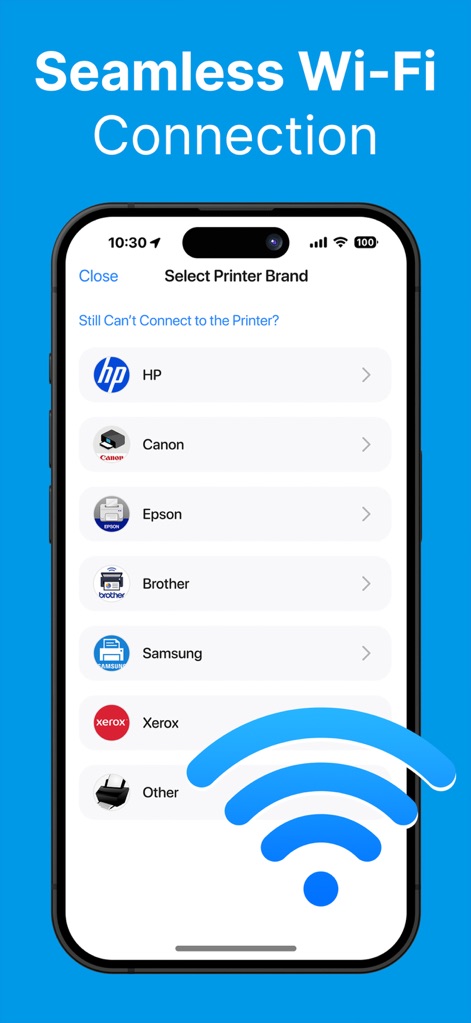
사용자는 HP와 Canon을 포함한 다양한 프린터 브랜드를 선택하여 무선으로 연결할 수 있으며, 안정적인 Wi-Fi 연결을 통해 인쇄 작업을 시작합니다.
무선 프린터 연결
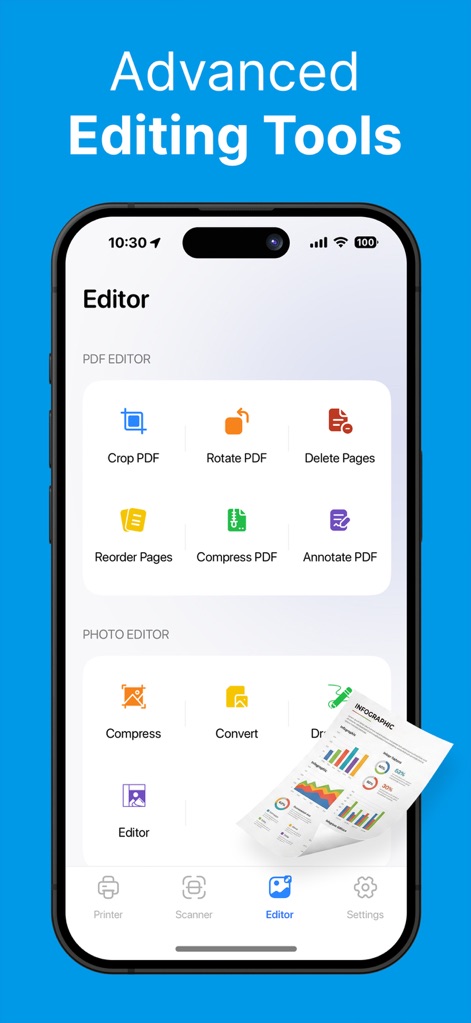
이 도구는 PDF 파일을 자르고 회전하는 기능을 포함하며, 사진 파일도 압축하고 변환할 수 있는 포괄적인 편집 옵션을 제공하여 사용자의 생산성을 높입니다.
고급 편집 도구
설명
Printer App: Smart Print, Scan helps you print, scan, edit, and organize documents and photos directly from your phone, whenever you need. This all-in-one printer and scanner app is built to simplify everyday tasks.
The app is compatible with most AirPrint-enabled printers, making wireless printing fast and effortless.
Whether you’re handling work files, study materials, or personal documents, you can manage everything from your iPhone or iPad without switching between multiple apps or devices.
Our smart printer & scanner app works seamlessly with most printer models, including HP, Brother, Canon, Dell, Epson, Lanier, Xerox, Aurora, Lexmark, Panasonic, Ricoh, Toshiba, and many more.
PRINT ANYTHING
Smart Printer gives you the freedom to print almost any type of content with ease. Documents, photos, emails, plain text, or web pages can be sent to your printer in just a few taps. The app focuses on smooth performance and reliable output, so printing feels simple instead of technical.
SCAN DOCUMENTS & PHOTOS
With the built-in smart scanner, your phone becomes a portable scanning tool. Use your camera to scan documents and photos anytime, anywhere. Capture receipts, contracts, handwritten notes, or images, then adjust brightness, crop edges, and enhance clarity before saving or printing. Your scans stay clean, readable, and professional.
PRINT PHOTOS
Turn digital memories into physical prints effortlessly. Select photos from your library and print them instantly. Smart Printer supports batch photo printing, making it easy to create albums, share moments with family, or print images for daily use.
PRINT DOCUMENTS
Access documents stored on your device or in cloud storage and print them without extra steps. The app supports common formats such as PDF, PNG, and JPEG, so you can print reports, forms, invoices, or study files quickly and confidently.
PRINT FROM EMAIL, TEXT & WEBSITE
Smart Printer makes it easy to print content from outside the app. Print email attachments, plain text, or web pages by sharing them directly to Smart Printer. No copying, no exporting — just send and print.
FILES MANAGEMENT
Keep everything organized in one place. Smart Printer includes file management tools that let you store, rename, sort, and review your scanned and printed files. This helps you stay organized and find important documents whenever you need them.
LOGIN & SYNC DATA
Your documents stay safe and accessible across devices. With login and data sync, Smart Printer keeps your files up to date so you can continue your work seamlessly, whether you switch devices or return later.
***Upgrade to Premium for all unlock features***
• WEEKLY 3-DAY TRIAL $9.99
• WEEKLY NO TRIAL $6.99
— Payment is charged to the iTunes account at purchase confirmation.
— Subscription auto-renews unless auto-renew is off 24+ hours before the current period ends.
— Manage subscriptions & auto-renewal in Account Settings after purchase.
— Account charged for renewal within 24 hours before the current period ends.
— Unused free trial portion (if offered) forfeited upon subscription purchase.
DISCLAIMER: Our Printer App is an independent product and is not connected to, sponsored by, or officially associated with any other brand, service, or company.This app is not affiliated with HP, Canon, Epson, or any other brand named in the description.
Term of User: https://begamob.com/ofs-termofuse.html
Privacy Policy: https://begamob.com/policy.html
이 페이지는 앱이나 개발자의 공식 페이지가 아니며, 정보 제공 및 논평을 목적으로 작성된 독립 편집 간행물입니다. 명시적으로 달리 언급되지 않는 한, 해당 앱이나 개발자는 MWM, Apple, Google Play, 앱 퍼블리셔 또는 앱 개발자와 제휴, 보증, 후원, 승인 또는 공식적으로 연결되어 있지 않으며, 이 페이지의 어떤 내용도 해당 앱이 MWM의 서비스를 사용하여 개발되었음을 의미하지 않습니다. 모든 상표, 로고, 스크린샷 및 기타 콘텐츠는 해당 소유자의 자산입니다.