이 페이지는 앱이나 개발자의 공식 페이지가 아니며, 정보 제공 및 논평을 목적으로 작성된 독립 편집 간행물입니다. 명시적으로 달리 언급되지 않는 한, 해당 앱이나 개발자는 MWM, Apple, Google Play, 앱 퍼블리셔 또는 앱 개발자와 제휴, 보증, 후원, 승인 또는 공식적으로 연결되어 있지 않으며, 이 페이지의 어떤 내용도 해당 앱이 MWM의 서비스를 사용하여 개발되었음을 의미하지 않습니다. 모든 상표, 로고, 스크린샷 및 기타 콘텐츠는 해당 소유자의 자산입니다.

Printer Discover
네트워크 하드웨어에 대한 완벽한 가시성을 확보하십시오. 세분화된 Bonjour 서비스를 감사하고, AirPrint 호환성을 확인하고, IT 전문가 및 고급 사용자를 위한 필수 진단 툴킷으로 고급 하드웨어 기능을 식별하십시오.
주요 수치
다운로드
7K+
사용자 평점
1.0/5
총 평가 수
0
개발사
Csaba Iranyi
카테고리
Utilities
지원 언어
1
최신 버전
1.15
크기
5.2 MB
출시일
2015년 5월 11일
기능
전문가급 네트워크 프린터 진단
네트워크 하드웨어에 대한 완벽한 가시성을 확보하십시오. 로컬 네트워크의 모든 프린터에 대한 기능 식별, 연결 문제 해결 및 세분화된 기술 데이터 액세스.
자동 네트워크 검색
AirPrint 호환 장치부터 레거시 USB 공유 장치 및 직접 네트워크 노드까지 Wi-Fi의 모든 공유 프린터를 즉시 찾으십시오.
심층 프로토콜 분석
고급 네트워크 관리를 위해 Bonjour 서비스 이름, IPP/LPD 프로토콜, MAC 주소 및 TLS 버전을 포함한 세분화된 기술 데이터에 액세스하십시오.
다음 스크린샷과 설명은 앱의 공식 스토어 목록에서 직접 가져온 것이며 앱 개발자의 자산입니다.
앱 스토어
스크린샷
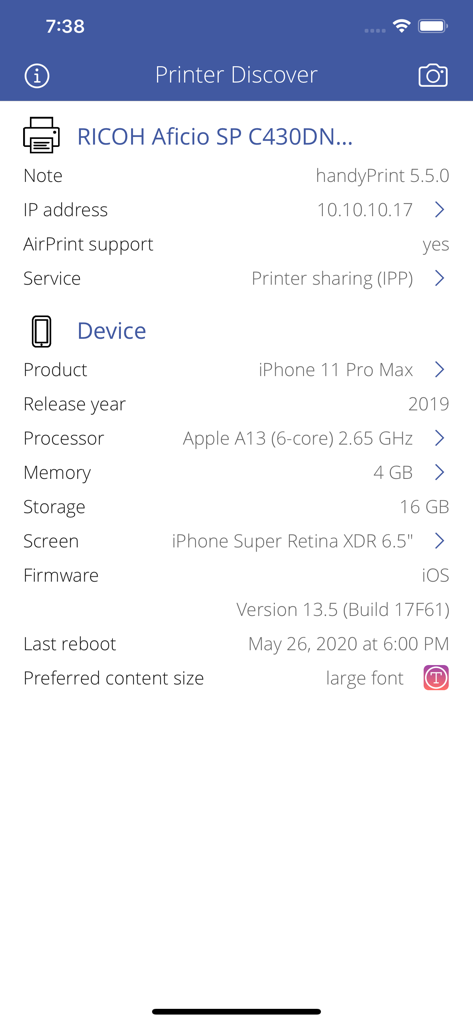
Printer Discover 앱에서 Ricoh 프린터 및 iPhone 하드웨어 사양에 대한 기술 세부 정보.
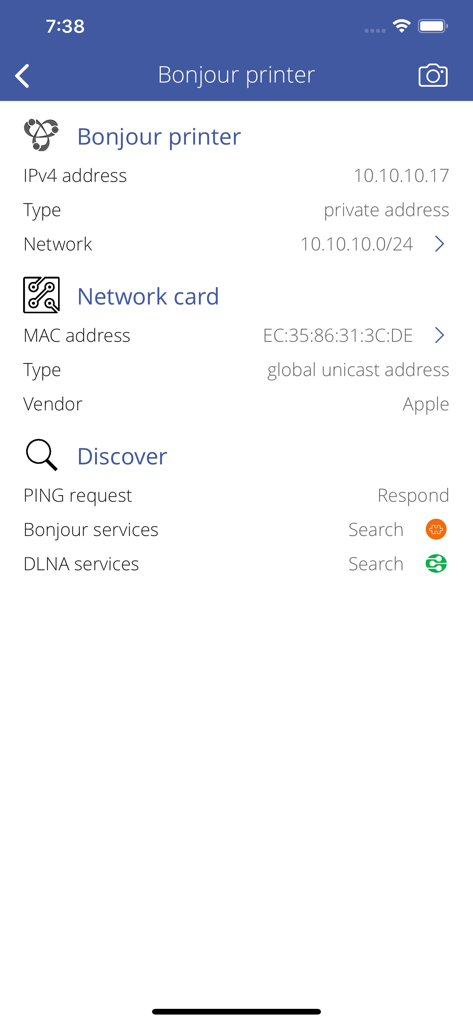
IP 주소 및 MAC 주소 세부 정보를 포함한 Bonjour 프린터에 대한 기술 네트워크 정보
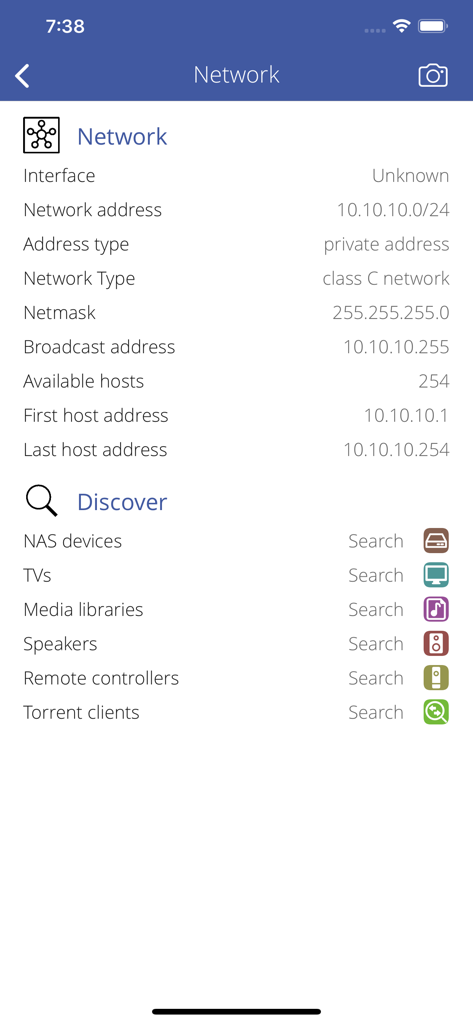
Printer Discover 앱의 네트워크 정보 및 장치 검색 대시보드.
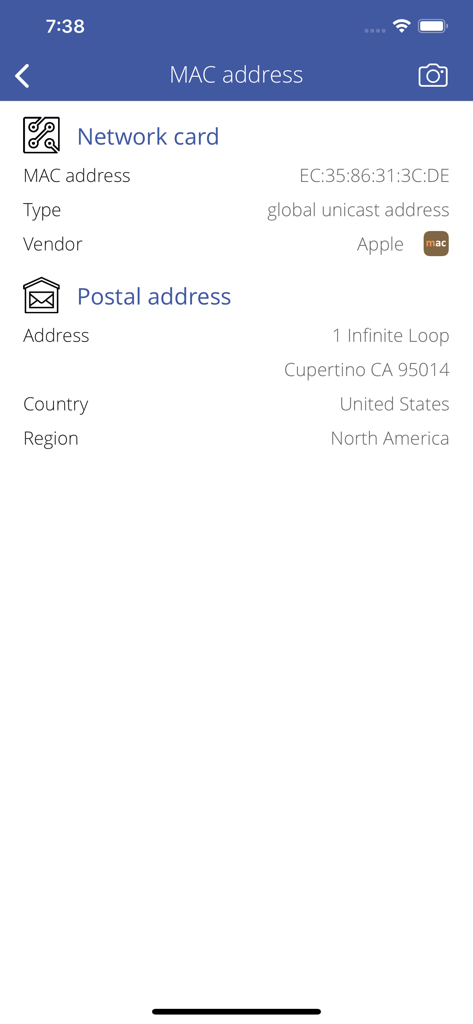
네트워크 카드 MAC 주소 및 공급업체 위치 정보를 보여주는 Printer Discover 앱 인터페이스
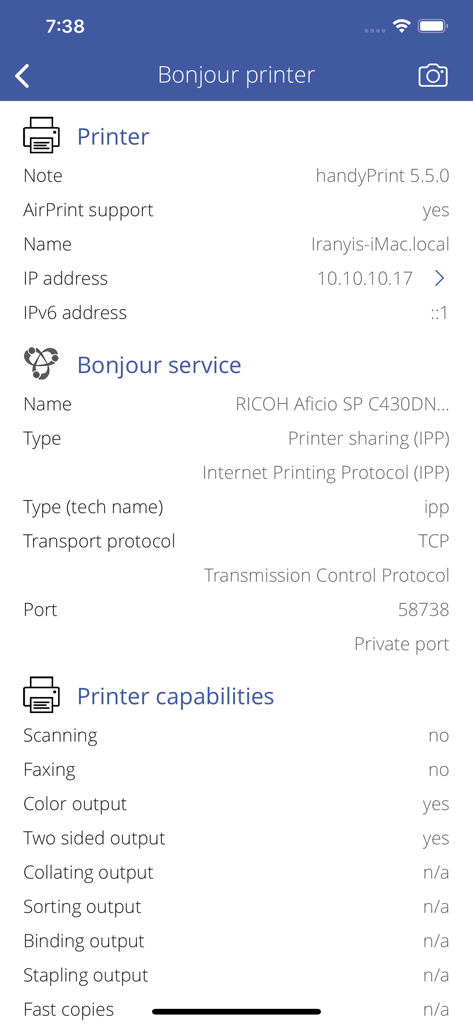
IP 주소 Bonjour 서비스 유형 및 인쇄 기능을 포함한 네트워크 프린터의 세부 기술 정보
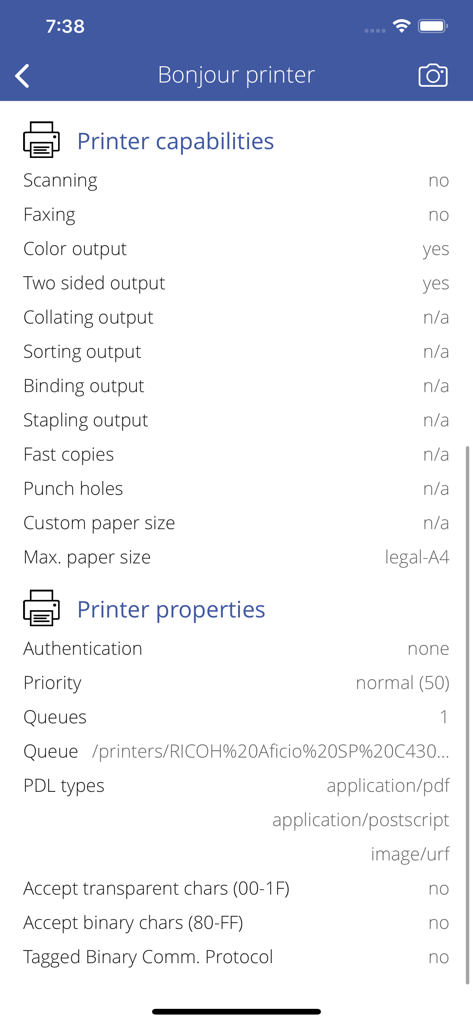
Printer Discover 앱의 Bonjour 네트워크 프린터에 대한 프린터 기능 및 속성을 보여주는 기술 사양
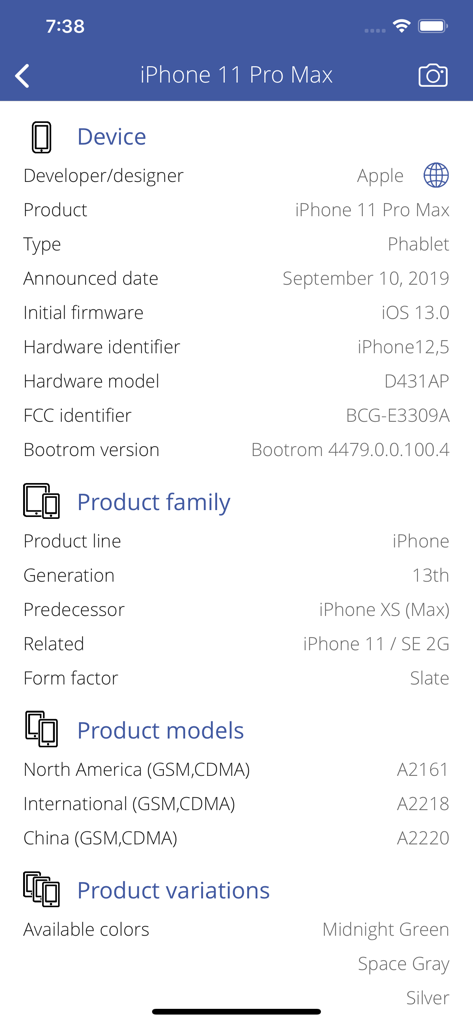
iPhone 11 Pro Max의 기술 하드웨어 및 소프트웨어 사양
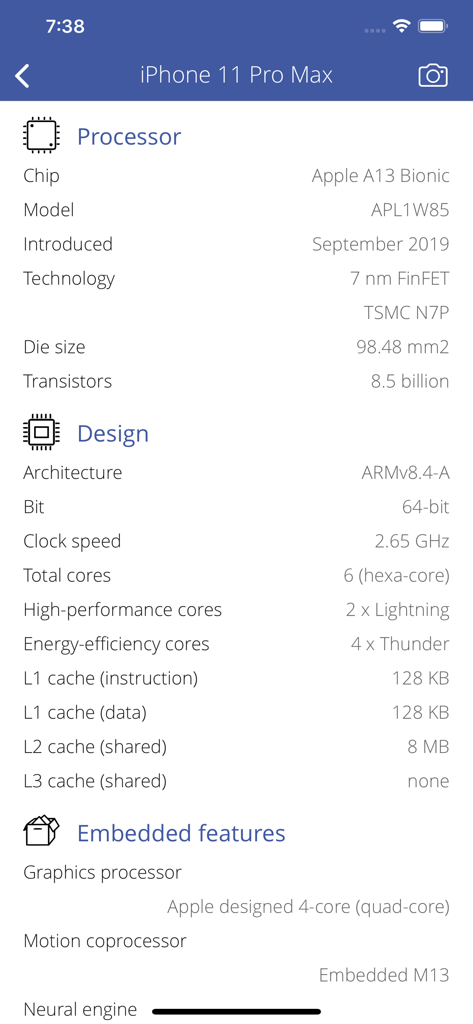
A13 Bionic 프로세서 및 아키텍처 정보를 보여주는 iPhone 11 Pro Max의 상세 하드웨어 사양
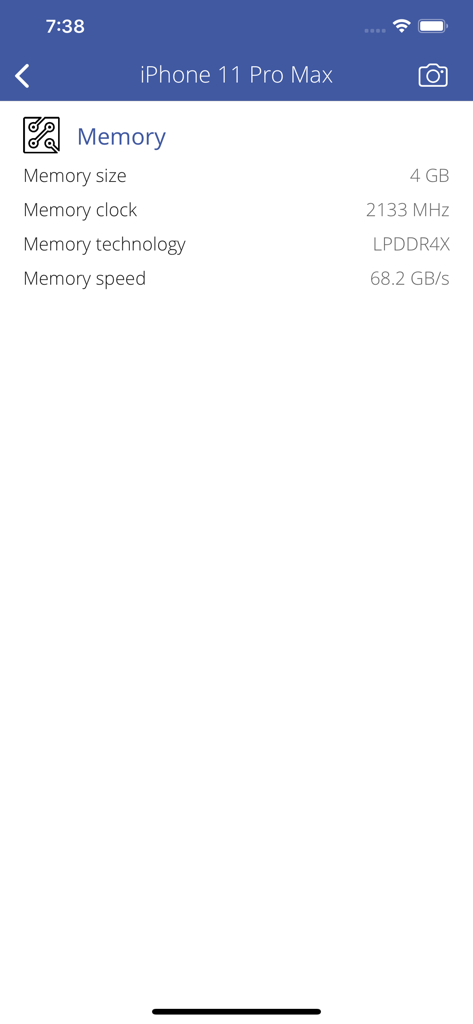
크기, 클럭 및 기술 정보를 보여주는 iPhone 11 Pro Max의 기술 메모리 사양
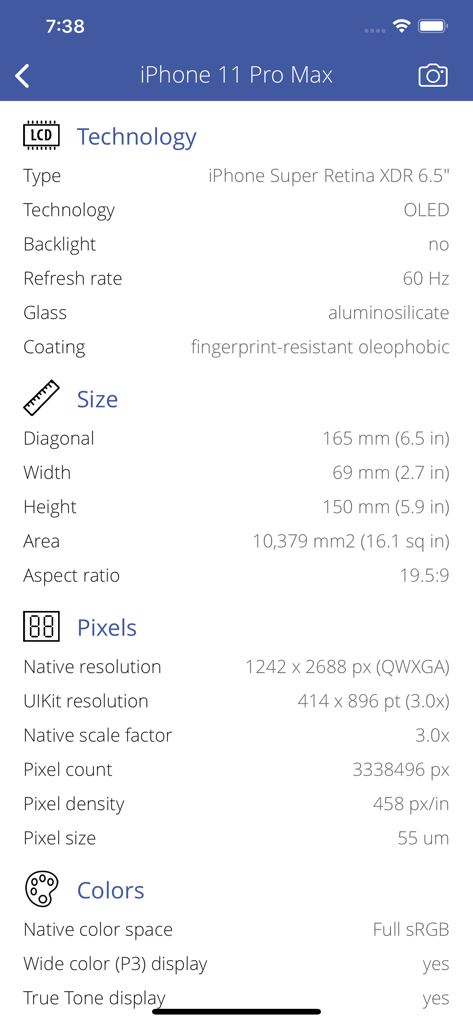
Printer Discover 앱의 iPhone 11 Pro Max 디스플레이 및 하드웨어 세부 정보를 보여주는 기술 사양 화면.
설명
It is a great time to explore your network printers. Printer Discover helps you to find all information about your network printers from printer description to detailed features.
PRINTER BROWSER
• Discover the shared printers on your office or home network. The app can discover direct network printers, shared USB printers or re-shared network printers.
• Detect AirPrint support. AirPrint is a feature in Apple Inc.'s operating systems starting with OS X Lion and iOS 4.2.1, for printing via a wireless LAN (Wi-Fi), either directly to AirPrint-compatible printers or non-compatible printers by way of a Microsoft Windows or GNU/Linux PC, or an Apple Mac (via sharing or AirPrint activator).
• Printer manufacturer and model detection. Commonly supported printer vendors: Astro-Med, Aurora, Brother, Canon, Dell, Develop, Epson, Fuji Xerox, Gestetner, HP, infotec, Konica Minolta, Kyocera, LANIER, Lenovo, Lexmark, NRG, NTT, Oki Data, Olivetti, RICOH, RISO, Samsung, SAVIN, Sharp, Sindoh, TA, Toshiba, Xerox, Zink and more...
• Detect administration website for printer (if exists).
• Detect current printer working state (idle, printing, stopped).
PRINTER NETWORK INFORMATION
• Analyze and describe Bonjour service name, type, protocol, port, IP addresses (IPv4 and IPv6) and other properties. Supported Bonjour services:
• Internet Printing Protocol (IPP).
• Internet Printing Protocol over HTTPS (IPPS).
• Internet Printing Protocol over TLS (IPP-TLS).
• Line Printer Daemon (LPD).
• Page Description Language (PDL).
• Show Bonjour printer local name, domain name, MAC address (with vendor information), PING capability.
DETECT PRINTER CAPABILITIES
• Scanning.
• Faxing.
• Color or BW support.
• Two sided printing output.
• Collating output.
• Sorting output.
• Binding output.
• Stapling output.
• Fast copies.
• Punch holes.
• Custom paper size support.
• Maximum paper size support (A4, A3, A2).
• Supported media types (disc, document, envelope, label, large-format, photo, postcard, receipt, roll).
DETECT PRINTER PROPERTIES
• Required authentication (none, client certificate, username/password, Kerberos).
• Supported TLS version.
• Printer priority.
• Number of printing queues and queue name.
• Supported PDL MIME types.
• Transparent characters support.
• Binary characters support.
• Tagged Binary Communication Protocol (TBCP) support.
REACH UI FEATURES
• Info menu with feedback and privacy settings
• Use the camera icon (upper-right corner) to create and print/send/share a screenshot from the entire page.
• Pull down with your finger to refresh the information.
• Long press on a cell to copy/print/send/open as/share the cell value.
• Shake your device to refresh the information.
이 페이지는 앱이나 개발자의 공식 페이지가 아니며, 정보 제공 및 논평을 목적으로 작성된 독립 편집 간행물입니다. 명시적으로 달리 언급되지 않는 한, 해당 앱이나 개발자는 MWM, Apple, Google Play, 앱 퍼블리셔 또는 앱 개발자와 제휴, 보증, 후원, 승인 또는 공식적으로 연결되어 있지 않으며, 이 페이지의 어떤 내용도 해당 앱이 MWM의 서비스를 사용하여 개발되었음을 의미하지 않습니다. 모든 상표, 로고, 스크린샷 및 기타 콘텐츠는 해당 소유자의 자산입니다.









