
이 페이지는 앱이나 개발자의 공식 페이지가 아니며, 정보 제공 및 논평을 목적으로 작성된 독립 편집 간행물입니다. 명시적으로 달리 언급되지 않는 한, 해당 앱이나 개발자는 MWM, Apple, Google Play, 앱 퍼블리셔 또는 앱 개발자와 제휴, 보증, 후원, 승인 또는 공식적으로 연결되어 있지 않으며, 이 페이지의 어떤 내용도 해당 앱이 MWM의 서비스를 사용하여 개발되었음을 의미하지 않습니다. 모든 상표, 로고, 스크린샷 및 기타 콘텐츠는 해당 소유자의 자산입니다.

Python Compiler
최적화된 키보드로 더 빠르게 코딩하고, 교과서에서 직접 스니펫을 스캔하고, 통합 튜토리얼로 최신 정보를 유지하세요. 이 모든 것을 iPhone 또는 iPad에서 이용할 수 있습니다.
다운로드
17K+사용자 평점
총 평가 수
0개발사
카테고리
Education지원 언어
1최신 버전
2.0.6크기
68.7 MB출시일
2023년 1월 27일언제 어디서나 Python 마스터
교과서와 라이브 실행 간의 격차를 해소하도록 설계된 강력한 모바일 IDE로, 이동 중 코딩을 그 어느 때보다 빠르고 직관적으로 만듭니다.
스캔하여 코딩하기 기술
카메라를 사용하여 교과서, 화이트보드 또는 유인물에서 코드 스니펫을 즉시 디지털화하여 수동 입력 시간을 절약하세요.
최적화된 코딩 레이아웃
모바일 키보드와의 씨름은 그만하세요. 고속 코딩을 위해 설계된 전용 레이아웃으로 사용자 지정 단축키와 필수 기호에 액세스하세요.
자주 묻는 질문
에 대해 알아야 할 모든 것 Python Compiler
Python 컴파일러 앱이란 무엇인가요?
Python 컴파일러 앱은 초보자와 숙련된 개발자 모두를 위한 직관적인 환경을 제공하는 모바일 코딩 애플리케이션으로, Python 개발을 위해 설계되었습니다. 구문 강조 및 프로젝트 관리와 같은 기능을 제공합니다.
Python 컴파일러는 구문 강조를 지원하나요?
네, Python 컴파일러 앱은 가독성을 높이기 위해 색상으로 구분된 구문 강조 기능이 있는 생동감 있고 읽기 쉬운 코드 편집기를 제공합니다. 이 기능은 코드의 다른 부분을 구분하여 가독성을 향상시킵니다.
Python 컴파일러 앱에서 바로가기를 사용자 지정할 수 있나요?
네, 사용자는 Python 컴파일러 앱의 도구 레이아웃 내에서 자신만의 바로가기를 사용자 지정할 수 있습니다. 이는 개별 워크플로우에 맞게 바로가기를 조정하여 생산성을 향상시킵니다.
Python 컴파일러 앱은 코드 탐색을 어떻게 지원하나요?
Python 컴파일러 앱에는 사용자가 커서를 쉽게 이동할 수 있는 전용 탐색 레이아웃이 포함되어 있습니다. 이 디자인은 편집기 내에서 코드 탐색을 원활하고 직관적으로 만듭니다.
Python 컴파일러에서 기기 카메라를 사용하여 코드를 가져올 수 있나요?
네, Python 컴파일러 앱은 "코드 스캔 기능"을 제공합니다. 이를 통해 사용자는 기기 카메라를 사용하여 교과서나 화이트보드와 같은 물리적 소스에서 코드 스니펫을 신속하게 스캔하고 가져올 수 있습니다.
Python 컴파일러 앱에서 Python 학습을 위한 튜토리얼을 제공하나요?
네, Python 컴파일러 앱에는 통합 튜토리얼 및 뉴스 섹션이 있습니다. 이 섹션은 사용자가 새로운 기술, 모범 사례를 배우고 Python 개발에 대한 최신 정보를 유지하는 데 도움을 줍니다.
Python 컴파일러 앱에서 프로젝트를 어떻게 관리할 수 있나요?
Python 컴파일러 앱에는 효율적인 관리를 위한 내장 프로젝트 구성 도구가 포함되어 있습니다. 사용자는 중요한 코드 스니펫과 프로젝트를 쉽게 북마크하여 빠르게 액세스하고 워크플로우를 간소화할 수 있습니다.
Python 컴파일러 앱에서 어떤 종류의 미리 작성된 코드 예제를 사용할 수 있나요?
Python 컴파일러 앱은 "한 줄 계산기", "회문", "피보나치 수열"과 같은 튜토리얼 섹션에서 다양한 미리 작성된 코드 예제를 제공합니다. 이는 사용자가 Python 개념을 학습하고 구현하는 데 도움이 됩니다.
Python 컴파일러 앱은 누가 개발했나요?
Python 컴파일러 앱은 Anvaysoft에서 개발했습니다. Hrishikesh Suthar가 애플리케이션 프로그래머로 크레딧을 받았습니다.
Python 컴파일러 앱 내에서 Python 코드를 직접 실행할 수 있나요?
네, 사용자는 Python 컴파일러 앱 내에서 Python 코드를 직접 실행할 수 있습니다. 코드를 입력한 후 재생 버튼을 누르면 "코드 실행" 액션 메뉴가 트리거됩니다.
다음 스크린샷과 설명은 앱의 공식 스토어 목록에서 직접 가져온 것이며 앱 개발자의 자산입니다.
앱 스토어
스크린샷
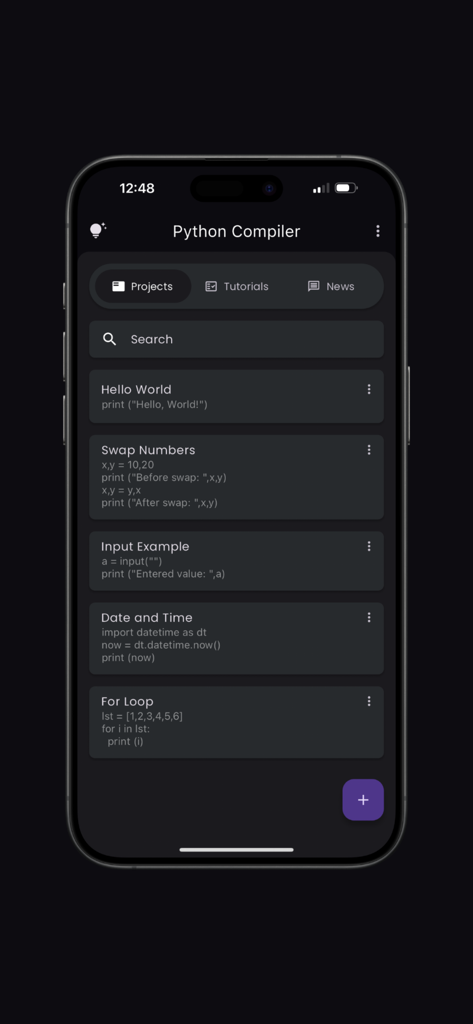
컴파일러 앱의 Python 프로젝트 및 코드 스니펫 대시보드
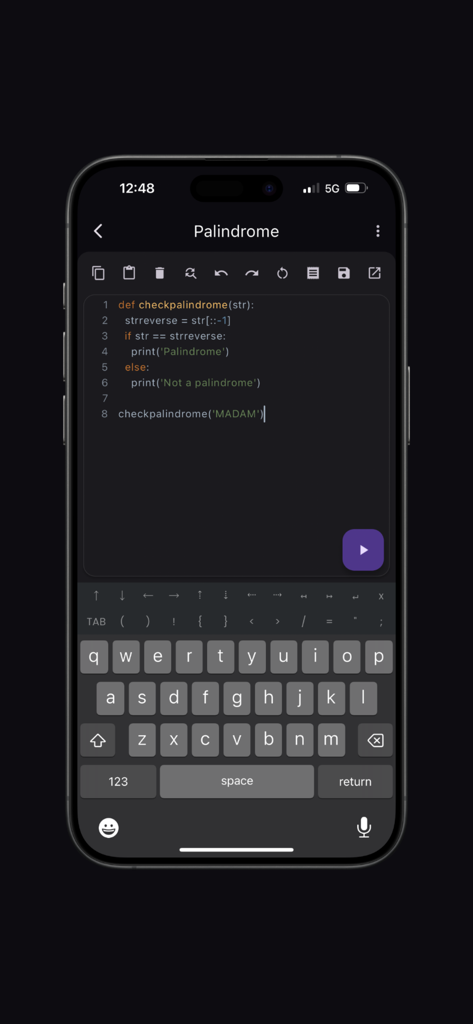
Python Compiler 모바일 코드 편집기 인터페이스, 사용자 지정 기호 키보드 및 구문 강조 기능 포함
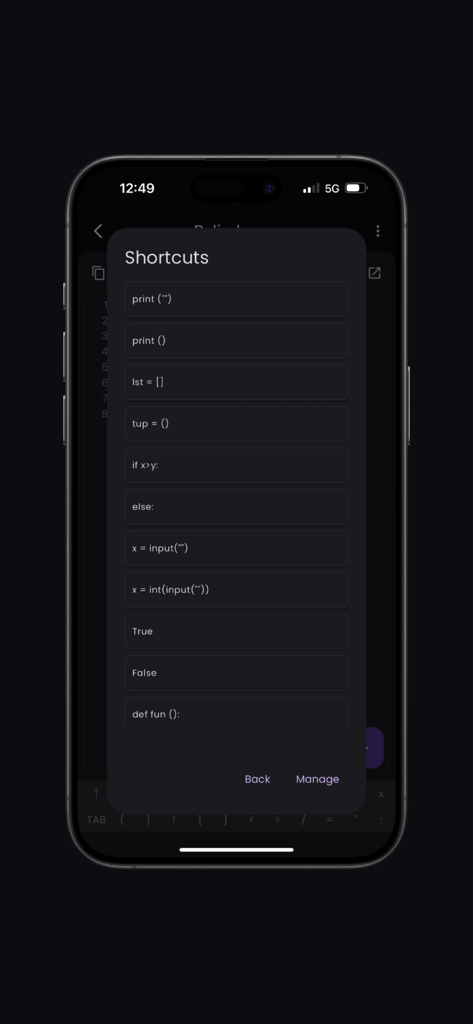
Python Compiler 앱 인터페이스, 빠른 모바일 프로그래밍을 위한 일반적인 코드 단축키 목록 표시
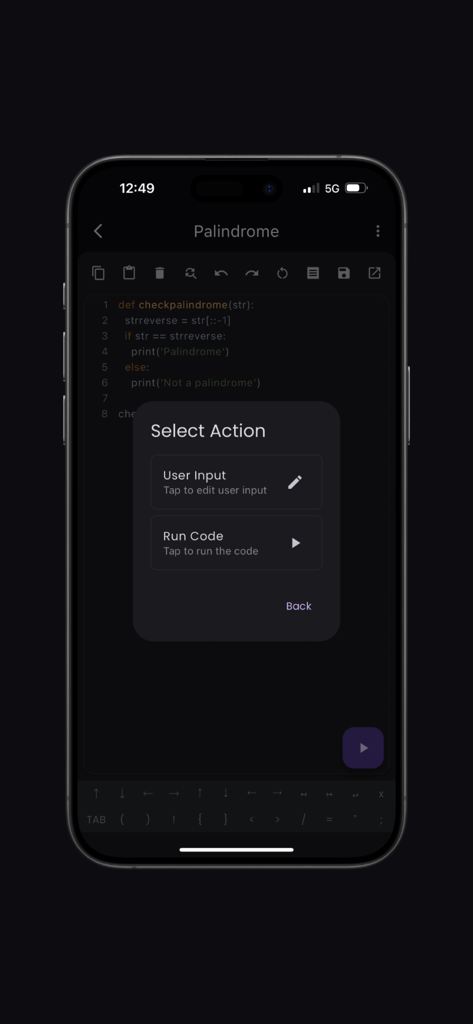
Palindrome 코드 스니펫과 코드 실행 또는 사용자 입력 입력 메뉴를 표시하는 Python Compiler 모바일 앱
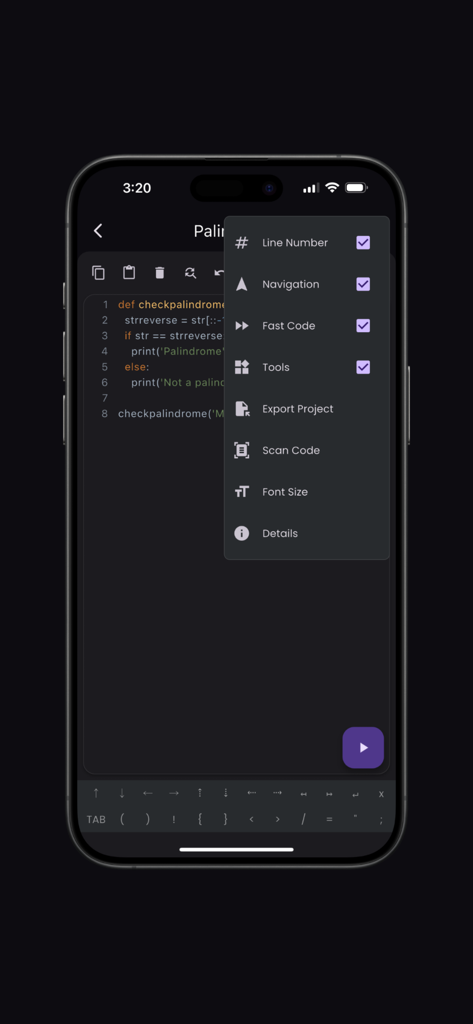
iPhone에서 편집기 설정 메뉴 및 사용자 지정 코딩 키보드를 보여주는 Python Compiler 앱 인터페이스
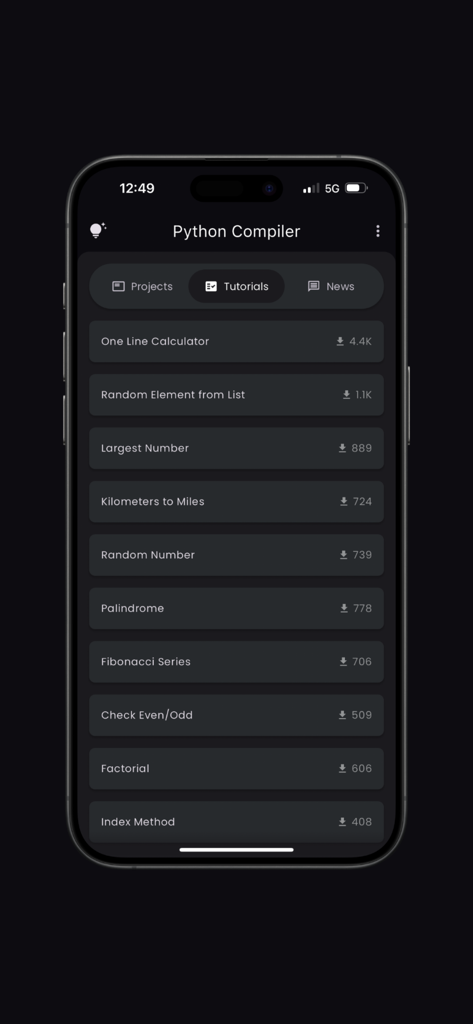
일반적인 프로그래밍 작업을 위한 코딩 튜토리얼 목록을 보여주는 Python Compiler 앱 인터페이스
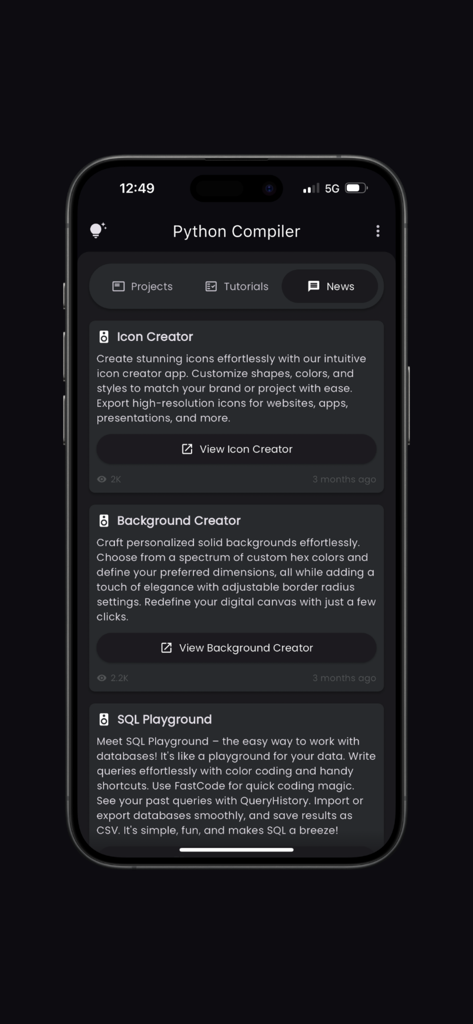
Icon Creator 및 SQL Playground와 같은 개발자 도구를 특징으로 하는 Python Compiler 앱의 뉴스 섹션.
설명
Download
비슷한 앱
같은 카테고리의 상위 앱

Duolingo - Language Lessons
Duolingo, Inc

Speak & Learn English: Learna
DEEP FLOW SOFTWARE SERVICES - FZCO

驾考宝典-科一科四驾驶证考试驾考通
Wuhan Jiakaobaodian Information Service Co., Ltd.

Toca Boca World
Toca Boca AB

Google Classroom
Google LLC

作业帮-中小学家长作业检查和辅导工具
Guangzhou Polar Future Culture Technology Co., Ltd

学信网
Student Information Consultation Service Co., Ltd.

Gauth: AI Study Companion
GAUTHTECH PTE. LTD.

ArtWorkout: Learn How to Draw
Aleksandr Ulitin
이 페이지는 앱이나 개발자의 공식 페이지가 아니며, 정보 제공 및 논평을 목적으로 작성된 독립 편집 간행물입니다. 명시적으로 달리 언급되지 않는 한, 해당 앱이나 개발자는 MWM, Apple, Google Play, 앱 퍼블리셔 또는 앱 개발자와 제휴, 보증, 후원, 승인 또는 공식적으로 연결되어 있지 않으며, 이 페이지의 어떤 내용도 해당 앱이 MWM의 서비스를 사용하여 개발되었음을 의미하지 않습니다. 모든 상표, 로고, 스크린샷 및 기타 콘텐츠는 해당 소유자의 자산입니다.