Python Programming Interpreter
다운로드: App Store

이 페이지는 앱이나 개발자의 공식 페이지가 아니며, 정보 제공 및 논평을 목적으로 작성된 독립 편집 간행물입니다. 명시적으로 달리 언급되지 않는 한, 해당 앱이나 개발자는 MWM, Apple, Google Play, 앱 퍼블리셔 또는 앱 개발자와 제휴, 보증, 후원, 승인 또는 공식적으로 연결되어 있지 않으며, 이 페이지의 어떤 내용도 해당 앱이 MWM의 서비스를 사용하여 개발되었음을 의미하지 않습니다. 모든 상표, 로고, 스크린샷 및 기타 콘텐츠는 해당 소유자의 자산입니다.

로고: Python Programming Interpreter
다운로드: App Store

Python Programming Interpreter

iPhone 또는 iPad를 강력한 코딩 워크스테이션으로 전환하세요. 학생과 전문가를 위해 설계된 당사의 고급 에디터는 구문 강조 표시, 데이터 과학을 위한 전체 플로팅 지원, 그리고 속도를 위해 제작된 맞춤형 키보드를 제공합니다.

주요 수치

다운로드

558K+

사용자 평점

3.1/5

총 평가 수

300

개발사

Ketan Appa

카테고리

Education

지원 언어

1

최신 버전

4.8

크기

14.4 MB

출시일

2018년 1월 16일
기능

어디서든 코딩 잠재력 발휘하기

구문 마스터링부터 복잡한 데이터 시각화 실행에 이르기까지, 당사의 모바일 IDE는 완전한 기능을 갖춘 Python 환경을 iPhone 및 iPad로 가져옵니다.

스마트 코드 에디터

구문 강조 표시, 자동 완성, 코딩 기호 및 외부 하드웨어에 최적화된 맞춤형 키보드로 작업 흐름을 가속화하세요.

통합 그래프 및 플로팅

STEM 학생 및 데이터 분석가에게 완벽합니다. 플로팅 및 그래프 작성에 대한 내장 지원을 통해 알고리즘 및 데이터 세트를 시각화하세요.

다음 스크린샷과 설명은 앱의 공식 스토어 목록에서 직접 가져온 것이며 앱 개발자의 자산입니다.

앱 스토어

스크린샷
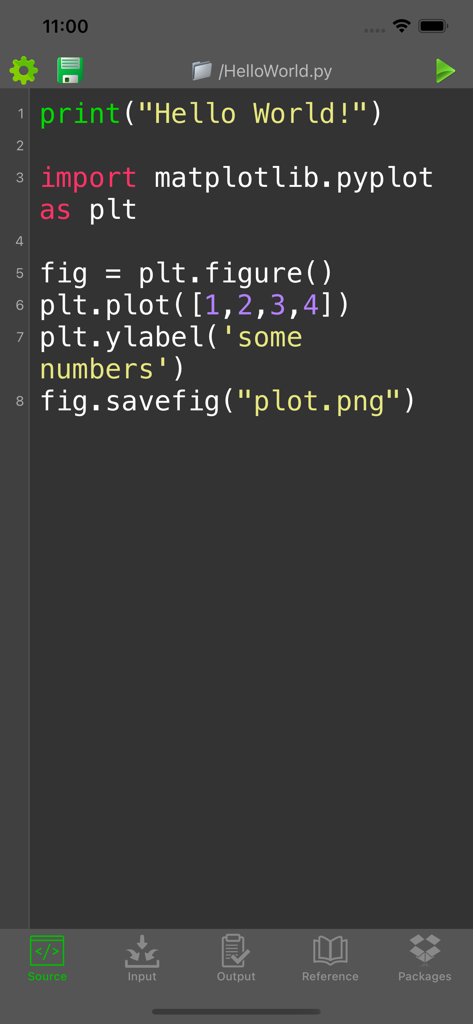
Python Programming Interpreter - matplotlib을 이용한 데이터 플로팅 소스 코드를 보여주는 Python 코드 편집기 인터페이스
matplotlib을 이용한 데이터 플로팅 소스 코드를 보여주는 Python 코드 편집기 인터페이스

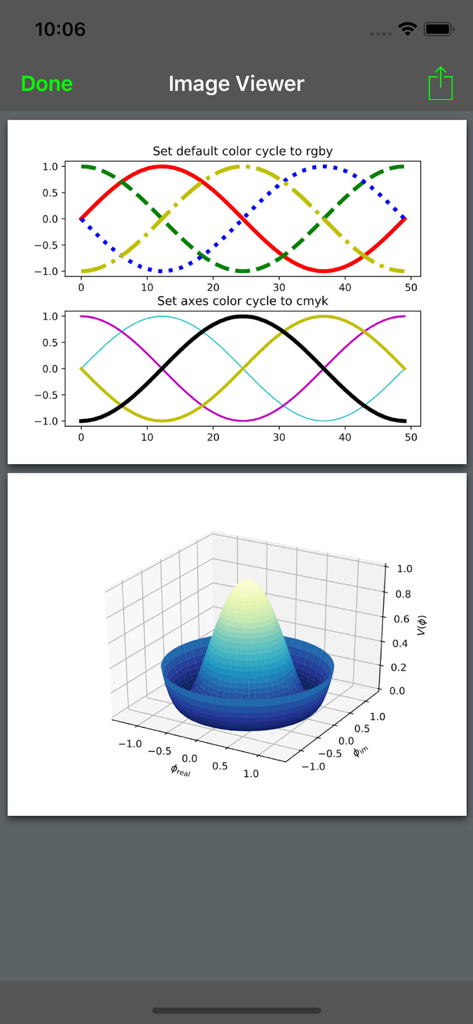
Python Programming Interpreter - 2D 및 3D 데이터 시각화 플롯을 보여주는 Python 인터프리터
2D 및 3D 데이터 시각화 플롯을 보여주는 Python 인터프리터

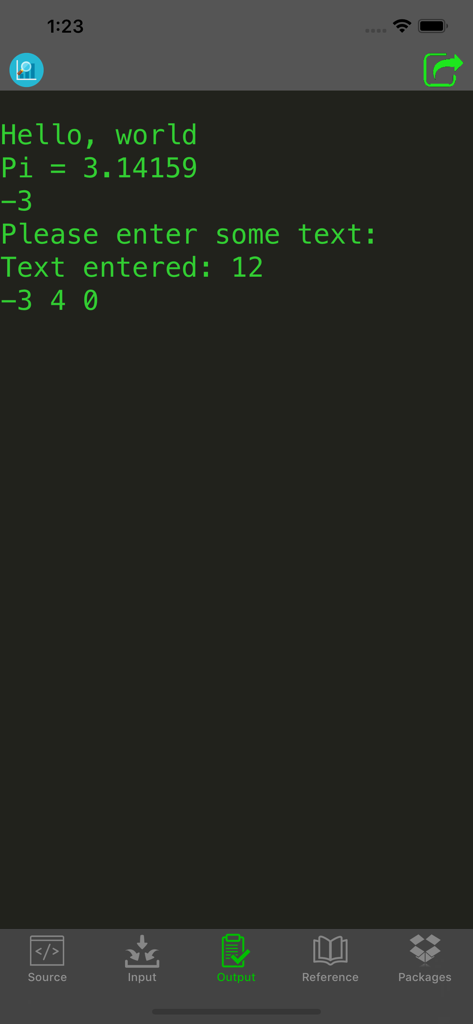
Python Programming Interpreter - 어두운 배경에 녹색 텍스트가 표시된 콘솔 출력을 보여주는 Python 프로그래밍 인터프리터 앱 스크린샷.
어두운 배경에 녹색 텍스트가 표시된 콘솔 출력을 보여주는 Python 프로그래밍 인터프리터 앱 스크린샷.

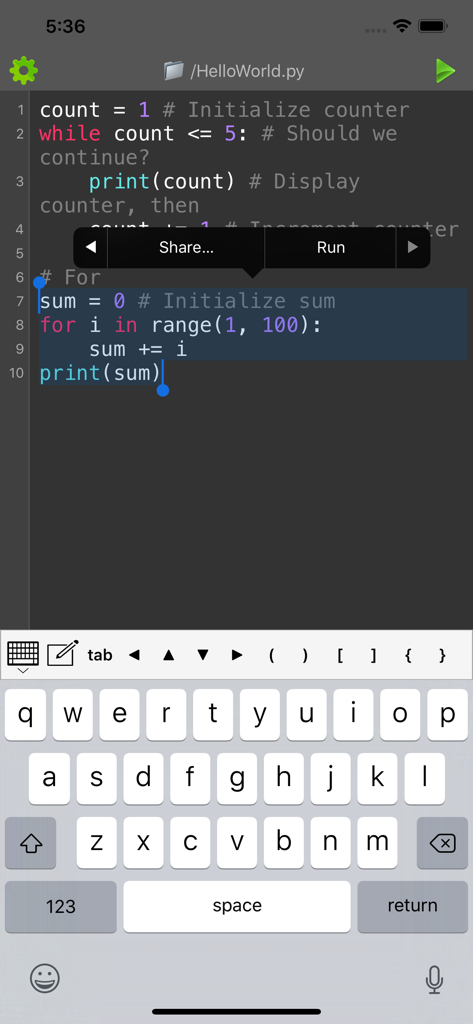
Python Programming Interpreter - 구문 강조 표시 및 특수 프로그래밍 키보드가 있는 모바일 Python 코드 편집기
구문 강조 표시 및 특수 프로그래밍 키보드가 있는 모바일 Python 코드 편집기

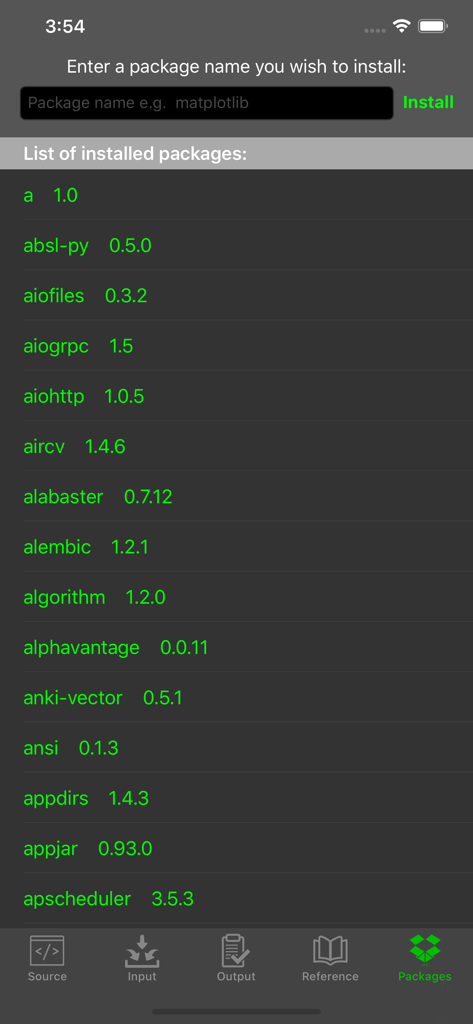
Python Programming Interpreter - 설치된 패키지 목록과 matplotlib과 같은 새 라이브러리를 설치하기 위한 입력 필드를 보여주는 Python 프로그래밍 인터프리터 앱 화면
설치된 패키지 목록과 matplotlib과 같은 새 라이브러리를 설치하기 위한 입력 필드를 보여주는 Python 프로그래밍 인터프리터 앱 화면

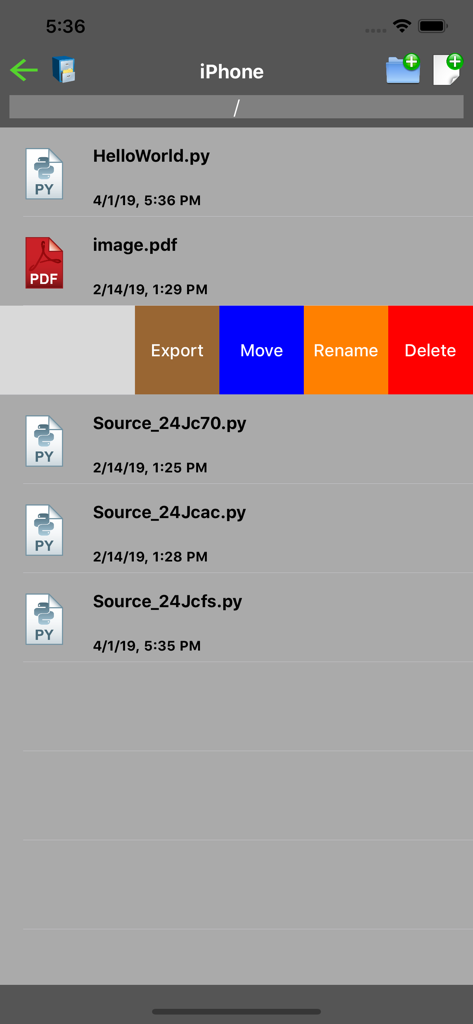
Python Programming Interpreter - 스크립트 파일 목록과 내보내기, 이동, 이름 변경 또는 삭제 옵션을 보여주는 Python 앱의 파일 관리 화면
스크립트 파일 목록과 내보내기, 이동, 이름 변경 또는 삭제 옵션을 보여주는 Python 앱의 파일 관리 화면

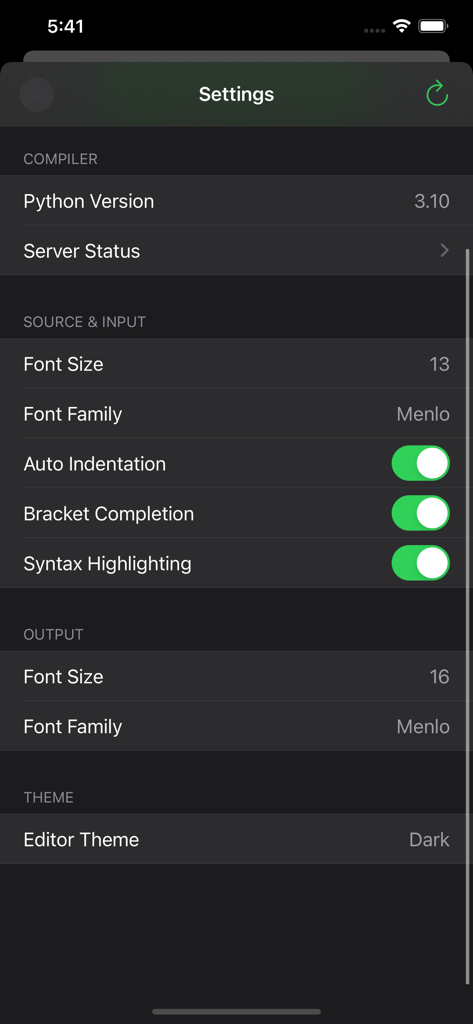
Python Programming Interpreter - 컴파일러 버전 및 편집기 사용자 지정 옵션을 보여주는 Python 프로그래밍 인터프리터 앱의 설정 화면

컴파일러 버전 및 편집기 사용자 지정 옵션을 보여주는 Python 프로그래밍 인터프리터 앱의 설정 화면

설명

Write Python code directly on your iPhone, iPad and iPod Touch! This app is ideal for learning and testing code snippets! Python is an interpreted, high-level, general-purpose programming language. Created by Guido van Rossum and first released in 1991, Python's design philosophy emphasizes code readability with its notable use of significant whitespace. Its language constructs and object-oriented approach aim to help programmers write clear, logical code for small and large-scale projects. Features: - Compile and run your program - Supports plotting and graphing - View program output or detailed error - Select and run chunk of codes - Custom keyboard for easy input of frequently used characters - Optimized for connecting with external physical/bluetooth keyboard - Advanced source code editor with syntax highlighting, code completion and line numbers - Open, save, import and share Python files - Language reference - Access thousands of packages - Install additional packages Limitations: - Internet connection is required for compilation - Maximum program running time is 20s - One file can be run at a time - Some file system, network and graphics functions may be limited - This is a batch compiler; interactive programs are not supported. For example, if your program provides an input prompt, enter the input in the Input tab prior to compilation. GET FULL ACCESS Upgrade to a Premium Membership and Receive the Following Ongoing Value: • No ads • Unlimited plots • Install packages • Latest interpreters If you choose to purchase a subscription, payment will be charged to your iTunes account, and your account will be charged within 24-hours prior to the end of the free trial or current period. Subscription with a free trial period will automatically renew to a paid subscription. Any unused portion of a free trial period (if offered) will be forfeited when you purchase a premium subscription during the free trial period. You can cancel the automatic renewal of your subscription at any time by going to your settings in the iTunes store after purchase. The cancellation will take effect the day after the last day of the current subscription period, and you will be downgraded to the free service. Terms & Conditions: https://kappsmart.com/pythoncompiler/terms.html Privacy Policy: https://kappsmart.com/pythoncompiler/privacy_policy.html

Download

다운로드: App Store

이 페이지는 앱이나 개발자의 공식 페이지가 아니며, 정보 제공 및 논평을 목적으로 작성된 독립 편집 간행물입니다. 명시적으로 달리 언급되지 않는 한, 해당 앱이나 개발자는 MWM, Apple, Google Play, 앱 퍼블리셔 또는 앱 개발자와 제휴, 보증, 후원, 승인 또는 공식적으로 연결되어 있지 않으며, 이 페이지의 어떤 내용도 해당 앱이 MWM의 서비스를 사용하여 개발되었음을 의미하지 않습니다. 모든 상표, 로고, 스크린샷 및 기타 콘텐츠는 해당 소유자의 자산입니다.








