이 페이지는 앱이나 개발자의 공식 페이지가 아니며, 정보 제공 및 논평을 목적으로 작성된 독립 편집 간행물입니다. 명시적으로 달리 언급되지 않는 한, 해당 앱이나 개발자는 MWM, Apple, Google Play, 앱 퍼블리셔 또는 앱 개발자와 제휴, 보증, 후원, 승인 또는 공식적으로 연결되어 있지 않으며, 이 페이지의 어떤 내용도 해당 앱이 MWM의 서비스를 사용하여 개발되었음을 의미하지 않습니다. 모든 상표, 로고, 스크린샷 및 기타 콘텐츠는 해당 소유자의 자산입니다.
Quick Edit: Video,Photo Editor
트렌디한 FX, 흐릿한 배경, 제로 워터마크로 멋진 4K 콘텐츠를 제작하세요—인스타그램, 틱톡, 개인 브랜드에 완벽하게 맞습니다.
타협을 거부하는 크리에이터를 위해 디자인된 올인원 편집기입니다. 4K 품질, 트렌디한 효과, 모든 플랫폼에 완벽하게 맞춰 즉시 사용할 수 있습니다.
매번 완벽하게 맞추기
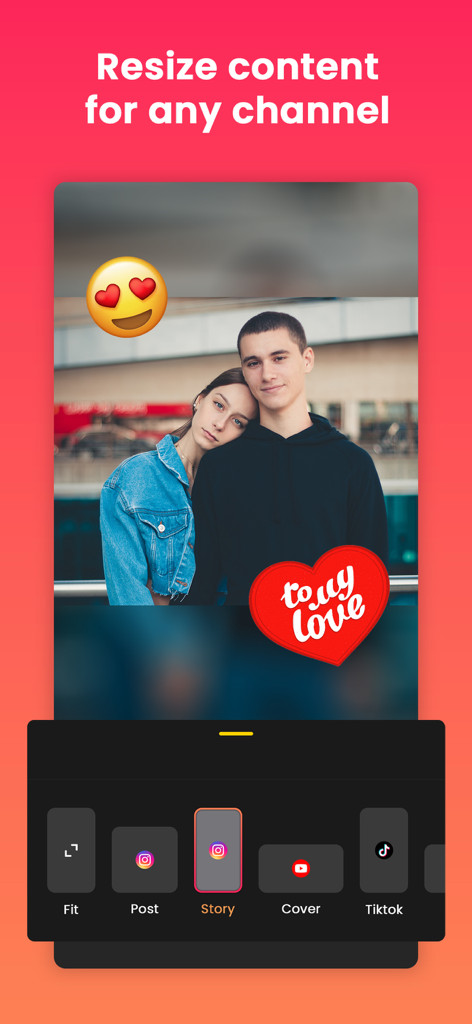
소셜 미디어 플랫폼이 당신의 비전을 자르도록 두지 마세요. 아름다운 배경으로 원본 프레임을 그대로 유지하면서 사진과 동영상을 어떤 종횡비로든 쉽게 크기 조정할 수 있습니다.
깨끗한 4K, 워터마크 없음
전문가 수준의 내보내기로 피드를 향상시키세요. 성가신 로고 없이, 개인 브랜드나 비즈니스를 진정으로 엘리트처럼 보이게 하는 고화질 콘텐츠만 제공합니다.
다음 스크린샷과 설명은 앱의 공식 스토어 목록에서 직접 가져온 것이며 앱 개발자의 자산입니다.
앱 스토어
스크린샷
모바일 앱 화면에 스티커와 흐릿한 배경으로 인스타그램 스토리 및 틱톡용 사진 크기 조정 옵션 표시
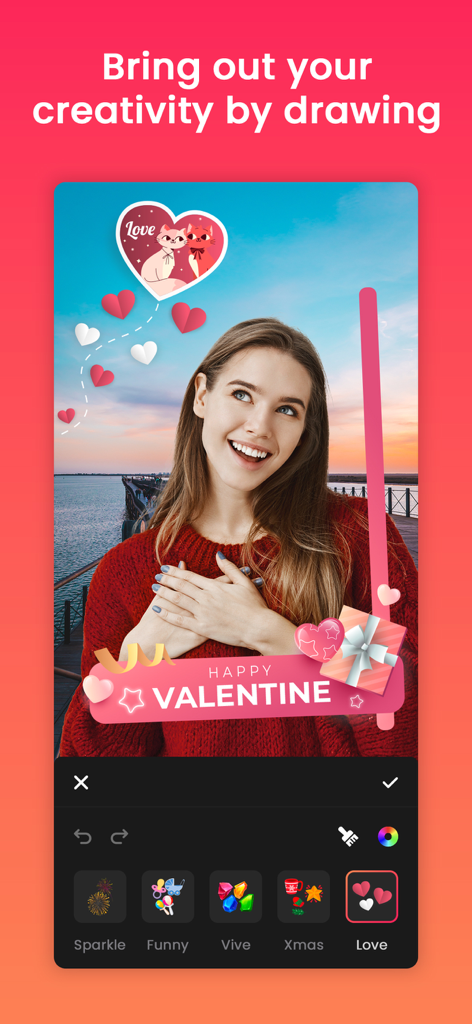
여성이 Quick Edit 앱을 사용하여 발렌타인데이 테마 스티커와 그림을 사진에 추가하는 모습
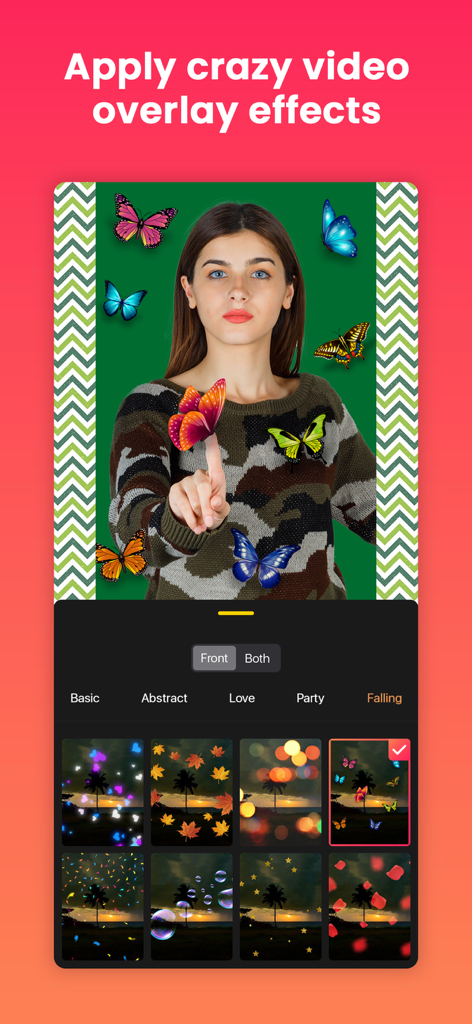
나비와 보케 필터와 같은 동영상 오버레이 효과를 보여주는 Quick Edit 앱 인터페이스
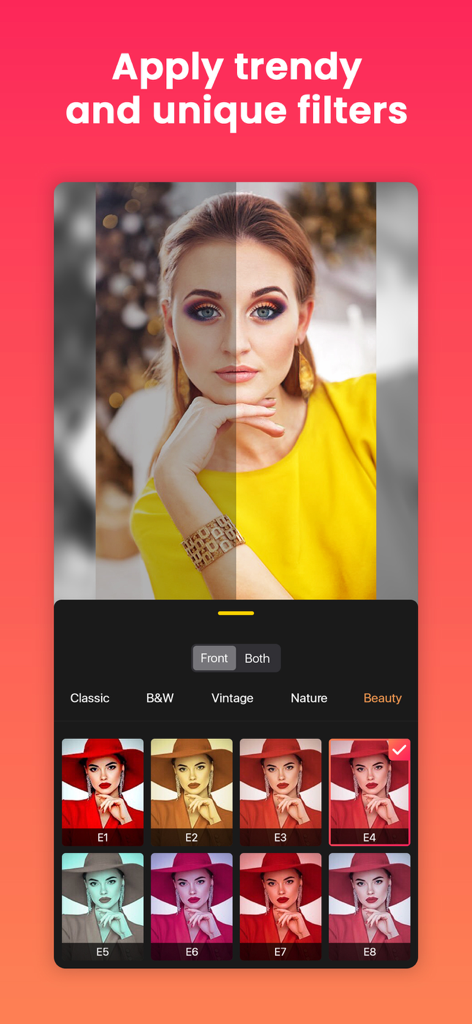
트렌디한 사진 필터와 전후 비교를 보여주는 Quick Edit 앱 화면
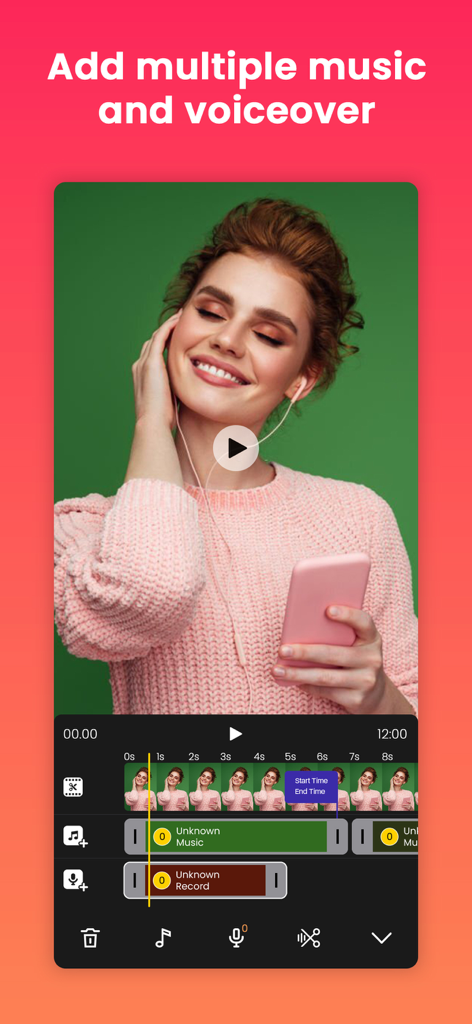
여러 개의 음악 및 음성 해설 트랙을 보여주는 모바일 동영상 편집 타임라인
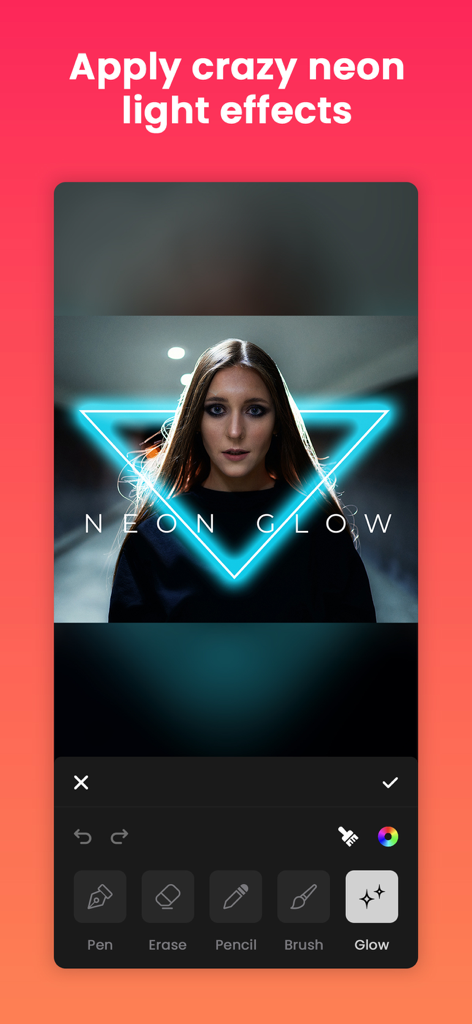
Quick Edit 모바일 앱에서 초상화에 파란색 네온 삼각형 글로우 효과 적용
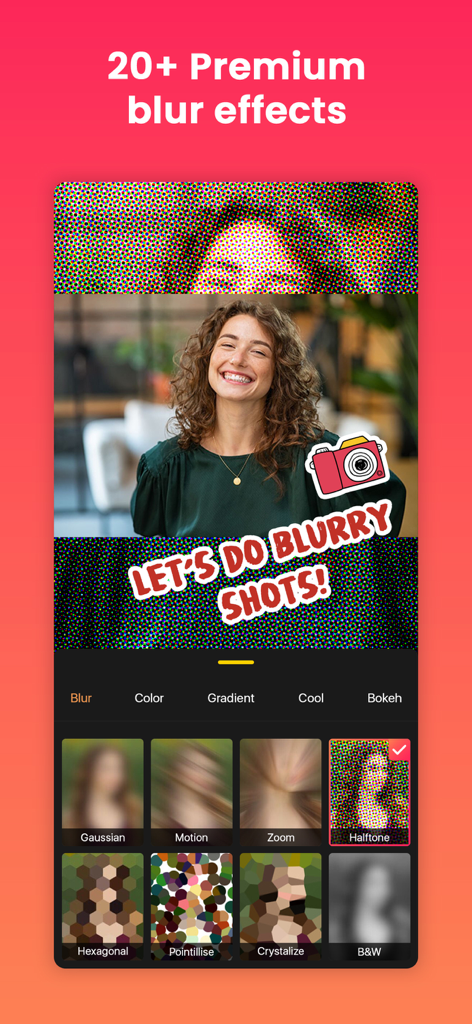
초상화 사진에 대한 프리미엄 블러 효과 및 배경 옵션을 보여주는 Quick Edit 앱 인터페이스
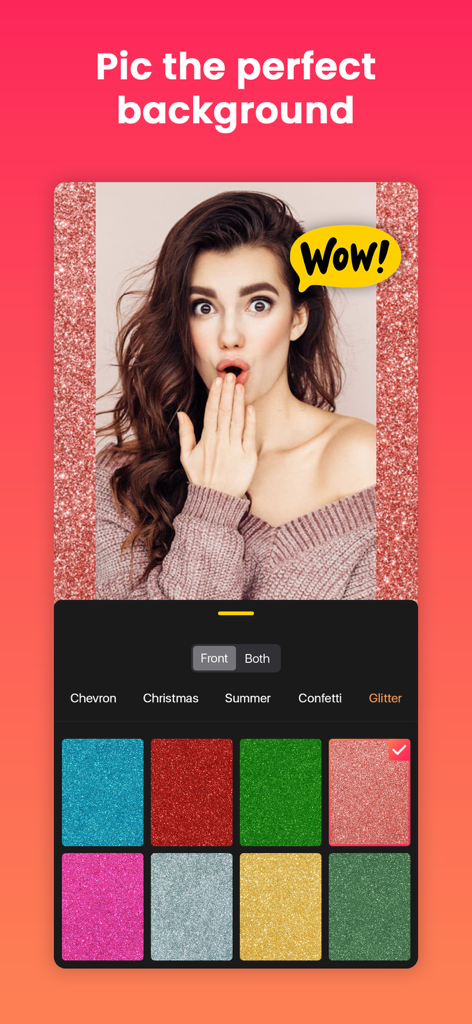
Quick Edit 앱에서 반짝이는 배경과 다양한 색상 옵션이 있는 초상화 사진을 보여주는 모바일 화면
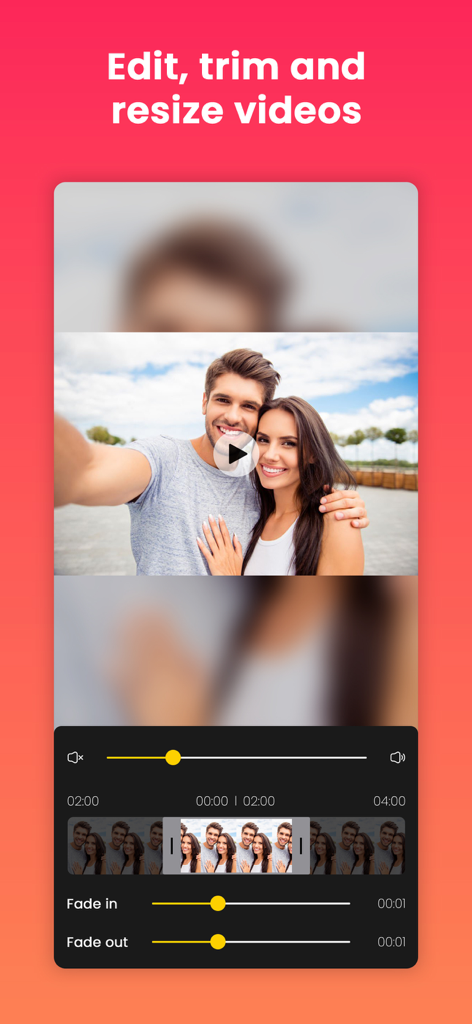
타임라인과 페이드 효과로 동영상 편집, 트리밍, 크기 조정을 위한 Quick Edit 앱 인터페이스
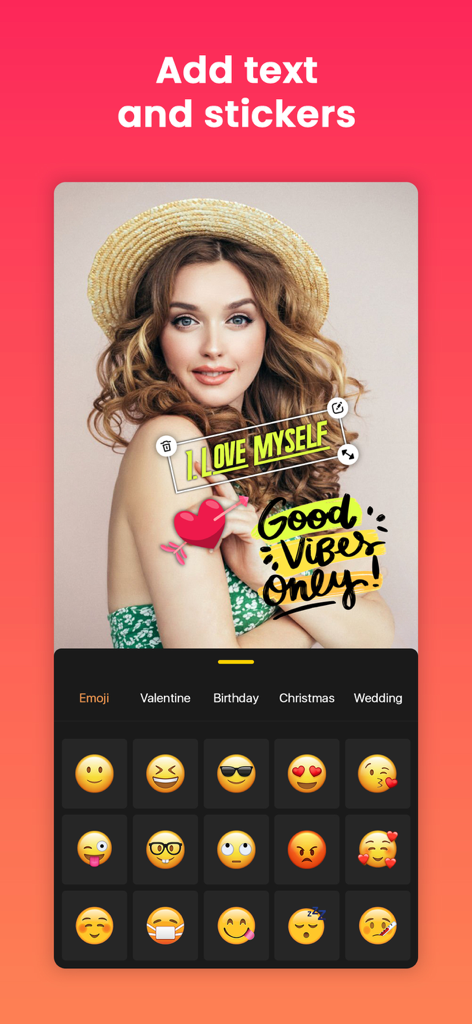
텍스트 스티커와 이모티콘 선택 메뉴로 초상화를 사용자 정의하는 모습을 보여주는 Quick Edit 앱 인터페이스
설명
Post full size photos and videos to instagram without cropping.
Best no crop InstaSize photo and video editor for Instagram, Facebook, Twitter, Youtube, Messenger, Sms, E-mail etc.
Square insta pic is the best way to quick square video and photo.
Bring your content to life with audio, FX, frame, emoji, sticker, overlay, text, draw, trim, move, rotate, scale, flip and more. You can even add music from our library, iTunes, or record voice-overs with ease. Plus, our app boasts 4k resolution and no watermark for a truly professional feel.
Looking for a powerful InstaFit video and photo editing app that's perfect for Instagram, YouTube, Facebook, Messenger, Sms, E-mail and more. Look no further than No Crop - Square Fit Insta size!
With our app, you can easily enhance, customize and create stunning videos and Pictures with just a few taps.
FEATURES:
- Video editing: Trim, enhance and customize your videos with fade in and fade out volume effects, add Background musics, canvas layout for Instagram size, and more.
- Photo editing: Edit still photos or create videos from photos with our huge collection of effects, text, stickers, filters and more.
- Music and voice-over: Add your favorite music or voice-over to your videos from our library or iTunes, and easily adjust sound levels.
- Filters: Choose from over 95+ unique filters, including Classic, Black & White, Cinematic, more.
- Adjust: Enhancing your photos and videos with adjusted filters.
- FX: Use over 160+ Unique FX, such as Glitch, Retro, Abstract and more.
- Canvas: Create stunning art on canvas with our free canvas sizes and ratios for Square fit Content.
- Flip: Quickly flip your videos and photos to get the perfect output.
- Backgrounds: Choose from over 130+ backgrounds, including Gaussian, Motion, Pointillise, Zoom, Hexagonal,Crystallise and Black and White Blur, Pattern, Color and Gradient Colour and more Backgrounds.
- Stickers and emojis: Add personality to your videos and photos with over 400+ free stickers and countless emojis.
- Draw: Sign to your content with amazing drawing features including neon glow.
- Overlay: Add photos from gallery as an overlay.
- Text with fill-fit: Easily add different types of color text with a variety of fonts and frames to your videos and photos, and fill-fit your work smartly.
- Export and share: Save your photos and videos in maximum high resolution up to 4K, and easily share full size video and picture without cropping on Instagram, Facebook, Messenger, SMS, mail and more.
With all these features and more, No Crop Square Fit InstaSize is the perfect app for anyone looking to create stunning videos and photos with ease. Download now and start creating your own unique masterpieces!
SETTINGS:
Change settings very easily. You can't imagine how easy it is!
This page holds workable options like Video Settings, Purchase, Feedback & others.
Go to video settings and select Video Resolution, Frame Rate, Format MP4 or MOV.
SUBSCRIPTION PRICE:
# Free Trial - Free for the first 03 days, then $5.99/Month.
# Establish your membership with 2.99/Week or $5.99/Month or 20.99/Year.
# When the purchase is confirmed payment will be charged to the iTunes account.
# Membership will renew automatically unless auto-renew is turned off at least 24 hours before the conclusion of the latest period.
# Subscriptions may be managed by the user, Just go to settings option then iTunes Account & App Store > Apple ID > Subscriptions to manage your membership and turn off auto-renew.
# Cancel subscription after the end of the current period.
# When the customer purchases a subscription, any unused portion of a free trial period, if offered, will be forfeited.
Terms Of Use:
https://sites.google.com/view/appwallitermsofuse/termsofuse
Privacy-Policy:
https://sites.google.com/view/appwallitermsofuse/privacy-policy
If you found a bug, Please contact us without hesitation for the latest feature.
Email us at: appwalli.app@gmail.com
이 페이지는 앱이나 개발자의 공식 페이지가 아니며, 정보 제공 및 논평을 목적으로 작성된 독립 편집 간행물입니다. 명시적으로 달리 언급되지 않는 한, 해당 앱이나 개발자는 MWM, Apple, Google Play, 앱 퍼블리셔 또는 앱 개발자와 제휴, 보증, 후원, 승인 또는 공식적으로 연결되어 있지 않으며, 이 페이지의 어떤 내용도 해당 앱이 MWM의 서비스를 사용하여 개발되었음을 의미하지 않습니다. 모든 상표, 로고, 스크린샷 및 기타 콘텐츠는 해당 소유자의 자산입니다.