QuickDrop - Share from Android
다운로드: App Store

이 페이지는 앱이나 개발자의 공식 페이지가 아니며, 정보 제공 및 논평을 목적으로 작성된 독립 편집 간행물입니다. 명시적으로 달리 언급되지 않는 한, 해당 앱이나 개발자는 MWM, Apple, Google Play, 앱 퍼블리셔 또는 앱 개발자와 제휴, 보증, 후원, 승인 또는 공식적으로 연결되어 있지 않으며, 이 페이지의 어떤 내용도 해당 앱이 MWM의 서비스를 사용하여 개발되었음을 의미하지 않습니다. 모든 상표, 로고, 스크린샷 및 기타 콘텐츠는 해당 소유자의 자산입니다.

로고: QuickDrop - Share from Android
다운로드: App Store

QuickDrop - Share from Android

기기 간의 벽을 허물어 사진, 동영상, 파일을 가장 빠르고 안전하게 전송하세요. 클라우드도, 케이블도 필요 없이 로컬 Wi-Fi를 통해 개인적인 종단 간 암호화 공유만 가능합니다.

주요 수치

다운로드

3K+

사용자 평점

4.7/5

총 평가 수

300

개발사

Leon Boettger

카테고리

Utilities

지원 언어

32

최신 버전

2.10.4

크기

43.6 MB

출시일

2025년 1월 7일
기능

생태계 장벽 허물기

케이블이나 클라우드 저장소 없이 Android와 Apple 기기 간에 번개처럼 빠르고 안전한 파일 전송의 자유를 경험하세요.

원활한 기기 연동

생태계의 벽을 버리세요. Android에서 Mac 또는 iPad로 사진, 동영상, 파일을 마치 동일한 네이티브 시스템에 있는 것처럼 쉽게 전송하세요.

개인 정보 보호 및 클라우드 미사용

타사 서버에 데이터를 저장하지 마세요. 모든 전송은 로컬 Wi-Fi를 통해 종단 간 암호화로 이루어지므로 개인 정보가 안전하게 보호됩니다.

다음 스크린샷과 설명은 앱의 공식 스토어 목록에서 직접 가져온 것이며 앱 개발자의 자산입니다.

앱 스토어

스크린샷
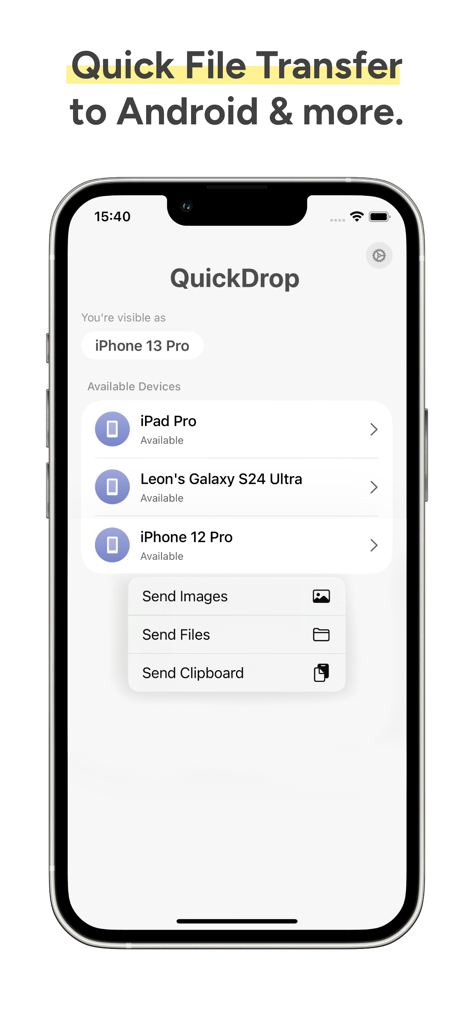
QuickDrop - Share from Android - QuickDrop 모바일 앱 인터페이스, 플랫폼 간 파일 공유 및 전송 옵션을 위한 사용 가능한 장치 표시
QuickDrop 모바일 앱 인터페이스, 플랫폼 간 파일 공유 및 전송 옵션을 위한 사용 가능한 장치 표시

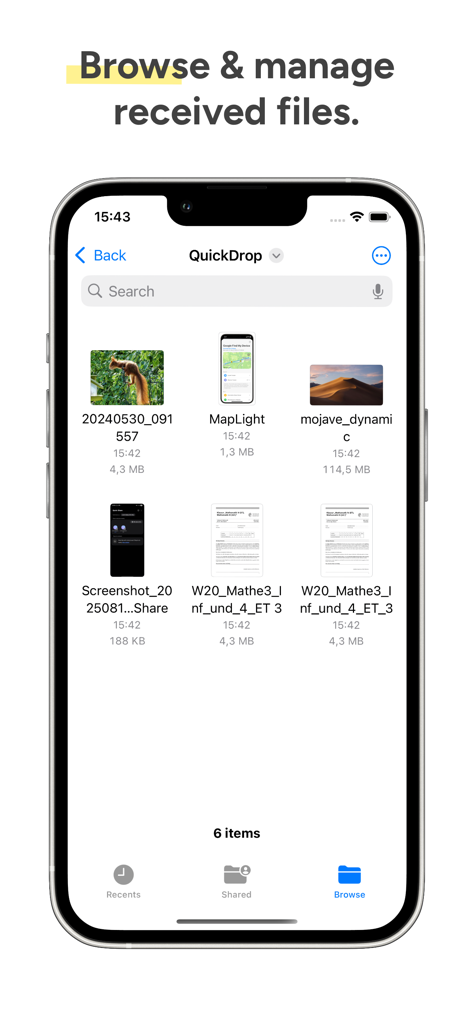
QuickDrop - Share from Android - QuickDrop 앱 인터페이스, iPhone에서 관리 및 수신된 파일 표시
QuickDrop 앱 인터페이스, iPhone에서 관리 및 수신된 파일 표시

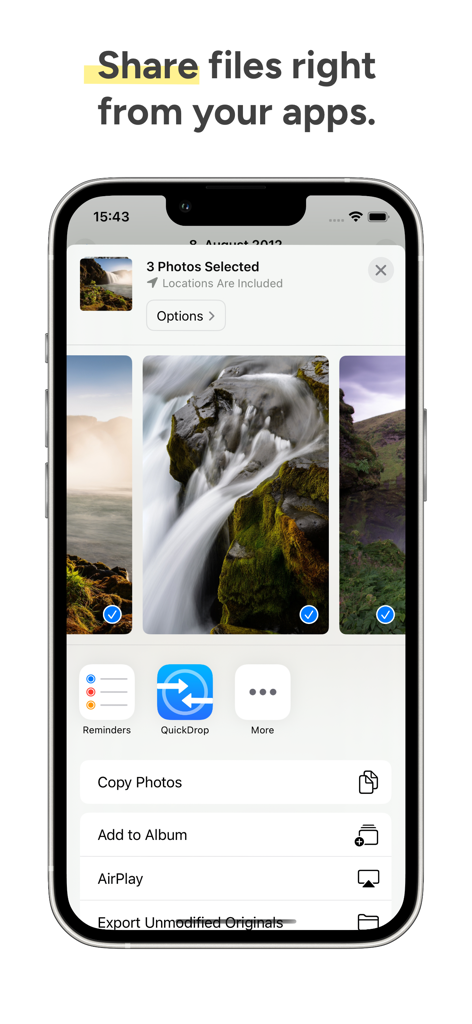
QuickDrop - Share from Android - 간편한 파일 공유를 위해 iOS 공유 시트에 통합된 QuickDrop 아이콘
간편한 파일 공유를 위해 iOS 공유 시트에 통합된 QuickDrop 아이콘

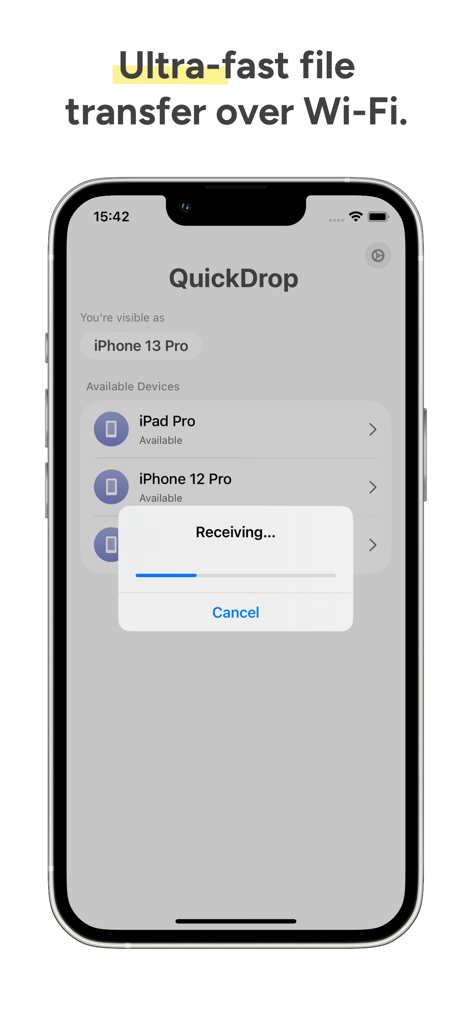
QuickDrop - Share from Android - 전송 진행률 표시줄과 사용 가능한 장치 목록을 보여주는 iPhone의 QuickDrop 앱 인터페이스

전송 진행률 표시줄과 사용 가능한 장치 목록을 보여주는 iPhone의 QuickDrop 앱 인터페이스

설명

With QuickDrop, you can seamlessly send and receive photos, videos, text files, and more between your Android phone and your iPhone, iPad or Mac using Quick Share in the same Wi-Fi network. Received files will be stored in the Files app, and are transmitted end-to-end encrypted over Wi-Fi - so no cloud is involved in the process. To send files from your iPhone and iPad to your Mac or Android device, just select "Share" or tap the share icon for a file you want to transfer, and choose "QuickDrop".  If you don't see QuickDrop in the list, scroll right until you see "More", then choose "Edit", and enable the toggle for QuickDrop. Other devices on the same network with QuickDrop installed and running will appear automatically. You can also open QuickDrop, tap on a device, and choose one or multiple files from the Files app, choose one or multiple photos and videos, or send the contents of your clipboard. After that, you will see a notification on your other device, which allows you to accept or decline the file transfer. To receive files, you simply need to open the QuickDrop app. QuickDrop is an improved version of NearDrop. Both QuickDrop and NearDrop are Open-Source projects. Nearby Share and Quick Share are trademarks of Google, LLC and Samsung Electronics. Android is a trademark of Google, LLC. This application is not affiliated with Google, LLC or Samsung Electronics. This application is governed by Apple’s standard Licensed Application End User License Agreement (EULA), available at https://www.apple.com/legal/internet-services/itunes/dev/stdeula/

Download

다운로드: App Store

이 페이지는 앱이나 개발자의 공식 페이지가 아니며, 정보 제공 및 논평을 목적으로 작성된 독립 편집 간행물입니다. 명시적으로 달리 언급되지 않는 한, 해당 앱이나 개발자는 MWM, Apple, Google Play, 앱 퍼블리셔 또는 앱 개발자와 제휴, 보증, 후원, 승인 또는 공식적으로 연결되어 있지 않으며, 이 페이지의 어떤 내용도 해당 앱이 MWM의 서비스를 사용하여 개발되었음을 의미하지 않습니다. 모든 상표, 로고, 스크린샷 및 기타 콘텐츠는 해당 소유자의 자산입니다.








