
이 페이지는 앱이나 개발자의 공식 페이지가 아니며, 정보 제공 및 논평을 목적으로 작성된 독립 편집 간행물입니다. 명시적으로 달리 언급되지 않는 한, 해당 앱이나 개발자는 MWM, Apple, Google Play, 앱 퍼블리셔 또는 앱 개발자와 제휴, 보증, 후원, 승인 또는 공식적으로 연결되어 있지 않으며, 이 페이지의 어떤 내용도 해당 앱이 MWM의 서비스를 사용하여 개발되었음을 의미하지 않습니다. 모든 상표, 로고, 스크린샷 및 기타 콘텐츠는 해당 소유자의 자산입니다.

RadarAll Speed Camera Detector
100% 합법적인 과속 카메라 알림 및 실시간 교통 정보 업데이트와 함께 원활한 GPS 내비게이션을 경험하세요. CarPlay 및 Watch 지원으로 Apple 생태계를 위해 제작되었습니다. 계정 없음, 추적 없음, 모든 마일에 대한 안심만 있으면 됩니다.
다운로드
440K+사용자 평점
총 평가 수
2K+개발사
카테고리
Navigation지원 언어
26최신 버전
8.3.0크기
76.0 MB출시일
2021년 6월 6일완전한 안심 운전
현대 통근자를 위해 설계된 올인원 내비게이션 및 과속 카메라 감지기. 고가의 벌금을 피하고, 교통 체증을 우회하고, 등록 없이 개인 정보를 보호하세요.
100% 합법적인 벌금 보호
과속 및 신호 위반 카메라에 대한 정밀하게 설계된 알림을 받으세요. 방향 감지 기술은 정말 필요한 경우에만 경고를 보내 운전 기록을 깨끗하게 유지합니다.
개인 정보 우선 경험
계정 없음, 이메일 없음, 추적 없음. 우리는 여러분만큼 여러분의 데이터를 소중하게 생각합니다. 앱을 열고 완전한 익명성과 보안으로 운전을 시작하세요.
자주 묻는 질문
에 대해 알아야 할 모든 것 RadarAll Speed Camera Detector
레이더올 스피드 카메라 감지기란 무엇인가요?
레이더올 스피드 카메라 감지기는 실시간 과속 카메라 감지, 턴바이턴 GPS, 교통 정보를 제공하는 내비게이션 앱입니다. 통합된 경고 및 경로 계획 기능을 통해 운전자가 벌금을 피하고 안전하게 주행할 수 있도록 돕습니다.
레이더올 스피드 카메라 감지기를 사용하려면 사용자 계정이나 등록이 필요한가요?
아니요, 레이더올 스피드 카메라 감지기는 사용자 계정이나 등록이 필요하지 않습니다. 사용자는 앱을 열고 즉시 기능을 사용하기 시작할 수 있습니다.
레이더올 스피드 카메라 감지기는 실시간 교통 정보를 제공하나요?
예, 레이더올 스피드 카메라 감지기는 실시간 교통 정보를 제공합니다. 앱은 이 데이터를 사용자의 위치 또는 선택한 영역에 초점을 맞춘 지도에 표시합니다.
레이더올 스피드 카메라 감지기를 Apple CarPlay와 함께 사용할 수 있나요?
예, 레이더올 스피드 카메라 감지기는 Apple CarPlay를 지원합니다. 이 통합을 통해 사용자는 자동차의 인포테인먼트 시스템을 통해 앱의 과속 카메라 감지 기능에 액세스할 수 있습니다.
레이더올 스피드 카메라 감지기는 제 경로에 없는 과속 카메라에 대한 경고를 어떻게 처리하나요?
레이더올 스피드 카메라 감지기는 실제 경로에 있는 과속 카메라에 대한 경고만 제공하도록 구성할 수 있습니다. 이 기능은 가까운 도로의 카메라로 인한 오경보를 방지합니다.
레이더올 스피드 카메라 감지기는 어떤 종류의 과속 카메라를 감지하나요?
레이더올 스피드 카메라 감지기는 고정식, 구간 단속, 신호 위반, 이동식 과속 카메라 등 다양한 종류를 감지합니다. 또한 경찰 단속 지점, 버스 전용 차선 및 기타 도로 상황에 대한 경고도 제공합니다.
레이더올 스피드 카메라 감지기는 내비게이션에 음성 안내를 제공하나요?
예, 레이더올 스피드 카메라 감지기는 내비게이션에 음성 안내를 제공합니다. 이러한 음성 경고는 과속 카메라 경고와 통합되어 포괄적인 주행 경험을 제공합니다.
레이더올 스피드 카메라 감지기는 제 주행 경로를 기록할 수 있나요?
예, 레이더올 스피드 카메라 감지기는 자동 경로 기록 기능을 제공합니다. 여정 동안 총 거리, 시간, 다양한 지점에서의 속도, 감지된 과속 카메라를 기록합니다.
레이더올 스피드 카메라 감지기는 과속 카메라 데이터 출처가 어디인가요?
레이더올 스피드 카메라 감지기는 SCDB에서 과속 카메라 데이터베이스를 얻습니다. 이를 통해 사용자는 카메라 위치에 대한 정확하고 최신 정보를 받을 수 있습니다.
레이더올 스피드 카메라 감지기는 제한 속도를 표시하나요?
예, 레이더올 스피드 카메라 감지기는 제한 속도를 표시합니다. 제한 속도를 내비게이션에 통합하여 현재 제한 속도와 사용자의 실제 속도를 표시합니다.
다음 스크린샷과 설명은 앱의 공식 스토어 목록에서 직접 가져온 것이며 앱 개발자의 자산입니다.
앱 스토어
스크린샷
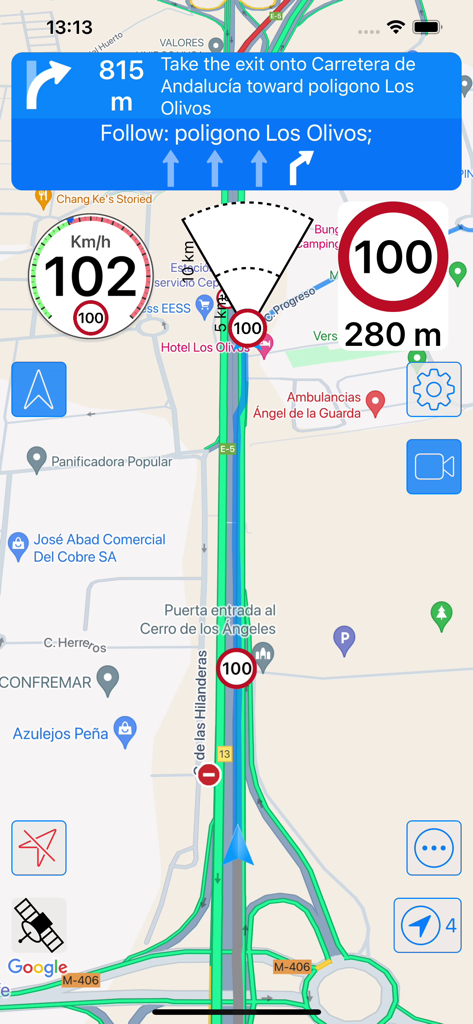
RadarAll 앱 화면에 내비게이션 지도와 과속 카메라 알림 표시
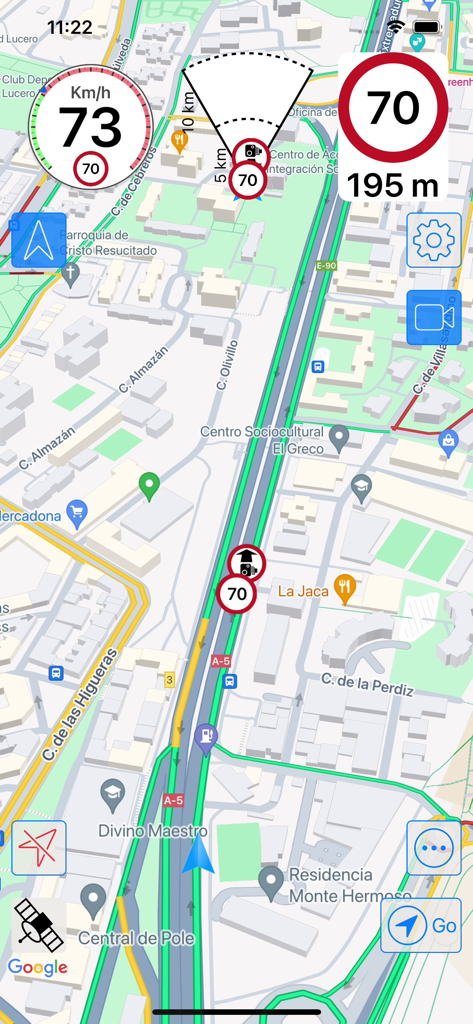
RadarAll 과속 카메라 감지기 인터페이스에 실시간 교통 지도와 과속 알림 표시
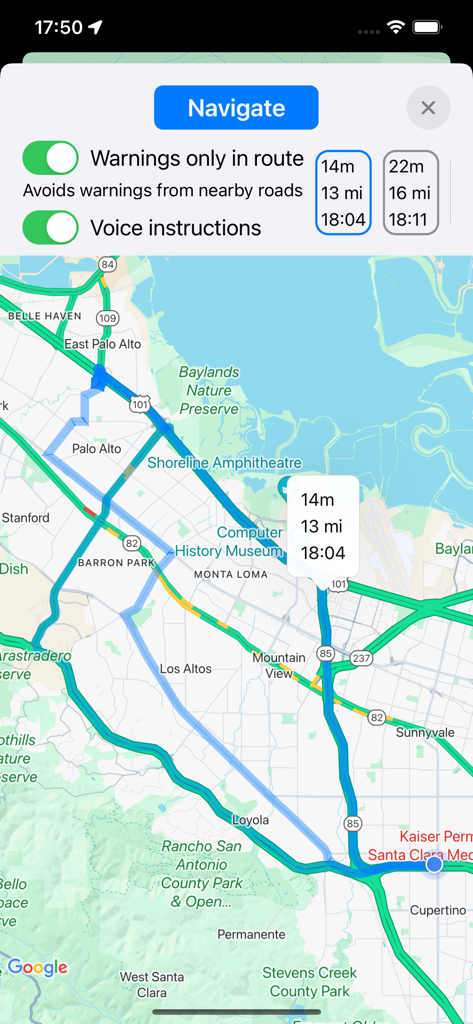
RadarAll 앱의 내비게이션 지도 보기, 계획된 경로와 과속 카메라 경고 설정 표시
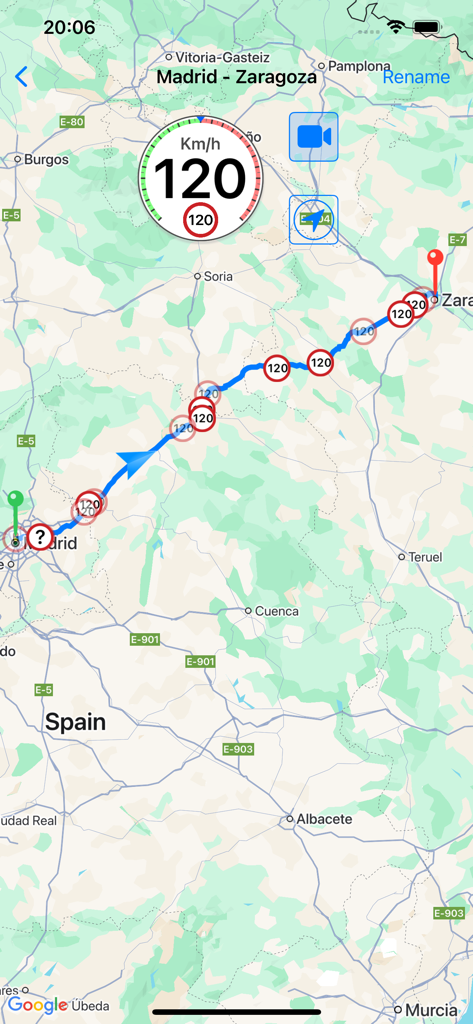
과속 카메라 감지기 앱에 지도상의 알림과 경로 표시
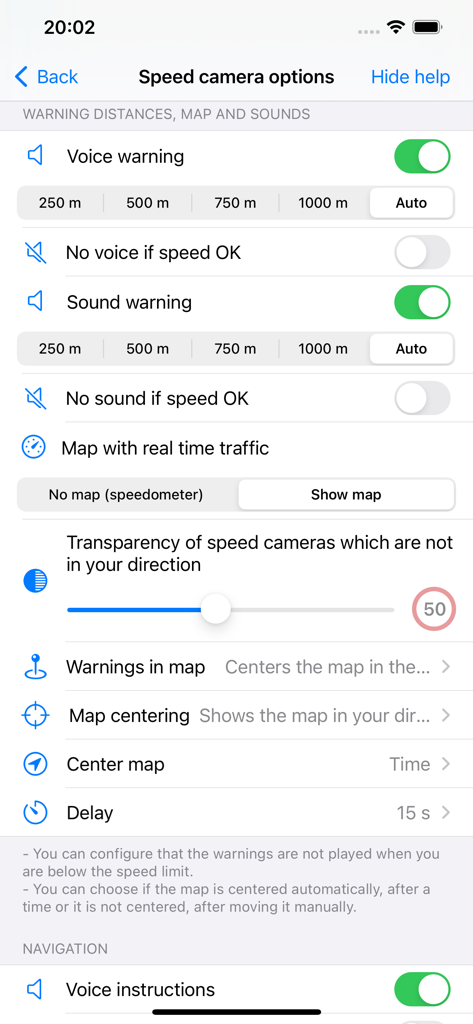
RadarAll 과속 카메라 감지기 앱 설정 화면, 경고 거리, 지도 옵션 및 사운드 알림 구성 표시
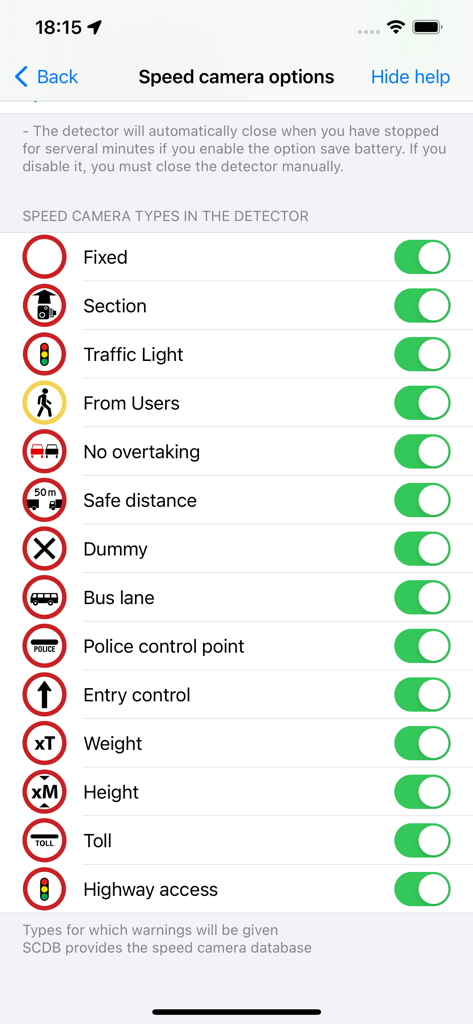
다양한 과속 카메라 및 교통 알림 유형을 선택하기 위한 사용자 지정 화면
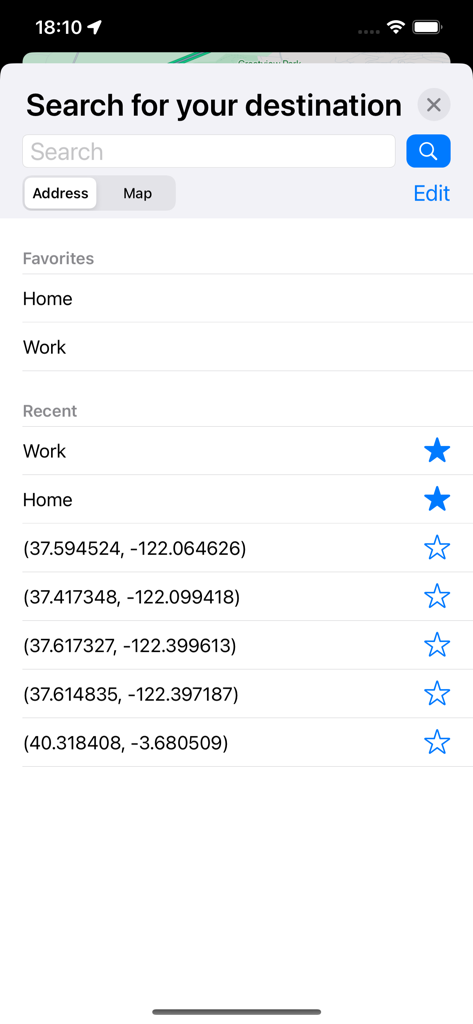
RadarAll 앱의 목적지 검색 화면, 즐겨찾기 및 최근 위치 표시
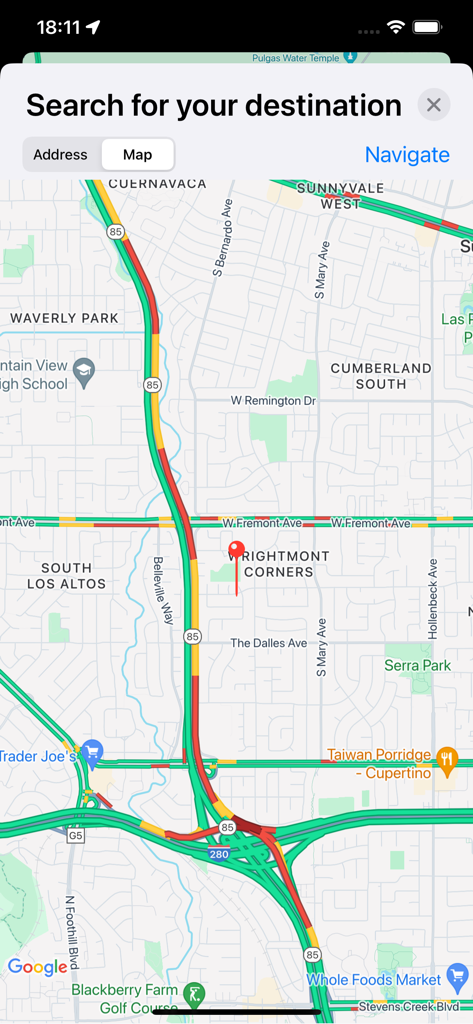
RadarAll 앱 인터페이스에 실시간 교통 지도와 목적지 검색창 표시
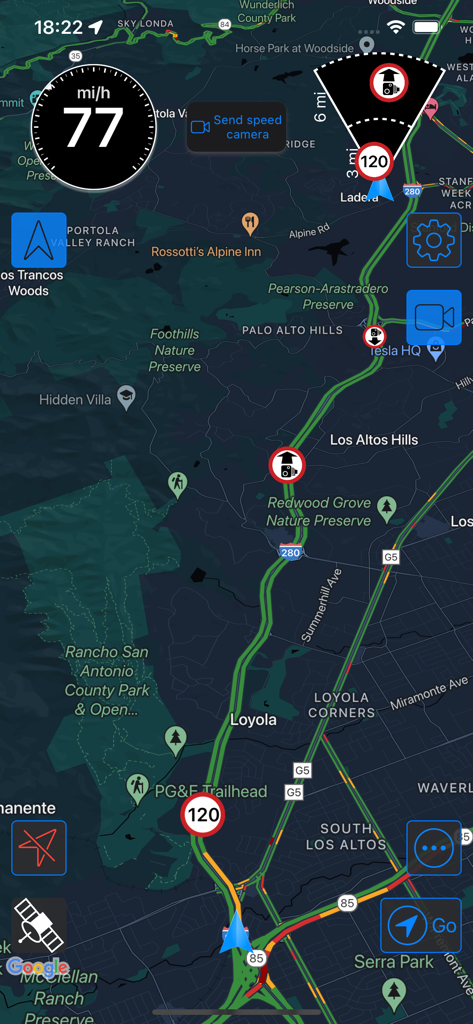
RadarAll 모바일 앱에 과속 카메라 알림 및 실시간 교통 데이터가 있는 어두운 모드 내비게이션 지도 표시
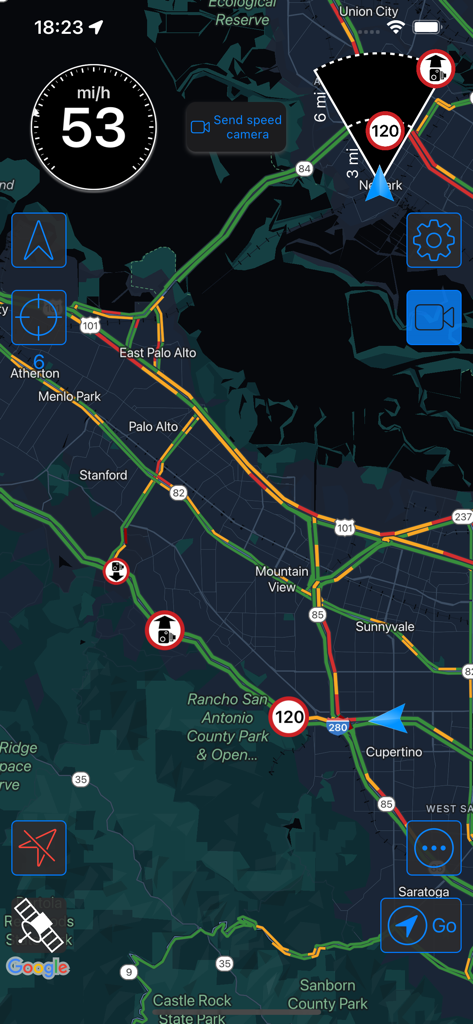
RadarAll 앱 인터페이스에 과속 카메라 알림 및 제한 속도가 있는 실시간 교통 지도 표시
설명
Download
비슷한 앱
유사한 기능과 사용자 경험을 가진 앱

Waze Navigation & Live Traffic
waze

即時路況影像
DoItWell Application Ltd
LeisecaMaps
Alan Costa
MapXplorer: Map Radar Navigate
GOLDLAB APPLICATIONS YAZILIM VE BILISIM ANONIM SIRKETI
Radarbot: Speed Cameras | GPS
Iteration Mobile S.L

Yandex Navi – navigation, maps
DIRECT CURSUS COMPUTER SYSTEMS TRADING LLC

TomTom - Maps & Traffic
TomTom

ASFINAG
ASFINAG MAUT SERVICE GMBH

導航王 TM
KingwayTek Technology Co., Ltd.
이 페이지는 앱이나 개발자의 공식 페이지가 아니며, 정보 제공 및 논평을 목적으로 작성된 독립 편집 간행물입니다. 명시적으로 달리 언급되지 않는 한, 해당 앱이나 개발자는 MWM, Apple, Google Play, 앱 퍼블리셔 또는 앱 개발자와 제휴, 보증, 후원, 승인 또는 공식적으로 연결되어 있지 않으며, 이 페이지의 어떤 내용도 해당 앱이 MWM의 서비스를 사용하여 개발되었음을 의미하지 않습니다. 모든 상표, 로고, 스크린샷 및 기타 콘텐츠는 해당 소유자의 자산입니다.