Radio Code for Renault Stereo
다운로드: App Store

이 페이지는 앱이나 개발자의 공식 페이지가 아니며, 정보 제공 및 논평을 목적으로 작성된 독립 편집 간행물입니다. 명시적으로 달리 언급되지 않는 한, 해당 앱이나 개발자는 MWM, Apple, Google Play, 앱 퍼블리셔 또는 앱 개발자와 제휴, 보증, 후원, 승인 또는 공식적으로 연결되어 있지 않으며, 이 페이지의 어떤 내용도 해당 앱이 MWM의 서비스를 사용하여 개발되었음을 의미하지 않습니다. 모든 상표, 로고, 스크린샷 및 기타 콘텐츠는 해당 소유자의 자산입니다.

로고: Radio Code for Renault Stereo
다운로드: App Store

Radio Code for Renault Stereo

비싼 서비스 센터 방문은 건너뛰고 몇 초 만에 음악을 다시 들으세요. 프리코드를 입력하여 4자리 잠금 해제 코드를 생성하고 즐거운 드라이빙을 다시 시작하세요.

주요 수치

다운로드

109K+

사용자 평점

4.9/5

총 평가 수

1K+

개발사

Aleksandr Romanchev

카테고리

Utilities

지원 언어

2

최신 버전

2.1

크기

38.3 MB

출시일

2016년 6월 9일
기능

몇 분 만에 라디오 잠금 해제

비싼 서비스 센터 방문은 필요 없습니다. 저희 앱은 DIY 애호가들이 르노 오디오 코드를 복구하고 다시 음악을 즐길 수 있는 빠르고 신뢰할 수 있는 방법을 제공합니다.

즉각적인 코드 복구

커뮤니티 답변이나 딜러 예약을 더 이상 기다릴 필요가 없습니다. 라디오의 프리코드를 입력하면 고유한 4자리 잠금 해제 코드가 즉시 생성됩니다.

대화형 입력 가이드

스티어링 휠 레버나 프리셋 버튼을 사용하여 코드를 입력하는 방법에 대해 명확한 지침으로 전 과정을 안내해 드립니다.

다음 스크린샷과 설명은 앱의 공식 스토어 목록에서 직접 가져온 것이며 앱 개발자의 자산입니다.

앱 스토어

스크린샷
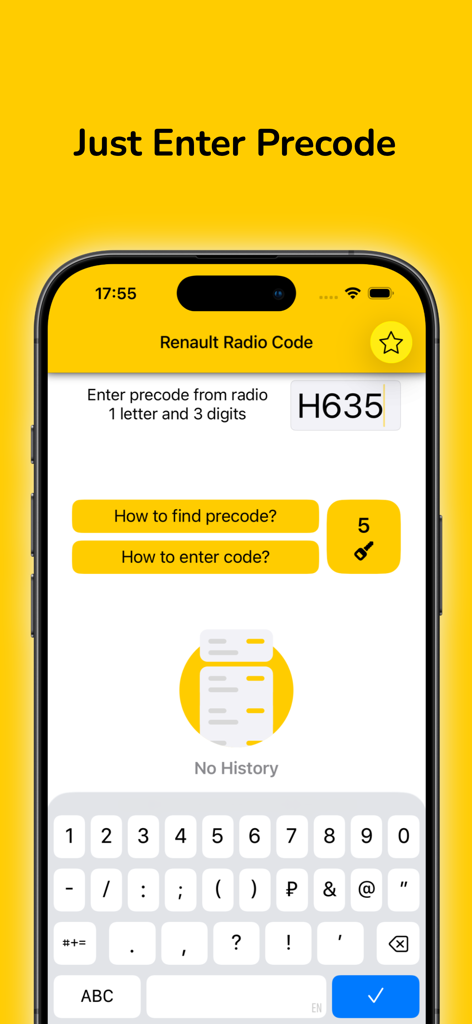
Radio Code for Renault Stereo - 라디오 프리코드를 입력하기 위한 Renault Radio Code 앱 인터페이스의 스크린샷
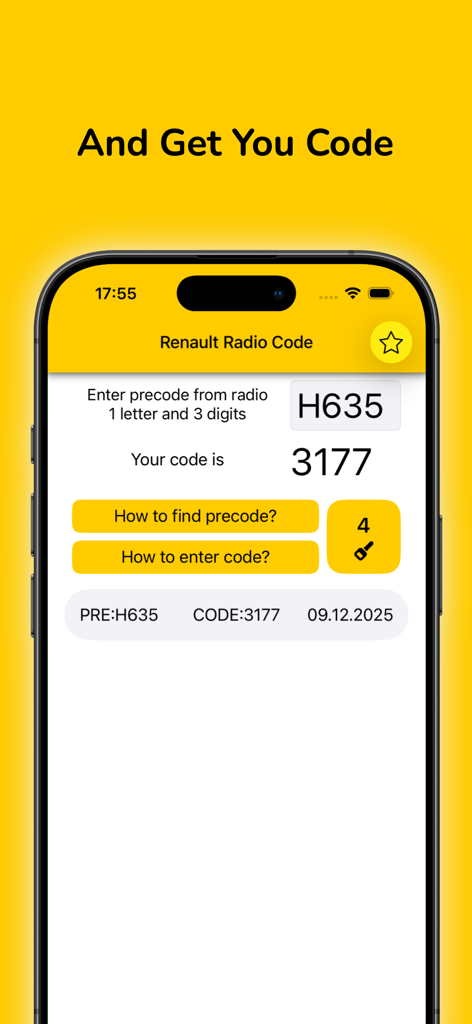
라디오 프리코드를 입력하기 위한 Renault Radio Code 앱 인터페이스의 스크린샷

Radio Code for Renault Stereo - 프리코드 입력과 그 결과로 생성된 4자리 라디오 코드를 보여주는 Renault Radio Code 앱의 스크린샷
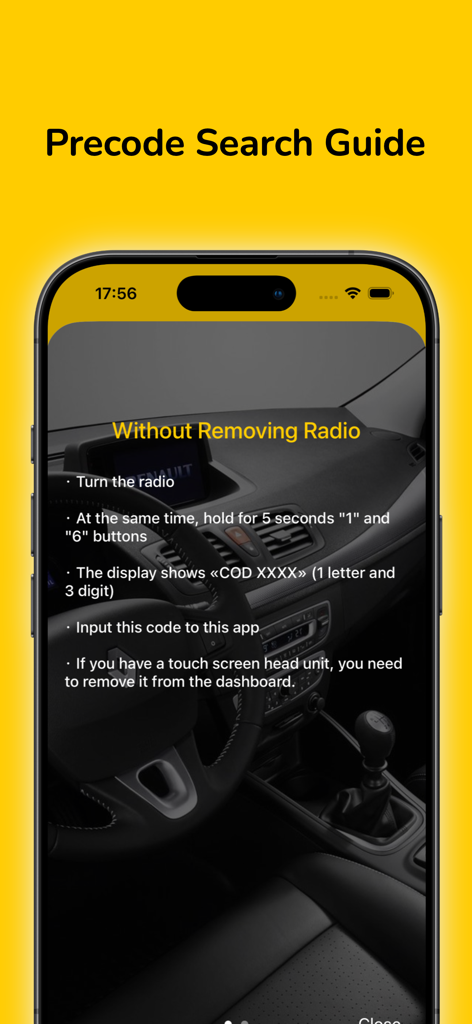
프리코드 입력과 그 결과로 생성된 4자리 라디오 코드를 보여주는 Renault Radio Code 앱의 스크린샷

Radio Code for Renault Stereo - 라디오 유닛을 분리하지 않고 르노 카오디오 프리코드를 찾는 단계별 가이드
라디오 유닛을 분리하지 않고 르노 카오디오 프리코드를 찾는 단계별 가이드

Radio Code for Renault Stereo - 오디오 프리셋 버튼을 사용하여 르노 라디오 코드를 입력하는 단계별 안내

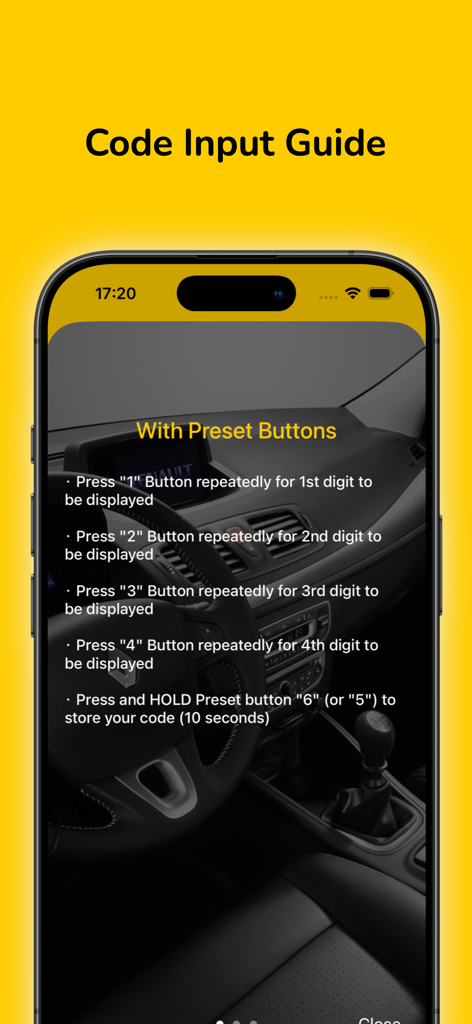
오디오 프리셋 버튼을 사용하여 르노 라디오 코드를 입력하는 단계별 안내

설명

Sometimes during the repair of the car, the battery is disconnected. After battery reconnected the radio is protected by a four digit code. If you don't remember radio code or lost it, you can recover it quickly and easily with this app using precode. Note: precode is located on the rear side of your radio. ATTENTION: The number of generated codes is limited. When you purchase app you get 5 TOKENS, which gives you the opportunity to generate 5 codes. After the limit is exhausted, you can buy the required number of tokens by In-App purchases. To find the precode: - Turn the radio on and hold at the same time the button 1 and 6 (In some cases, it is necessary to remove the radio) - See the unit precode. The precode consists of 1 letter and 3 digits. For example: V248, D833, H635 - Input precode to this app How to input radio code ? 1. With Preset Buttons ・ Press 1 Button repeatedly for 1st digit to be displayed ・ Press 2 Button repeatedly for 2nd digit to be displayed ・ Press 3 Button repeatedly for 3rd digit to be displayed ・ Press 4 Button repeatedly for 4th digit to be displayed ・ Press and HOLD preset button 6 (or 5) to store your code (10 seconds) 2. With Stalk Control ・ Press switch on the CD radio. When CD will display 0 0 0 0. ・ Rotate the thumb wheel for the 1st digit. Next press the bottom button to move on. ・ Rotate the thumb wheel for the 2nd digit. Next press the bottom button to move on. ・ Rotate the thumb wheel for the 3rd digit. Next press the bottom button to move on. ・ Rotate the thumb wheel for the 4th digit. ・ Press and hold the bottom button button to finish. 3. With Remote Control ・ Press the [ ¬] button then rotate the thumb wheel for 1st digit ・ Press the [ ¬] button then rotate the thumb wheel for 2nd digit ・ Press the [ ¬] button then rotate the thumb wheel for 3rd digit ・ Press the [ ¬] button then rotate the thumb wheel for 3rd digit ・ Press and hold the [ ¬] button to store the code (10 seconds) Please support us with your reviews in AppStore, it's very important for new users! Thank you! If you experience difficulties with the app, please contact us. support@kcandr.ru

Download

다운로드: App Store

이 페이지는 앱이나 개발자의 공식 페이지가 아니며, 정보 제공 및 논평을 목적으로 작성된 독립 편집 간행물입니다. 명시적으로 달리 언급되지 않는 한, 해당 앱이나 개발자는 MWM, Apple, Google Play, 앱 퍼블리셔 또는 앱 개발자와 제휴, 보증, 후원, 승인 또는 공식적으로 연결되어 있지 않으며, 이 페이지의 어떤 내용도 해당 앱이 MWM의 서비스를 사용하여 개발되었음을 의미하지 않습니다. 모든 상표, 로고, 스크린샷 및 기타 콘텐츠는 해당 소유자의 자산입니다.








