Read&Write

Read&Write

다운로드: App Store
로고: Read&Write

Read&Write: 독립적인 학습 및 문해력 강화

난독증, ADHD, 언어 학습에 대한 맞춤 지원으로 학업 잠재력을 발휘하세요. 텍스트 음성 변환부터 스마트 단어 예측까지, 모든 앱에서 읽고 쓰는 것에 대한 자신감을 얻으세요.

다운로드: App Store

개발사

Everway Opco Ltd.

카테고리

Education

다운로드

23K+

사용자 평점

2.8/5

총 평가 수

100

지원 언어

12

시각화된 문해력

이 인터페이스를 사용하는 23K+ 명의 사용자.

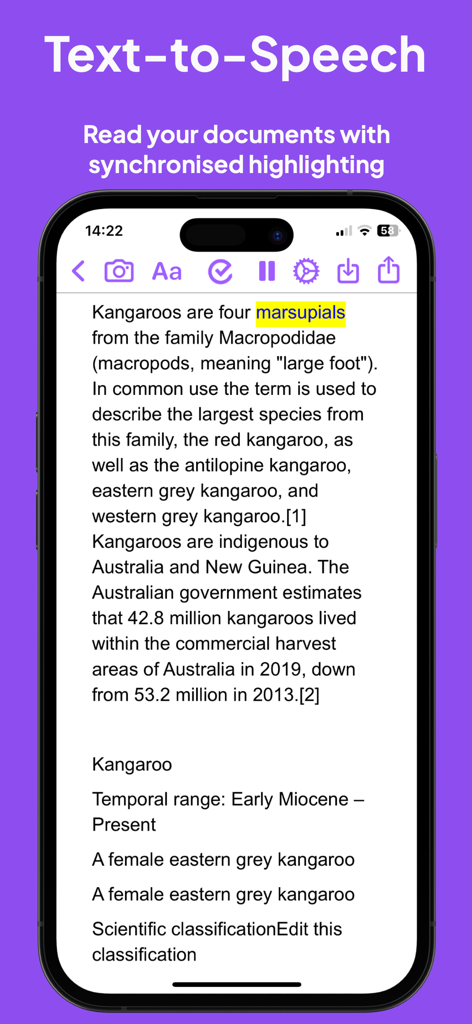
Read and Write 앱 텍스트 음성 변환 기능과 iPhone에서 동기화된 강조 표시
Read and Write 앱 텍스트 음성 변환 기능과 iPhone에서 동기화된 강조 표시

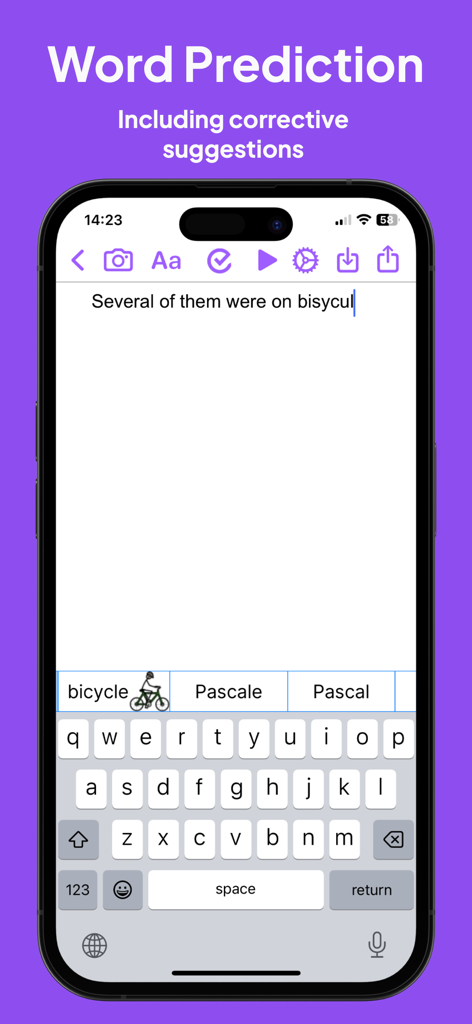
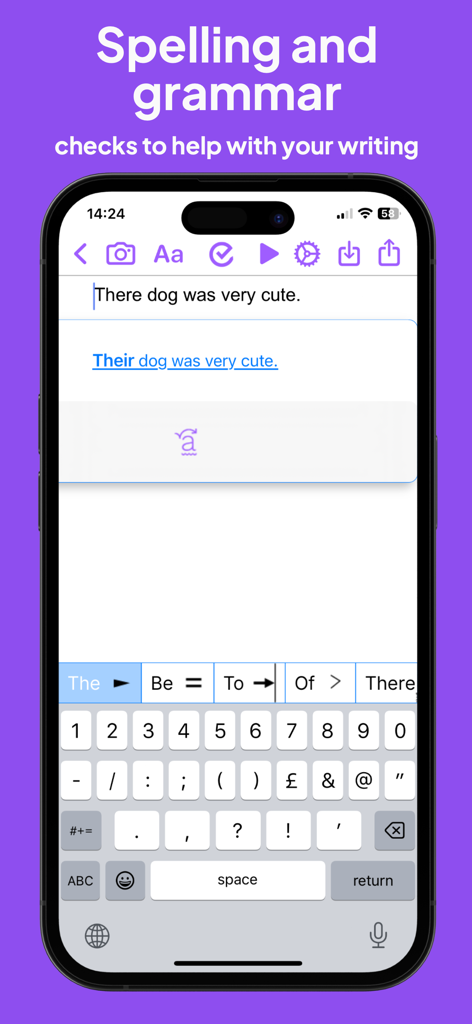
Read and Write 앱 인터페이스는 철자가 틀린 단어에 대한 단어 예측 및 그림 사전 제안을 보여줍니다.
Read and Write 앱 인터페이스는 철자가 틀린 단어에 대한 단어 예측 및 그림 사전 제안을 보여줍니다.

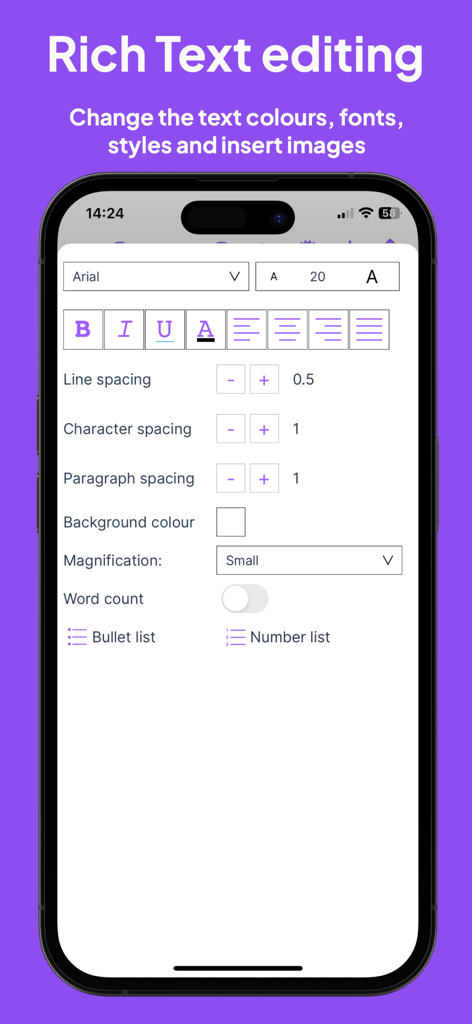
Read and Write 앱의 서식 있는 텍스트 편집 인터페이스는 글꼴 스타일 및 간격 제어를 보여줍니다.
Read and Write 앱의 서식 있는 텍스트 편집 인터페이스는 글꼴 스타일 및 간격 제어를 보여줍니다.

Read and Write 앱의 문장 교정 및 예측 키보드를 보여주는 Read&Write 앱 스크린샷
Read and Write 앱의 문장 교정 및 예측 키보드를 보여주는 Read&Write 앱 스크린샷

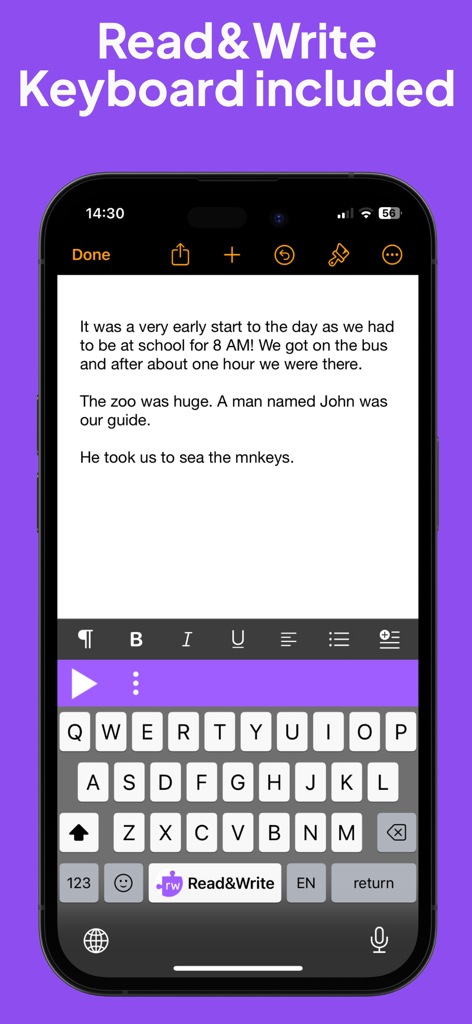
읽기 및 쓰기 지원을 위한 Read & Write 보조 키보드 확장을 보여주는 휴대폰 화면
읽기 및 쓰기 지원을 위한 Read & Write 보조 키보드 확장을 보여주는 휴대폰 화면

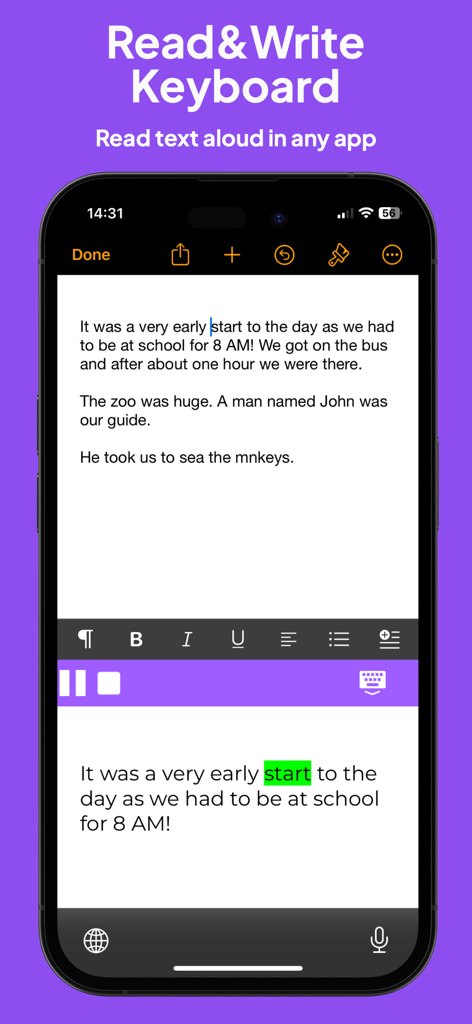
Read & Write 앱 키보드는 시각적 단어 강조 표시와 함께 텍스트 음성 변환을 보여줍니다.
Read & Write 앱 키보드는 시각적 단어 강조 표시와 함께 텍스트 음성 변환을 보여줍니다.

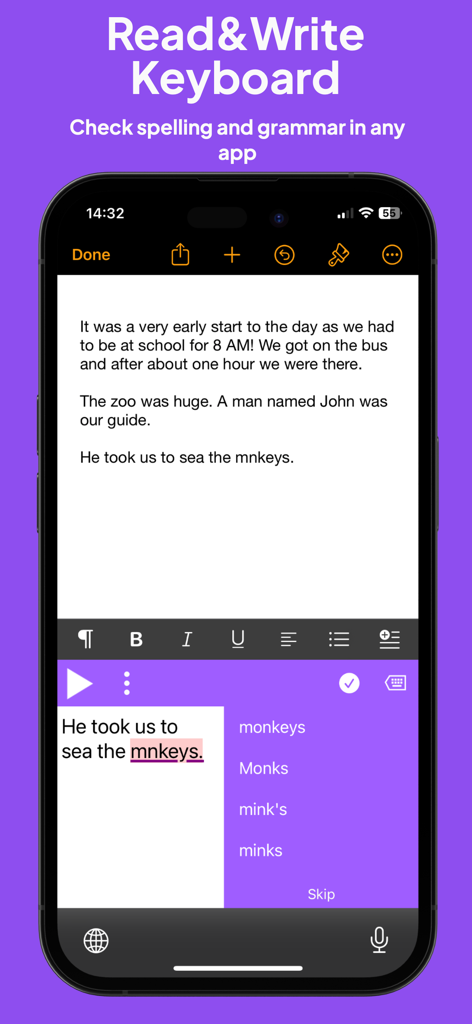
스마트폰 화면은 Read & Write 키보드가 문서의 철자가 틀린 단어에 대한 철자 및 문법 제안을 제공하는 것을 보여줍니다.
스마트폰 화면은 Read & Write 키보드가 문서의 철자가 틀린 단어에 대한 철자 및 문법 제안을 제공하는 것을 보여줍니다.

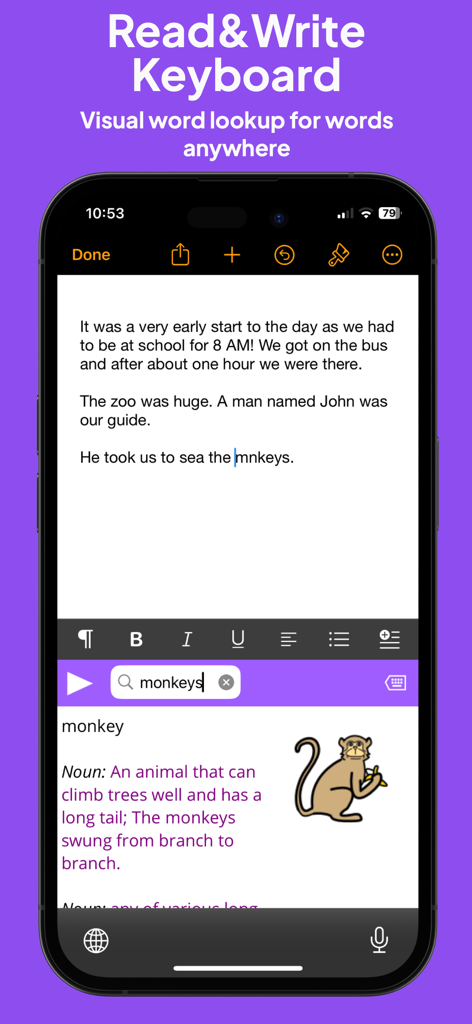
Read & Write 키보드 확장은 원숭이 단어에 대한 그림 사전 정의를 보여줍니다.

Read & Write 키보드 확장은 원숭이 단어에 대한 그림 사전 정의를 보여줍니다.

문해력 여정 강화

이 앱을 돋보이게 하는 도구, 23K+ 명의 사용자가 선택.

🎧

완벽한 명확성으로 읽기

이중 색상 강조 표시가 고품질 텍스트 음성 변환을 따라가므로 단어를 보고 들으면서 이해력을 높이고 인지 피로를 줄일 수 있습니다.

💡

스마트 쓰기 지원

모든 과제에서 좌절스러운 철자 장애물을 쉬운 승리로 바꾸는 지능형 단어 예측과 그림 사전을 사용하여 빈 페이지를 극복하세요.

⌨️

모든 앱에서 지원

시스템 전체 키보드 확장은 Google Classroom, Safari 및 소셜 미디어에서 '스텔스' 지원을 제공하여 눈에 띄지 않고 도움을 받을 수 있도록 보장합니다.

앱 소개

에 대해 알아야 할 모든 것 Read&Write.

설명

Read&Write for iPad is a reading and writing app with high-quality text-to-speech, formatting controls, a wide range of fonts and styles and cloud storage integration. Read&Write provides visual highlighting in-sync with spoken words, a great range of colour and font settings to allow for optimum reading, and word prediction to help with writing. Read&Write is a quality app for proofreading text through listening, helping with reading and literacy development, and creating audio files from any text. PRODUCT FEATURES • Text-to-Speech - Type into Read&Write and have the text read back to you. You can check text and proofread it quickly and easily. - You can import documents into Read&Write from apps such as Mail, or import directly from Dropbox, Google Drive and OneDrive.. Read&Write can open a range of document formats including Word doc, PDF and epub. - Text from any app can be copied and pasted into Read&Write ready to be read back. - Apple's speech recognition can be used to dictate text directly into Read&Write, and can be listened back to ensure it is right. - The Apple spell check works in Read&Write too, further helping accuracy. - You can save the text as an audio file using the same high-quality voice. • Word Prediction Word prediction helps with writing more quickly and accurately. • Visual Highlighting Text is highlighted as the text is read back. Highlighting allows you to coordinate reading and listening. Read&Write lets you pick the colour and style of highlighting required. There are four highlighting modes to choose from: none, word by word, word trail, or sentence by sentence highlighting. • Font & Layout Change the font type, size or colour to suit your needs. Layout the text for easier reading by adjusting the character, line and paragraph spacing and adjusting the page margins. Text can be formatted bold, italic and underlined to emphasise. Images can be inserted into the text from the camera or your library. • Save to Audio Convert any text into an audio file using any of the high-quality voices. This is quick and easy, allowing text to be listened to on the move. Great for proofreading on the go. • Share your text Text created within Read&Write can be emailed, messaged, printed, opened in another app, or copied and pasted into another app, like Safari. • Read webpages You can now read webpages in Safari and other browsers, using the "Read&Write Toolbar" extension from the share menu. * Spellcheck & Grammar check Use the Read&Write spellcheck feature that can provide you with additional word descriptions and pictures to help you find the correct word. Also included in this app is the Read&Write Keyboard app, which is a powerful keyboard replacement that works in every app. Supporting reading, writing, comprehension and vocabulary development, Read&Write provides a rich set of features which extend accessibility and provide a range of tools to help with literacy including: • Text to speech • Prediction • Dictionary / Talking dictionary • Picture Dictionary • Check It • Talk&Type (available for iOS 10 and above) • Speak as I type • OpenDyslexic font support • Language translation in Safari (French or Spanish, Locale dependent) • French language localisation The Read&Write keyboard app provides help everywhere it’s needed whether it’s working on documents, presentations, being creative or just using mail. It’s great for those with individual needs such as Dyslexia and those where English is not their first language, but it’s designed for everyone.

최신 버전

7.14.0

크기

254.4 MB

출시일

2015년 1월 29일

잠재력을 발휘할 준비가 되셨나요?

난독증, ELL, 신경 다양성 학습자를 위해 설계된 iPad 앱으로 독립성을 확보하는 수천 명의 학생 및 전문가와 함께하세요. 오늘 자신감을 가지고 읽고 쓰기를 시작하세요.

다운로드: App Store

App information, icons, screenshots, and descriptions displayed on this page are sourced from the Apple App Store and are the property of their respective developers. Download estimates and rankings are based on MWM's proprietary models and may not reflect actual figures. This page is provided for informational and analytical purposes only.

Believe this page infringes your intellectual property? File a dispute