이 페이지는 앱이나 개발자의 공식 페이지가 아니며, 정보 제공 및 논평을 목적으로 작성된 독립 편집 간행물입니다. 명시적으로 달리 언급되지 않는 한, 해당 앱이나 개발자는 MWM, Apple, Google Play, 앱 퍼블리셔 또는 앱 개발자와 제휴, 보증, 후원, 승인 또는 공식적으로 연결되어 있지 않으며, 이 페이지의 어떤 내용도 해당 앱이 MWM의 서비스를 사용하여 개발되었음을 의미하지 않습니다. 모든 상표, 로고, 스크린샷 및 기타 콘텐츠는 해당 소유자의 자산입니다.
ReColor - Art Photo Editor
차세대 디지털 크리에이터를 위해 설계된 AI 기반 선택적 색상 변경, 전문가 수준의 레이어, 키프레임 애니메이션으로 창의적인 비전을 구현하세요.
주요 수치
다운로드
126K+
사용자 평점
4.5/5
총 평가 수
500
개발사
Hayk Ghazaryan
카테고리
Graphics & Design
지원 언어
1
최신 버전
3.9.71
크기
122.4 MB
출시일
2019년 12월 7일
기능
디지털 크리에이터를 위한 올인원 스튜디오
전문가 수준의 디자인 파워를 경험하세요. 고해상도 일러스트부터 트렌디한 소셜 애니메이션까지, ReColor는 완전한 크리에이티브 스위트를 주머니 속에 넣어줍니다.
AI 기반 선택적 색상 변경
스마트 AI 브러시를 사용하여 원하는 색상을 정밀하게 변경하세요. 미학적인 피드 큐레이션과 시선을 사로잡는 강렬한 색상 강조 효과에 완벽합니다.
전문가 수준의 일러스트 & 40MP 레이어
120개 이상의 브러시와 전문가 수준의 레이어 관리 기능을 사용하여 무제한으로 디자인하세요. 최대 40MP의 고해상도 걸작을 선명한 품질로 내보낼 수 있습니다.
다음 스크린샷과 설명은 앱의 공식 스토어 목록에서 직접 가져온 것이며 앱 개발자의 자산입니다.
앱 스토어
스크린샷
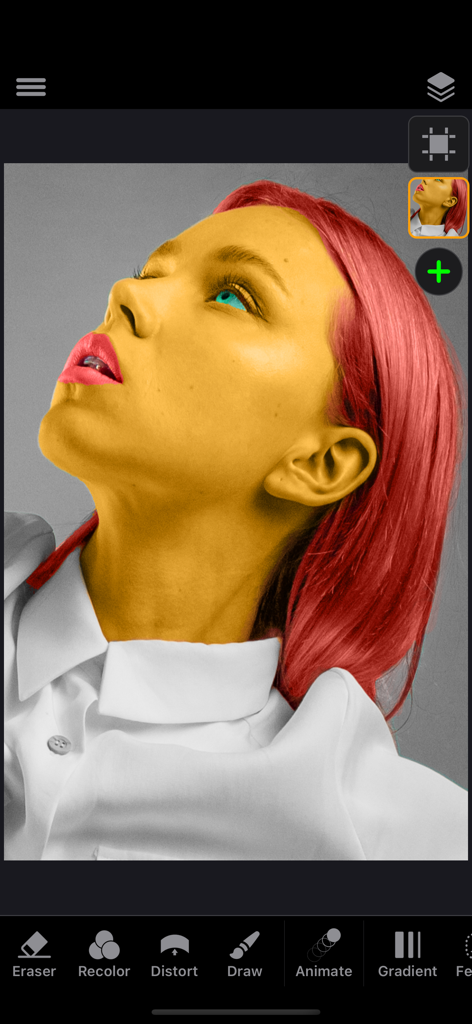
ReColor 앱 인터페이스에서 선택적 색상 변경 도구를 사용하여 노란색 피부와 빨간색 머리카락을 가진 여성의 초상화가 편집되고 있는 모습
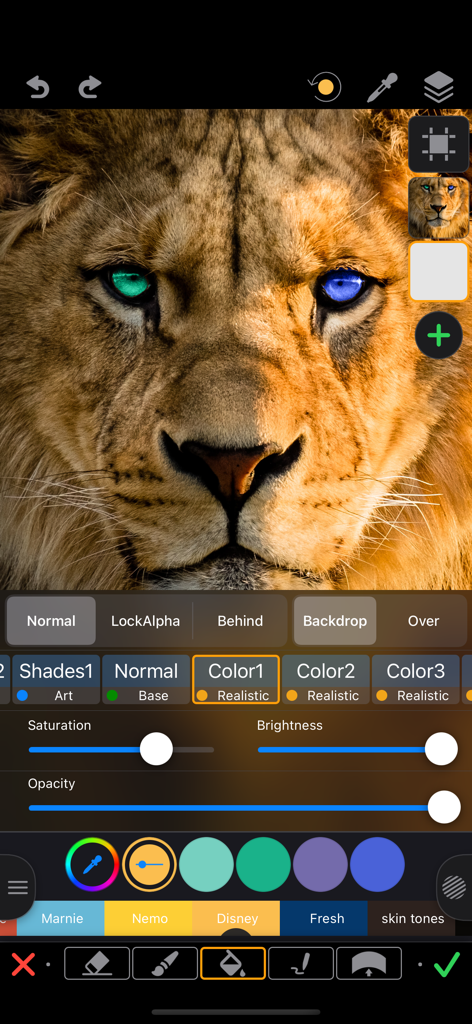
ReColor 사진 편집기 앱을 사용하여 사자의 눈을 파란색과 녹색으로 선택적으로 색상 변경하는 모습
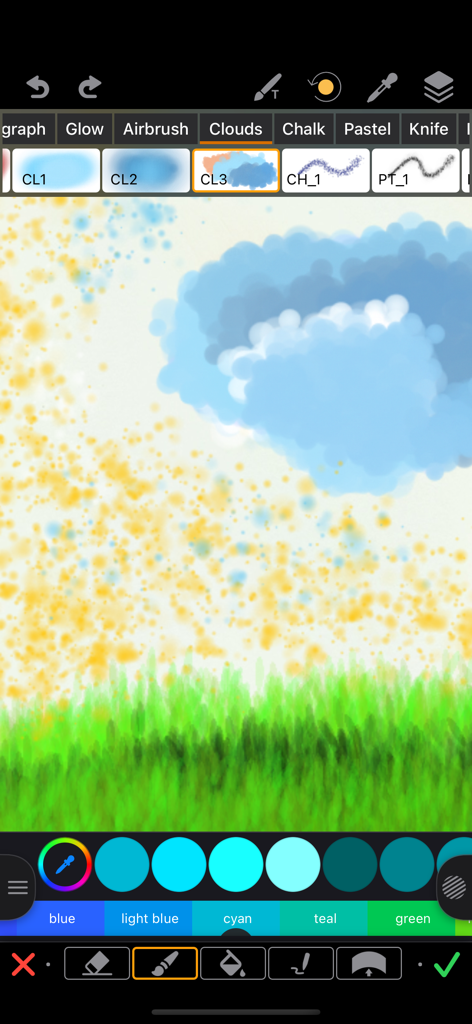
ReColor 앱 인터페이스 스크린샷으로 다양한 그리기 브러시와 구름과 잔디가 있는 풍경 스케치가 표시됨
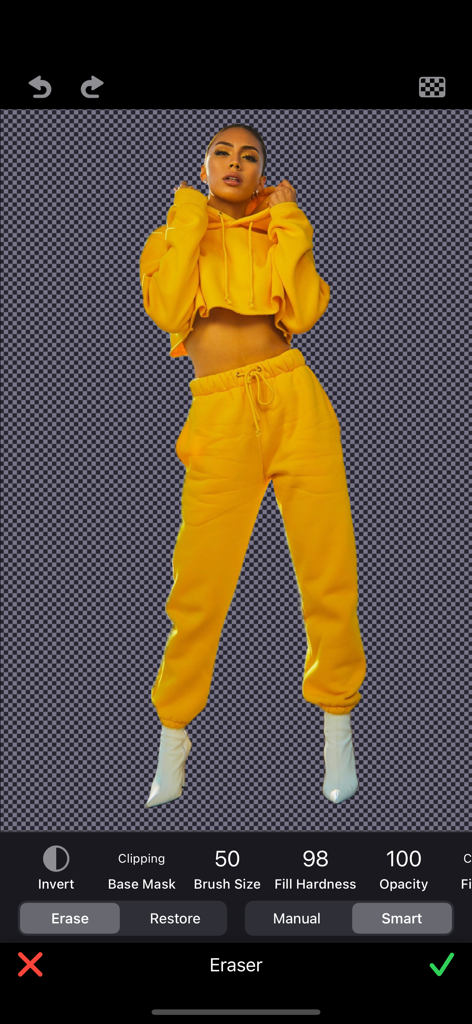
스마트 지우개 도구를 사용하여 투명 배경에 분리된 사람을 보여주는 모바일 앱 인터페이스
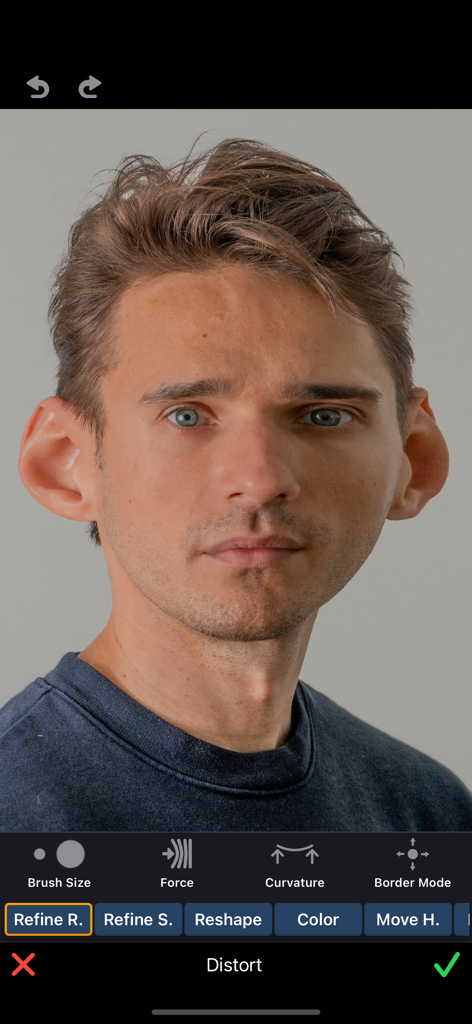
ReColor 앱에서 캐리커처 왜곡 도구를 사용하여 편집 중인 남자의 초상화로 귀가 커 보이는 모습
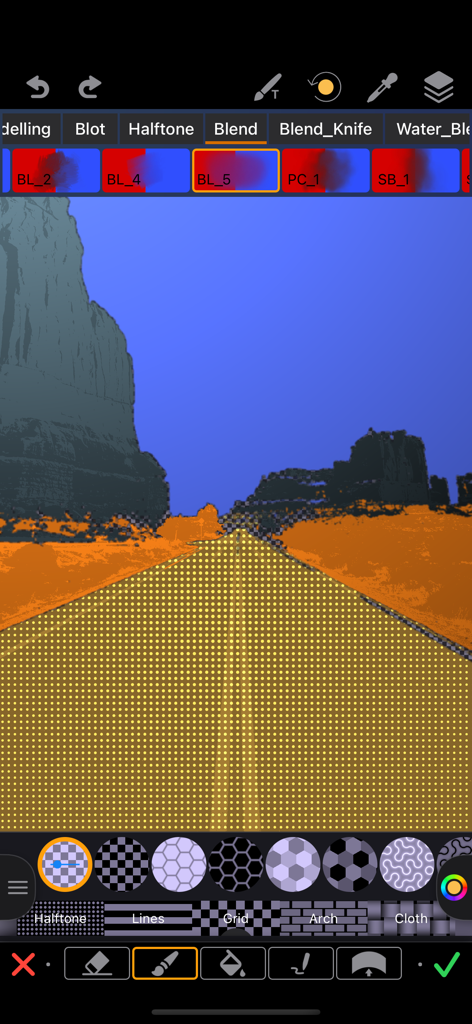
ReColor 앱 인터페이스로 풍경 사진의 도로에 하프톤 도트 패턴이 적용된 모습
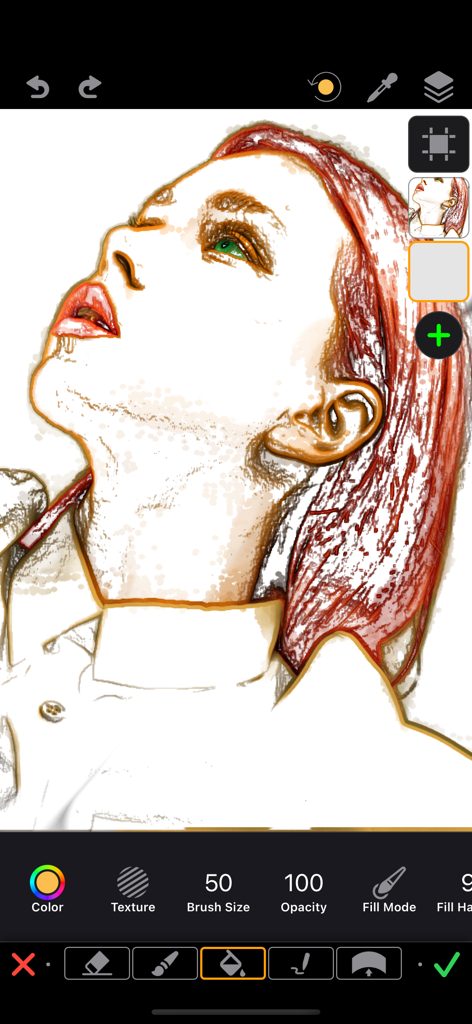
ReColor 앱 인터페이스에서 레이어와 그리기 도구를 보여주는 빨간색 머리카락 여성의 디지털 초상화 일러스트가 편집되고 있는 모습
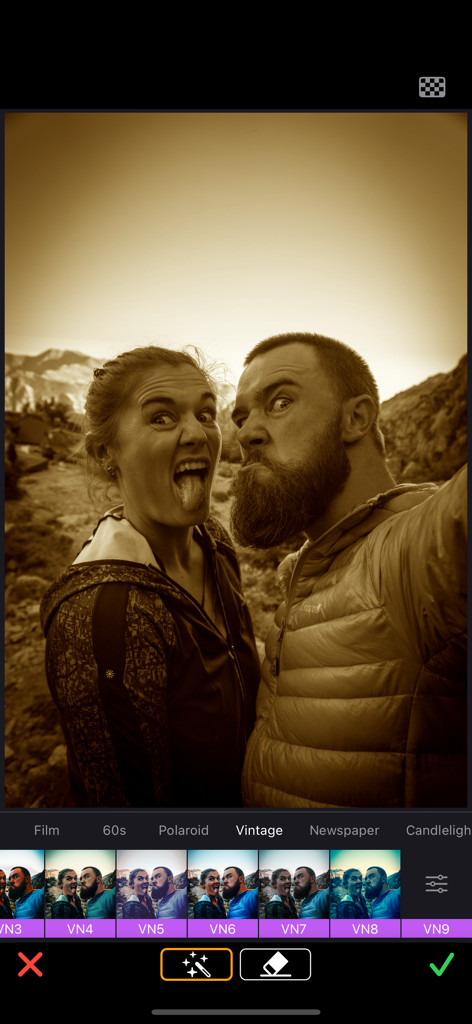
ReColor 앱 인터페이스로 재미있는 표정을 짓는 커플 사진에 빈티지 세피아 필터가 적용된 모습
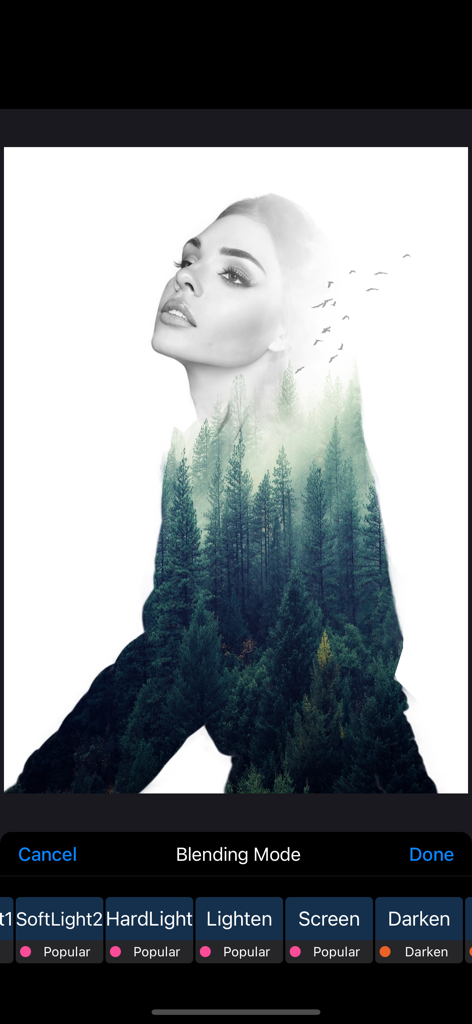
앱 블렌딩 모드를 사용하여 소나무 숲과 합쳐진 여성의 이중 노출 초상화
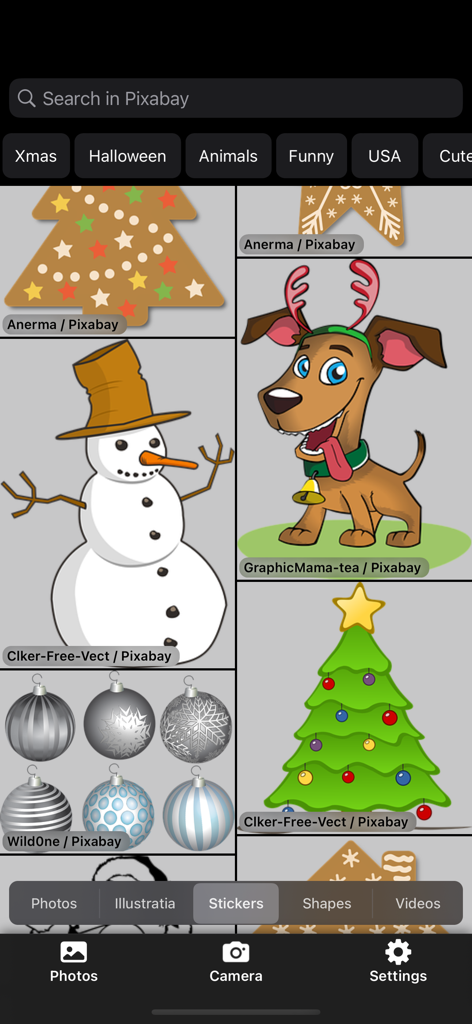
축제 일러스트와 그래픽을 보여주는 ReColor 아트 사진 편집기의 스티커 라이브러리 인터페이스
설명
Cartoon Creation for Everyone.
Selectively recolor images, videos and icons. Extract objects, shapes, and texts from images due to recoloring, tracing, and with the help of our magic eraser tool. Deform extracted shapes and re-colorings with the unique distortion tool to create caricatures and your Disney heroes. Finally, add motion to the extracted shapes, stickers, and logos to create stunning animations. Moreover, use advanced drawing and layer-based photo editing tools and filters to refine your creations to perfection. Access over a million high-resolution royalty-free photos from Unsplash and 400,000+ beautiful free illustrations, stickers, and shapes from Pixabay to mix and match for your masterpiece. Anyone can create stunning artwork with our tool - let your creativity soar!
"ReColor" Features:
Recolor Tool & Eraser
• Selectively recolor images, icons, and texts with a smart(AI) brush.
• Video editing tools that allow for selective color changing.
• Selectively extract objects, shapes, and texts from images due to
recoloring, tracing, and with a help of the magic eraser tool.
• Adjust brushes hardness, blend modes.
Distortion Tool
• Deform extracted shapes and re-colorings with a unique distortion
a tool to create caricatures and your Disney heroes.
• Adjust deformation curvature, force, and border mode.
Draw Brushes
• Color, gradient & texture brushes.
• Over 120+ professionally crafted brushes:
- Pencils, Charcoal, Text, Calligraphy, Ink, Knife, ...
- Watercolor, Oil, Chalk, Pastel, Blends, ...
- Spray, Glow, ...
- Clouds, Snow, Grass, ...
• Alpha lock, behind & over brush modes.
• Brush "Edges" with noise & width controls.
• Zoom to recolor & sketch any detail with the highest precision.
• Realistic recolor brush to create color pop effects and do realistic recoloring.
• Recolor with shaded overlay mode to extract details or texture from the image.
Layers
• Multi-Layer image editing with images up to 40 MP without losing quality.
• More than 40 blend modes for brushes & layers: Photoshop's 27 + custom.
• Add borders and shadows to each layer.
• Outline stickers and cutouts.
• Adjust layers opacity and tint.
• Enhanced and comprehensible fill tool.
Video Editing
• KeyFrame Animations.
• Video editing tools that allow for selective color changing.
• Mix Video & Photo - one editor for photo and video editing.
• Edit video track - split, trim, transform, and adjust the speed.
• Adjust Video Tracks blending mode and opacity.
• Edit video export options - video containers, codecs, and frame rates.
• Supports HEVC video codec with transparency support(In iPhone 7 and later).
• Adjust video export resolution.
FEATURES
• Over 150+ professional filters & presets.
• Adjust white balance, exposure, shadow, highlight, contrast,
brightness, saturation, vibrance, hue, ...
• Gradient tool.
• Apply filters and adjust after with advanced control.
• Enhanced and comprehensible layer support.
• Set background canvas size.
• Get access to Unsplash's over a million free high-resolution royalty-free photos.
• Get access to Pixabay's over 400000 beautiful free illustrations and shapes.
• Export to PNG(transparent background) and JPG.
• Share on Instagram, Facebook, ... .
SUBSCRIPTION TERMS
ReColoring Pro!
No Watermarks.
Access to all upcoming pro features.
Subscriptions are billed monthly or annually at the rate selected depending on the subscription plan.
If you choose to purchase ReColoring Pro, payment will be charged to your iTunes account, and your account will be charged for renewal within 24-hours before the end of the current period. Auto-renewal may be turned off at any time by going to your settings in the Apple ID Account after purchase. Any unused portion of a free trial period, if offered, will be forfeited when you purchase a Premium subscription, where applicable.
Terms of service: https://bit.ly/3c9pDs1
Privacy policy: https://bit.ly/3cc2oO4
Support: support@recolor.us
이 페이지는 앱이나 개발자의 공식 페이지가 아니며, 정보 제공 및 논평을 목적으로 작성된 독립 편집 간행물입니다. 명시적으로 달리 언급되지 않는 한, 해당 앱이나 개발자는 MWM, Apple, Google Play, 앱 퍼블리셔 또는 앱 개발자와 제휴, 보증, 후원, 승인 또는 공식적으로 연결되어 있지 않으며, 이 페이지의 어떤 내용도 해당 앱이 MWM의 서비스를 사용하여 개발되었음을 의미하지 않습니다. 모든 상표, 로고, 스크린샷 및 기타 콘텐츠는 해당 소유자의 자산입니다.