Record3D — 3D Videos
다운로드: App Store

이 페이지는 앱이나 개발자의 공식 페이지가 아니며, 정보 제공 및 논평을 목적으로 작성된 독립 편집 간행물입니다. 명시적으로 달리 언급되지 않는 한, 해당 앱이나 개발자는 MWM, Apple, Google Play, 앱 퍼블리셔 또는 앱 개발자와 제휴, 보증, 후원, 승인 또는 공식적으로 연결되어 있지 않으며, 이 페이지의 어떤 내용도 해당 앱이 MWM의 서비스를 사용하여 개발되었음을 의미하지 않습니다. 모든 상표, 로고, 스크린샷 및 기타 콘텐츠는 해당 소유자의 자산입니다.


로고: Record3D — 3D Videos
다운로드: App Store

Record3D — 3D Videos

iPhone을 고화질 3D 카메라로 변환하세요. 전문적인 3D 파이프라인 및 몰입형 AR/VR 경험을 위해 볼륨 비디오를 FBX, OBJ 또는 Spatial Video 형식으로 캡처, 스트리밍 및 내보내세요 — 100% 온디바이스 개인 정보 보호 기능으로.

주요 수치

다운로드

21K+

사용자 평점

4.0/5

총 평가 수

100

개발사

Marek Simonik

카테고리

Photo & Video

지원 언어

1

최신 버전

1.10.6

크기

24.1 MB

출시일

2019년 9월 6일
기능

크리에이터를 위한 프로 수준의 볼륨 캡처

모바일 하드웨어와 전문 3D 제작 간의 격차를 해소하세요. Record3D는 아티스트와 개발자가 고화질 공간 콘텐츠를 캡처, 스트리밍 및 내보낼 수 있도록 지원합니다.

영화 품질의 3D 녹화

LiDAR 및 FaceID의 강력한 기능을 활용하여 특수 True3D 뷰어로 화면을 벗어나는 몰입형 볼륨 비디오를 녹화하세요.

제작 준비 완료 내보내기

파이프라인에 직접 통합하세요. FBX, glTF 및 Alembic으로 내보내거나 Apple Vision Pro 및 Meta Quest용 Spatial Video를 만드세요.

다음 스크린샷과 설명은 앱의 공식 스토어 목록에서 직접 가져온 것이며 앱 개발자의 자산입니다.

앱 스토어

스크린샷
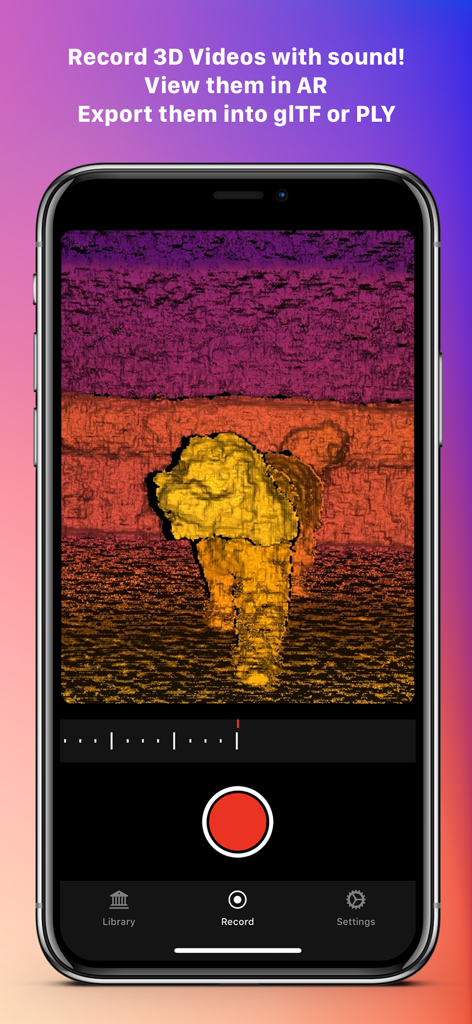
Record3D — 3D Videos - 깊이 맵을 사용하여 볼륨 3D 비디오를 캡처하는 동안 Record3D 앱 인터페이스를 표시하는 스마트폰.
깊이 맵을 사용하여 볼륨 3D 비디오를 캡처하는 동안 Record3D 앱 인터페이스를 표시하는 스마트폰.

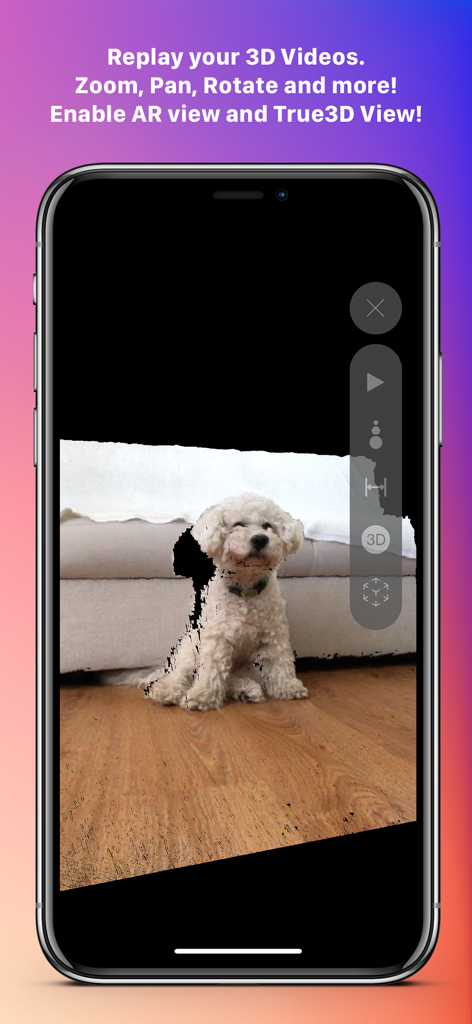
Record3D — 3D Videos - iPhone에서 작은 흰색 강아지의 3D 볼륨 비디오 다시보기를 보여주는 Record3D 앱 인터페이스
iPhone에서 작은 흰색 강아지의 3D 볼륨 비디오 다시보기를 보여주는 Record3D 앱 인터페이스

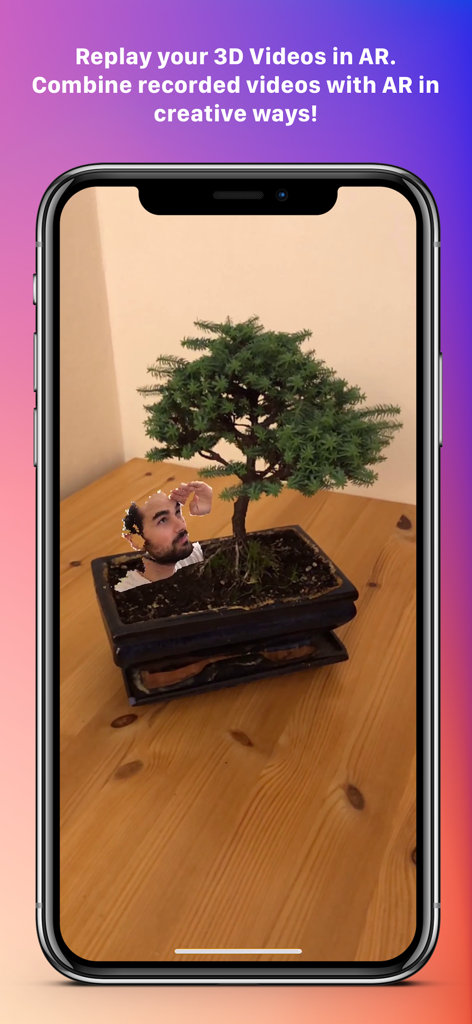
Record3D — 3D Videos - 증강 현실을 사용하여 실제 분재 나무에 통합된 사람 머리의 3D 비디오
증강 현실을 사용하여 실제 분재 나무에 통합된 사람 머리의 3D 비디오

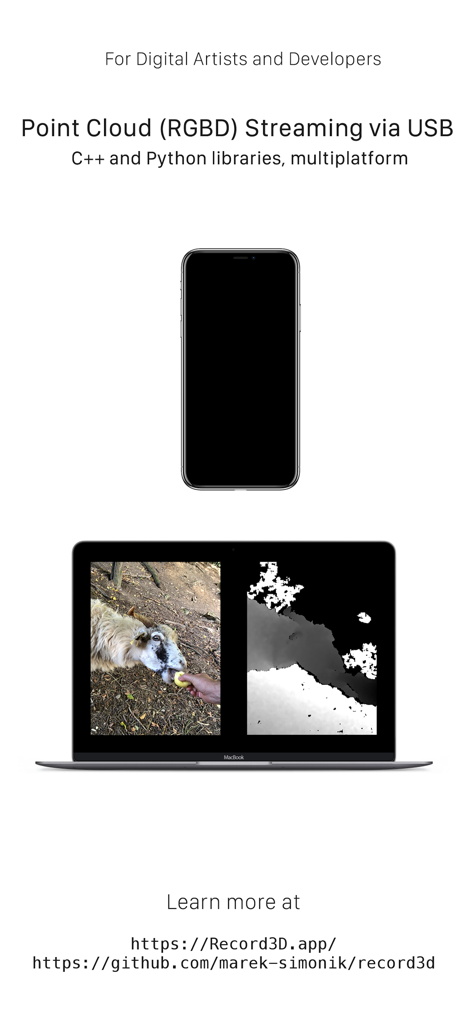
Record3D — 3D Videos - 개발자 사용을 위해 Record3D를 사용하여 노트북으로 RGBD 포인트 클라우드 비디오 데이터를 스트리밍하는 iPhone

개발자 사용을 위해 Record3D를 사용하여 노트북으로 RGBD 포인트 클라우드 비디오 데이터를 스트리밍하는 iPhone

설명

Record your very own 3D Videos using the selfie *FaceID* camera or the *LiDAR* sensor! Export them into FBX, glTF, sequence of PLY files, OBJ or Alembic. Use WebRTC Wi-Fi Streaming, export into RGBD mp4 videos. Export 3D videos into the Spatial Video format (only on iOS 17 or newer) or into SBS (Side-by-Side) stereo videos. Show your Volumetric Videos in AR and experience the **True3D effect**: turn your iPhone or iPad into a window through which you can see into the world behind your screen, where your 3D Videos live! True3D is activated by pressing the "3D" button in the vertical toolbar. Be sure to be in portrait orientation to activate True3D. Are you a Digital Artist or a Developer? Then there is something for you too. You can stream RGBD video from your device into your computer via USB cable. Just install C++ or Python library and you are good to go. The C++ and Python libraries are open source — therefore there is no need to be worried about privacy (as you can easily verify for yourself). You can also buy the Wi-Fi Streaming & RGBD Video export Extension Pack and stream 3D Videos (with color-coded depth data) via Wi-Fi using WebRTC — that means you can stream 3D Videos even into a web browser! Note that Wi-Fi Streaming works ONLY over your local network (LAN), NOT over the Internet. Wi-Fi Streaming delivers lower quality depth data compared to USB streaming, because it leverages lossy compression. For more details about Wi-Fi Streaming, visit https://record3d.app Note that the Unity USB Streaming demo is currently not compatible with the Wi-Fi Streaming feature. Wi-Fi Streaming uses a completely different technology, so you will need to rewrite the Unity demo to work with Wi-Fi Streaming. With that same Extension Pack, you can encode (export) 3D Videos into RGBD mp4 videos, which can be used for example for viewing your 3D Videos in a Looking Glass holographic display. If you are an artist or a developer, you can use the mp4 RGBD videos for offline 3D Video visualisation. Speaking of privacy, Record3D does not track you, does not contain any analytics, ads nor any other invasive things. Everything you do in the app stays on the device, is completely yours and not shared with any third parties. The Wi-Fi Streaming feature works only on your local network (LAN), it does NOT work over the Internet. The app offers you 3 free 3D Videos so that you can evaluate some of its functionality before purchasing. Visit https://record3d.app/ for more details, tutorials and demos. You can contact me at support@record3d.app if needed.

Download

다운로드: App Store

이 페이지는 앱이나 개발자의 공식 페이지가 아니며, 정보 제공 및 논평을 목적으로 작성된 독립 편집 간행물입니다. 명시적으로 달리 언급되지 않는 한, 해당 앱이나 개발자는 MWM, Apple, Google Play, 앱 퍼블리셔 또는 앱 개발자와 제휴, 보증, 후원, 승인 또는 공식적으로 연결되어 있지 않으며, 이 페이지의 어떤 내용도 해당 앱이 MWM의 서비스를 사용하여 개발되었음을 의미하지 않습니다. 모든 상표, 로고, 스크린샷 및 기타 콘텐츠는 해당 소유자의 자산입니다.








