RedApp Browser
RedApp Browser
다운로드: App Store

이 페이지는 앱이나 개발자의 공식 페이지가 아니며, 정보 제공 및 논평을 목적으로 작성된 독립 편집 간행물입니다. 명시적으로 달리 언급되지 않는 한, 해당 앱이나 개발자는 MWM, Apple, Google Play, 앱 퍼블리셔 또는 앱 개발자와 제휴, 보증, 후원, 승인 또는 공식적으로 연결되어 있지 않으며, 이 페이지의 어떤 내용도 해당 앱이 MWM의 서비스를 사용하여 개발되었음을 의미하지 않습니다. 모든 상표, 로고, 스크린샷 및 기타 콘텐츠는 해당 소유자의 자산입니다.


로고: RedApp Browser
다운로드: App Store

RedApp Browser

정형화된 브라우징에서 벗어나세요. 번개처럼 빠른 속도, 광고 없는 백그라운드 미디어 재생, 내장 파일 관리자를 경험하세요. FaceID와 고급 추적 보호 기능으로 모든 것이 안전합니다.

주요 수치

다운로드

65K+

사용자 평점

4.7/5

총 평가 수

2K+

개발사

Minh Tran

카테고리

Utilities

지원 언어

60

최신 버전

4.0.1

크기

95.9 MB

출시일

2018년 8월 4일
기능

궁극의 올인원 파워 브라우저

앱 전환은 이제 그만. 라이트닝처럼 빠른 브라우징, 통합 미디어 도구, 최고의 개인 정보 보호, 디지털 라이프스타일을 위한 완벽한 미적 제어 기능을 경험하세요.

광고 없는 백그라운드 미디어

다른 앱에서 멀티태스킹 중에도 구독료 없이 중단 없이 동영상 및 오디오 링크를 백그라운드에서 스트리밍하세요.

철통같은 개인 정보 보호 금고

FaceID로 탭을 보호하고 침입성 추적기를 자동으로 차단하여 개인 데이터가 광고주에게 보이지 않도록 합니다.

다음 스크린샷과 설명은 앱의 공식 스토어 목록에서 직접 가져온 것이며 앱 개발자의 자산입니다.

앱 스토어

스크린샷
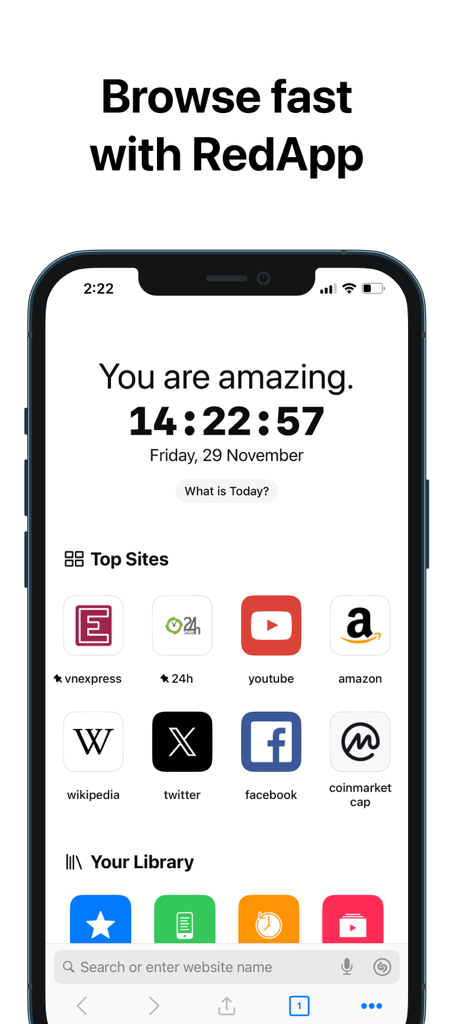
RedApp Browser - RedApp 브라우저 홈 화면에 스마트폰에 표시되는 상위 사이트 및 라이브러리
RedApp 브라우저 홈 화면에 스마트폰에 표시되는 상위 사이트 및 라이브러리

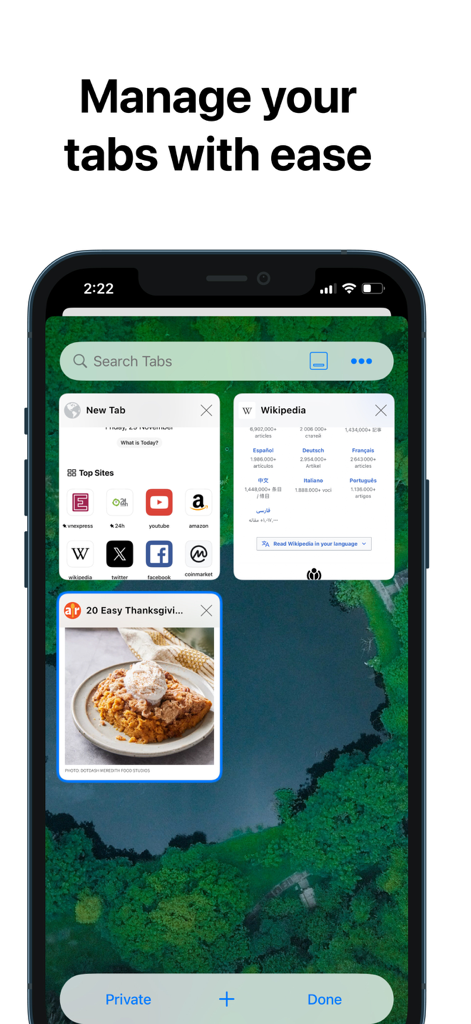
RedApp Browser - RedApp 브라우저 탭 관리 인터페이스에 열린 웹 페이지 그리드 및 검색 표시줄이 표시됨
RedApp 브라우저 탭 관리 인터페이스에 열린 웹 페이지 그리드 및 검색 표시줄이 표시됨

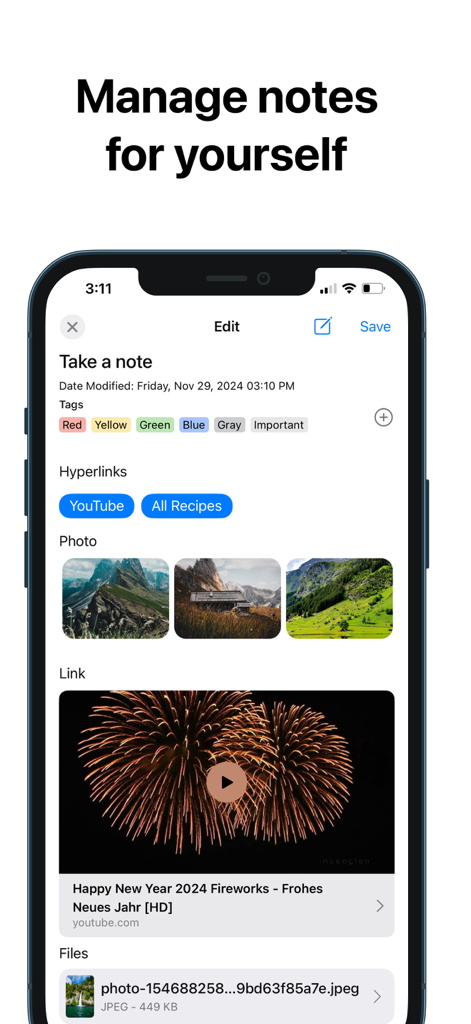
RedApp Browser - 태그, 사진, 하이퍼링크로 노트를 관리하기 위한 RedApp 브라우저 인터페이스
태그, 사진, 하이퍼링크로 노트를 관리하기 위한 RedApp 브라우저 인터페이스

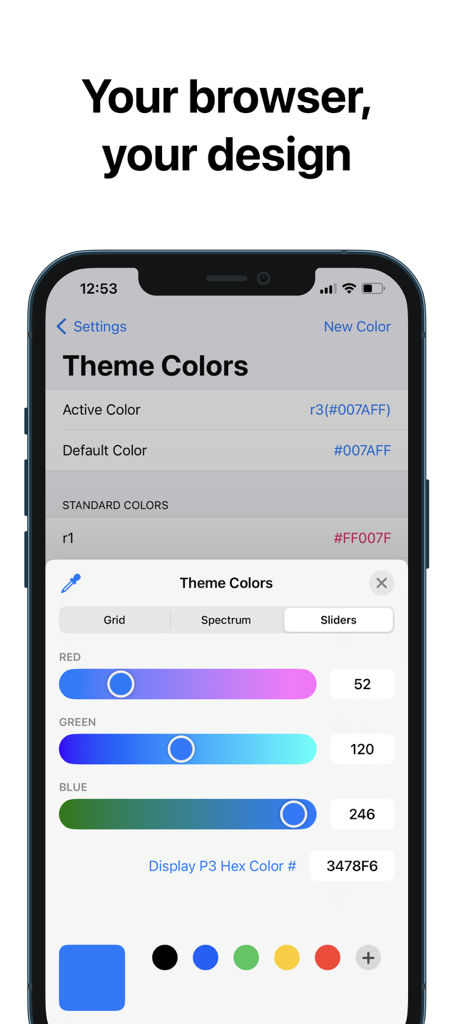
RedApp Browser - RedApp 브라우저에서 RGB 슬라이더 및 16진수 코드로 브라우저 테마 색상을 사용자 지정하기 위한 인터페이스
RedApp 브라우저에서 RGB 슬라이더 및 16진수 코드로 브라우저 테마 색상을 사용자 지정하기 위한 인터페이스

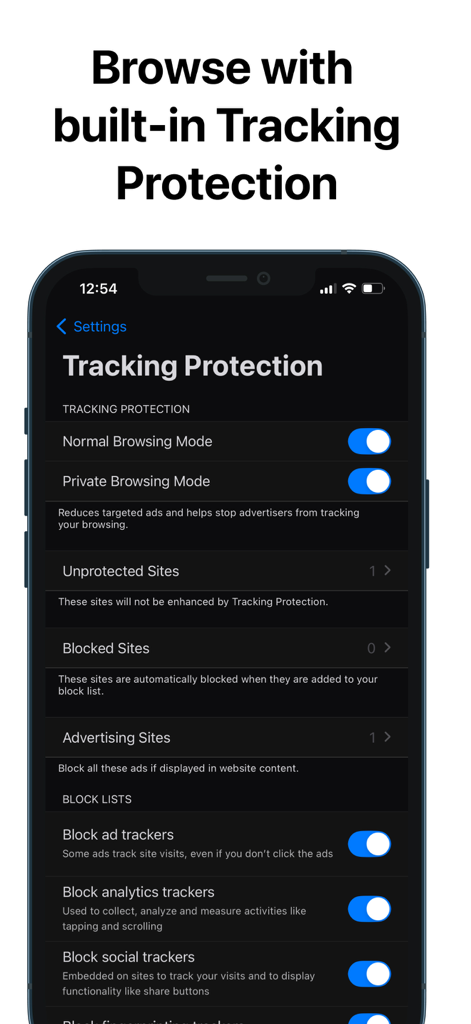
RedApp Browser - 개인 정보 보호 브라우징 및 광고 추적기 차단을 위한 내장 추적 보호 설정이 표시된 RedApp 브라우저 인터페이스
개인 정보 보호 브라우징 및 광고 추적기 차단을 위한 내장 추적 보호 설정이 표시된 RedApp 브라우저 인터페이스

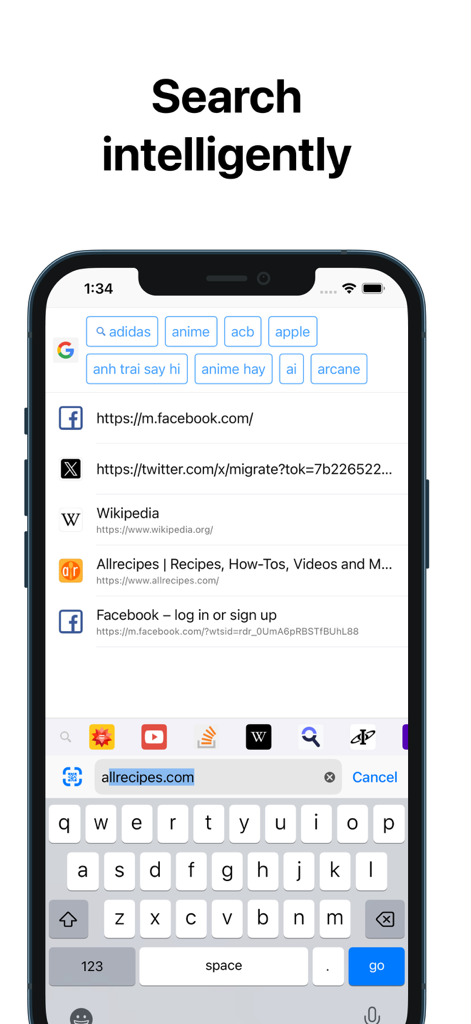
RedApp Browser - 스마트 검색 제안 및 사용자 지정 빠른 액세스 도구 모음이 표시된 RedApp 브라우저 지능형 검색 화면
스마트 검색 제안 및 사용자 지정 빠른 액세스 도구 모음이 표시된 RedApp 브라우저 지능형 검색 화면

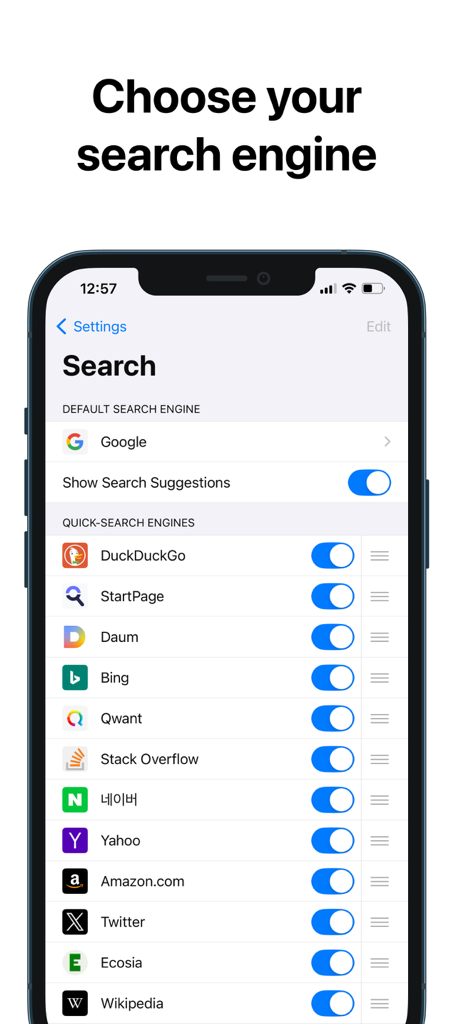
RedApp Browser - RedApp 브라우저 설정 화면에 기본 검색 엔진 선택 및 Google, DuckDuckGo와 같은 빠른 검색 엔진 사용자 지정 옵션 표시
RedApp 브라우저 설정 화면에 기본 검색 엔진 선택 및 Google, DuckDuckGo와 같은 빠른 검색 엔진 사용자 지정 옵션 표시

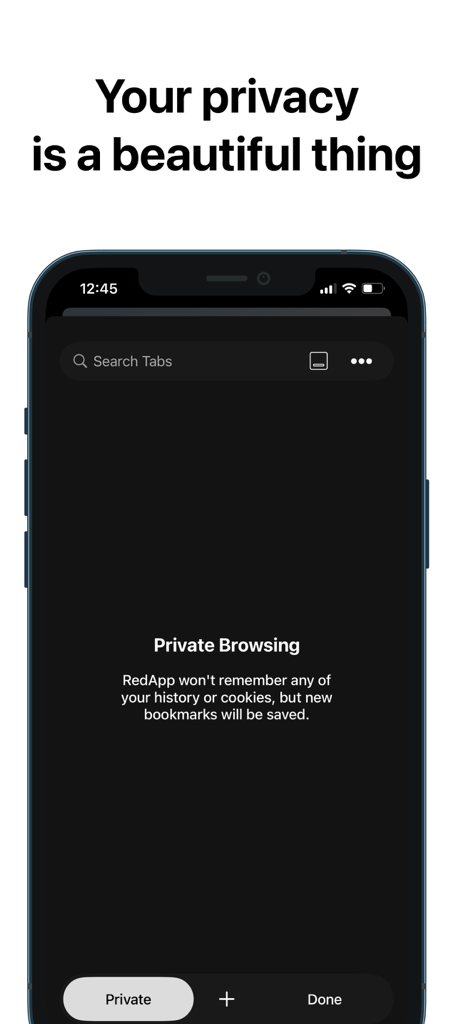
RedApp Browser - 개인 정보 보호 텍스트 및 다크 모드 인터페이스가 특징인 RedApp 브라우저의 개인 정보 보호 브라우징 화면
개인 정보 보호 텍스트 및 다크 모드 인터페이스가 특징인 RedApp 브라우저의 개인 정보 보호 브라우징 화면

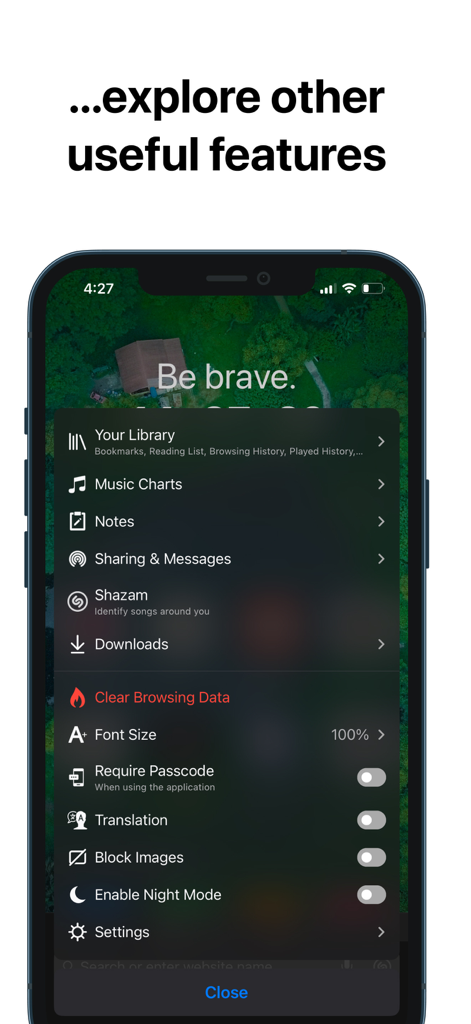
RedApp Browser - 라이브러리, 음악 차트, 노트, 개인 정보 보호 설정 등 RedApp 브라우저 기능 목록
라이브러리, 음악 차트, 노트, 개인 정보 보호 설정 등 RedApp 브라우저 기능 목록

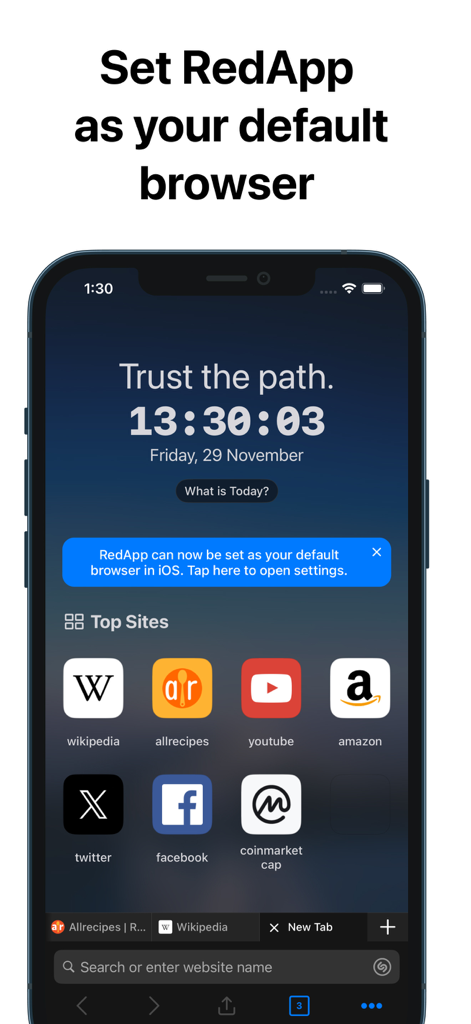
RedApp Browser - iPhone의 RedApp 브라우저 인터페이스에 기본 브라우저로 설정하라는 메시지와 상위 사이트 목록이 표시됨

iPhone의 RedApp 브라우저 인터페이스에 기본 브라우저로 설정하라는 메시지와 상위 사이트 목록이 표시됨

설명

RedApp browser is super fast, safe with the highest privacy capabilities, cool interface and many great useful features. Most importantly, RedApp provides the best customization capabilities for users in a way never seen before in any other browser application. Now, let's start exploring RedApp together! Main features: • Fast, smart, integrates many great add-ons, security and energy efficiency than other browsers. • Search intelligently. Easily access shortcuts to search providers including Wikipedia, Twitter, YouTube, Amazon etc. • Private browsing. Using Passcode/TouchID or FaceID protection helps you keep more privacy and security in your business. • Tracking Protection. Let you identify advertisers and others who track your online behavior, and remove the cross‑site tracking data they leave behind. • Privacy Protection. Be protected with leading privacy and security features such as HTTPS Everywhere (encrypted data traffic), script blocking, cookie blocking, and private tabs. • Notes. Allows you to organize and manage notes when you need to note down any content you need while browsing. • Music Charts. Allows you to explore iTunes Charts with Top Songs, Top Albums, Top Playlists, Top Videos... • Player Manager. You can play video links from YouTube, Vimeo while browsing. Play audio in background and without any annoying ads. • Download Manager, File Manager and Sharing Manager. Let you download, manage files or links and share them to nearby devices. Use Wi-Fi or WebDAV sharing to let you transfer files directly to other nearby devices (mobile or PC). In addition, it also allows you to instantly send messages and files to anyone around you (Nearby Chat). • Widgets. Supports many useful widgets such as Calendar, Top Sites, Your Library, Music Charts, Notes, Video Meetings, Tracking Protection, Website Redirects, URL Shortcuts... • Default Browser. From iOS 14, set RedApp as your default browser! Select Settings - scroll down to select RedApp - select RedApp as the Default Browser App. Additional Features: • Appearance. Use system Light/Dark mode or choose a predefined theme. • Theme Color. Change any text color you want. • Toolbar Color. Select a color-coded predefined toolbar. • Customize the toolbar. Allows adding or removing menu buttons. • Address Bar. Displayed at Top or Bottom. • Wallpapers. Set background image for New Tab. • Allows customization of font-size • Reader Mode. Always on. • Require Passcode/TouchID or FaceID when the screen is locked. • Pop-up blocker. • Saves battery and data. • HTTPS everywhere (for security). • Script blocking. • Browsing history/Reading List/Bookmarks. • Private and recent tabs. • Night Mode. Easily read in low light. • Blocks cookie consent notifications by default. • Use voice search in the browser. • Import/export bookmarks to another browser. AND you can explore other useful features in Settings. With the idea of creating an all-in-one app, it means that when you use the RedApp browser, you will have all you need. Therefore, RedApp always tries, always discovers useful features, always improves, always listens to suggestions from all users... to make RedApp better and better! You will feel RedApp is yours and very safe to use. Love the app? Rate us! Your feedback is music to our ears, and it helps us make RedApp even better. Got a question? Please drop us a line at: mqmedia29@gmail.com

Download

다운로드: App Store

이 페이지는 앱이나 개발자의 공식 페이지가 아니며, 정보 제공 및 논평을 목적으로 작성된 독립 편집 간행물입니다. 명시적으로 달리 언급되지 않는 한, 해당 앱이나 개발자는 MWM, Apple, Google Play, 앱 퍼블리셔 또는 앱 개발자와 제휴, 보증, 후원, 승인 또는 공식적으로 연결되어 있지 않으며, 이 페이지의 어떤 내용도 해당 앱이 MWM의 서비스를 사용하여 개발되었음을 의미하지 않습니다. 모든 상표, 로고, 스크린샷 및 기타 콘텐츠는 해당 소유자의 자산입니다.








