RemotePC Remote Desktop

RemotePC Remote Desktop


다운로드: App Store
로고: RemotePC Remote Desktop

RemotePC 원격 데스크톱: 주머니 속 데스크톱급 성능

60 FPS의 초고속 4K 스트리밍으로 PC 또는 Mac에 액세스하세요. 파일 전송부터 원격 인쇄까지, 전문가를 위한 가장 강력한 원격 액세스 도구로 어디서든 생산성을 유지하세요.

다운로드: App Store

개발사

IDrive Incorporated

카테고리

Productivity

다운로드

148K+

사용자 평점

4.6/5

총 평가 수

3K+

지원 언어

30

당신의 작업 공간, 제약 없이

이 인터페이스를 사용하는 148K+ 명의 사용자.

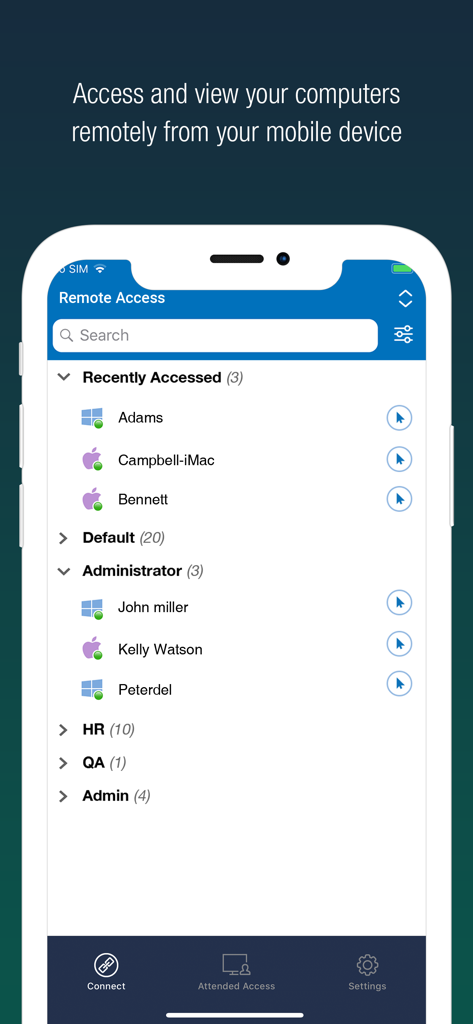
RemotePC 모바일 앱이 빠른 액세스를 위해 그룹별로 분류된 원격 컴퓨터 목록을 표시하는 모습

RemotePC 모바일 앱이 빠른 액세스를 위해 그룹별로 분류된 원격 컴퓨터 목록을 표시하는 모습

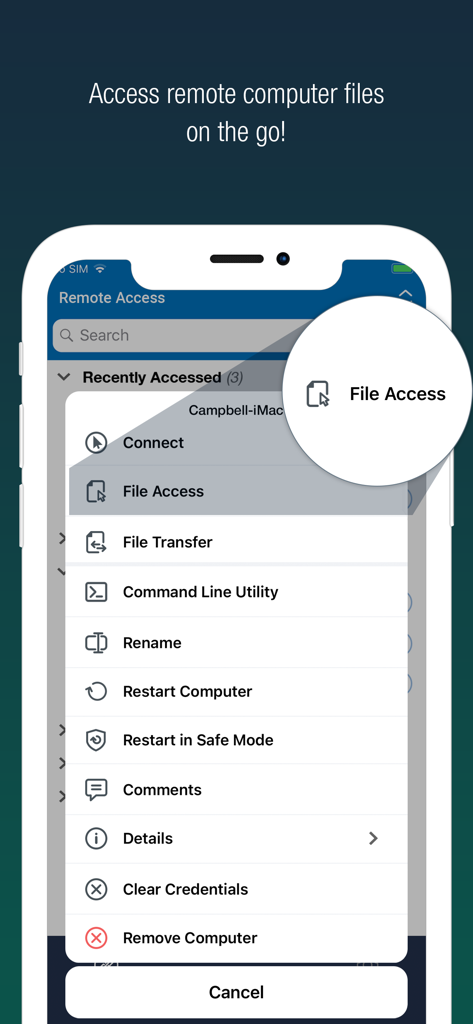
RemotePC 모바일 앱 인터페이스가 파일 액세스 옵션이 강조 표시된 원격 관리 도구 목록을 표시하는 모습

RemotePC 모바일 앱 인터페이스가 파일 액세스 옵션이 강조 표시된 원격 관리 도구 목록을 표시하는 모습

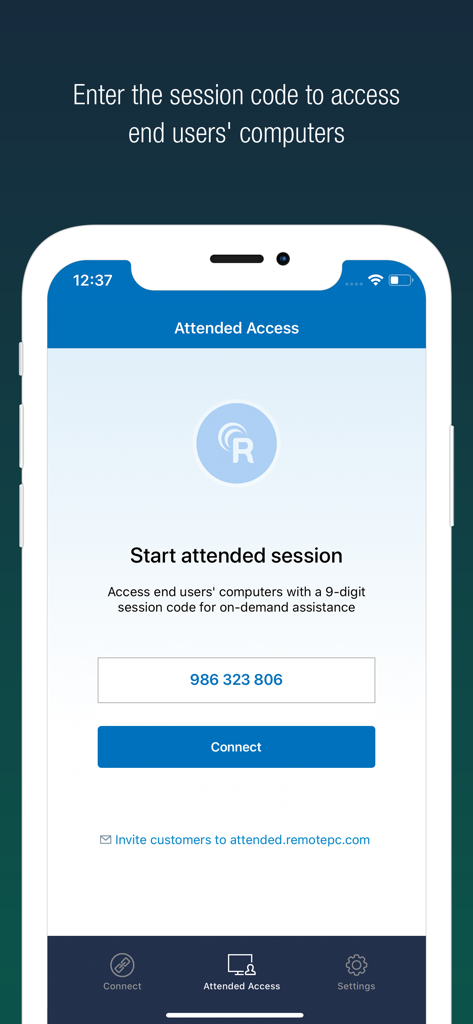
RemotePC 모바일 앱 인터페이스가 원격 지원을 위해 9자리 세션 코드를 입력하는 참석 액세스 화면을 표시하는 모습

RemotePC 모바일 앱 인터페이스가 원격 지원을 위해 9자리 세션 코드를 입력하는 참석 액세스 화면을 표시하는 모습

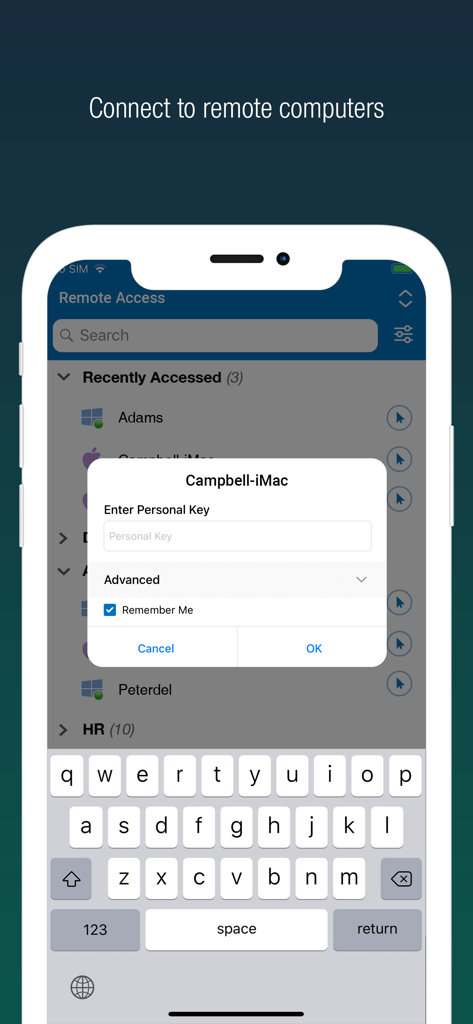
스마트폰의 RemotePC 원격 데스크톱 보안 로그인 인터페이스가 원격 컴퓨터 목록과 개인 키 프롬프트를 표시하는 모습

스마트폰의 RemotePC 원격 데스크톱 보안 로그인 인터페이스가 원격 컴퓨터 목록과 개인 키 프롬프트를 표시하는 모습

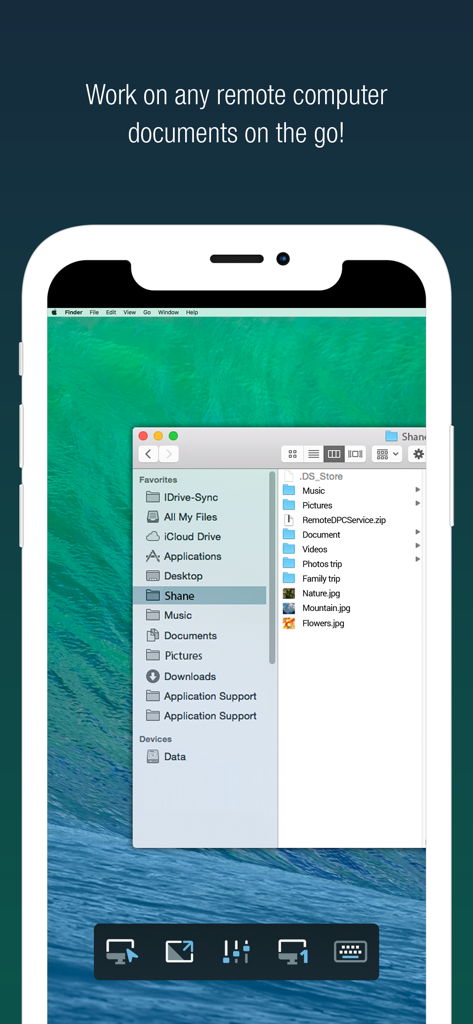
iPhone의 RemotePC 앱이 파일 폴더가 열린 원격 Mac 데스크톱을 표시하는 모습

iPhone의 RemotePC 앱이 파일 폴더가 열린 원격 Mac 데스크톱을 표시하는 모습

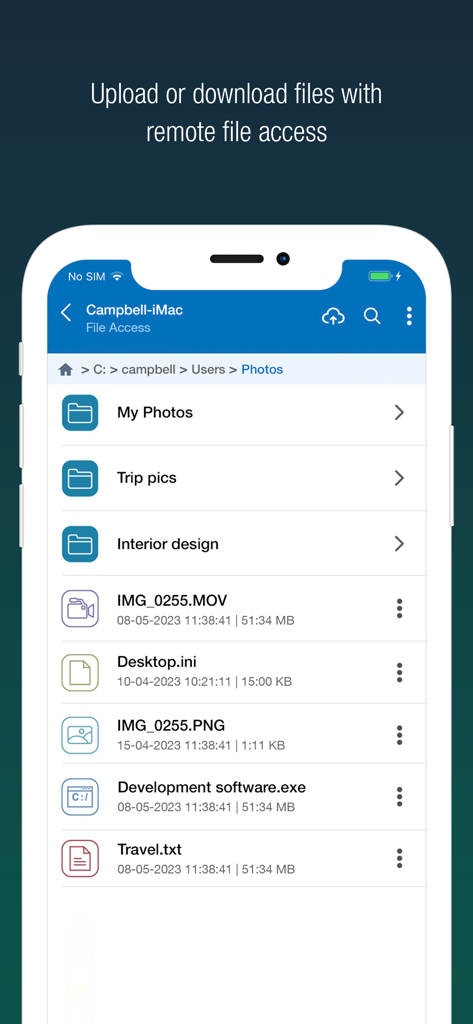
RemotePC 모바일 앱 인터페이스가 원격 파일 액세스 및 관리 옵션을 표시하는 모습

RemotePC 모바일 앱 인터페이스가 원격 파일 액세스 및 관리 옵션을 표시하는 모습

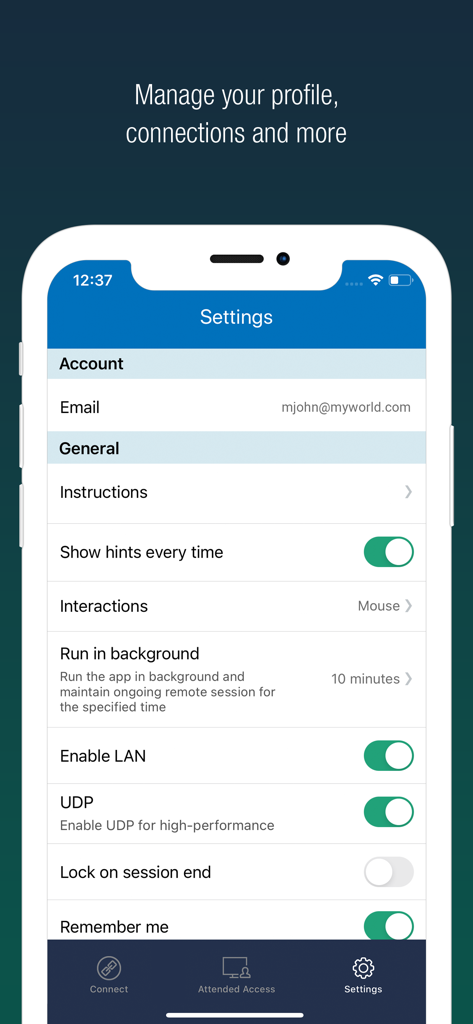
iPhone의 RemotePC 앱 설정 인터페이스가 성능 및 프로필 옵션을 표시하는 모습

iPhone의 RemotePC 앱 설정 인터페이스가 성능 및 프로필 옵션을 표시하는 모습

데스크톱 성능, 모바일 자유

이 앱을 돋보이게 하는 도구, 148K+ 명의 사용자가 선택.

전문가급 4K 성능

60 FPS 스트리밍과 4K 화질 덕분에 끊김 없는 작업이 가능합니다. 비디오 편집, 디자인 또는 고급 게임에 완벽합니다.

📁

원활한 워크플로우 통합

즉시 파일을 전송하고, 로컬 프린터로 문서를 인쇄하고, 내장 화이트보드 도구를 사용하여 실시간으로 협업하세요.

🛡️

엔터프라이즈급 보안

'빈 호스트 화면' 모드, 원격 시스템 잠금, 다단계 인증을 통해 어디서든 안전하게 작업하고 완벽한 마음의 평화를 누리세요.

앱 소개

에 대해 알아야 할 모든 것 RemotePC Remote Desktop.

설명

Access remote computers anytime by installing the RemotePC application on your iOS devices. Connect to your office or home computers from anywhere with a speed of 60 FPS and 4K quality. Access files, folders, emails, and software applications on remote machines, whether it's after-hours or while on the go. Features: • Instant remote computer access, provided there is an active internet connection and RemotePC application installed on it •. Connect to multiple remote computers at the same time and manage each session independently. • Provides efficient team work with friends or colleagues by accessing their remote computers to work on presentations, documents, view/edit media files, etc. • Access PCs and MACs using your iOS devices. • Enhanced performance and low latency • Cross-platform compatibility • 60 FPS speed allowing 4K quality  • Faster remote streaming for gamers Functionalities: • Transfer files via your iOS devices and computers with/without remote session. • Access files/folders on remote computers from your iOS device. • Perform search, upload, and download operations on files while accessing them on remote computers. • Enable inactivity timeout to retain remote session running in the background for the specified time. • Lock the remote system via your iOS device. • Configure the display quality and speed of the remote session. • Modify the screen resolution of the remote display • Record remote sessions while accessing via iOS devices. • Control clipboard actions (copy and paste) from your iOS devices. • Access and manage logged off and locked devices remotely. • Remote printing of documents and images using a local printer. • Chat with the recipients for effective communication. • Enable ‘Trusted Devices’ for enhanced security of your RemotePC account. • Enable ‘Blank Host Screen’ to work privately on your remote device by turning the screen blank. • View multiple monitors at the same time for Enterprise accounts. • Restart your remote system via the iOS device in a safe mode. • Collaborate effectively by using Whiteboard to draw on the remote screen. • Multiple users can simultaneously access and work on a single remote machine. • Multitask during remote sessions by opening multiple iPad apps simultaneously

최신 버전

8.9.0

크기

42.0 MB

출시일

2010년 12월 1일

어디서든 내 데스크톱을 제어하세요

이동 중에도 4K 성능과 완벽한 보안을 요구하는 148,000명 이상의 파워 유저와 함께하세요. 지금 바로 iOS 기기에 RemotePC를 설치하세요.

다운로드: App Store

App information, icons, screenshots, and descriptions displayed on this page are sourced from the Apple App Store and are the property of their respective developers. Download estimates and rankings are based on MWM's proprietary models and may not reflect actual figures. This page is provided for informational and analytical purposes only.

Believe this page infringes your intellectual property? File a dispute