Repeat Timer: Interval Remind
다운로드: App Store

이 페이지는 앱이나 개발자의 공식 페이지가 아니며, 정보 제공 및 논평을 목적으로 작성된 독립 편집 간행물입니다. 명시적으로 달리 언급되지 않는 한, 해당 앱이나 개발자는 MWM, Apple, Google Play, 앱 퍼블리셔 또는 앱 개발자와 제휴, 보증, 후원, 승인 또는 공식적으로 연결되어 있지 않으며, 이 페이지의 어떤 내용도 해당 앱이 MWM의 서비스를 사용하여 개발되었음을 의미하지 않습니다. 모든 상표, 로고, 스크린샷 및 기타 콘텐츠는 해당 소유자의 자산입니다.

로고: Repeat Timer: Interval Remind
다운로드: App Store

Repeat Timer: Interval Remind

피트니스, 집중, 건강을 위한 최고의 반복 간격 타이머. 방해 없이 정확하게 따라갈 수 있는 핸즈프리 알림으로 하루를 자동화하세요.

주요 수치

다운로드

4K+

사용자 평점

4.5/5

총 평가 수

7K+

개발사

Applorium Ltd

카테고리

Utilities

지원 언어

1

최신 버전

3.1.3

크기

92.7 MB

출시일

2011년 11월 22일
기능

하루의 모든 분을 마스터하세요

격렬한 운동을 하거나, 바쁜 가정을 관리하거나, 프로젝트에 몰입하는 등 Repeat Timer는 최고의 효율성을 위해 루틴을 자동화합니다.

원활한 자동 반복

앱이 나머지를 처리하는 동안 작업에 집중하세요. 수동 재설정이나 중단 없이 타이머가 백그라운드에서 자동으로 순환됩니다.

맞춤 간격 파워

정밀한 타이밍과 유연한 반복 주기로 HIIT, 공부 세션 또는 가정 작업을 위한 작업 및 휴식 시간을 쉽게 구성하세요.

다음 스크린샷과 설명은 앱의 공식 스토어 목록에서 직접 가져온 것이며 앱 개발자의 자산입니다.

앱 스토어

스크린샷
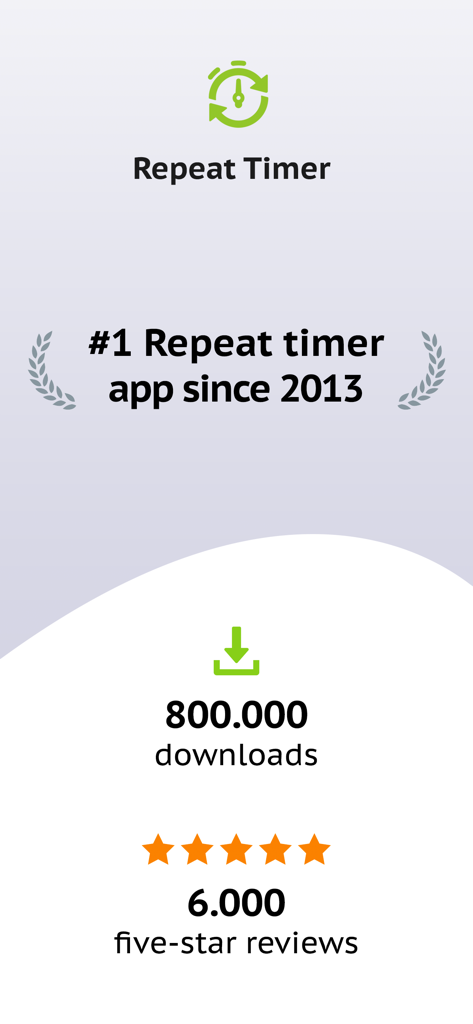
Repeat Timer: Interval Remind - Repeat Timer 앱 통계: 800,000건 다운로드 및 6,000건의 별 다섯 개 리뷰 표시
Repeat Timer 앱 통계: 800,000건 다운로드 및 6,000건의 별 다섯 개 리뷰 표시

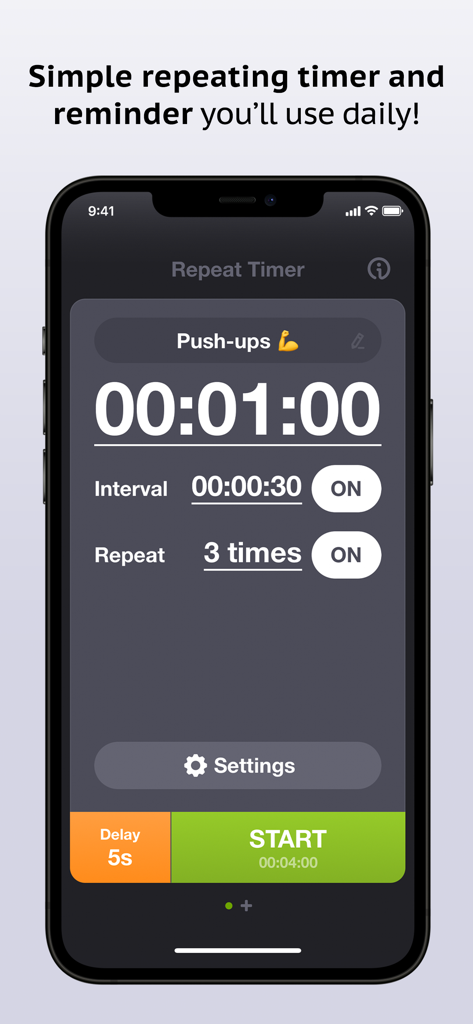
Repeat Timer: Interval Remind - Repeat Timer 앱의 푸시업 루틴 스크린샷, 1분 타이머 및 간격 설정 포함.
Repeat Timer 앱의 푸시업 루틴 스크린샷, 1분 타이머 및 간격 설정 포함.

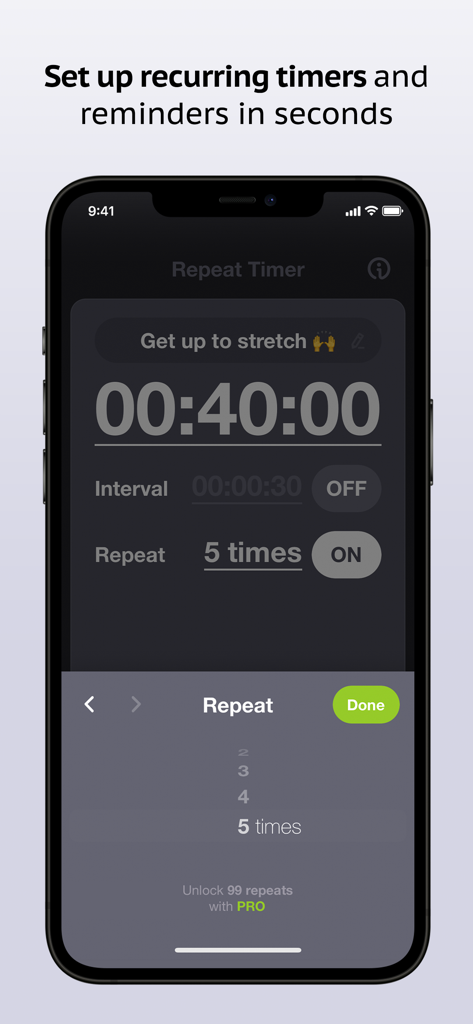
Repeat Timer: Interval Remind - iPhone의 Repeat Timer 앱에서 반복 타이머 설정 화면
iPhone의 Repeat Timer 앱에서 반복 타이머 설정 화면

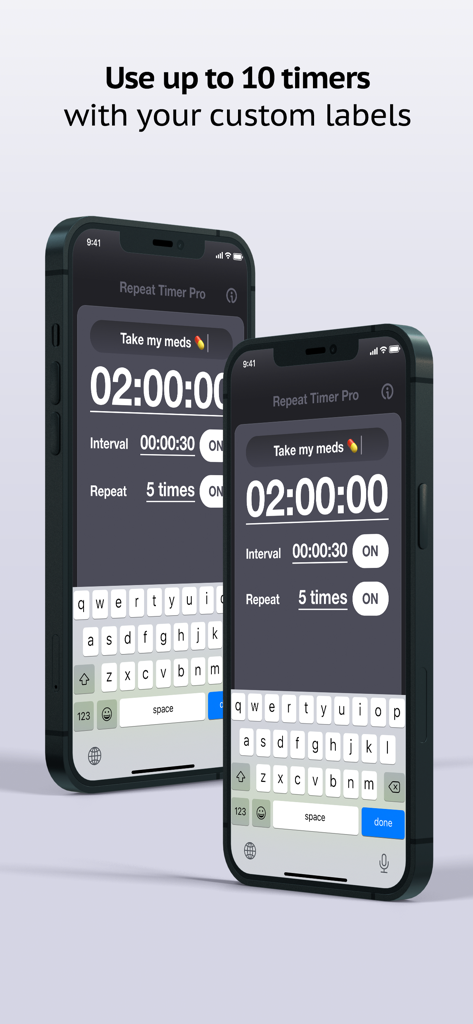
Repeat Timer: Interval Remind - iPhone의 Repeat Timer Pro 앱 인터페이스, 약물 알림 및 간격 설정을 위한 맞춤 라벨 표시.
iPhone의 Repeat Timer Pro 앱 인터페이스, 약물 알림 및 간격 설정을 위한 맞춤 라벨 표시.

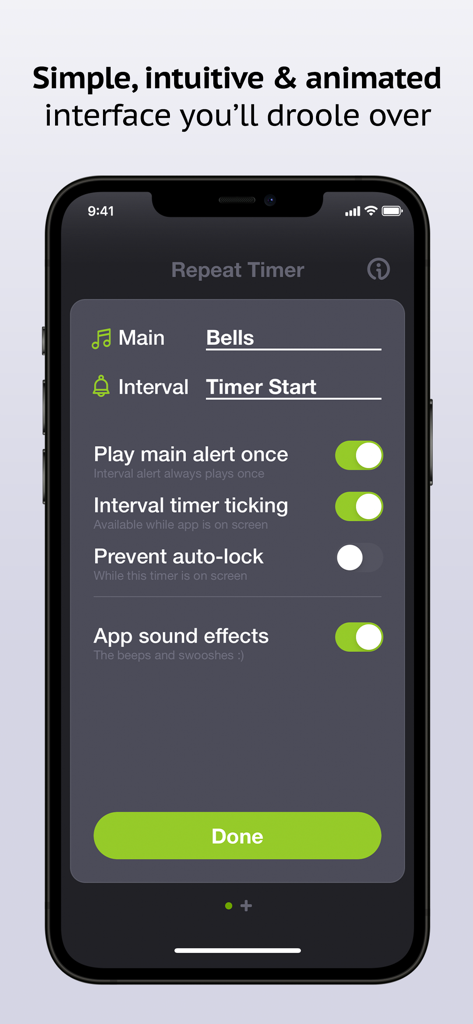
Repeat Timer: Interval Remind - iPhone의 Repeat Timer 앱 설정 화면, 소리 및 간격 사용자 지정 옵션 표시.
iPhone의 Repeat Timer 앱 설정 화면, 소리 및 간격 사용자 지정 옵션 표시.

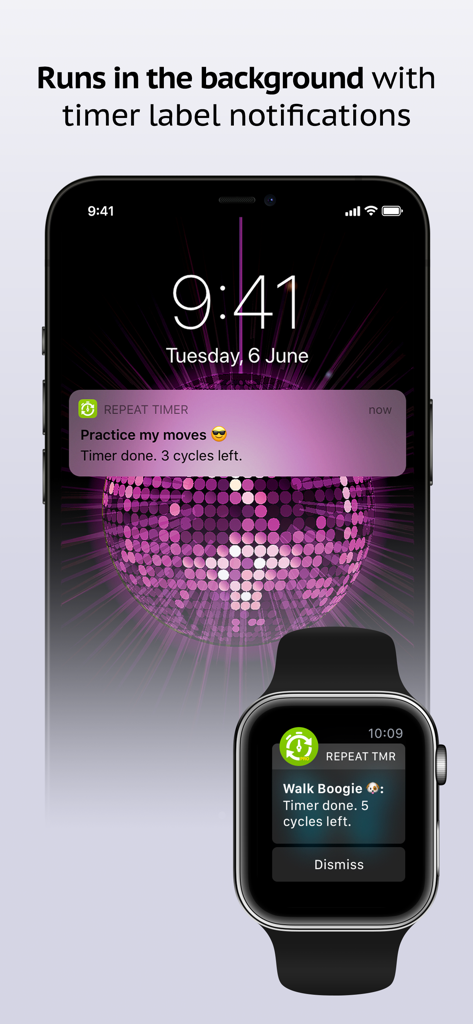
Repeat Timer: Interval Remind - Repeat Timer 앱이 iPhone 잠금 화면 및 Apple Watch에서 루틴 추적을 위한 백그라운드 알림 표시
Repeat Timer 앱이 iPhone 잠금 화면 및 Apple Watch에서 루틴 추적을 위한 백그라운드 알림 표시

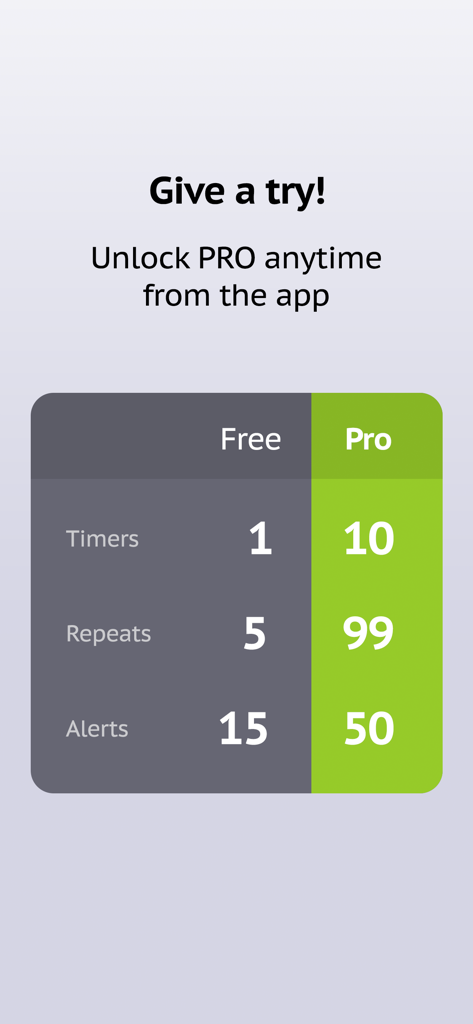
Repeat Timer: Interval Remind - Repeat Timer 앱의 무료 버전과 프로 버전 간의 차이점을 보여주는 비교표

Repeat Timer 앱의 무료 버전과 프로 버전 간의 차이점을 보여주는 비교표

설명

The #1 best-selling repeating timer app since 2013 with over 500,000 downloads, Repeat Timer is a simple recurring reminder for all of your repeating tasks and routines – taking your medications, getting up from your desk to stretch, cooking, yoga and meditation, TV time for kids, workouts and more! –– Easy to use: Simply name your timer, set the main timer duration, choose number of repeats and press Start! –– Optional interval timer: Use the optional interval timer that runs between main timer cycles (for example, 2min – 30sec – 2min – 30sec – 2min). Great for interval workouts! –– Works in the background: Run your timer while using other apps or with the phone in sleep mode. You’ll get hands-free visual and audio notifications that you don’t need to stop or dismiss. Downloaded over 600,000 times, our Repeat Timer apps are relied on daily by parents, teachers, coaches and more around the world. Get the app and join them to stay on track with your routines, minimize stress and make your days more productive and efficient! Download Repeat Timer today to streamline all of your routines: ––––––––––––––––––––––– • Easily configure and start your timers in seconds • Repeat timer cycles up to 5 times (up to 99 when you unlock Pro) • See your timer title in notification alerts to avoid confusing them • Choose from 15 high quality alert sounds, including voice commands (40 in Pro) • Engage the optional interval timer for more versatility • Runs in the background with sound and notification alerts • Enjoy the beautiful interface with animations and sound effects • Set your precise duration to the second Thousands of people use Repeat Timer every day: ––––––––––––––––––––––– • Fitness enthusiasts use it for interval, tabata and circuit workouts • Teachers use it to time quizzes, breaks and classroom activities • Coaches use it for drills and practice sessions • Students use it for flash cards study, exams and more • Office workers use it as a reminder to get up and stretch every hour and to look away from the screen to relax your eyes every 20 minutes • Yogis use it for practice and meditation • Parents use it for TV and computer time for the kids • Seniors use it to remember to take their medications and to measure their blood sugar • Productive people use it for the Pomodoro® technique to time work/break intervals Lite / Pro differences: – 1 timer / Up to 10 timers – 5 repeats / 99 repeats – 15 alert sounds / 50 alert sounds Try Lite free and easily upgrade to Pro via in-app purchase. Thank you for taking a look and enjoy! Subscription terms: - The subscription auto-renews at the end of each term. - Payment will be charged to iTunes Account at confirmation of purchase. - The subscription automatically renews unless auto-renew is turned off at least 24-hours before the end of the current period. - Account will be charged for renewal within 24-hours prior to the end of the current period. - You may manage your subscription and turn off auto-renewal by going to your Account Settings after purchase. Privacy policy and Terms of Use: https://www.repeattimerapp.com/privacy/

Download

다운로드: App Store

이 페이지는 앱이나 개발자의 공식 페이지가 아니며, 정보 제공 및 논평을 목적으로 작성된 독립 편집 간행물입니다. 명시적으로 달리 언급되지 않는 한, 해당 앱이나 개발자는 MWM, Apple, Google Play, 앱 퍼블리셔 또는 앱 개발자와 제휴, 보증, 후원, 승인 또는 공식적으로 연결되어 있지 않으며, 이 페이지의 어떤 내용도 해당 앱이 MWM의 서비스를 사용하여 개발되었음을 의미하지 않습니다. 모든 상표, 로고, 스크린샷 및 기타 콘텐츠는 해당 소유자의 자산입니다.








