ReSound Smart
ReSound Smart
다운로드: App Store

이 페이지는 앱이나 개발자의 공식 페이지가 아니며, 정보 제공 및 논평을 목적으로 작성된 독립 편집 간행물입니다. 명시적으로 달리 언급되지 않는 한, 해당 앱이나 개발자는 MWM, Apple, Google Play, 앱 퍼블리셔 또는 앱 개발자와 제휴, 보증, 후원, 승인 또는 공식적으로 연결되어 있지 않으며, 이 페이지의 어떤 내용도 해당 앱이 MWM의 서비스를 사용하여 개발되었음을 의미하지 않습니다. 모든 상표, 로고, 스크린샷 및 기타 콘텐츠는 해당 소유자의 자산입니다.

로고: ReSound Smart
다운로드: App Store

ReSound Smart

은은한 조절, 개인 맞춤형 소리 설정, 그리고 iPhone에서 직접 기기를 찾을 수 있는 안심 기능으로 청취 경험을 직접 관리하세요.

주요 수치

다운로드

433K+

사용자 평점

2.6/5

총 평가 수

2K+

개발사

GN Resound A/S

카테고리

Medical

지원 언어

38

최신 버전

4.37.0

크기

254.6 MB

출시일

2014년 2월 24일
기능

손끝에서 완벽하게 제어

ReSound Smart 앱은 당신이 좋아하는 소리와 계속 연결되도록 하는 은은한 조절 기능과 스마트한 기능들을 제공하여 당신이 최대한의 삶을 살 수 있도록 지원합니다.

은은한 조절

누구도 눈치채지 못하게 스마트폰에서 음량과 프로그램을 원활하게 변경하여 대화에 집중할 수 있습니다.

찾기 및 스마트 위치

기기를 다시는 잃어버릴 걱정을 하지 마세요. 앱을 사용하여 잘못 놓은 보청기를 추적하고 좋아하는 장소에 대한 설정을 자동으로 트리거하세요.

다음 스크린샷과 설명은 앱의 공식 스토어 목록에서 직접 가져온 것이며 앱 개발자의 자산입니다.

앱 스토어

스크린샷
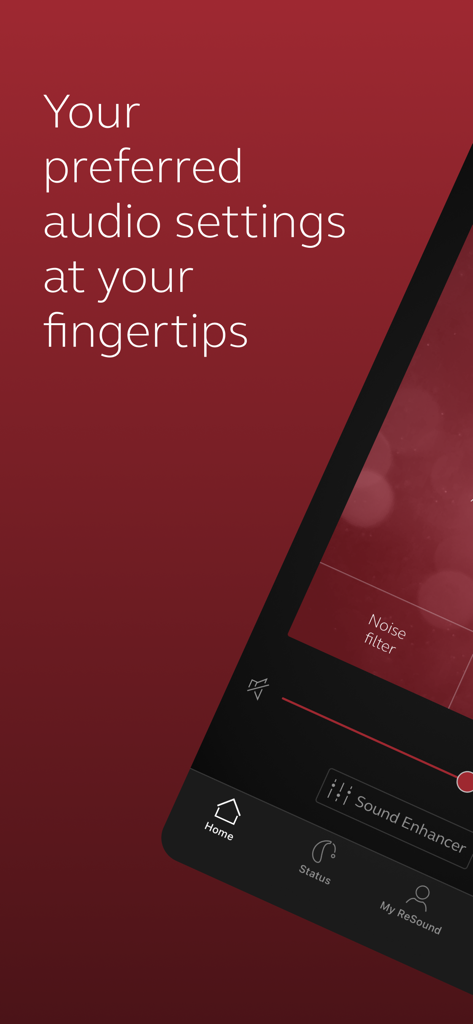
ReSound Smart - 개인 오디오 설정을 위한 ReSound Smart 앱 인터페이스

개인 오디오 설정을 위한 ReSound Smart 앱 인터페이스

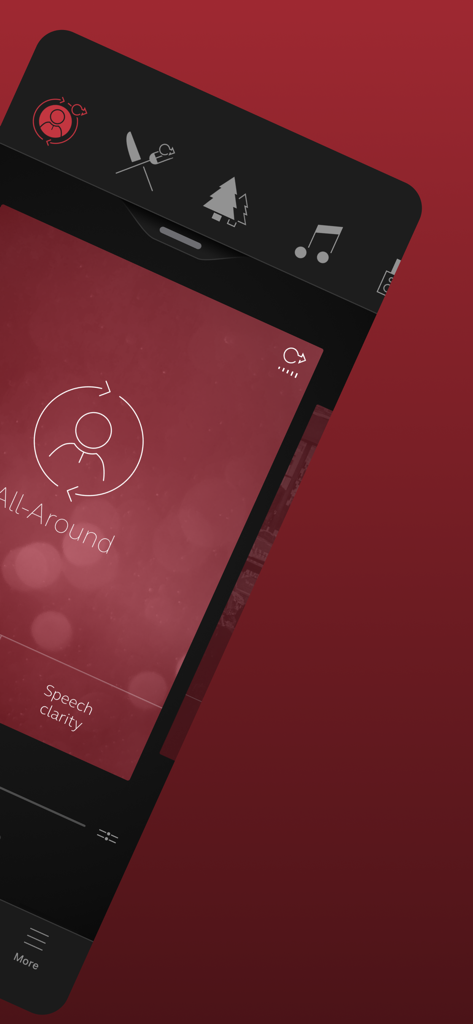
ReSound Smart - ReSound Smart 앱이 모든 주변 청취 모드와 음성 선명도 설정을 보여줍니다.
ReSound Smart 앱이 모든 주변 청취 모드와 음성 선명도 설정을 보여줍니다.

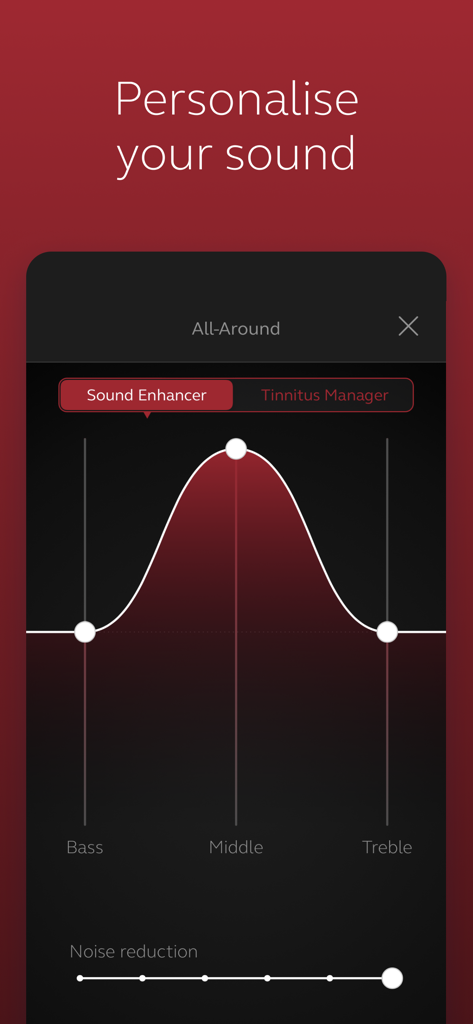
ReSound Smart - ReSound Smart 앱의 인터페이스가 저음, 중음, 고음의 소리 개인 맞춤 설정를 보여줍니다.
ReSound Smart 앱의 인터페이스가 저음, 중음, 고음의 소리 개인 맞춤 설정를 보여줍니다.

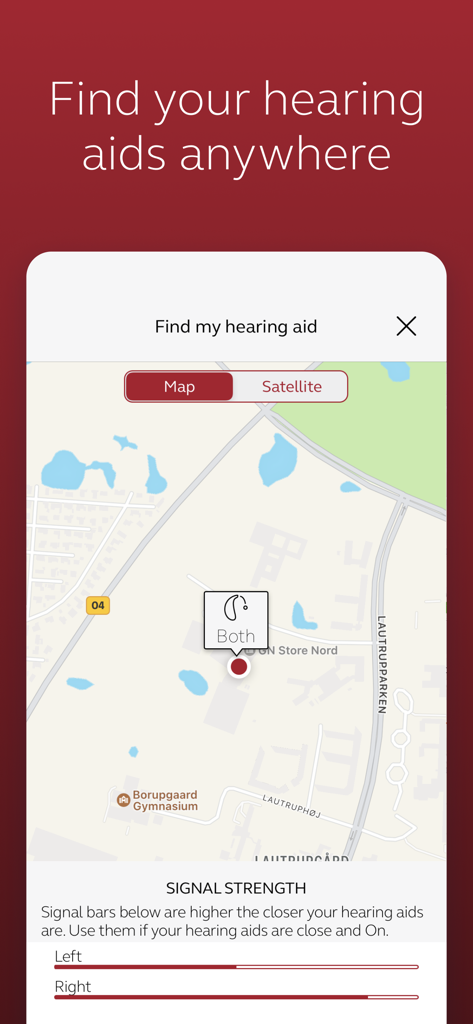
ReSound Smart - ReSound Smart 앱의 내 보청기 찾기 화면이 지도와 좌측 및 우측 기기의 신호 강도 막대를 보여줍니다.
ReSound Smart 앱의 내 보청기 찾기 화면이 지도와 좌측 및 우측 기기의 신호 강도 막대를 보여줍니다.

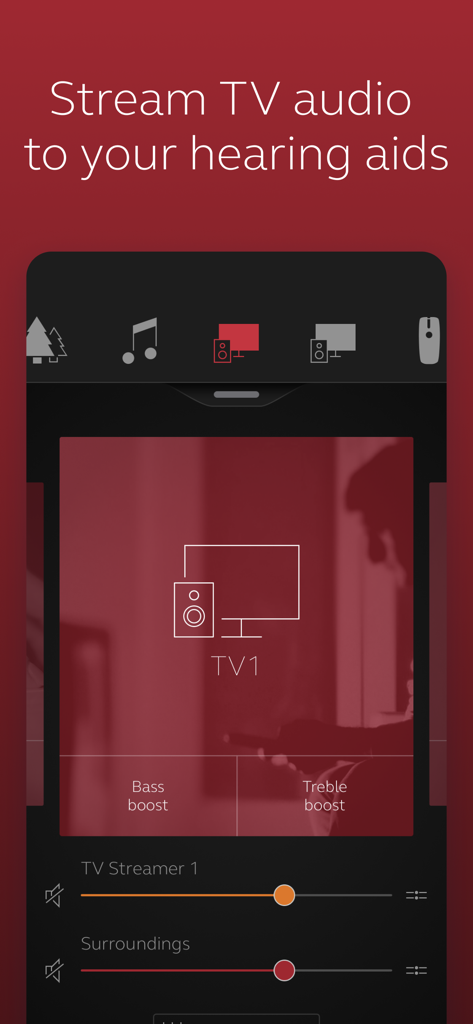
ReSound Smart - ReSound Smart 앱 인터페이스가 보청기에 대한 저음 및 고음 증폭 기능이 있는 TV 오디오 스트리밍 컨트롤을 보여줍니다.
ReSound Smart 앱 인터페이스가 보청기에 대한 저음 및 고음 증폭 기능이 있는 TV 오디오 스트리밍 컨트롤을 보여줍니다.

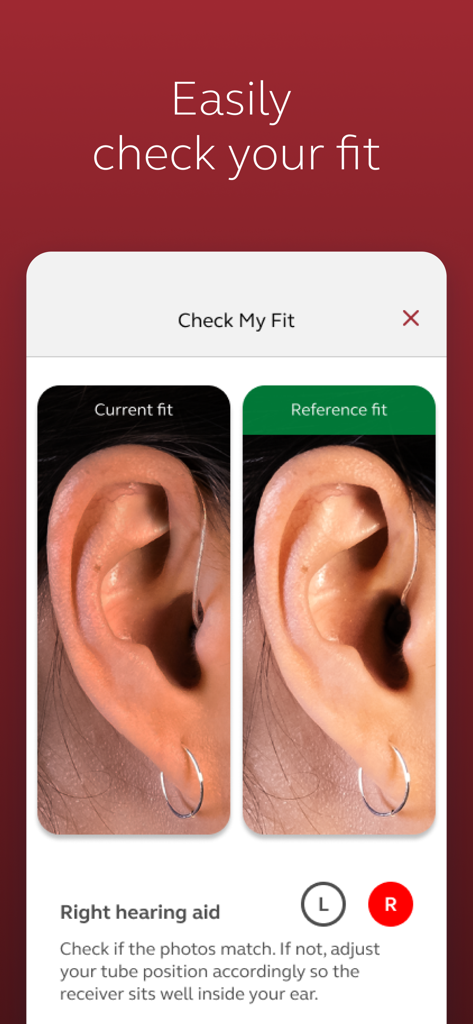
ReSound Smart - ReSound Smart 앱의 나란히 사진 비교가 귀에 제대로 된 현재 보청기 위치를 보여줍니다.

ReSound Smart 앱의 나란히 사진 비교가 귀에 제대로 된 현재 보청기 위치를 보여줍니다.

설명

The ReSound Smart™ app is compatible with the following hearing aids: • ReSound LiNX2™ • ReSound LiNX™ • ReSound LiNX TS™ • ReSound ENZO2™ • ReSound ENZO™ • ReSound UpSmart™ The ReSound Smart app lets you control your hearing aids directly from your mobile device. You can change programs, and make simple or more advanced sound adjustments and save them as favorites. The app helps you learn what you can do and how to do it. It can even help you find your hearing aids if you lose them. Notes: Please contact your local ReSound representative for product and feature availability in your market. We recommend that the hearing aids run the latest software version. If in doubt, please contact your hearing care professional. Use the ReSound Smart app to: • Adjust volume settings on your hearing aids • Mute your hearing aids • Adjust volume of your optionally acquired ReSound streaming accessories • Adjust speech focus as well as noise and wind-noise levels with Sound Enhancer (feature availability depends on your hearing aid model and the fitting by your hearing care professional) • Change manual and streamer programs • Edit and personalize program names • Adjust treble, middle and bass tones to your preferences • Save your preferred settings as a Favorite – you can even tag to a location • Help locate lost or misplaced hearing aids • Tinnitus manager: Adjust sound variation and frequency of the Tinnitus Sound Generator. Select Nature Sounds (feature availability depends on your hearing aid model and the fitting by your hearing care professional) For more information please visit https://www.resound.com/hearing-aids/apps/smart or the support website via the link in the app store.

Download

다운로드: App Store

이 페이지는 앱이나 개발자의 공식 페이지가 아니며, 정보 제공 및 논평을 목적으로 작성된 독립 편집 간행물입니다. 명시적으로 달리 언급되지 않는 한, 해당 앱이나 개발자는 MWM, Apple, Google Play, 앱 퍼블리셔 또는 앱 개발자와 제휴, 보증, 후원, 승인 또는 공식적으로 연결되어 있지 않으며, 이 페이지의 어떤 내용도 해당 앱이 MWM의 서비스를 사용하여 개발되었음을 의미하지 않습니다. 모든 상표, 로고, 스크린샷 및 기타 콘텐츠는 해당 소유자의 자산입니다.