
이 페이지는 앱이나 개발자의 공식 페이지가 아니며, 정보 제공 및 논평을 목적으로 작성된 독립 편집 간행물입니다. 명시적으로 달리 언급되지 않는 한, 해당 앱이나 개발자는 MWM, Apple, Google Play, 앱 퍼블리셔 또는 앱 개발자와 제휴, 보증, 후원, 승인 또는 공식적으로 연결되어 있지 않으며, 이 페이지의 어떤 내용도 해당 앱이 MWM의 서비스를 사용하여 개발되었음을 의미하지 않습니다. 모든 상표, 로고, 스크린샷 및 기타 콘텐츠는 해당 소유자의 자산입니다.


Rexton App
보청기를 신중하고 손쉽게 관리하는 방법. 스마트폰에서 직접 볼륨을 조절하고, 프로그램을 전환하며, 배터리 수명을 모니터링하여 가장 중요한 순간에 집중할 수 있도록 돕습니다.
다운로드
497K+사용자 평점
총 평가 수
9K+개발사
카테고리
Medical지원 언어
32최신 버전
2.7.31크기
199.2 MB출시일
2020년 2월 5일사운드 환경을 마스터하세요
스마트폰으로 렉스톤 보청기를 완벽하게 조절하여 모든 상황에서 더욱 선명하고 개인화된 청취 경험을 제공합니다.
신중한 리모컨
귀를 만지거나 별도의 리모컨을 휴대할 필요 없이 휴대폰에서 미묘하게 볼륨과 청력 프로그램을 조절하세요.
중요한 것에 집중하세요
붐비는 레스토랑에서 마이크 초점을 바로 맞은편에 앉은 사람에게 좁혀 배경 소음을 걸러내세요.
자주 묻는 질문
에 대해 알아야 할 모든 것 Rexton App
Rexton 앱은 무엇인가요?
Rexton 앱은 Rexton 보청기(2014년 이후 구매) 사용자가 기기를 조정하고 제어할 수 있도록 해줍니다. 개별 요구 사항에 맞춰 안전하고 편리하게 보청기를 맞춤 설정할 수 있습니다.
모든 Rexton 보청기가 모든 Rexton 앱 기능을 지원하나요?
아니요, 모든 Rexton 앱 기능이 보편적으로 지원되는 것은 아닙니다. 기능 지원 여부는 보청기의 브랜드, 종류, 플랫폼, 지원 기능, 유통업체 서비스 및 국가별 가용성에 따라 달라집니다.
Rexton 앱은 어떤 기본 기능을 제공하나요?
Rexton 앱은 페어링된 보청기에 대한 원격 제어를 제공합니다. 기본 기능에는 다양한 청취 프로그램, 이명 신호 제어, 볼륨 제어 및 사운드 밸런스 조정이 포함됩니다.
Rexton 앱으로 방향성 청취를 제어할 수 있나요?
예, Rexton 앱은 방향성 청취, 양쪽 보청기의 개별 조정 및 음소거를 제어합니다. 또한 보청기의 기술 장비에 따라 배터리 충전 상태 및 기기 사용량도 표시됩니다.
Rexton 앱은 청취 성공 레슨을 제공하나요?
예, Rexton 앱에는 청취 성공 레슨이 포함되어 있습니다. 사용자는 앱 내 설문지를 통해 청취 진행 상황을 기록하고 확인하며, 청각 전문가와 정보를 공유합니다.
Rexton 앱 사용자 가이드에 어떻게 접근하나요?
앱의 설정 메뉴에서 Rexton 앱 사용자 가이드에 접근할 수 있습니다. 또는 www.wsaud.com에서 전자 버전을 다운로드하거나 무료 인쇄 버전을 주문할 수 있으며, 영업일 기준 7일 이내에 배송됩니다.
Rexton 앱 청취 레슨이란 무엇인가요?
Rexton 앱 청취 레슨은 사용자가 특정 상황에서 보청기를 경험하도록 돕습니다. 앱은 "12%"와 같은 진행 상황을 추적하여 보청기의 잠재력을 최대한 발휘하도록 합니다.
Rexton 앱으로 각 귀의 볼륨을 독립적으로 조정할 수 있나요?
예, Rexton 앱을 사용하면 각 귀의 볼륨을 별도로 조정할 수 있습니다. "컨트롤" 화면에는 독립적인 왼쪽(L) 및 오른쪽(R) 볼륨 슬라이더가 있습니다.
Rexton 앱으로 방향성 청취 조정을 할 수 있나요?
예, Rexton 앱을 사용하면 사용자가 청취 방향을 변경할 수 있습니다. "컨트롤" 화면에는 사운드 초점을 조정하는 방향성 청취 다이얼이 있습니다.
Rexton 앱으로 보청기 설정을 사용자 정의할 수 있나요?
예, Rexton 앱을 사용하면 언제든지 보청기 설정을 사용자 정의할 수 있습니다. Rexton Assist 기능은 사용자가 조정을 안내하고 새로운 구성을 저장하도록 프롬프트합니다.
Rexton 앱이 오디오를 직접 스트리밍할 수 있나요?
예, Rexton 앱은 직접 오디오 스트리밍을 지원합니다. "컨트롤" 화면에는 "Streamline TV 볼륨"과 같은 옵션이 표시되어 보청기로 직접 스트리밍할 수 있음을 나타냅니다.
Rexton 앱을 통해 청각 전문가에게 연락할 수 있나요?
예, Rexton 앱은 사용자가 청각 전문가에게 원격으로 연락할 수 있도록 합니다. 앱에는 프로그램 업데이트를 받고 전문가와 소통하기 위한 채팅 인터페이스가 있습니다.
다음 스크린샷과 설명은 앱의 공식 스토어 목록에서 직접 가져온 것이며 앱 개발자의 자산입니다.
앱 스토어
스크린샷
렉스톤 앱을 위한 스마트폰을 통한 포괄적인 보청기 제어를 설명하는 텍스트와 함께 사회적 환경에 있는 웃는 남성
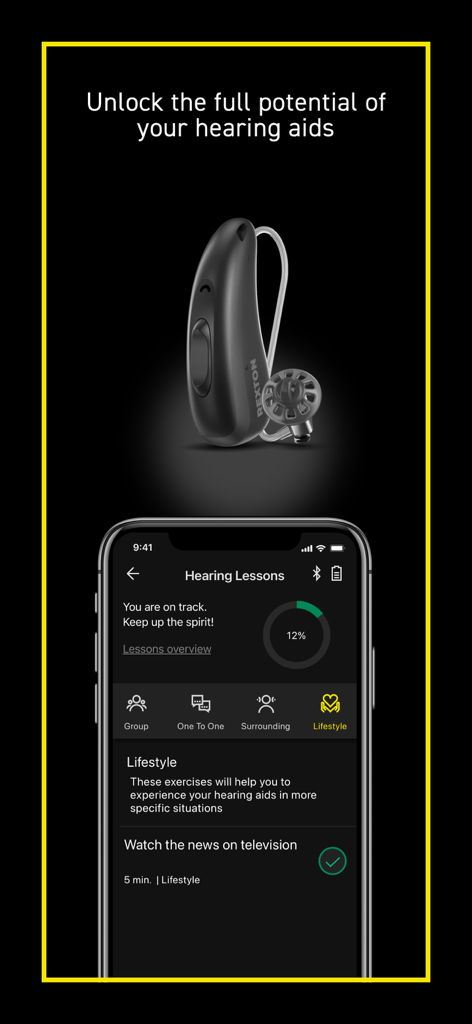
청력 개선 레슨과 렉스톤 보청기 기기를 보여주는 렉스톤 앱 인터페이스
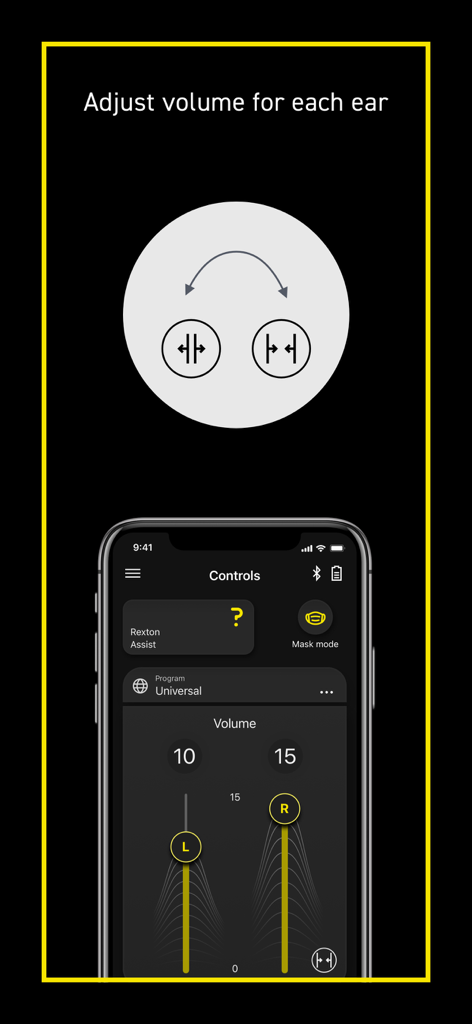
왼쪽 및 오른쪽 보청기용 별도 볼륨 조절 슬라이더를 보여주는 렉스톤 앱 스크린샷
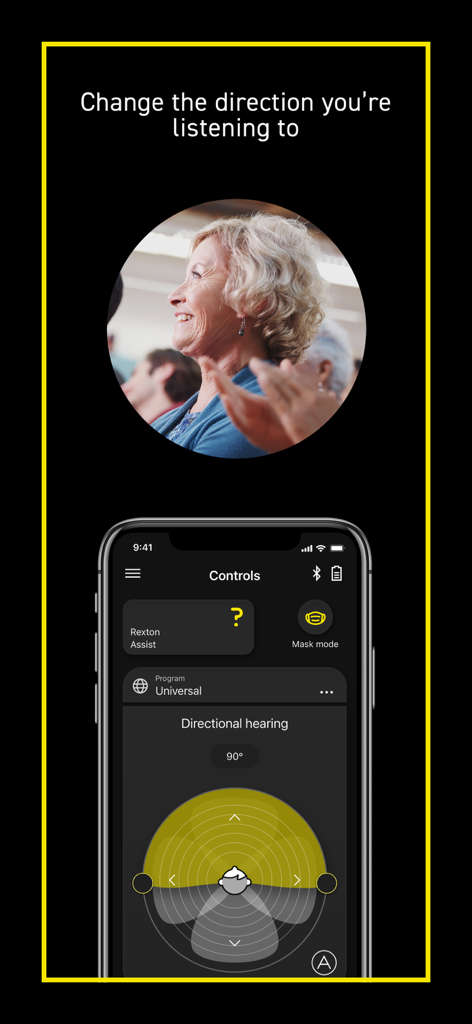
렉스톤 앱에서 방향성 청력 설정을 보여주는 스마트폰 화면과 사회적 환경에 있는 웃는 노년 여성의 사진
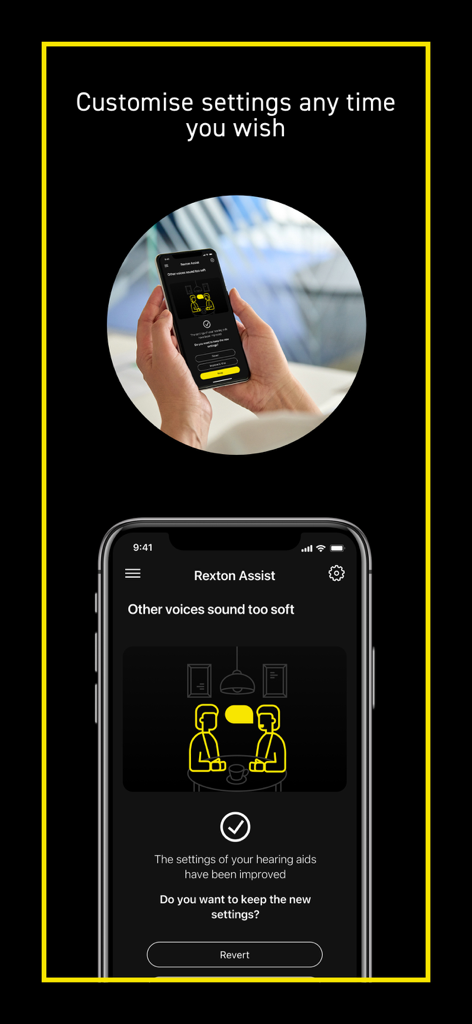
스마트폰의 렉스톤 어시스트 기능을 통해 보청기 설정을 조절하는 사용자
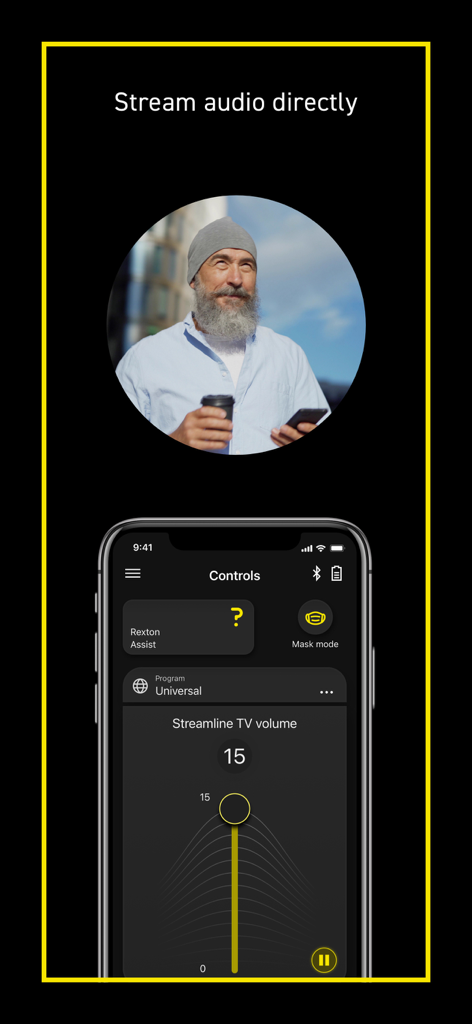
렉스톤 앱을 사용하여 오디오를 스트리밍하고 TV 볼륨을 직접 조절하는 노년 남성
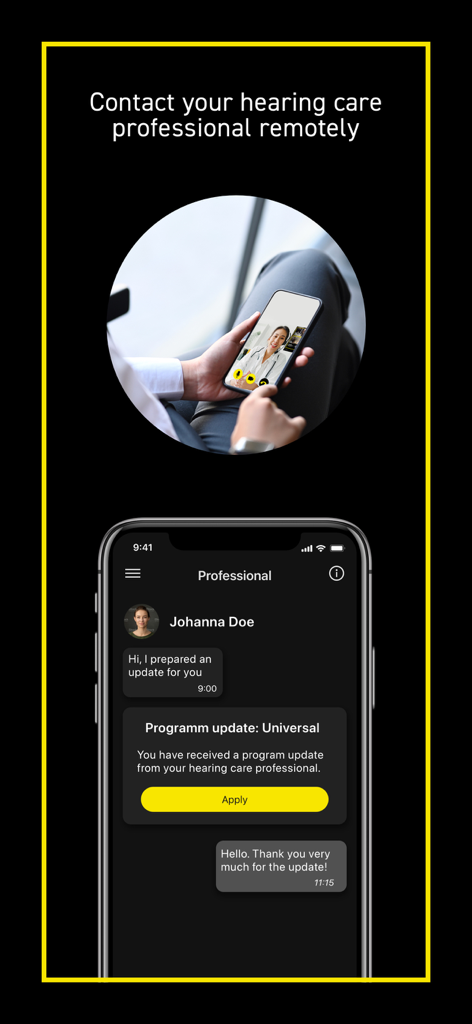
렉스톤 앱의 원격 청력 관리 전문가 채팅 및 프로그램 업데이트
설명
Download
비슷한 앱
유사한 기능과 사용자 경험을 가진 앱
ReSound Smart 3D
GN Resound A/S
Braun IPL app
P&G Productions
Philips HearLink 2
SBO Hearing AS

BeMore – for your hearing aids
GN Hearing Care Corporation
Jabra Enhance Pro
GN Hearing Care Corporation

Miracle-Ear App
Miracle-Ear, Inc.

myPhonak
Sonova AG

Amplifon App
Amplifon S.p.A.

Hearing Remote
Sonova AG
이 페이지는 앱이나 개발자의 공식 페이지가 아니며, 정보 제공 및 논평을 목적으로 작성된 독립 편집 간행물입니다. 명시적으로 달리 언급되지 않는 한, 해당 앱이나 개발자는 MWM, Apple, Google Play, 앱 퍼블리셔 또는 앱 개발자와 제휴, 보증, 후원, 승인 또는 공식적으로 연결되어 있지 않으며, 이 페이지의 어떤 내용도 해당 앱이 MWM의 서비스를 사용하여 개발되었음을 의미하지 않습니다. 모든 상표, 로고, 스크린샷 및 기타 콘텐츠는 해당 소유자의 자산입니다.