
이 페이지는 앱이나 개발자의 공식 페이지가 아니며, 정보 제공 및 논평을 목적으로 작성된 독립 편집 간행물입니다. 명시적으로 달리 언급되지 않는 한, 해당 앱이나 개발자는 MWM, Apple, Google Play, 앱 퍼블리셔 또는 앱 개발자와 제휴, 보증, 후원, 승인 또는 공식적으로 연결되어 있지 않으며, 이 페이지의 어떤 내용도 해당 앱이 MWM의 서비스를 사용하여 개발되었음을 의미하지 않습니다. 모든 상표, 로고, 스크린샷 및 기타 콘텐츠는 해당 소유자의 자산입니다.


다운로드
1M+사용자 평점
총 평가 수
61.8K개발사
카테고리
Utilities지원 언어
2최신 버전
5.72크기
342.0 MB출시일
2019년 6월 19일스마트 홈 네트워크 관리 및 보안을 위한 핵심 도구
Rogers Xfinity 앱 분석: 주요 기능 및 사용자 가치 평가
고급 보안 및 위협 차단
이 앱은 모든 연결된 장치에 대한 고급 보안을 제공하여 온라인 위협을 24시간 자동으로 차단하고 의심스러운 활동에 대한 알림을 수신할 수 있게 합니다.
자녀 보호 및 활동 시간 관리
사용자는 자녀 보호 기능을 활성화하여 가족의 온라인 안전과 스크린 타임을 관리하고, 마음의 평화를 얻을 수 있습니다.
WiFi 스케줄링 및 휴식 시간 제어
이 도구는 사용자가 WiFi를 일시 중지하거나 특정 시간 동안 WiFi 사용을 중단하도록 스케줄을 설정하여 가정 내 인터넷 사용을 효율적으로 관리할 수 있도록 지원합니다.
스마트 기기 통합 및 제어
이 앱은 조명, 온도 조절 장치, 도어락과 같은 인기 브랜드의 스마트 기기를 연결하고 제어할 수 있는 기능을 제공하여 사용자의 스마트 홈 관리를 용이하게 합니다.
24/7 홈 자가 모니터링
사용자는 Rogers Xfinity Self Protection을 추가하여 24시간 내내 집을 모니터링하고 언제든지 보안 상태를 확인할 수 있습니다.
WiFi 확장 및 최적화
이 시스템은 Rogers Xfinity Pro를 추가하여 WiFi 범위를 확장하고 특정 장치의 신호를 증폭하며 정전 시에도 연결을 유지할 수 있도록 돕습니다.
WiFi 연결 테스트
이 기능은 사용자가 기술 지원에 연락할 필요 없이 모든 연결된 장치에 대한 최적의 WiFi 연결을 보장하는지 확인할 수 있도록 지원합니다.
WiFi 비밀번호 관리
사용자는 이 앱을 통해 WiFi 비밀번호를 쉽게 확인하고, 업데이트하며, 공유할 수 있어 비밀번호를 잊어버릴 염려를 덜 수 있습니다.
자주 묻는 질문
에 대해 알아야 할 모든 것 Rogers Xfinity
What is the Rogers Xfinity app?
The Rogers Xfinity app allows users to manage and protect their home WiFi and connected devices. It provides features like WiFi scheduling, parental controls, and advanced security, exclusively for Rogers Xfinity plan subscribers.
Which app did the Rogers Xfinity app replace?
The Rogers Xfinity app is an update to the previously known Ignite HomeConnect app. This new version connects users to expanded services and features.
How does the Rogers Xfinity app help manage home WiFi?
The Rogers Xfinity app enables users to see who is online, pause or schedule WiFi access with Downtime Schedules and Active Time Limits, and manage WiFi passwords. It provides comprehensive control over home network activity.
Does the Rogers Xfinity app include parental controls?
Yes, the Rogers Xfinity app includes easy Parental Controls. Users can create Downtime Schedules, set Active Time Limits, and view Active Time Details to manage their family's internet usage for added peace of mind.
Does the Rogers Xfinity app offer advanced security?
Yes, the Rogers Xfinity app offers Advanced Security. This feature automatically blocks online threats 24/7 and sends alerts about suspicious activity, protecting all connected devices at no extra cost.
Can I test my WiFi connection with the Rogers Xfinity app?
Yes, the Rogers Xfinity app allows users to test their WiFi connections. This ensures optimal performance for all connected devices without needing to contact technical support.
Can the Rogers Xfinity app control smart home devices?
Yes, the Rogers Xfinity app can link and control smart home devices. It supports smart lighting, thermostats, and doorlocks from popular brands, offering centralized management.
What is Rogers Xfinity Self Protection?
Rogers Xfinity Self Protection is an add-on to any Rogers Xfinity Internet plan. It provides 24/7 home monitoring, allowing users to keep an eye on their home directly through the app.
What are the requirements to use the Rogers Xfinity app?
To use the app, users need a Rogers Xfinity Gateway, included with specific Rogers Xfinity Bundles or Internet packages, and a MyRogers username and password to sign in. The app is designed for smartphone use.
In which regions is the Rogers Xfinity app available?
The Rogers Xfinity app is available for customers in Ontario, New Brunswick, and Newfoundland with Rogers Xfinity plans. For British Columbia, Alberta, Saskatchewan, and Manitoba, users need to download 'Rogers Xfinity (Shaw)'.
How do I start using the Rogers Xfinity app?
To start, ensure you have a Rogers Xfinity Gateway, download the app, and sign in with your MyRogers username and password. You can check for your Gateway at rogers.com/myrogers.
Is the Rogers Xfinity app compatible with tablets?
No, the Rogers Xfinity app is designed for smartphone use only. It is not compatible with tablets.
다음 스크린샷과 설명은 앱의 공식 스토어 목록에서 직접 가져온 것이며 앱 개발자의 자산입니다.
앱 스토어
스크린샷
이 앱의 깔끔한 시작 화면은 "ROGERS xfinity" 로고와 함께 "홈 WiFi 및 장치를 관리하고 보호하십시오"라는 핵심 메시지를 보여줍니다.
홈 네트워크 관리
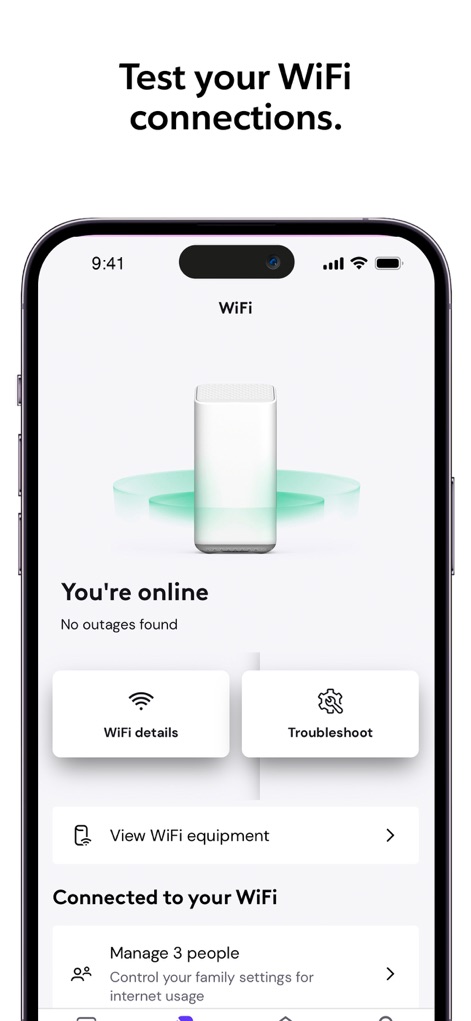
사용자는 중앙에 배치된 공유기 이미지와 함께 "WiFi 상세 정보" 및 "문제 해결" 버튼을 통해 홈 네트워크 상태를 손쉽게 진단할 수 있습니다.
WiFi 연결 진단
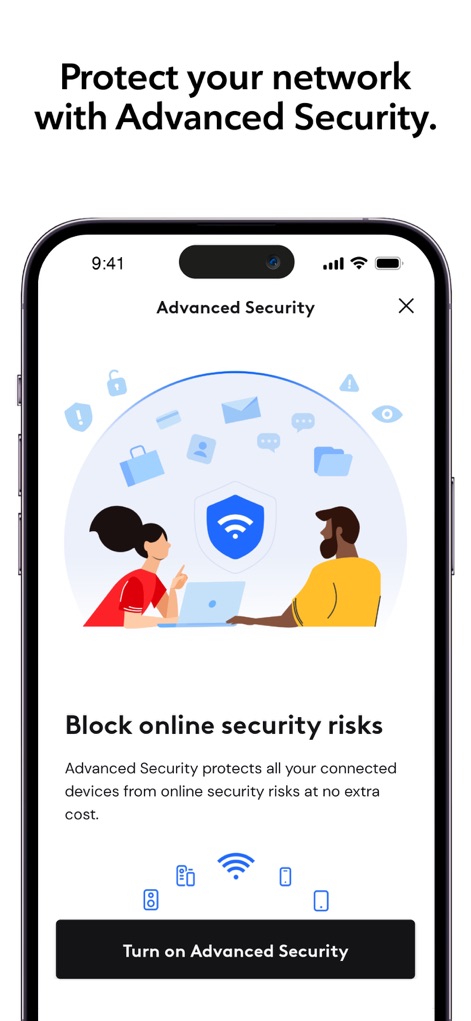
이 화면은 온라인 위협으로부터 모든 연결된 장치를 보호하기 위한 "고급 보안" 기능을 소개하며, 설명을 통해 안심하고 사용할 수 있는 네트워크 환경을 강조합니다.
고급 보안 설정
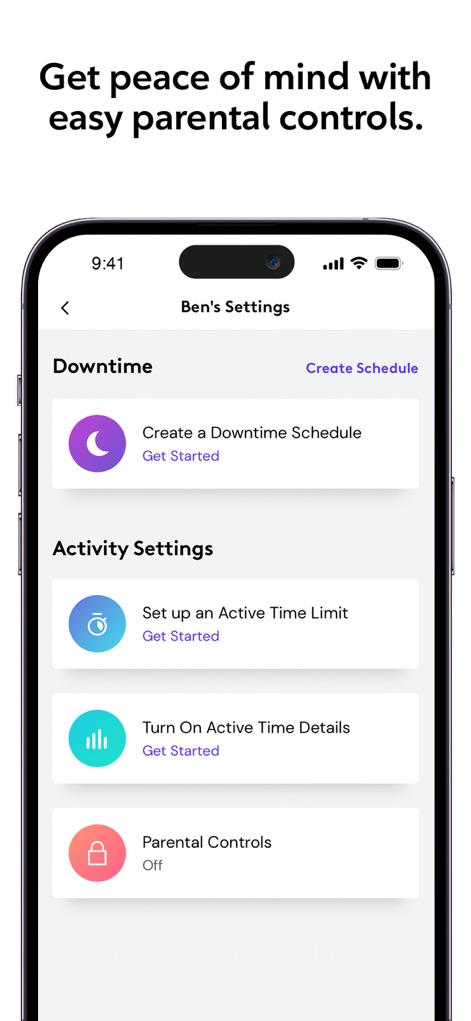
사용자는 "Downtime Schedule(활동 중단 시간)" 설정과 "Active Time Limit(활동 시간 제한)" 같은 다양한 옵션을 통해 자녀의 온라인 활동을 효율적으로 관리할 수 있습니다.
스마트 자녀 보호
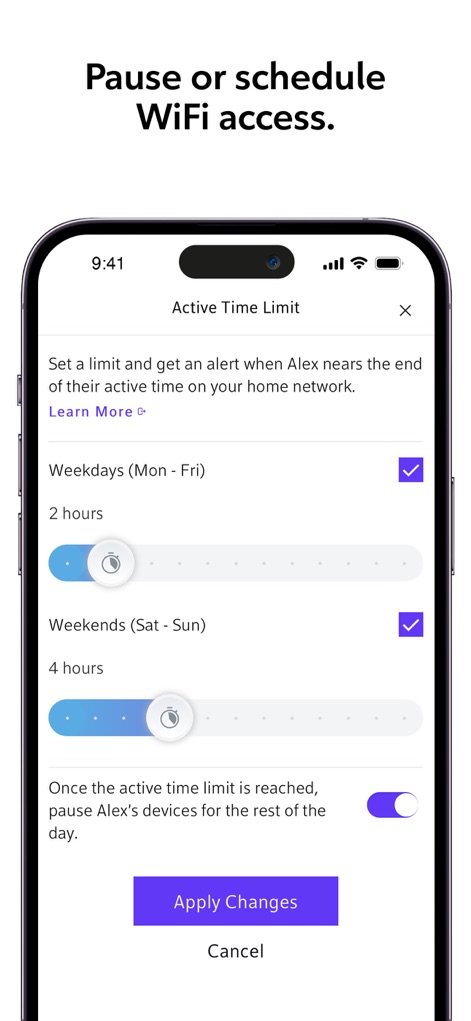
이 화면에서는 요일별로 "활동 시간 제한"을 설정할 수 있으며, 자녀의 기기 WiFi를 일시 정지하는 토글 스위치를 통해 인터넷 사용 시간을 유연하게 조절할 수 있습니다.
WiFi 사용 시간 제어
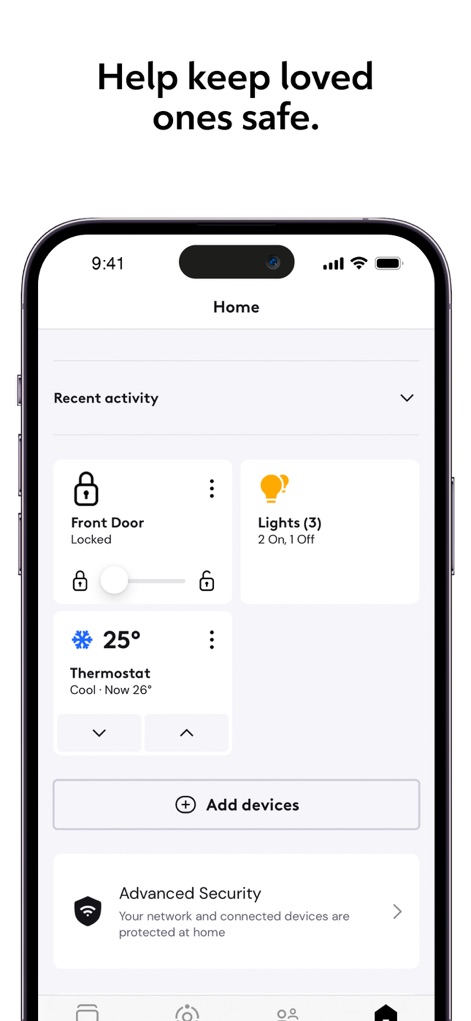
사용자는 이 화면에서 현관 잠금 상태와 조명 제어 기능("Lights")을 확인하고, 온도를 조절하는("Thermostat") 등 다양한 스마트 홈 장치들을 한눈에 관리할 수 있습니다.
스마트 홈 통합
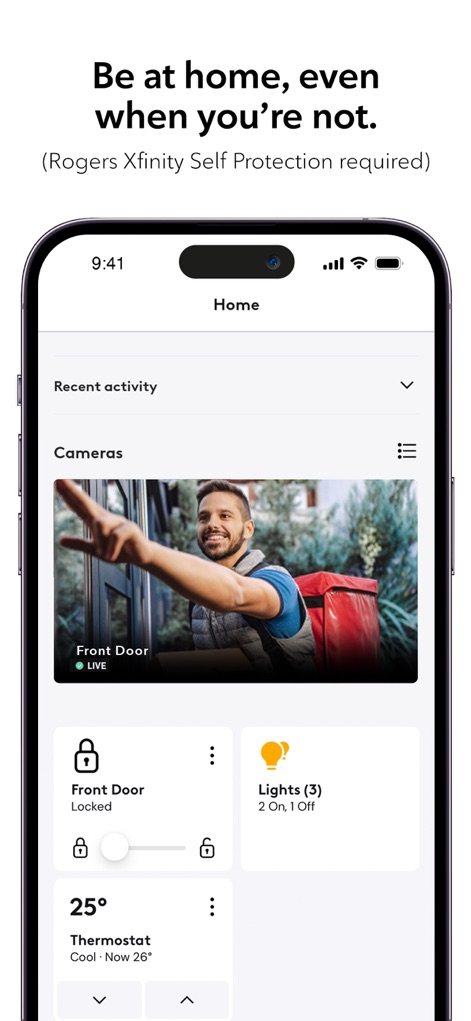
이 화면은 보안 카메라의 "실시간" 영상 피드와 함께 "Front Door Locked" 상태를 보여주어, 사용자가 집에 없어도 원격으로 가정을 안전하게 모니터링할 수 있도록 돕습니다.
원격 홈 모니터링
설명
Download
비슷한 앱
유사한 기능과 사용자 경험을 가진 앱

TP-Link Tether
TP-Link Systems Inc.

Smart Home Manager
AT&T Services, Inc.

TP-Link Deco
TP-Link Systems Inc.

eero wifi system
eero LLC

MERCUSYS
MERCUSYS Technologies Co., Ltd.

TP-Link Aginet
TP-Link Systems Inc.

T-Mobile Fiber: eero
eero LLC

NETGEAR Nighthawk - WiFi App
NETGEAR, Inc.

UniFi
Ubiquiti Inc.
이 페이지는 앱이나 개발자의 공식 페이지가 아니며, 정보 제공 및 논평을 목적으로 작성된 독립 편집 간행물입니다. 명시적으로 달리 언급되지 않는 한, 해당 앱이나 개발자는 MWM, Apple, Google Play, 앱 퍼블리셔 또는 앱 개발자와 제휴, 보증, 후원, 승인 또는 공식적으로 연결되어 있지 않으며, 이 페이지의 어떤 내용도 해당 앱이 MWM의 서비스를 사용하여 개발되었음을 의미하지 않습니다. 모든 상표, 로고, 스크린샷 및 기타 콘텐츠는 해당 소유자의 자산입니다.