이 페이지는 앱이나 개발자의 공식 페이지가 아니며, 정보 제공 및 논평을 목적으로 작성된 독립 편집 간행물입니다. 명시적으로 달리 언급되지 않는 한, 해당 앱이나 개발자는 MWM, Apple, Google Play, 앱 퍼블리셔 또는 앱 개발자와 제휴, 보증, 후원, 승인 또는 공식적으로 연결되어 있지 않으며, 이 페이지의 어떤 내용도 해당 앱이 MWM의 서비스를 사용하여 개발되었음을 의미하지 않습니다. 모든 상표, 로고, 스크린샷 및 기타 콘텐츠는 해당 소유자의 자산입니다.
Route Planner - GPS MGRS UTM
군사급 MGRS 그리드, 고급 좌표 투영, 전술 전문가 및 야외 전문가를 위해 설계된 오프라인 지형 지도로 지형을 완벽하게 파악하세요.
주요 수치
다운로드
5K+
사용자 평점
1.0/5
총 평가 수
0
개발사
Ivan Blajic
카테고리
Navigation
지원 언어
4
최신 버전
2.0.2
크기
83.1 MB
출시일
2025년 4월 14일
기능
전술 및 현장 작전을 위한 정밀 도구
소비자용 내비게이션과 전문 GIS의 격차를 해소하세요. 저희 고정밀 도구 모음은 가장 외딴 환경에서도 신뢰성을 요구하는 군인, 현장 연구원 및 백컨트리 전문가를 위해 제작되었습니다.
군사급 좌표 정밀도
MGRS, UTM, 위도/경도 간 즉시 전환하세요. 현장에서 정확한 위치를 파악하기 위해 방위각 및 거리를 기반으로 전술 좌표 투영을 수행하세요.
원활한 GIS 데이터 통합
KML, GPX, GeoJSON 파일을 가져오고 내보내 워크플로우를 표준화하세요. 사용자 지정 레이어, 폴리곤 및 전문가 수준의 지도 주석으로 복잡한 공간 데이터를 관리하세요.
다음 스크린샷과 설명은 앱의 공식 스토어 목록에서 직접 가져온 것이며 앱 개발자의 자산입니다.
앱 스토어
스크린샷
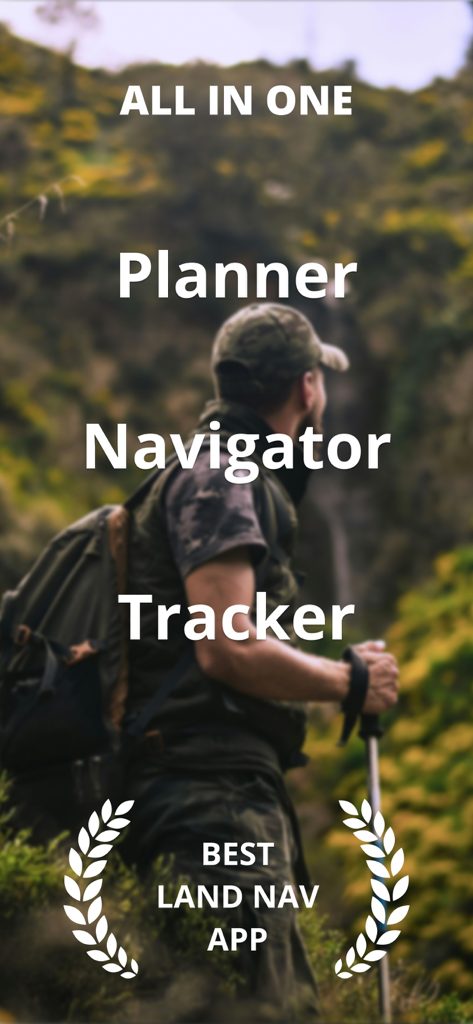
야생에서 전술 장비를 착용한 등산객과 모든 것을 갖춘 플래너 내비게이터 및 추적기 앱을 설명하는 텍스트
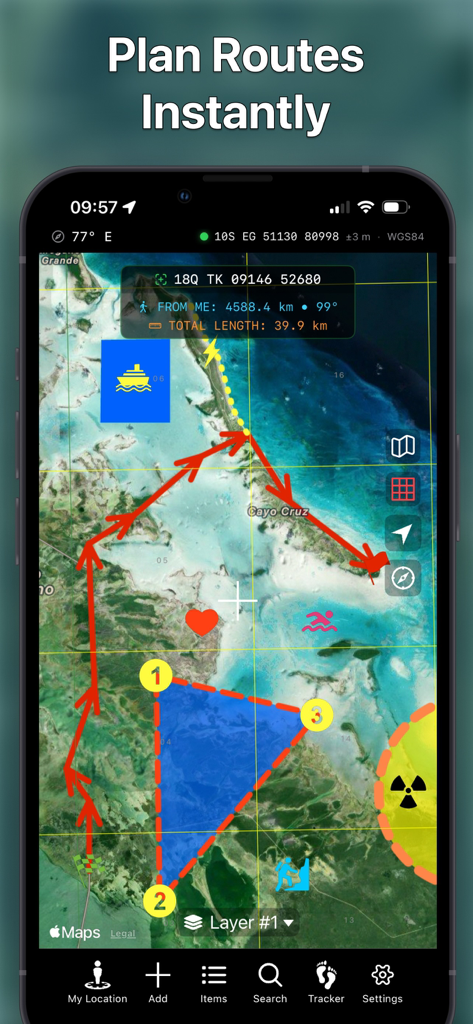
전술 지도 경로 그리기 및 MGRS 좌표가 표시된 루트 플래너 앱을 표시하는 스마트폰
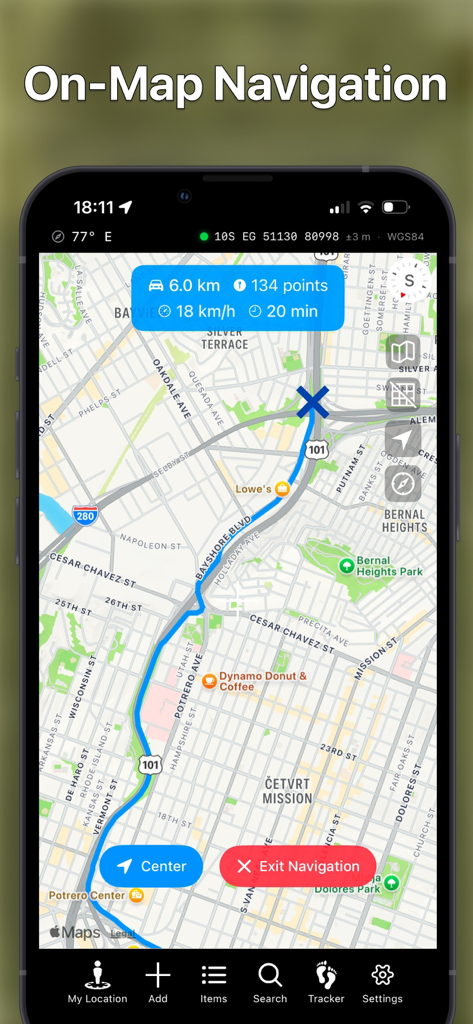
MGRS 좌표와 파란색 경로가 표시된 지도상의 내비게이션을 보여주는 모바일 앱 스크린샷
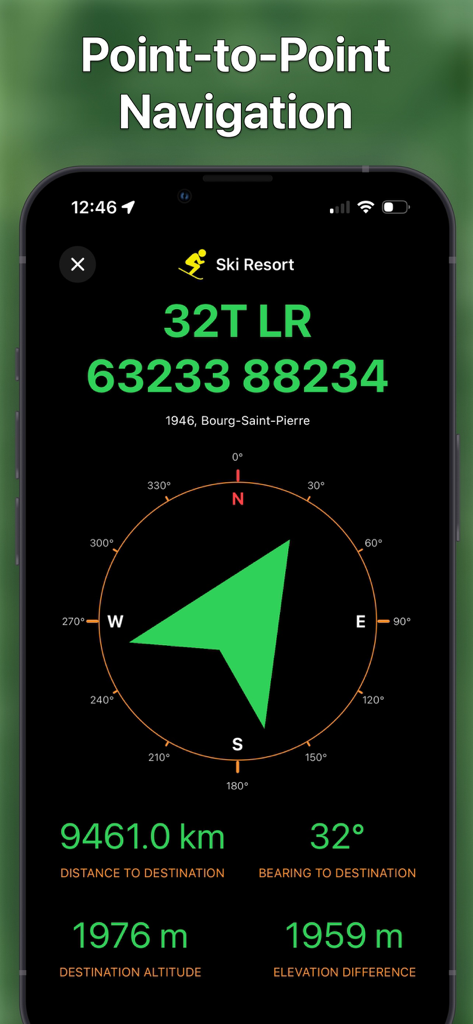
MGRS 좌표와 나침반 방위가 표시된 전술 포인트 투 포인트 내비게이션 인터페이스
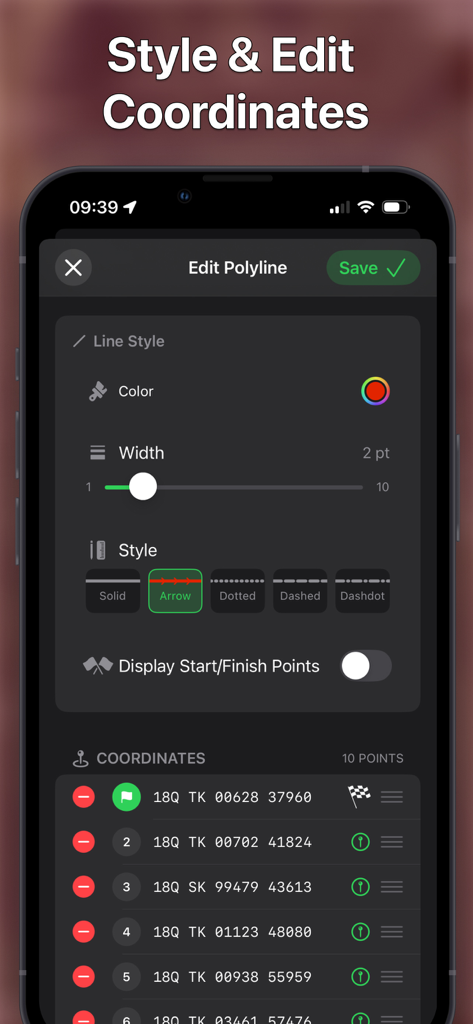
지도 경로 스타일 지정 및 MGRS 좌표 포인트 관리 인터페이스
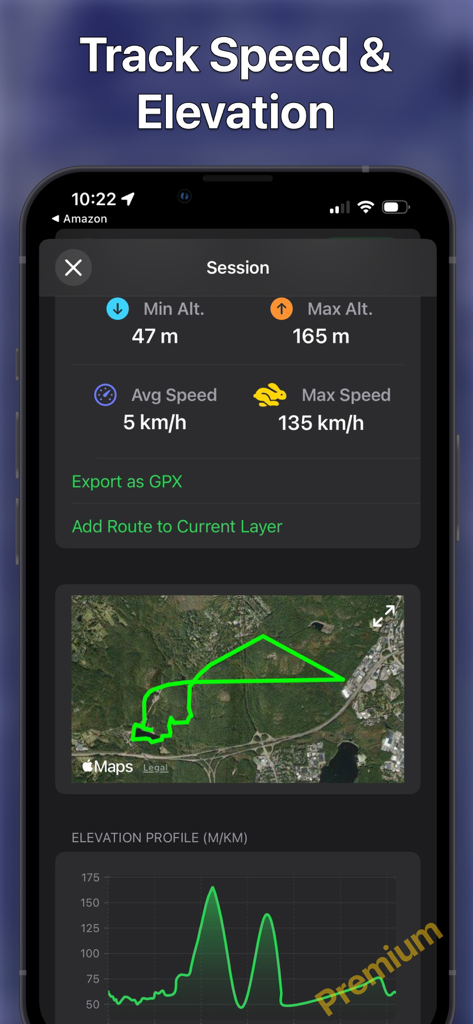
경로 지도 및 고도 프로필과 함께 속도 및 고도 추적 통계를 표시하는 앱 인터페이스
설명
Route Planner delivers a powerful, intuitive mapping experience designed for professionals, outdoor adventurers, and map enthusiasts. View maps in multiple styles, overlay MGRS grids, and explore with precision - all in a sleek, native app experience.
Whether you're navigating the backcountry, planning a mission, or analyzing spatial data, Route Planner gives you the tools you need right at your fingertips.
CORE FEATURES (Free):
- Live Location Data: See your coordinates, address, heading, speed, altitude, and more, clearly displayed in real time.
- Multiple Map Types: Choose the map that fits your mission.
- MGRS Grid Overlay: Toggle the Military Grid Reference System (MGRS) grid on or off with ease.
- Custom Pins & Navigation: Drop different types of pins and navigate directly to them.
- Altitude: Set pin altitude automatically or manually.
- Draw & Design: Add polylines (routes), polygons, and shapes.
- Add/Edit Items via Form: Easily create or modify pins, shapes, and routes using a structured input form.
- Custom Pin and Overlay Styling: Customize colors, stroke widths, and dash patterns for pins, lines, shapes, and areas on your map.
- Layer Items List: View your layers in a clear, organized list.
- Search: Search by MGRS, UTM, Latitude/Longitude.
- Coordinate Projection: Move the map cursor based on a bearing and distance from your location or the map center.
- Flexible Data Formats: Customize your units for coordinates, distance, angles, altitude, and speed.
- File Import Support: Import map data from KML, GeoJSON, and GPX files with ease.
Note: free app version supports only limited number of pins and overlays.
PREMIUM FEATURES (Available via in-app purchase):
- Unlimited pins and polylines (routes).
- Car & Walking Directions: Get turn-by-turn navigation for both driving and walking routes.
- Hiking, Cycling & Ski Trails: Discover and explore nearby hiking, cycling and ski trails with detailed route and elevation data.
- Weather Forecast: View a 10-day forecast for any pinned location.
- Route Elevation Profile: View detailed elevation changes along your route, including ascents and descents.
- Peak Names and Altitudes: Identify surrounding peaks with their names and elevation clearly labeled.
- Route Navigation: Navigate along your custom-drawn paths with real-time turn-by-turn guidance.
- Search by Address/Location: Quickly find places using standard addresses or points of interest.
- Tracker: Record your route, view it on the map along with its elevation profile (graph), and export it as a GPX file.
- Multiple Layers: Organize your data by adding multiple map layers for better structure and visibility.
- Layer Export & Import: Export or import your annotations, drawings, and overlays — or share them with others.
- Offline Map Caching: Save OpenStreetMap map locally to use them without an internet connection — perfect for remote areas.
- Additional Maps (OpenStreetMap & OpenTopoMap): Access detailed terrain and topographic map sources with full offline support for exploration anywhere.
Whether you're using it for tactical operations, field research, or hiking adventures, Route Planner is your go-to navigation companion.
More features coming soon – stay tuned!
If you have any questions, suggestions, or bug reports, do not hesitate to contact me at blayasoft@gmail.com.
이 페이지는 앱이나 개발자의 공식 페이지가 아니며, 정보 제공 및 논평을 목적으로 작성된 독립 편집 간행물입니다. 명시적으로 달리 언급되지 않는 한, 해당 앱이나 개발자는 MWM, Apple, Google Play, 앱 퍼블리셔 또는 앱 개발자와 제휴, 보증, 후원, 승인 또는 공식적으로 연결되어 있지 않으며, 이 페이지의 어떤 내용도 해당 앱이 MWM의 서비스를 사용하여 개발되었음을 의미하지 않습니다. 모든 상표, 로고, 스크린샷 및 기타 콘텐츠는 해당 소유자의 자산입니다.