RTR-Netztest
RTR-Netztest
다운로드: App Store

이 페이지는 앱이나 개발자의 공식 페이지가 아니며, 정보 제공 및 논평을 목적으로 작성된 독립 편집 간행물입니다. 명시적으로 달리 언급되지 않는 한, 해당 앱이나 개발자는 MWM, Apple, Google Play, 앱 퍼블리셔 또는 앱 개발자와 제휴, 보증, 후원, 승인 또는 공식적으로 연결되어 있지 않으며, 이 페이지의 어떤 내용도 해당 앱이 MWM의 서비스를 사용하여 개발되었음을 의미하지 않습니다. 모든 상표, 로고, 스크린샷 및 기타 콘텐츠는 해당 소유자의 자산입니다.


로고: RTR-Netztest
다운로드: App Store

RTR-Netztest

오픈 소스의 투명성으로 기본적인 속도 테스트를 넘어서세요. 전문가들이 연결 품질을 검증하고 ISP에 책임을 묻기 위해 사용하는 도구로 신호 강도, VoIP 품질 및 DNS 안정성을 측정하세요.

주요 수치

다운로드

63K+

사용자 평점

4.0/5

총 평가 수

100

개발사

RTR-GmbH

카테고리

Utilities

지원 언어

2

최신 버전

4.1.1

크기

14.6 MB

출시일

2013년 10월 25일
기능

연결 제어권을 가지세요

투명한 오픈 소스 데이터와 전문가 수준의 네트워크 진단으로 ISP 약속 뒤의 진실을 밝히세요.

심층 진단

기본 Mbps를 넘어서세요. VoIP 품질, DNS 상태 및 포트 투명도를 테스트하여 연결이 느린 정확한 이유를 파악하세요.

자동 루프 테스트

디지털 노마드에게 완벽합니다. 신호 강도와 속도를 거리에 따라 자동으로 측정하여 모바일 데드 존을 지도화하세요.

다음 스크린샷과 설명은 앱의 공식 스토어 목록에서 직접 가져온 것이며 앱 개발자의 자산입니다.

앱 스토어

스크린샷
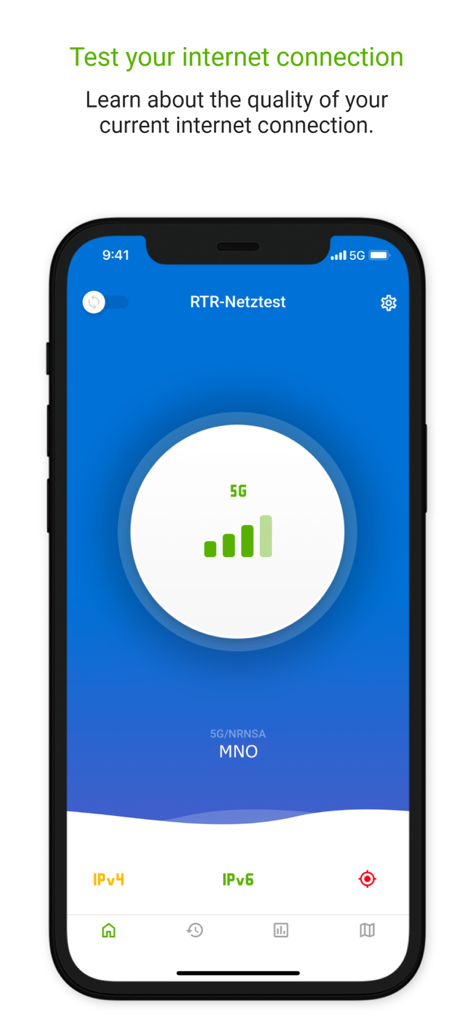
RTR-Netztest - RTR-Netztest 모바일 앱 인터페이스, 5G 네트워크 신호 강도 및 연결 세부 정보 표시
RTR-Netztest 모바일 앱 인터페이스, 5G 네트워크 신호 강도 및 연결 세부 정보 표시

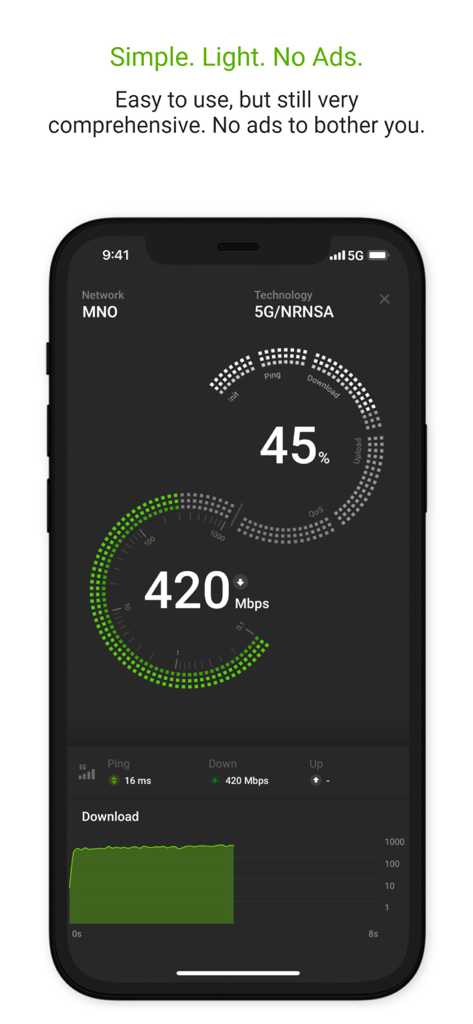
RTR-Netztest - RTR-Netztest 모바일 앱 인터페이스, 핑 및 신호 측정과 함께 420Mbps에 도달하는 5G 다운로드 속도 테스트 결과 표시
RTR-Netztest 모바일 앱 인터페이스, 핑 및 신호 측정과 함께 420Mbps에 도달하는 5G 다운로드 속도 테스트 결과 표시

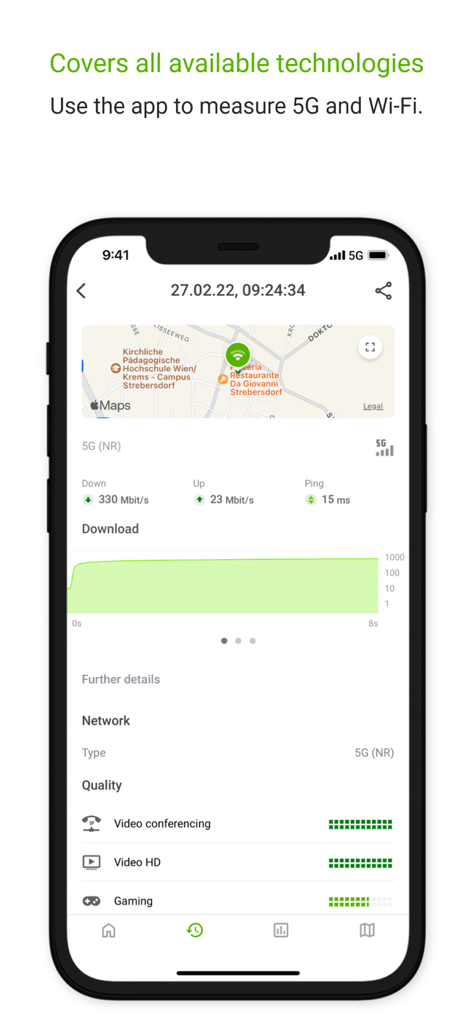
RTR-Netztest - RTR-Netztest 앱 스크린샷, 5G 인터넷 속도 및 네트워크 품질 결과 표시
RTR-Netztest 앱 스크린샷, 5G 인터넷 속도 및 네트워크 품질 결과 표시

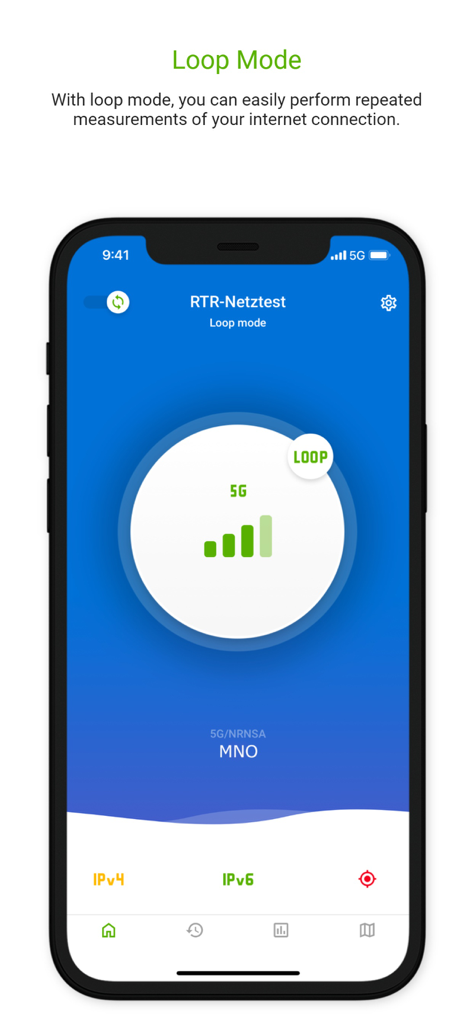
RTR-Netztest - RTR-Netztest 모바일 앱, 5G 네트워크에서 자동 반복 인터넷 연결 측정을 위한 루프 모드 기능 표시
RTR-Netztest 모바일 앱, 5G 네트워크에서 자동 반복 인터넷 연결 측정을 위한 루프 모드 기능 표시

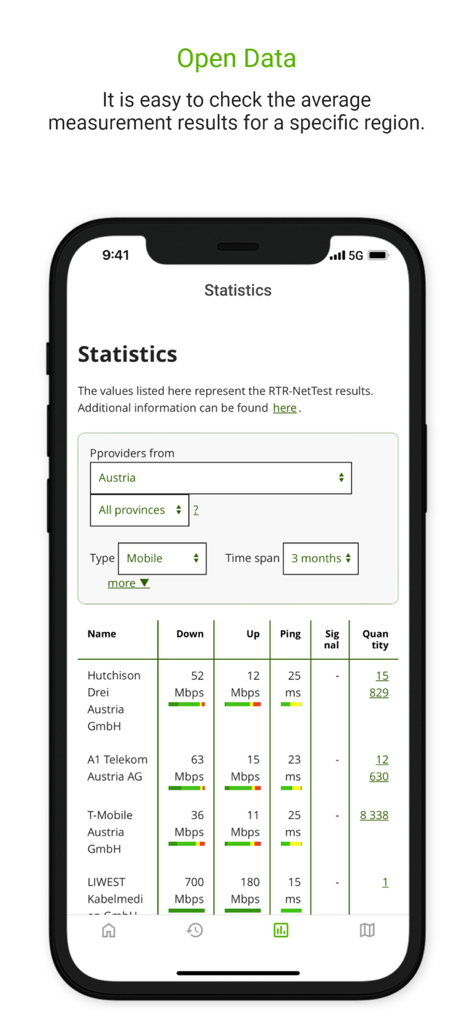
RTR-Netztest - RTR-Netztest 통계 화면, 인터넷 제공업체별 평균 다운로드 및 업로드 속도 표시
RTR-Netztest 통계 화면, 인터넷 제공업체별 평균 다운로드 및 업로드 속도 표시

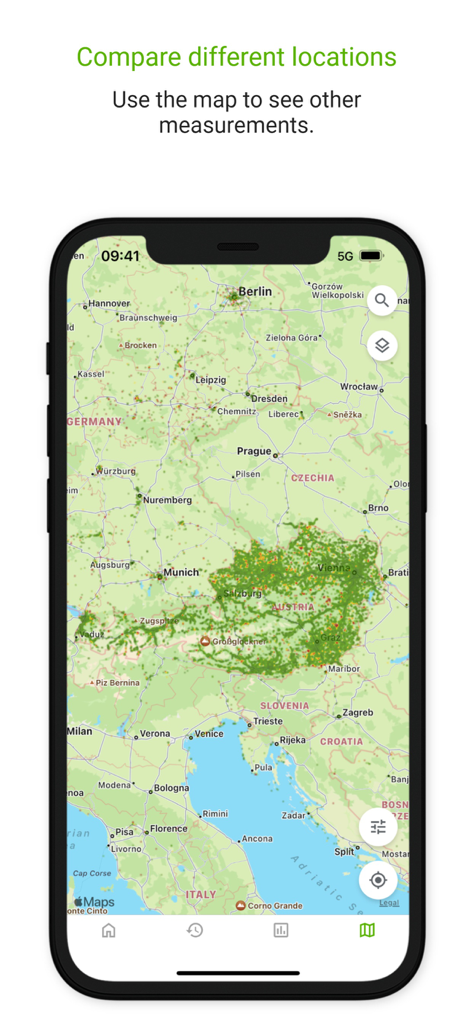
RTR-Netztest - RTR Netztest 모바일 앱 지도, 네트워크 커버리지 및 성능 측정 결과 표시

RTR Netztest 모바일 앱 지도, 네트워크 커버리지 및 성능 측정 결과 표시

설명

In addition to the speed of your current Internet connection (upload, download, ping, signal strength) the RTR-NetTest (in German: RTR-Netztest) also measures a number of quality parameters (VoIP, unmodified content, web page, transparent connection, DNS, ports). The RTR-NetTest was developed by the Austrian telecom-regulator, the Regulatory Authority for Broadcasting and Telecommunications (RTR). The source code of the app is available as open source at https://github.com/rtr-nettest/open-rmbt-ios . The start page provides information about the cellular or WLAN connection. The RTR-NetTest is carried out by pressing the "START" button. If the loop mode has been activated, the "LOOP" button will appear instead of the “START” button. The loop mode enables the RTR-NetTest to be repeated automatically. The tests will start as soon as the waiting time has elapsed or the specified distance has been covered. The results of the RTR-NetTests are available as Open Data (https://www.netztest.at/en/Opendata ) and are shown in the map view as heatmap or as coloured dots. In addition, there are additional options to filter the results according to various criteria. You can tap each measuring point for more details. The RTR-NetTest app includes: · the possibility to retrieve one’s own test results and to synchronize the results of different end devices and to display them in the browser ("history") · a map view of all test results with filter options by measurement parameters, statistics, Internet providers, end device and period of time (“map”) · the option to repeat tests automatically (loop mode) · the display of the five most recent tests, statistics on the results of the Internet providers and all end devices / browsers used with filter options by quantile, measurement parameters and measurement period ("statistics") · quality parameters (e.g. signal strength, connectivity on different ports, changes in data transmission, transmission time for a reference website) · a traffic light assessment of the measurement results detailed FAQ list is available at https://www.netztest.at/redirect/de/help

Download

다운로드: App Store

이 페이지는 앱이나 개발자의 공식 페이지가 아니며, 정보 제공 및 논평을 목적으로 작성된 독립 편집 간행물입니다. 명시적으로 달리 언급되지 않는 한, 해당 앱이나 개발자는 MWM, Apple, Google Play, 앱 퍼블리셔 또는 앱 개발자와 제휴, 보증, 후원, 승인 또는 공식적으로 연결되어 있지 않으며, 이 페이지의 어떤 내용도 해당 앱이 MWM의 서비스를 사용하여 개발되었음을 의미하지 않습니다. 모든 상표, 로고, 스크린샷 및 기타 콘텐츠는 해당 소유자의 자산입니다.








