
이 페이지는 앱이나 개발자의 공식 페이지가 아니며, 정보 제공 및 논평을 목적으로 작성된 독립 편집 간행물입니다. 명시적으로 달리 언급되지 않는 한, 해당 앱이나 개발자는 MWM, Apple, Google Play, 앱 퍼블리셔 또는 앱 개발자와 제휴, 보증, 후원, 승인 또는 공식적으로 연결되어 있지 않으며, 이 페이지의 어떤 내용도 해당 앱이 MWM의 서비스를 사용하여 개발되었음을 의미하지 않습니다. 모든 상표, 로고, 스크린샷 및 기타 콘텐츠는 해당 소유자의 자산입니다.


Ruler, Measuring Tape - AR App
당신은 더 이상 물리적인 도구에 얽매이지 않습니다. 이 앱은 현실 공간을 당신의 손 안에서 조작하는 초능력을 부여합니다.
다운로드
1M+사용자 평점
총 평가 수
2.6K개발사
카테고리
Utilities지원 언어
11최신 버전
1.9크기
28.1 MB출시일
2019년 5월 3일사용자를 위한 핵심 측정 도구 및 기능 개요
'Ruler, Measuring Tape - AR App' 주요 기능 분석
AR 기반 길이 및 거리 측정
이 앱은 증강 현실 기술을 활용하여 실제 사물, 방 또는 전체 공간의 길이와 거리를 쉽고 정확하게 측정할 수 있도록 해줍니다.
다양한 기하학적 형태 측정
이 도구는 사각형, 3D 부피, 다각형, 원, 원통 및 각도와 같은 복잡한 기하학적 형태를 측정할 수 있는 기능을 제공하여 다양한 프로젝트에 대한 정밀한 분석을 가능하게 합니다.
맞춤형 홈 화면 자
사용자가 홈 화면에서 바로 접근할 수 있는 완전 맞춤형 자를 제공하며, 작은 물체를 빠르고 정확하게 측정하는 데 유용합니다.
높이 측정
이 앱은 사물이나 사람의 높이를 손쉽게 측정할 수 있게 해주어 가구 배치나 인테리어 계획 등 다양한 상황에서 유용하게 활용됩니다.
단위 변환기
이 도구는 밀리미터(mm)를 인치로, 센티미터(cm)를 인치로 변환하는 등 다양한 측정 단위를 손쉽게 상호 변환할 수 있는 기능을 갖추고 있습니다.
정밀한 선 및 궤적 추적
이 앱은 직선, 수평선, 수직선 측정뿐만 아니라 복잡한 선과 궤적을 정밀하게 추적하는 기능을 제공하여 상세한 작업에 필수적입니다.
자주 묻는 질문
에 대해 알아야 할 모든 것 Ruler, Measuring Tape - AR App
What is Ruler, Measuring Tape - AR App?
Ruler, Measuring Tape - AR App transforms your device into a handy AR ruler and tape measure, offering accurate measurements for professionals and everyday users. It utilizes advanced AR technology for precise results.
Does Ruler, Measuring Tape - AR App have a unit converter?
Yes, Ruler, Measuring Tape - AR App includes a unit converter for various units, such as mm to inches and centimeters to inches. Users can also switch between inches and centimeters.
Can Ruler, Measuring Tape - AR App measure angles?
Yes, Ruler, Measuring Tape - AR App supports precise angle measurement for various tasks. It also features measurements for polygons and other complex shapes.
What are the device requirements for Ruler, Measuring Tape - AR App's AR features?
Ruler, Measuring Tape - AR App requires ARKit with an A9 processor or later. This means it functions on iPhone 6S or newer models for its Augmented Reality features.
Does Ruler, Measuring Tape - AR App offer subscriptions?
Yes, Ruler, Measuring Tape - AR App offers premium features via weekly or yearly subscriptions. Selected subscriptions may include a free trial period.
How do I manage my Ruler, Measuring Tape - AR App subscription?
Yes, you can manage your Ruler, Measuring Tape - AR App subscriptions and turn off auto-renewal from your iTunes Account Settings after purchase. Auto-renewal must be off 24 hours before the period ends.
Does Ruler, Measuring Tape - AR App save measurement history?
Ruler, Measuring Tape - AR App provides a measurement history feature. This allows users to keep track of all their measurement activities within the application.
Where can I find the Privacy Policy for Ruler, Measuring Tape - AR App?
The Privacy Policy for Ruler, Measuring Tape - AR App is located at magic-cake-e95.notion.site/iOS-Ruler-Measuring-Tape-AR-App-Privacy-Policy-225cf6557a088076bb82fe374bccca0b.
다음 스크린샷과 설명은 앱의 공식 스토어 목록에서 직접 가져온 것이며 앱 개발자의 자산입니다.
앱 스토어
스크린샷
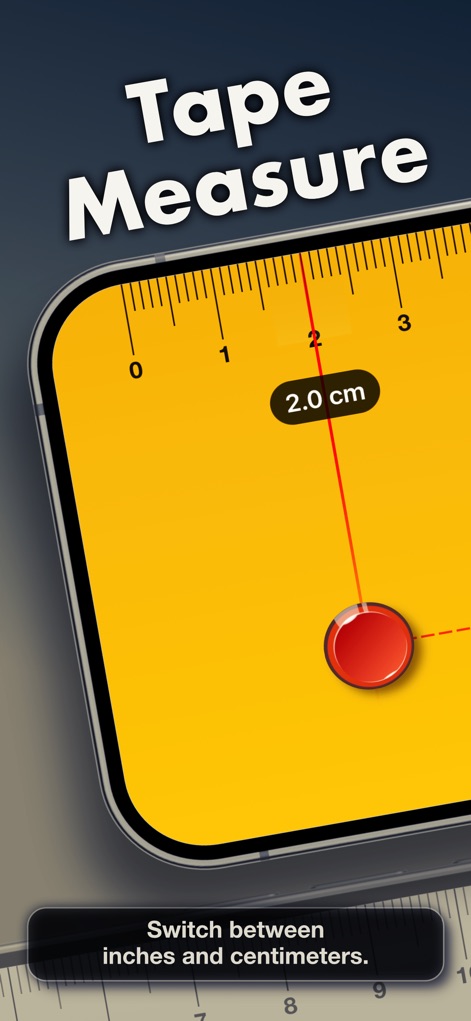
이 도구는 디지털 눈금자 인터페이스를 통해 물체를 정밀하게 측정하며, 사용자는 2.0cm와 같은 정확한 측정값을 확인할 수 있습니다.
정밀한 줄자 측정

사용자는 9.0 cm 길이의 측정값과 다양한 측정 옵션을 제공하는 하단 도구 모음을 활용하여 도구의 기능을 확장할 수 있습니다.
맞춤형 눈금자 인터페이스
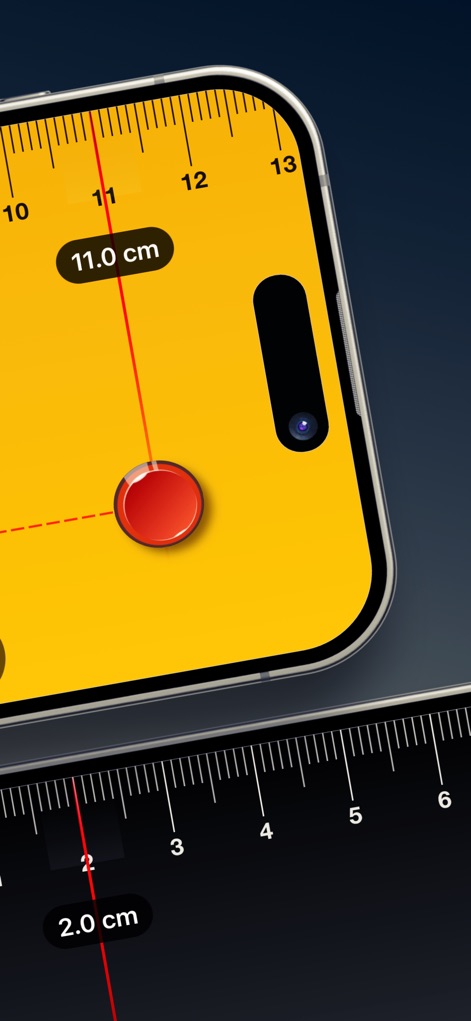
이 앱은 선명한 11.0 cm 측정값과 사용자 친화적인 빨간색 측정 포인트를 통해 정확한 길이 측정을 가능하게 합니다.
선명한 길이 측정
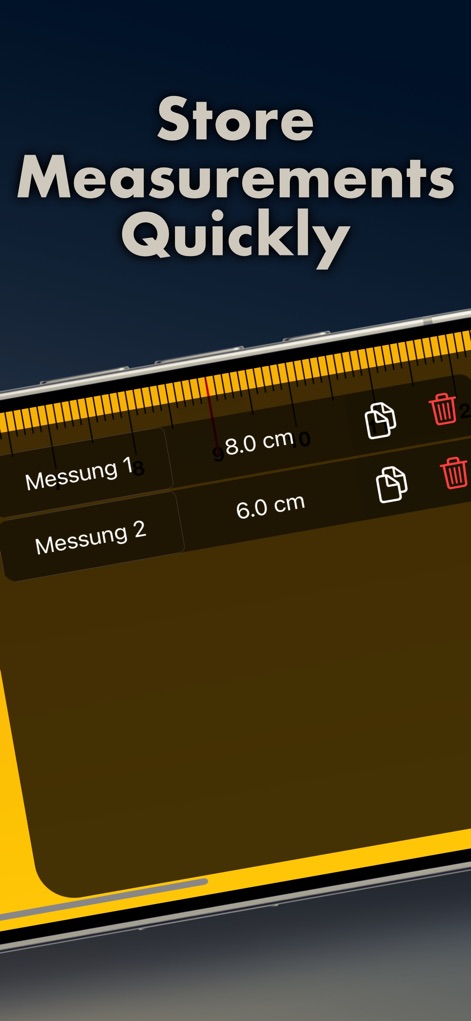
사용자는 저장된 8.0 cm 및 6.0 cm 측정값과 같은 데이터를 쉽게 관리하며, 복사 및 삭제 아이콘을 활용하여 기록을 효율적으로 관리할 수 있습니다.
측정값 저장 및 관리
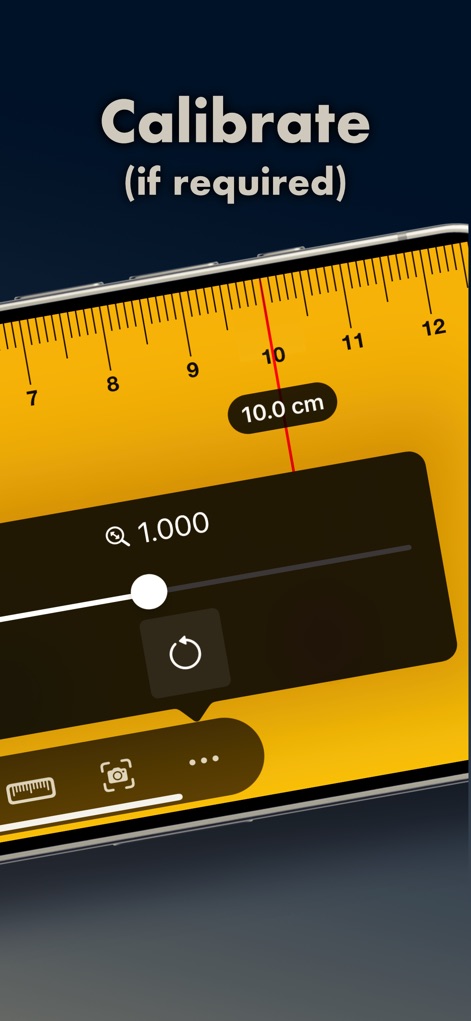
이 앱은 정밀한 10.0 cm 측정값을 표시하며, 필요에 따라 'Q 1.000' 슬라이더와 새로고침 버튼을 사용하여 간편하게 보정할 수 있습니다.
간편한 보정 기능
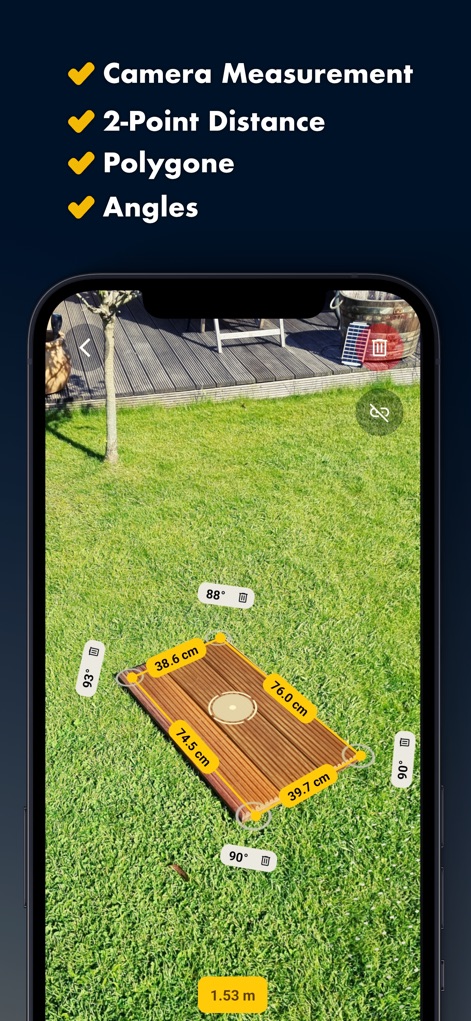
이 앱은 야외 공간에 증강 현실 측정 오버레이를 표시하여 38.6 cm, 90° 각도 및 1.53 m와 같은 상세한 측정값을 제공합니다.
증강 현실 측정
설명
Download
비슷한 앱
유사한 기능과 사용자 경험을 가진 앱

Pocket Bubble Level XXL
ExaMobile S.A.

Measuring Tape +ㅤ
Rocket Apps GmbH

CamToPlan - 3D Scanner & LiDAR
Tasmanic Editions

Tape Measure: AR Ruler
Veysel OTI

Home Planner - AI Room Design
Room Planner Ltd

Polycam 3D Scanner, LiDAR, 360
Polycam Inc.

Measuring Tape+ Measure AR app
MEASURE TECH SOCIEDAD LIMITADA

Tape Measure®
AI Photo Editor Lab SRL

Bubble Level for iPhone
Lemondo Apps LLC
이 페이지는 앱이나 개발자의 공식 페이지가 아니며, 정보 제공 및 논평을 목적으로 작성된 독립 편집 간행물입니다. 명시적으로 달리 언급되지 않는 한, 해당 앱이나 개발자는 MWM, Apple, Google Play, 앱 퍼블리셔 또는 앱 개발자와 제휴, 보증, 후원, 승인 또는 공식적으로 연결되어 있지 않으며, 이 페이지의 어떤 내용도 해당 앱이 MWM의 서비스를 사용하여 개발되었음을 의미하지 않습니다. 모든 상표, 로고, 스크린샷 및 기타 콘텐츠는 해당 소유자의 자산입니다.