S3 Client - Files location
다운로드: App Store

이 페이지는 앱이나 개발자의 공식 페이지가 아니며, 정보 제공 및 논평을 목적으로 작성된 독립 편집 간행물입니다. 명시적으로 달리 언급되지 않는 한, 해당 앱이나 개발자는 MWM, Apple, Google Play, 앱 퍼블리셔 또는 앱 개발자와 제휴, 보증, 후원, 승인 또는 공식적으로 연결되어 있지 않으며, 이 페이지의 어떤 내용도 해당 앱이 MWM의 서비스를 사용하여 개발되었음을 의미하지 않습니다. 모든 상표, 로고, 스크린샷 및 기타 콘텐츠는 해당 소유자의 자산입니다.


로고: S3 Client - Files location
다운로드: App Store

S3 Client - Files location

AWS S3, Cloudflare R2 및 Backblaze B2를 로컬 폴더처럼 관리하세요. iPhone, iPad 및 Mac에서 원활한 워크플로를 위해 전문적인 수준의 암호화와 강력한 바로가기 자동화를 제공합니다.

주요 수치

다운로드

38K+

사용자 평점

4.7/5

총 평가 수

100

개발사

Anders Borum ApS

카테고리

Developer Tools

지원 언어

5

최신 버전

2026.2

크기

37.0 MB

출시일

2023년 6월 29일
기능

현대적인 클라우드 전문가를 위한 제작

Apple 생태계에 S3 호환 스토리지를 원활하게 통합하세요. Files 앱의 네이티브 느낌으로 AWS, R2 및 B2를 관리하세요.

네이티브 Finder 및 Files 통합

번거로운 웹 콘솔은 잊으세요. 주문형 동기화를 통해 Files 앱 또는 macOS Finder에서 직접 버킷에 액세스하세요.

바로가기 및 자동화

복잡한 워크플로를 구축하세요. 강력한 iOS 바로가기 엔진을 사용하여 업로드, 파일 이동 및 링크 생성을 자동화하세요.

다음 스크린샷과 설명은 앱의 공식 스토어 목록에서 직접 가져온 것이며 앱 개발자의 자산입니다.

앱 스토어

스크린샷
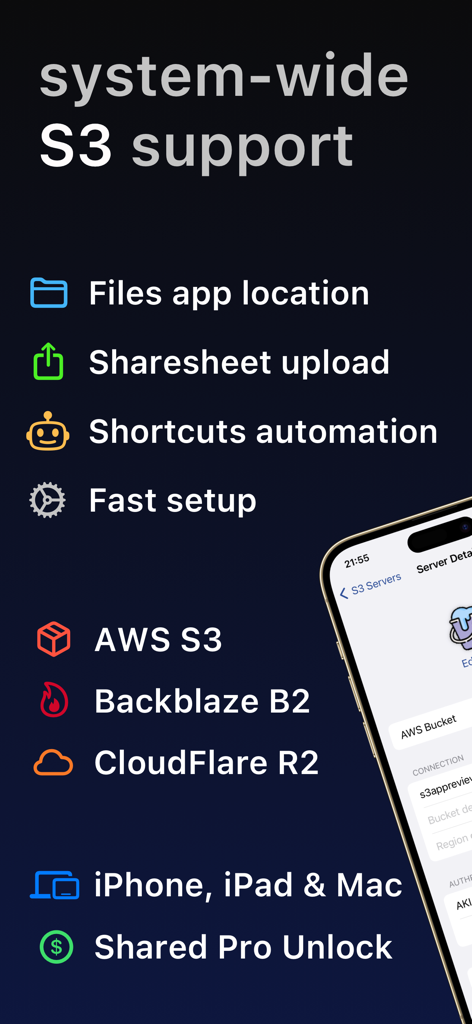
S3 Client - Files location - iPhone, iPad 및 Mac용 바로가기 자동화 및 Files 앱 통합 기능을 갖춘 AWS Backblaze B2 및 Cloudflare R2용 시스템 전체 S3 지원을 보여주는 S3 Client 앱 개요
iPhone, iPad 및 Mac용 바로가기 자동화 및 Files 앱 통합 기능을 갖춘 AWS Backblaze B2 및 Cloudflare R2용 시스템 전체 S3 지원을 보여주는 S3 Client 앱 개요

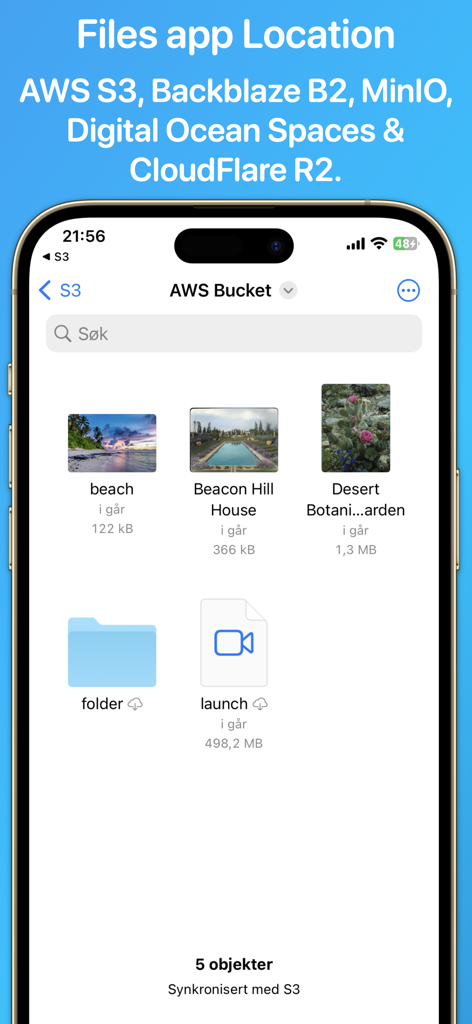
S3 Client - Files location - iPhone의 S3 Client 앱 인터페이스로 AWS S3 버킷 내의 파일과 폴더를 표시합니다.
iPhone의 S3 Client 앱 인터페이스로 AWS S3 버킷 내의 파일과 폴더를 표시합니다.

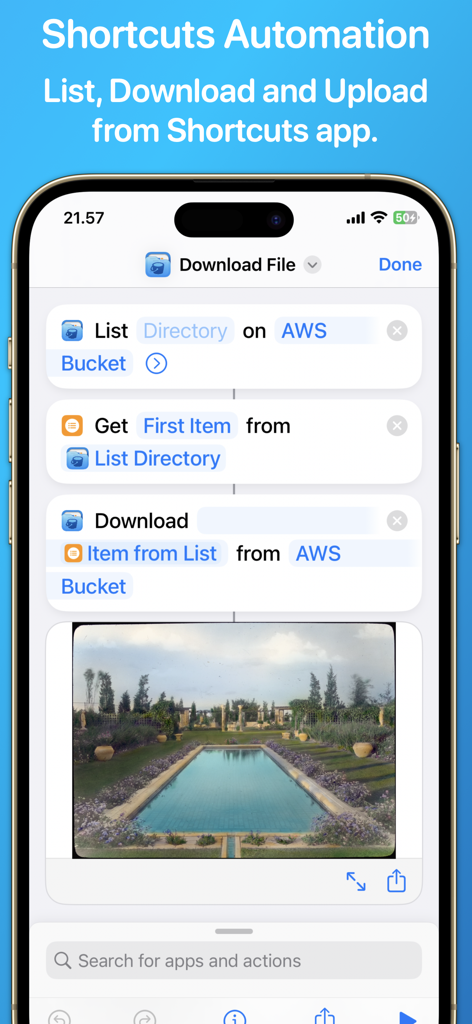
S3 Client - Files location - AWS S3 버킷에서 파일 목록을 가져오고 다운로드하는 자동화된 워크플로를 보여주는 iOS 바로가기와의 S3 Client 앱 통합
AWS S3 버킷에서 파일 목록을 가져오고 다운로드하는 자동화된 워크플로를 보여주는 iOS 바로가기와의 S3 Client 앱 통합

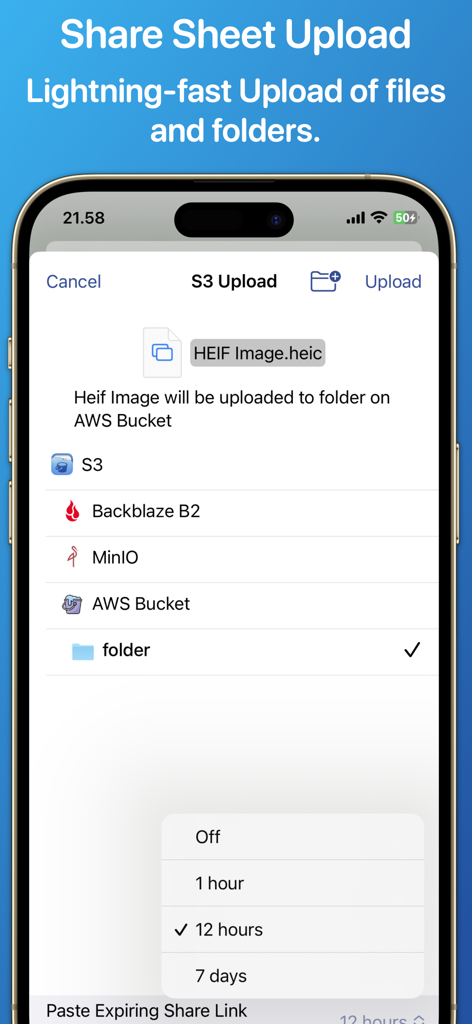
S3 Client - Files location - 만료되는 공유 링크 옵션과 함께 AWS S3 버킷으로 파일을 업로드하는 S3 Client 앱 인터페이스.

만료되는 공유 링크 옵션과 함께 AWS S3 버킷으로 파일을 업로드하는 S3 Client 앱 인터페이스.

설명

Access your S3 storage directly from the Files app, Finder, and other applications on iPhone, iPad, and Mac. Developed by the creator of Working Copy, this application provides seamless integration with S3-compatible storage services. Once configured, S3 buckets appear alongside other cloud storage providers, with files available on demand. Files are downloaded as needed and automatically synchronized back to S3 when modified. The app supports a wide range of S3-compatible services, including AWS S3, BackBlaze B2, CloudFlare R2, DigitalOcean Spaces, MinIO, and others. Files and directories can be uploaded through the system share sheet on iOS and the Services menu on macOS. The app remembers preferred upload destinations for different file types, streamlining file management. Pre-signed sharing links can be generated directly from Finder and the Files app, allowing temporary access to files for up to seven days. Support for server-side encryption with customer-provided keys (SSE-C) and client-side AES-GCM encryption compatible with the Amazon S3 Encryption Client. Comprehensive support for Shortcuts automation enables operations such as listing, downloading, uploading, and moving files. A Pro Unlock is required for most features, available as a one-time purchase or a monthly subscription, with access shared across iPhone, iPad, and Mac. A one-week free trial allows users to evaluate the app before purchase.

Download

다운로드: App Store

이 페이지는 앱이나 개발자의 공식 페이지가 아니며, 정보 제공 및 논평을 목적으로 작성된 독립 편집 간행물입니다. 명시적으로 달리 언급되지 않는 한, 해당 앱이나 개발자는 MWM, Apple, Google Play, 앱 퍼블리셔 또는 앱 개발자와 제휴, 보증, 후원, 승인 또는 공식적으로 연결되어 있지 않으며, 이 페이지의 어떤 내용도 해당 앱이 MWM의 서비스를 사용하여 개발되었음을 의미하지 않습니다. 모든 상표, 로고, 스크린샷 및 기타 콘텐츠는 해당 소유자의 자산입니다.








