Samsung Smart TV Remote Plus
다운로드: App Store

이 페이지는 앱이나 개발자의 공식 페이지가 아니며, 정보 제공 및 논평을 목적으로 작성된 독립 편집 간행물입니다. 명시적으로 달리 언급되지 않는 한, 해당 앱이나 개발자는 MWM, Apple, Google Play, 앱 퍼블리셔 또는 앱 개발자와 제휴, 보증, 후원, 승인 또는 공식적으로 연결되어 있지 않으며, 이 페이지의 어떤 내용도 해당 앱이 MWM의 서비스를 사용하여 개발되었음을 의미하지 않습니다. 모든 상표, 로고, 스크린샷 및 기타 콘텐츠는 해당 소유자의 자산입니다.

로고: Samsung Smart TV Remote Plus
다운로드: App Store

Samsung Smart TV Remote Plus

클릭하기 힘든 버튼과의 씨름은 이제 그만. 이미 손에 든 기기에서 정밀한 터치패드와 전체 모바일 키보드를 사용하여 Samsung Smart TV를 손쉽게 검색, 입력, 탐색하세요.

주요 수치

다운로드

440K+

사용자 평점

4.5/5

총 평가 수

18K+

개발사

MeisterApps BV

카테고리

Utilities

지원 언어

22

최신 버전

1.5.5

크기

80.3 MB

출시일

2019년 9월 22일
기능

완벽한 정확성으로 TV를 마스터하세요

불편한 플라스틱 버튼 대신 원활한 디지털 경험을 선택하세요. 저희 앱은 iPhone을 Samsung Smart TV를 위한 최고의 제어 센터로 바꿔줍니다.

번개처럼 빠른 입력

화면에서 글자를 찾아 헤매는 답답함은 이제 끝. iPhone 키보드를 사용하여 몇 초 안에 영화 제목, URL, 비밀번호를 입력하세요.

정밀 터치패드

부드러운 스와이프 제스처로 메뉴와 웹 브라우저를 탐색하세요. 마우스와 동일한 속도와 정확성으로 TV 커서를 제어하세요.

다음 스크린샷과 설명은 앱의 공식 스토어 목록에서 직접 가져온 것이며 앱 개발자의 자산입니다.

앱 스토어

스크린샷
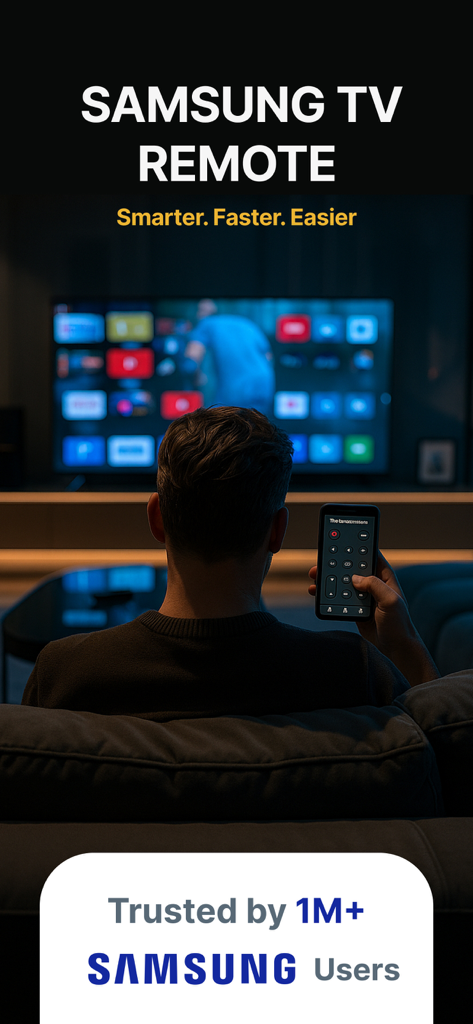
Samsung Smart TV Remote Plus - 스마트폰의 리모컨 앱으로 Samsung Smart TV를 제어하는 사람
스마트폰의 리모컨 앱으로 Samsung Smart TV를 제어하는 사람

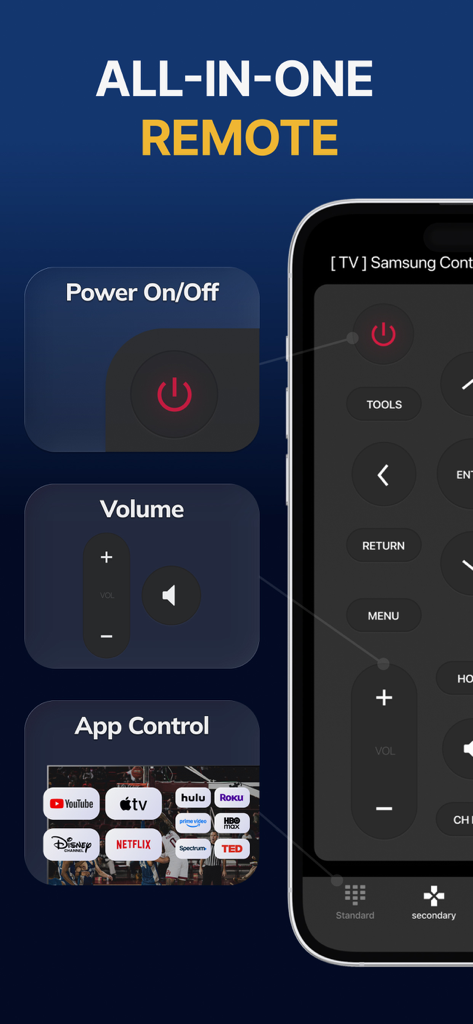
Samsung Smart TV Remote Plus - 전원, 볼륨 및 스트리밍 앱 바로가기를 표시하는 Samsung Smart TV Remote Plus 앱 인터페이스
전원, 볼륨 및 스트리밍 앱 바로가기를 표시하는 Samsung Smart TV Remote Plus 앱 인터페이스

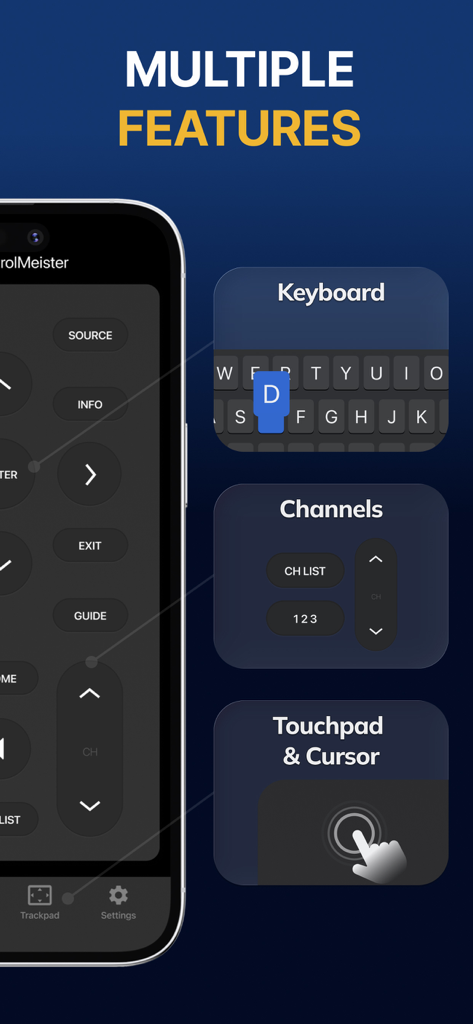
Samsung Smart TV Remote Plus - 키보드, 채널 제어 및 터치패드 기능을 표시하는 Samsung Smart TV Remote Plus 앱 인터페이스

키보드, 채널 제어 및 터치패드 기능을 표시하는 Samsung Smart TV Remote Plus 앱 인터페이스
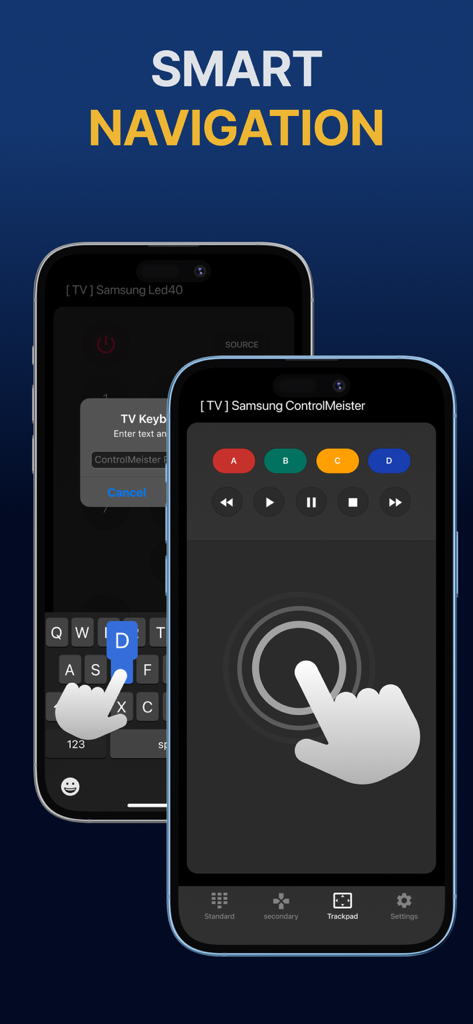
Samsung Smart TV Remote Plus - 스마트 탐색을 위한 터치패드 및 키보드가 있는 Samsung Smart TV 리모컨 앱을 보여주는 iPhone 디스플레이
스마트 탐색을 위한 터치패드 및 키보드가 있는 Samsung Smart TV 리모컨 앱을 보여주는 iPhone 디스플레이

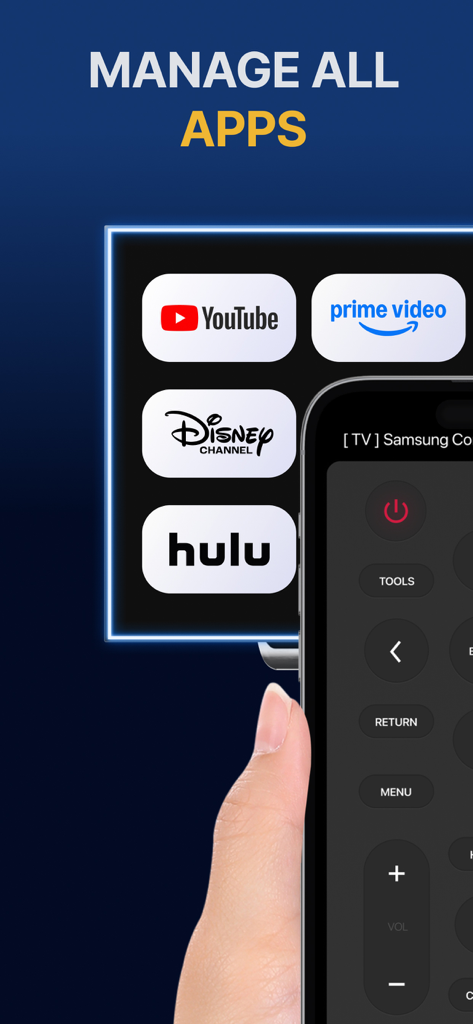
Samsung Smart TV Remote Plus - Samsung TV의 YouTube 및 Hulu와 같은 스트리밍 앱 관리를 위한 리모컨 인터페이스를 보여주는 iPhone 화면
Samsung TV의 YouTube 및 Hulu와 같은 스트리밍 앱 관리를 위한 리모컨 인터페이스를 보여주는 iPhone 화면

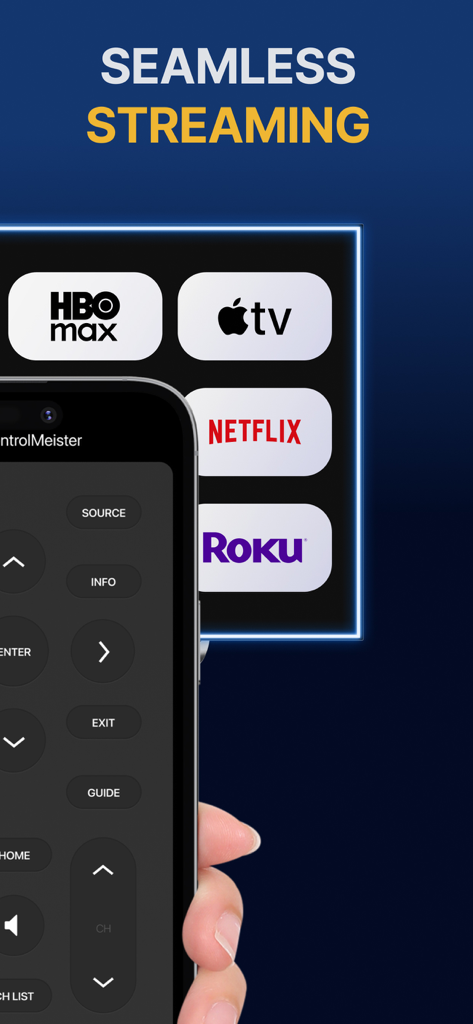
Samsung Smart TV Remote Plus - 버튼과 스트리밍 서비스 아이콘이 있는 Samsung Smart TV Remote Plus 앱 인터페이스를 보여주는 iPhone
버튼과 스트리밍 서비스 아이콘이 있는 Samsung Smart TV Remote Plus 앱 인터페이스를 보여주는 iPhone

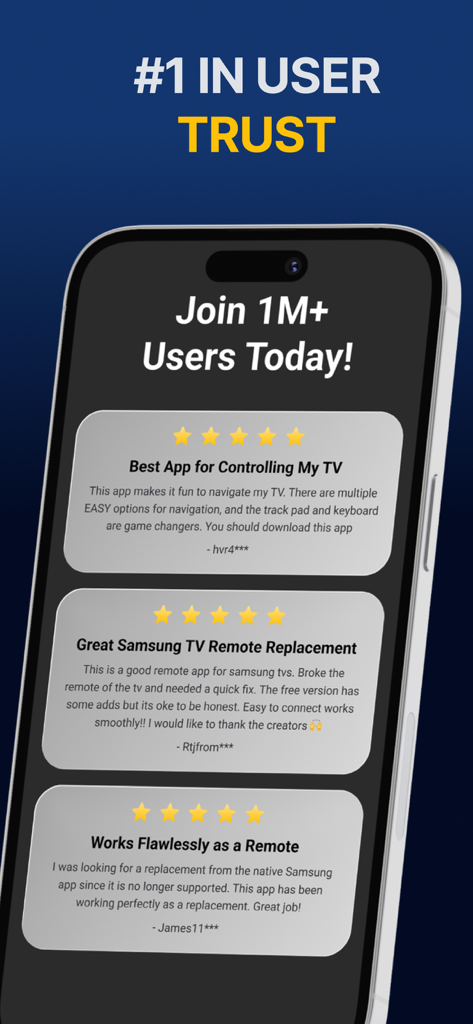
Samsung Smart TV Remote Plus - Samsung Smart TV Remote Plus 앱에 대한 긍정적인 별점 5개 사용자 리뷰 표시

Samsung Smart TV Remote Plus 앱에 대한 긍정적인 별점 5개 사용자 리뷰 표시

설명

The #1 remote control for your Samsung Smart TV. Turn your iPhone or iPad into a remote. ControlMeister universal remote app for Samsung Smart TVs offers full remote functionality. Easily control your channels, volume, menus, apps and navigation. It even has an advanced keyboard and mouse pad. This allows you to operate your smart TV easier and faster. Enter a URL or password in record time. This app is so much better than your normal remote. ControlMeister is the best free iPhone/iPad remote control unit for Samsung TV to browse thru your favorite apps. Save time and enter text easily on web browser or other apps. Access to movies, music and games will become so much simpler and easier! Functionalities: ■ Control your Samsung Smart TV with gestures from your iPhone and iPad. ControlMeister supports the latest Samsung Smart TVs. ■ Easily use apps on your Samsung Smart TV with the keyboard of this app. This also works in the ‘search’ option. Great if you want to visit websites on your television. Great when using apps like FB, Twitter, Vimeo, WhatsApp, Telegram, Amazon or Spotify. ■ Use the touchpad and keyboard to control the TV's web browser, apps and menu settings. No more fiddling with tiny keys using the factory remote control. ■ Control the cursor with your finger with the touchpad. Control channels, volume, search & apps with the swipe of your finger. Advantages: ■ Easy browsing ■ Fast search ■ No more lost remotes ■ Save time ■ Best signal ■ Better for environment ■ Latest technology With ControlMeister you can easily use a keyboard on your Samsung Smart TV so you don’t have to scroll through letters. The keyboard automatically pops up when necessary, so you don’t need to think about this. You can stay focused on your TV shows, movies or news. Control the cursor on your Samsung TV with your finger with the touchpad. Use gestures on your iPhone or iPad to control the TV’s web browser. With swipe gestures you can. change the volume and channel while keeping your eyes on the TV screen! Requirements: * Samsung Smart TV (2012 or newer) * WiFi * iPhone or iPad Which TV-model year do I have? You can see that by looking at the middle letter in your model type (on the back of your Samsung TV). E = 2012 F = 2013 H = 2014 J = 2015 K = 2016 M = 2017 N = 2018 R = 2019 T = 2020 A = 2021 Q = QLED (also supported) Example: UE55_E_S8000 = 2012. UE78_H_U8500L = 2014. Disclaimer: - This universal remote control for Samsung TVs does not support the keyboard function for Netflix & YouTube. They disabled this. - ControlMeister can only offer app control for Samsung TVs from 2016, or newer. UNLIMITED ACCESS PRO SUBSCRIPTION You need a subscription for unlimited access to all features without advertising and interruptions. Payment will be charged to iTunes Account at confirmation of purchase. Subscription automatically renews unless auto-renew is turned off at least 24-hours before the end of the current period. The account will be charged for renewal within 24-hours before the end of the current period and identify the cost of the renewal. Subscriptions may be managed by the user and auto-renewal may be turned off by going to the user's Account Settings after purchase. Any unused portion of a free trial period, if offered, will be forfeited when the user purchases a subscription to that publication, where applicable. - Terms of use: https://www.controlmeister.com/terms-of-use/ - Privacy policy: https://www.controlmeister.com/privacy-policy/ If you have any questions, please discover the FAQs on our website. Or, send an e-mail to info@controlmeister.com

Download

다운로드: App Store

이 페이지는 앱이나 개발자의 공식 페이지가 아니며, 정보 제공 및 논평을 목적으로 작성된 독립 편집 간행물입니다. 명시적으로 달리 언급되지 않는 한, 해당 앱이나 개발자는 MWM, Apple, Google Play, 앱 퍼블리셔 또는 앱 개발자와 제휴, 보증, 후원, 승인 또는 공식적으로 연결되어 있지 않으며, 이 페이지의 어떤 내용도 해당 앱이 MWM의 서비스를 사용하여 개발되었음을 의미하지 않습니다. 모든 상표, 로고, 스크린샷 및 기타 콘텐츠는 해당 소유자의 자산입니다.








