Scan And Paste
Scan And Paste
다운로드: App Store

이 페이지는 앱이나 개발자의 공식 페이지가 아니며, 정보 제공 및 논평을 목적으로 작성된 독립 편집 간행물입니다. 명시적으로 달리 언급되지 않는 한, 해당 앱이나 개발자는 MWM, Apple, Google Play, 앱 퍼블리셔 또는 앱 개발자와 제휴, 보증, 후원, 승인 또는 공식적으로 연결되어 있지 않으며, 이 페이지의 어떤 내용도 해당 앱이 MWM의 서비스를 사용하여 개발되었음을 의미하지 않습니다. 모든 상표, 로고, 스크린샷 및 기타 콘텐츠는 해당 소유자의 자산입니다.

로고: Scan And Paste
다운로드: App Store

Scan And Paste

몇 초 안에 여러 바코드를 스캔하고 모든 것을 즉시 클립보드에 복사하세요. 효율성을 요구하는 판매자 및 전문가를 위한 최고의 도구, 광고 및 구독 없이.

주요 수치

다운로드

200

사용자 평점

1.0/5

총 평가 수

0

개발사

Easy Simple Smart

카테고리

Utilities

지원 언어

1

최신 버전

1.1

크기

12.1 MB

출시일

2023년 10월 29일
기능

워크플로우 효율성의 재정의

속도, 정확성, 그리고 방해 없는 환경을 요구하는 판매자 및 재고 관리자를 위해 설계된 전문가용 바코드 유틸리티.

빠른 일괄 스캔

몇 초 안에 전체 재고를 처리하세요. 번거로운 개별 확인 없이 연속적으로 항목 목록을 스캔하세요.

원탭 데이터 전송

데이터를 제자리에 옮기세요. 시트, 슬랙 또는 배송 앱에 원활하게 붙여넣을 수 있도록 모든 스캔 값을 즉시 클립보드에 복사하세요.

다음 스크린샷과 설명은 앱의 공식 스토어 목록에서 직접 가져온 것이며 앱 개발자의 자산입니다.

앱 스토어

스크린샷
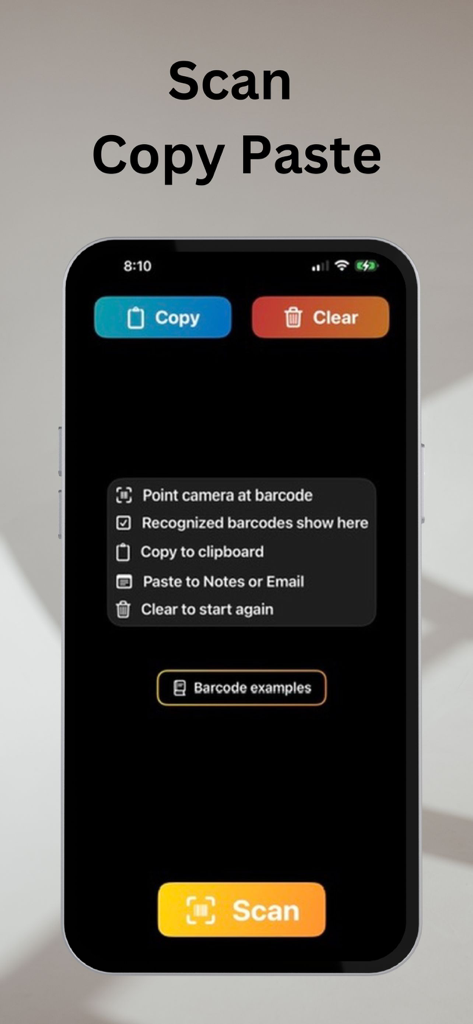
Scan And Paste - Scan And Paste 앱 인터페이스, 바코드 스캔 및 클립보드 기능 표시
Scan And Paste 앱 인터페이스, 바코드 스캔 및 클립보드 기능 표시

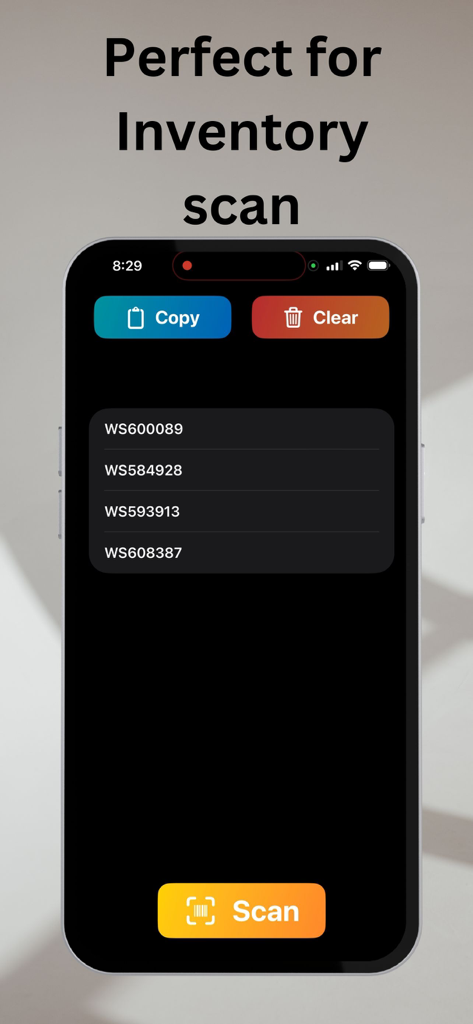
Scan And Paste - Scan And Paste 앱 인터페이스, 복사 및 지우기 버튼이 있는 스캔된 재고 코드 목록 표시
Scan And Paste 앱 인터페이스, 복사 및 지우기 버튼이 있는 스캔된 재고 코드 목록 표시

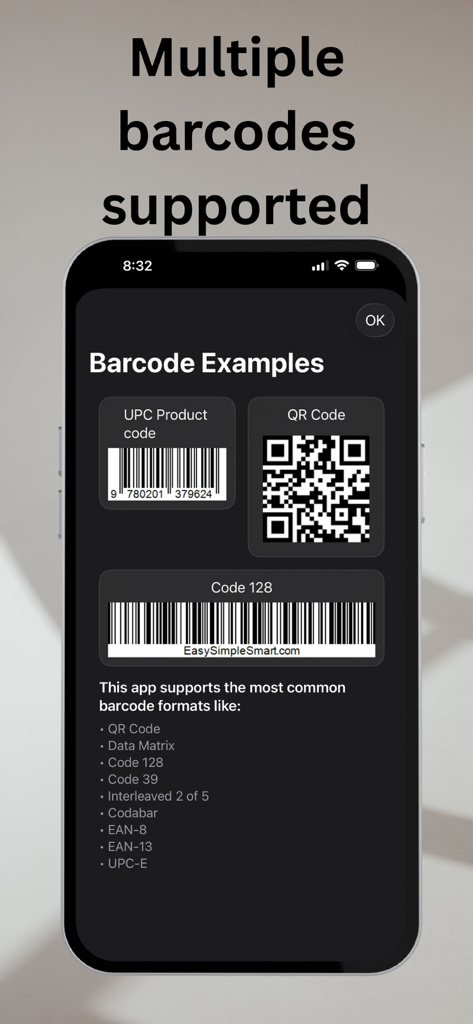
Scan And Paste - Scan And Paste 앱 스크린샷, 지원되는 바코드 및 QR 코드 형식 목록 표시
Scan And Paste 앱 스크린샷, 지원되는 바코드 및 QR 코드 형식 목록 표시

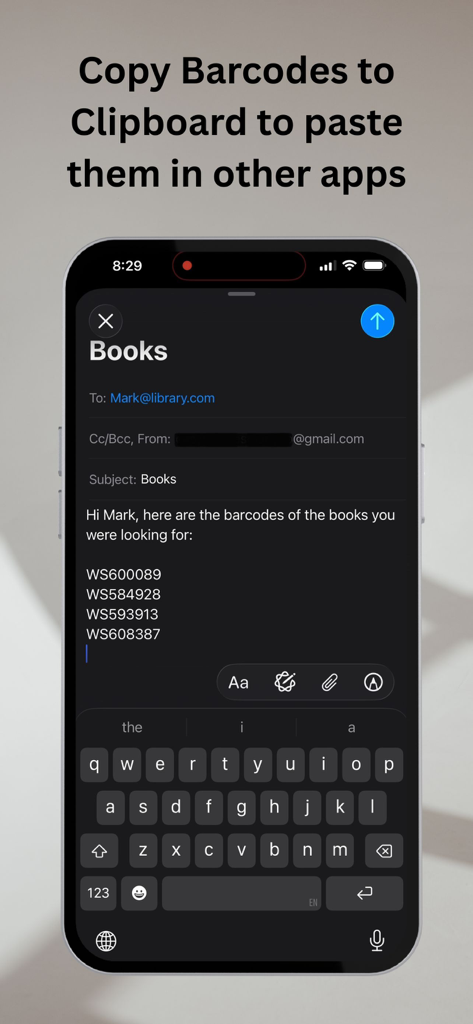
Scan And Paste - 클립보드 기능을 시연하기 위해 이메일 초안에 붙여넣은 스캔된 바코드 값이 있는 iPhone 화면
클립보드 기능을 시연하기 위해 이메일 초안에 붙여넣은 스캔된 바코드 값이 있는 iPhone 화면

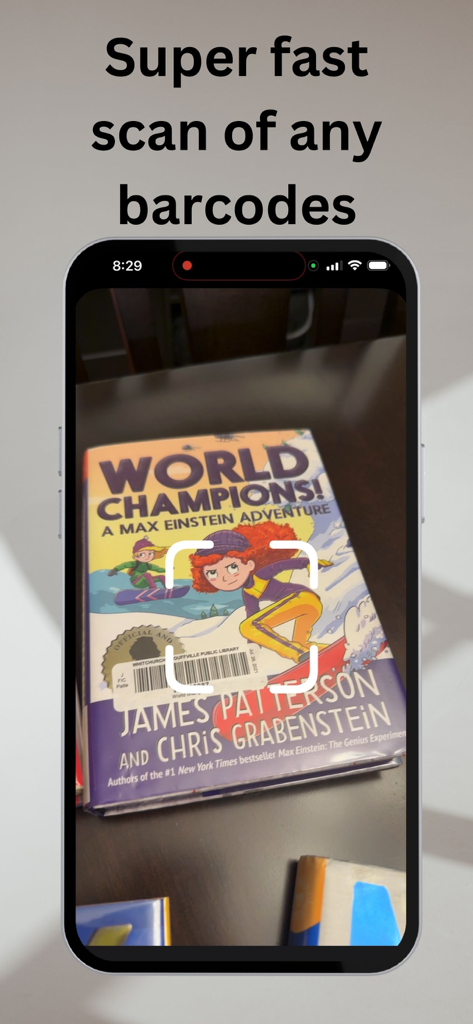
Scan And Paste - Scan And Paste 앱 인터페이스, '매우 빠른 모든 바코드 스캔' 텍스트로 바코드 스캔 중

Scan And Paste 앱 인터페이스, '매우 빠른 모든 바코드 스캔' 텍스트로 바코드 스캔 중

설명

Scan And Paste: The Ultimate Barcode Scanner and Clipboard Manager Looking for a versatile and powerful barcode scanner with no ads or in-app purchases? Look no further! Introducing Scan And Paste, your go-to solution for effortlessly scanning, managing, and copying barcodes to your clipboard. Say goodbye to manual data entry and hello to convenience. Key Features: - Scan a list of Barcodes: Scan And Paste is designed to make your life easier. It allows you to scan multiple barcodes on your screen, one at a time. - Wide Barcode Support: Our app recognizes various barcode formats, including Code39, Code128, QR codes, DataMatrix, Interleaved2of5, UPC, UPC-E, EAN8, EAN13 and Codabar. Whether you're dealing with retail product codes or QR codes for websites, we've got you covered. - Effortless Copy to Clipboard: After scanning, simply press the "Copy" button to copy all the scanned values to your clipboard. It's quick and hassle-free, ensuring your barcode data is ready for pasting into Notes, email, chat apps, or any other text-based applications. - Clear and Start Fresh: If you need to initiate a new scanning session, the "Clear" button allows you to reset and start fresh with a clean slate. Get organized and stay efficient with Scan And Paste. - No Ads, No In-App Purchases: We believe in providing you with a seamless and distraction-free experience. Scan And Paste is ad-free and has no in-app purchases. Your focus is solely on what matters – scanning and pasting barcodes. Whether you're managing inventory, sharing QR codes, or simply organizing information, Scan And Paste is the reliable and ad-free solution you've been waiting for. Download now and experience the ultimate barcode scanning and clipboard management app. Get started with Scan And Paste today and simplify your barcode scanning and copying tasks!

Download

다운로드: App Store

이 페이지는 앱이나 개발자의 공식 페이지가 아니며, 정보 제공 및 논평을 목적으로 작성된 독립 편집 간행물입니다. 명시적으로 달리 언급되지 않는 한, 해당 앱이나 개발자는 MWM, Apple, Google Play, 앱 퍼블리셔 또는 앱 개발자와 제휴, 보증, 후원, 승인 또는 공식적으로 연결되어 있지 않으며, 이 페이지의 어떤 내용도 해당 앱이 MWM의 서비스를 사용하여 개발되었음을 의미하지 않습니다. 모든 상표, 로고, 스크린샷 및 기타 콘텐츠는 해당 소유자의 자산입니다.








