ScanSnap Home

ScanSnap Home

다운로드: App Store
로고: ScanSnap Home

ScanSnap Home: PC 없이 전문가 수준의 페이퍼리스 생산성

iPhone 또는 iPad를 모바일 스캔 파워하우스로 변환하세요. OCR을 통한 손쉬운 디지털화, 자동화된 정리, 그리고 어디서든 가능한 문서 액세스를 PC 없이 경험하세요.

개발사

PFU LIMITED

카테고리

Utilities

다운로드

96K+

사용자 평점

4.6/5

총 평가 수

3K+

지원 언어

11

당신의 페이퍼리스 워크플로우, 시각화

이 인터페이스를 사용하는 96K+ 명의 사용자.

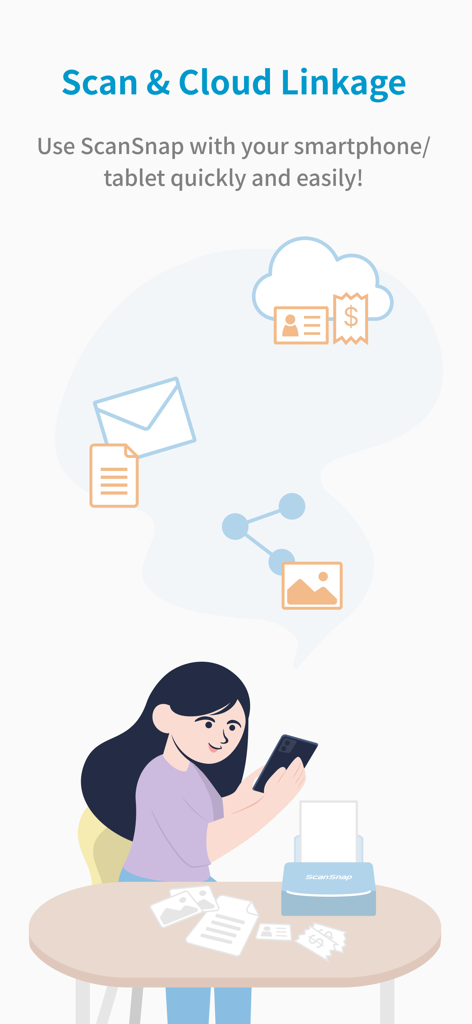
여성이 스마트폰에서 ScanSnap Home 앱을 사용하여 종이 문서를 스캔하고 클라우드로 동기화하는 모습을 보여주는 일러스트.
여성이 스마트폰에서 ScanSnap Home 앱을 사용하여 종이 문서를 스캔하고 클라우드로 동기화하는 모습을 보여주는 일러스트.

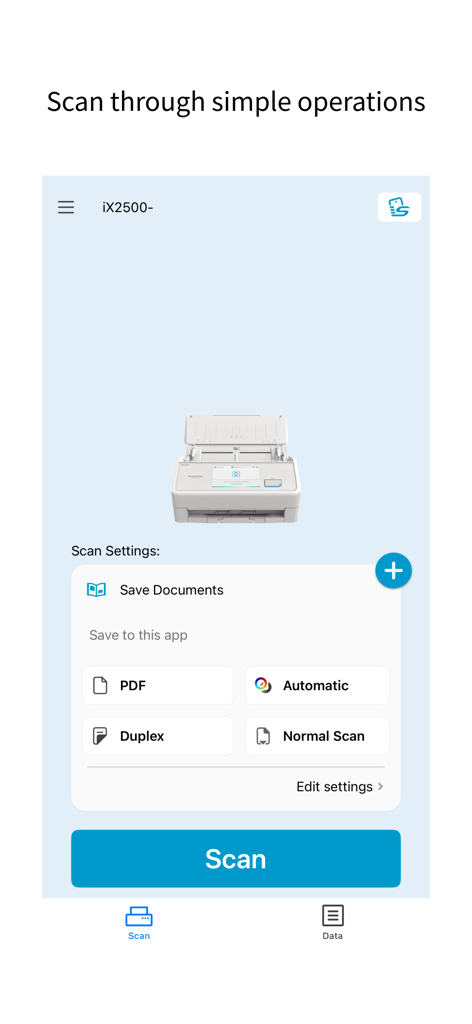
문서 스캔 설정과 큰 파란색 스캔 버튼을 보여주는 ScanSnap Home 모바일 앱 인터페이스
문서 스캔 설정과 큰 파란색 스캔 버튼을 보여주는 ScanSnap Home 모바일 앱 인터페이스

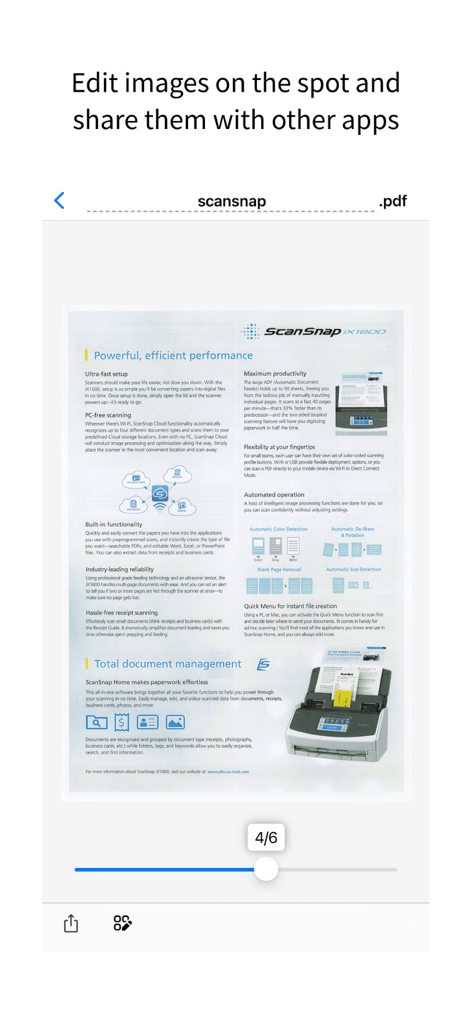
편집 및 공유 준비가 된 스캔된 PDF 문서의 ScanSnap Home 앱 미리 보기
편집 및 공유 준비가 된 스캔된 PDF 문서의 ScanSnap Home 앱 미리 보기

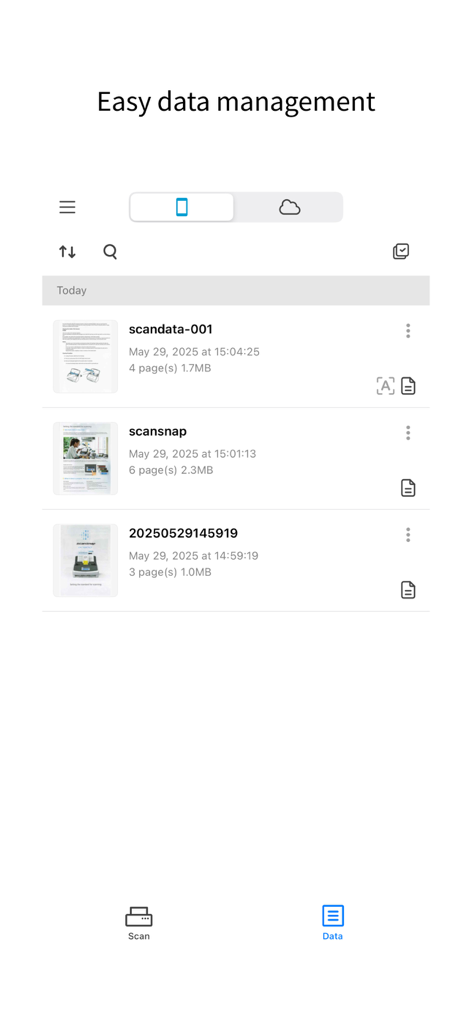
정리된 스캔 문서 목록을 보여주는 ScanSnap Home 모바일 앱 인터페이스
정리된 스캔 문서 목록을 보여주는 ScanSnap Home 모바일 앱 인터페이스

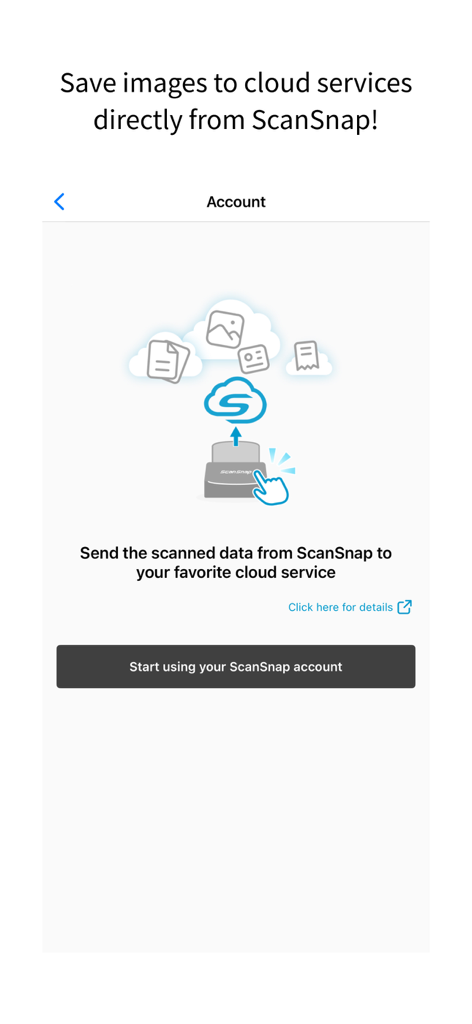
스캔된 문서를 클라우드 서비스에 직접 동기화하기 위한 ScanSnap Home 앱 설정 화면
스캔된 문서를 클라우드 서비스에 직접 동기화하기 위한 ScanSnap Home 앱 설정 화면

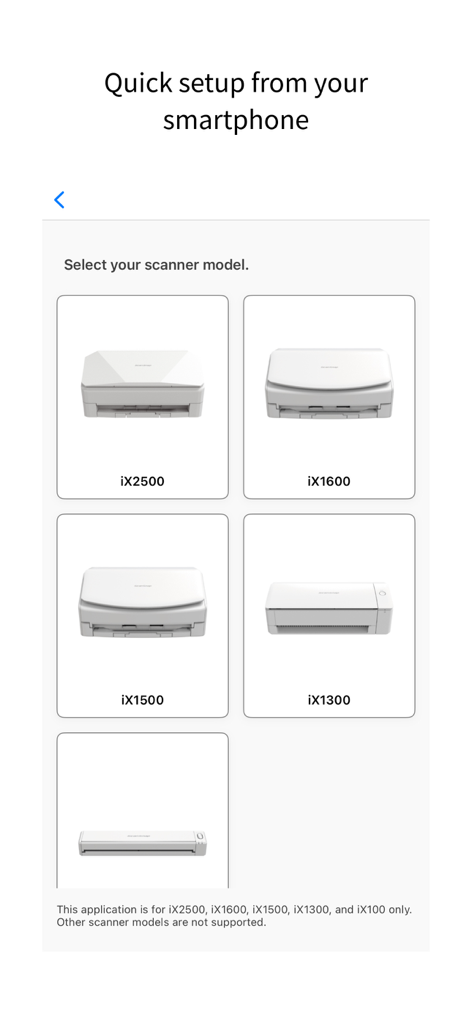
모바일 설정 중 스캐너 모델을 선택하는 ScanSnap Home 앱 인터페이스

모바일 설정 중 스캐너 모델을 선택하는 ScanSnap Home 앱 인터페이스

데스크톱 없이 효율적인 작업

이 앱을 돋보이게 하는 도구, 96K+ 명의 사용자가 선택.

🚀

컴퓨터 없는 자유

iPhone 또는 iPad에서 직접 모든 것을 스캔, 편집, 정리하세요. PC 부팅을 기다릴 필요 없이 탭 한 번으로 당신의 세상을 디지털화하세요.

🧠

지능적인 정리

스마트 OCR 기술이 자동으로 파일 이름을 지정하고 검색 가능한 PDF를 생성하여 몇 초 안에 모든 계약서나 영수증을 찾을 수 있습니다.

📂

매끄러운 생활 관리

명함, 영수증, 문서를 자동으로 분류하세요. 즐겨 사용하는 클라우드 서비스에 즉시 동기화하거나 팀과 손쉽게 공유하세요.

앱 소개

에 대해 알아야 할 모든 것 ScanSnap Home.

설명

[What is ScanSnap Home?] ScanSnap Home is a data management app that allows you to easily operate the "ScanSnap" image scanner from your iPhone or iPad. You can efficiently organize and manage scanned documents and images, and find them instantly when needed. Not only can you securely store and manage them on your smartphone or tablet, but you can also seamlessly share them with other apps or cloud services to centrally manage your important data. [Supported Models] iX2500, iX1600, iX1500, iX1300, iX100 [Features of ScanSnap Home] - Scan from your smartphone using the simple operations! Anyone can use ScanSnap features, which range from configuring scan settings to scanning documents from your iPhone or iPad. All you need is your smartphone/tablet to quickly scan documents. No need for a computer! - Simply scan documents to save the optimal scanned images as PDF files or JPEG files on your iPhone or iPad. - Use the OCR function to recognize text in documents to automatically generate file names and create searchable PDF files. - With iX2500, the "ScanSnap Go" feature enables easy connection, simply by bringing a smartphone close to the scanner. After disconnection, profile information is cleared from iX2500, ensuring convenience and security for temporary use in co‑working or public spaces. - Look up and view the scanned images on the app whenever and wherever you like. Once documents are scanned to your smartphone/tablet, you can access these images outside the home or office. - Your scanned images can be easily accessed on the email apps or chat/messenger apps on your smartphone. You can also effortlessly share scanned images with your friends, family, coworkers, or team members. - "ScanSnap Cloud" (a service that enables you to transfer scanned data to cloud services directly) can be configured. Scanned data is automatically identified as one of four types ("Documents", "Business cards", "Receipts", and "Photos") and saved in your desired cloud services for each type. (For details about available cloud services, refer to https://www.pfu.ricoh.com/global/scanners/scansnap/sscloud/#tab-b-04) *The OCR function and ScanSnap Cloud service are only available in regions where the ScanSnap Cloud service is provided. To use them, an environment connected to the internet is required. https://www.pfu.ricoh.com/global/scanners/scansnap/scansnap-cloud/country.html [Use ScanSnap Home if you want to do the following] - Quickly scan documents with your smartphone/tablet without starting up a computer - Save scanned images on your smartphone and access them outside the home or office - Share images scanned from your smartphone with your family, friends, or coworkers - Scan business cards to your smartphone before a business trip to access them during the trip - Manage school handouts on your smartphone/tablet - Scan recipes or notes to your smartphone and check them when shopping or view them on a waterproof device in the kitchen - Use mainly your smartphone/tablet instead of a computer in your daily life - Scan study materials and view them on your tablet when studying [Environment requirements] To use this application, a Wi-Fi network (for connecting directly or via wireless LAN router) and the following device are required. Wi-Fi-supported ScanSnap *The ScanSnap Go feature is available only on iX2500.

최신 버전

2.3.0

크기

141.2 MB

출시일

2023년 6월 21일

페이퍼리스 워크플로우 마스터하기

ScanSnap 하드웨어와 모바일 우선 라이프스타일을 연결하는 다리. PC 없이 즉시 스캔, 정리, 보안까지 시작하세요.

다운로드: App Store

App information, icons, screenshots, and descriptions displayed on this page are sourced from the Apple App Store and are the property of their respective developers. Download estimates and rankings are based on MWM's proprietary models and may not reflect actual figures. This page is provided for informational and analytical purposes only.

Believe this page infringes your intellectual property? File a dispute