Screen Cast: Screen Mirroring
다운로드: App Store

이 페이지는 앱이나 개발자의 공식 페이지가 아니며, 정보 제공 및 논평을 목적으로 작성된 독립 편집 간행물입니다. 명시적으로 달리 언급되지 않는 한, 해당 앱이나 개발자는 MWM, Apple, Google Play, 앱 퍼블리셔 또는 앱 개발자와 제휴, 보증, 후원, 승인 또는 공식적으로 연결되어 있지 않으며, 이 페이지의 어떤 내용도 해당 앱이 MWM의 서비스를 사용하여 개발되었음을 의미하지 않습니다. 모든 상표, 로고, 스크린샷 및 기타 콘텐츠는 해당 소유자의 자산입니다.

로고: Screen Cast: Screen Mirroring
다운로드: App Store

Screen Cast: Screen Mirroring

좋아하는 동영상, 사진, 게임을 실시간으로 큰 화면에서 경험하세요. 구독, 케이블, 로그인 필요 없음 – 집이나 사무실에서 빠르고 원터치로 캐스팅하세요.

주요 수치

다운로드

0

사용자 평점

1.0/5

총 평가 수

0

개발사

Keyur Kyada

카테고리

Utilities

지원 언어

1

최신 버전

1.0

크기

9.0 MB

출시일

2026년 1월 17일
기능

TV의 잠재력을 최대한 발휘하세요

끊김 없는 무선 미러링으로 거실을 미디어 허브로 바꿔보세요. 가족 추억을 공유하든, 게임을 하든, 발표를 하든, Screen Cast는 이를 쉽고 완전히 무료로 만들어줍니다.

모든 기기 무선 캐스팅

iPhone을 모든 스마트 TV 또는 Chromecast에 즉시 연결하세요. 원터치 연결을 위해 케이블, 동글, 복잡한 하드웨어가 필요 없습니다.

인생의 최고의 순간 공유

사진과 동영상을 큰 화면에서 생생하게 즐기세요. 가족 모임을 주최하거나, 휴가 영상을 보여주거나, 친구들과 소셜 미디어를 즐기기에 완벽합니다.

다음 스크린샷과 설명은 앱의 공식 스토어 목록에서 직접 가져온 것이며 앱 개발자의 자산입니다.

앱 스토어

스크린샷
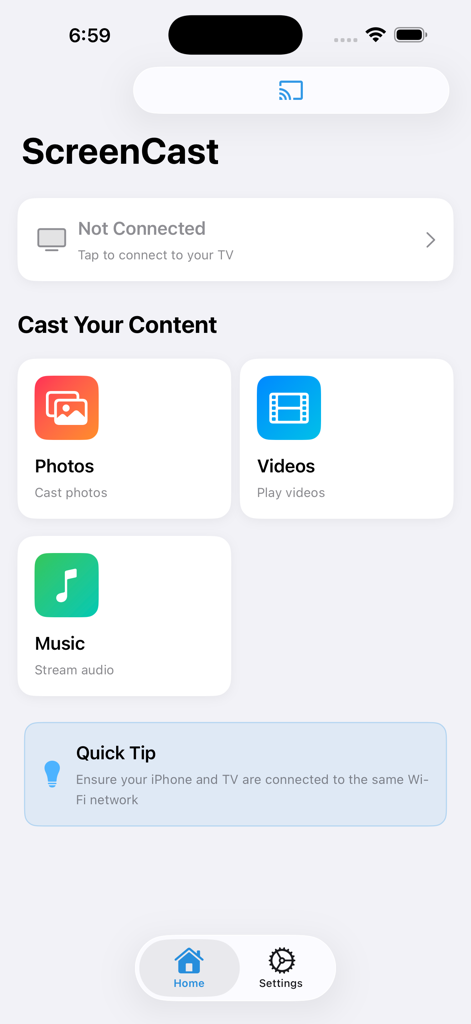
Screen Cast: Screen Mirroring - 사진, 동영상, 음악 캐스팅 단축키가 있는 ScreenCast 앱의 메인 메뉴
사진, 동영상, 음악 캐스팅 단축키가 있는 ScreenCast 앱의 메인 메뉴

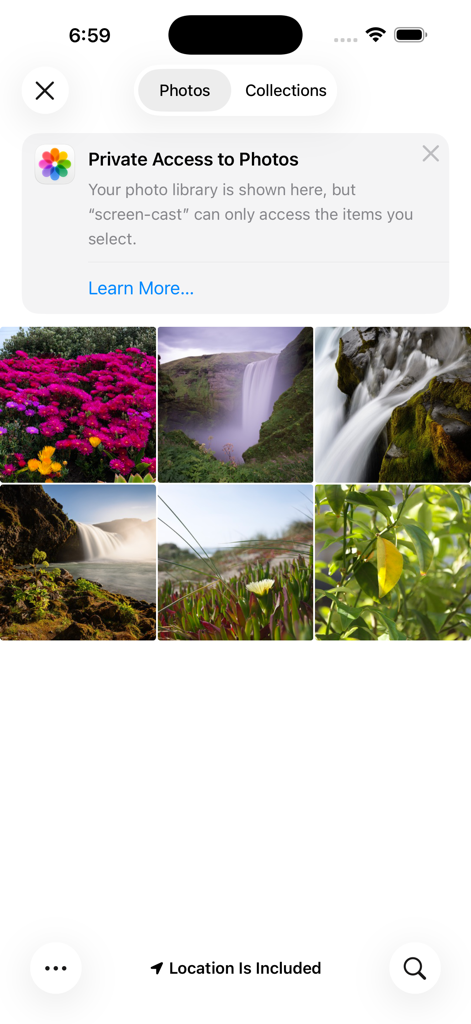
Screen Cast: Screen Mirroring - 이미지 미러링을 위한 개인 정보 접근 알림 및 사진 갤러리를 보여주는 Screen Cast 앱 스크린샷
이미지 미러링을 위한 개인 정보 접근 알림 및 사진 갤러리를 보여주는 Screen Cast 앱 스크린샷

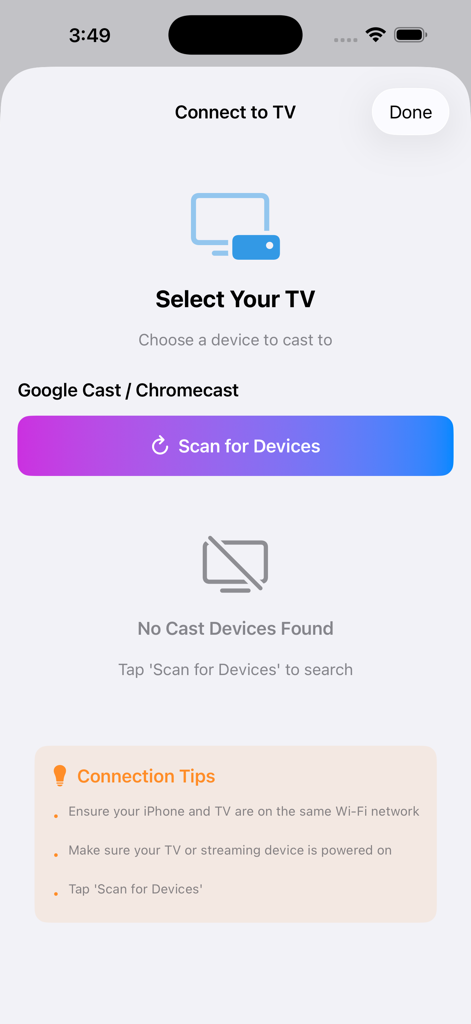
Screen Cast: Screen Mirroring - 장치 스캔 버튼과 연결 팁이 있는 TV 연결 화면을 보여주는 Screen Cast 앱 인터페이스

장치 스캔 버튼과 연결 팁이 있는 TV 연결 화면을 보여주는 Screen Cast 앱 인터페이스

설명

MirroCast: Screen Mirroring for Smart TV – Cast & Share for Free Turn your Smart phone into a powerful remote for your big screen. With Screen Mirroring for Smart TV, you can instantly mirror your mobile screen to any Smart TV or Chromecast-enabled TV — 100% free and easy to use. Enjoy your favorite photos, videos, apps, presentations, games, and websites on a larger display without cables or complicated setup. Whether you’re watching videos, sharing memories with family, or presenting content at work, our app makes screen casting fast and seamless. Simply connect your phone and TV to the same Wi-Fi network, tap Start Mirroring, and see everything from your phone appear on your TV in real time. No login, no hardware required. Key Features • Mirror your full Smart screen to Smart TV • Cast photos, videos, and apps instantly • High-quality, real-time screen sharing • Works with Smart TV, Chromecast & Cast-enabled TVs • Simple setup with one-tap connection • Free to use with no hidden charges Perfect For • Watching videos and movies on a big screen • Sharing photos and videos with friends & family • Playing mobile games on TV • Presentations, demos, and online meetings • Browsing the web on your TV Important Notes • Both devices must be connected to the same Wi-Fi network • Performance depends on network stability and device capability • DRM-protected apps (like Netflix, Prime Video, etc.) may restrict mirroring due to content policies We are constantly improving the app to deliver smoother performance and better compatibility across devices. Your feedback helps us grow and build better features for you. Disclaimer: This app is not affiliated with Google or any TV brand. Smart TV and Chromecast are trademarks of their respective owners. Mirror smarter. Share bigger. Enjoy everything on your TV — for free.

Download

다운로드: App Store

이 페이지는 앱이나 개발자의 공식 페이지가 아니며, 정보 제공 및 논평을 목적으로 작성된 독립 편집 간행물입니다. 명시적으로 달리 언급되지 않는 한, 해당 앱이나 개발자는 MWM, Apple, Google Play, 앱 퍼블리셔 또는 앱 개발자와 제휴, 보증, 후원, 승인 또는 공식적으로 연결되어 있지 않으며, 이 페이지의 어떤 내용도 해당 앱이 MWM의 서비스를 사용하여 개발되었음을 의미하지 않습니다. 모든 상표, 로고, 스크린샷 및 기타 콘텐츠는 해당 소유자의 자산입니다.








