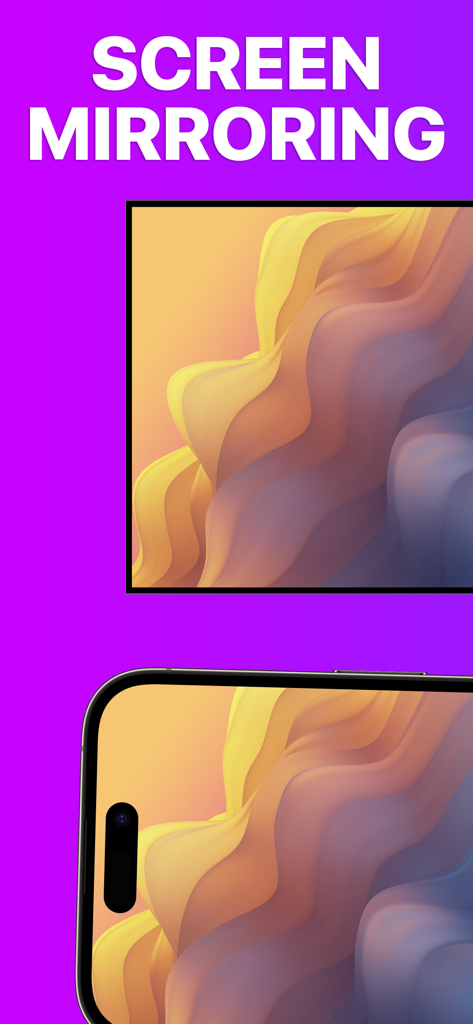
iPhone과 TV 화면 모두 동일한 다채로운 물결 무늬를 표시하여 화면 미러링 기능을 시연합니다.
iPhone 화면이 고품질 추상 예술을 표시하는 Roku TV에 미러링되었습니다.
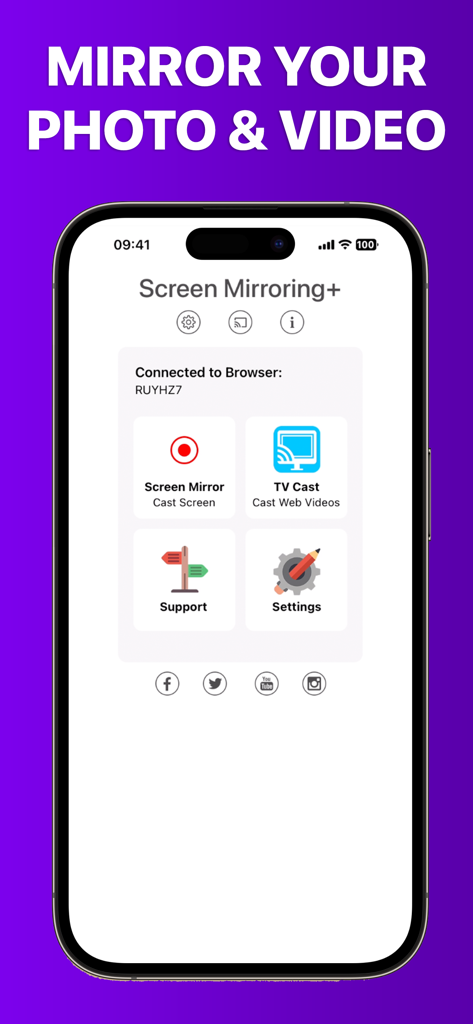
iPhone에서 Roku로 미디어 캐스팅을 위한 Roku 앱의 Screen Mirroring+ 홈 화면
iPhone 콘텐츠를 더 크게 즐기세요
이 앱을 돋보이게 하는 도구, 676K+ 명의 사용자가 선택.
⚡
지연 없는 미러링
1초 미만의 지연 시간으로 업계 최고의 성능을 경험하세요. 소셜 미디어를 스크롤하거나, 웹을 탐색하거나, 대형 화면에서 모바일 게임을 즐기기에 완벽합니다.
📺
가족 친화적 캐스팅
휴가 사진, 홈 비디오, 프레젠테이션을 iPhone 또는 iPad에서 즉시 공유하세요. 작은 화면 주위에 모여 앉을 필요 없이 모두 함께 즐기세요.
💎
숨겨진 구독 없음
주간 요금이나 비싼 Apple TV 하드웨어에 지불하는 것을 중단하세요. 투명하고 고품질의 성능을 원하는 가치 지향적인 사용자를 위해 설계된 전문 유틸리티를 즐기세요.
리뷰 분석
사용자 리뷰 인사이트.
감정 점수
9%
부정적
요약
This mobile app receives overwhelmingly negative feedback, with most users reporting that the core screen mirroring functionality simply 'doesn't work' or is plagued by significant performance issues such as extreme lag, low resolution, and choppiness. Many reviewers express frustration over having paid for the app only to find it unusable, leading to frequent requests for refunds and complaints about wasted money. Users also highlighted difficulties with initial setup, a lack of intuitive instructions, and non-existent customer support. Specific version-related issues include Netflix content restrictions and incompatibility with iOS 18, overshadowing the few positive experiences with basic screen mirroring or services like Hulu.
주요 테마
Connectivity & Reliability(28)
Payment & Value(18)
Performance & Quality(11)
Ease of Use & Setup(5)
Customer Support(4)
Positive Screen Mirroring Experiences(3)
앱 소개
에 대해 알아야 할 모든 것 Screen Mirroring+ for Roku.
설명
Screen Mirroring+ for Roku is the easy mirror app to share your iPhone or iPad screen on your Roku Streaming Player, Roku Stick or Roku TV. It's the most advanced screen mirroring solution with zero delay and the highest screen quality.
Mirror photos, videos, games, websites, apps, presentations, documents and spreadsheets on Roku.
* SUPPORTED Roku Players: Roku TV, Roku Streaming Stick, Roku Express, Roku Premiere, Roku Ultra, Roku 2, Roku 3, Roku 4, Roku HD (2500), Roku LT (2400+2450) Player. Please make sure that firmware 5.1 or later is installed.
* SUPPORTED Roku TVs: Hisense, Sharp, TCL, Insignia, Hitachi, Philips, Element, JVC, Metz, Coocaa, Westinghouse, Onn
* NOT SUPPORTED Roku Players: Roku classic models (N1000, N1050, N1100, N1101), Roku 2000, 2050, 2100, Telstra TV, NOW TV Stick & Box, Sky Ticket (WOW TV).
* Your iPhone/iPad and your Roku must be connected to the same wifi to enable screen mirroring. Please do not use VPN, Proxy, VLANS and Subnets.
* Latency is supreme (below 1 second) when you have good wifi network conditions
* No hidden subscriptions or costs
* Black screen issues: Some third party apps prevent screen mirroring. When you try to mirror them, you will just see a black screen on your TV, for example with Netflix and Disney+. This is a restriction chosen by Netflix and others, so we cannot fix it at the moment.
If you like the app and our constant work on it, please give the app a positive rating on the App Store. Many thanks in advance from the development & support team.
Disclaimer: This app is not affiliated with Roku or any other trademark mentioned here. ROKU, the ROKU Logo, STREAMING STICK, ROKU TV, ROKU POWERED, the ROKU POWERED Logo, ROKU READY, the ROKU READY Logo, the purple fabric tag design, the purple d-pad design, "STOP DREAMING. START STREAMING.", "HAPPY STREAMING", "THERE'S A TON OF ENTERTAINMENT IN THIS LITTLE BOX," and "NOW THIS IS TV" are trademarks and/or registered trademarks of Roku, Inc. in the United States and other countries.
최신 버전
3.6
크기
21.4 MB
출시일
2019년 2월 24일
오늘 지연 없는 미러링 경험하기
iPhone과 Roku의 간극을 메우는 676,000명 이상의 사용자와 함께하세요. 숨겨진 구독이나 지연 없이 좋아하는 콘텐츠를 대형 화면에서 즐기세요.
App information, icons, screenshots, and descriptions displayed on this page are sourced from the Apple App Store and are the property of their respective developers. Download estimates and rankings are based on MWM's proprietary models and may not reflect actual figures. This page is provided for informational and analytical purposes only.
Believe this page infringes your intellectual property? File a dispute