Screen Recorder - Dual Cam

Screen Recorder - Dual Cam

다운로드: App Store
로고: Screen Recorder - Dual Cam

Screen Recorder - Dual Cam: 전문가 수준의 콘텐츠를 위한 올인원 스튜디오

여러 Face-Cam 및 해설과 함께 고해상도 화면 녹화를 캡처하세요. TikTok 또는 YouTube에 맞게 편집하고 즉시 공유하세요. 모든 것을 iPhone에서 해결하세요.

개발사

Mohammad Mahmudul Hasan

카테고리

Utilities

다운로드

5K+

사용자 평점

3.9/5

총 평가 수

200

지원 언어

17

작업 중인 스튜디오

이 인터페이스를 사용하는 5K+ 명의 사용자.

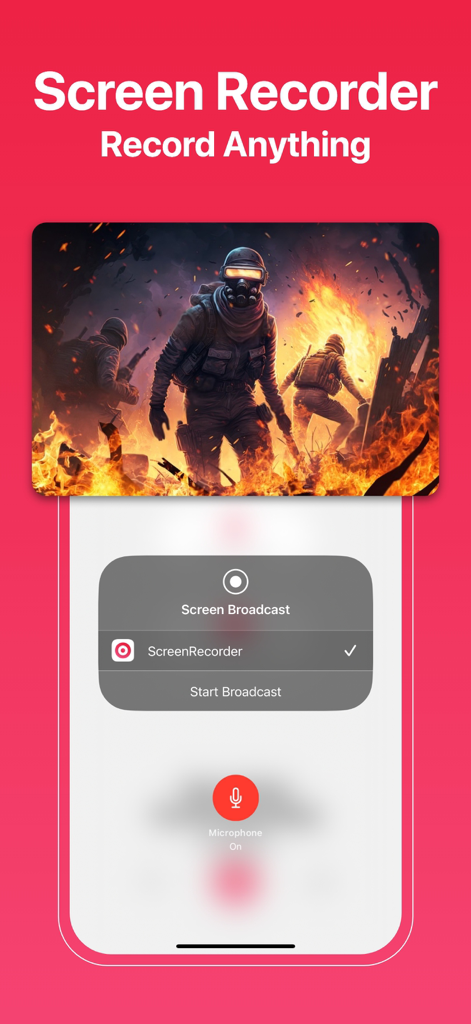
모바일 게임 녹화 및 시작 방송 메뉴가 있는 Screen Recorder 앱 인터페이스.
모바일 게임 녹화 및 시작 방송 메뉴가 있는 Screen Recorder 앱 인터페이스.

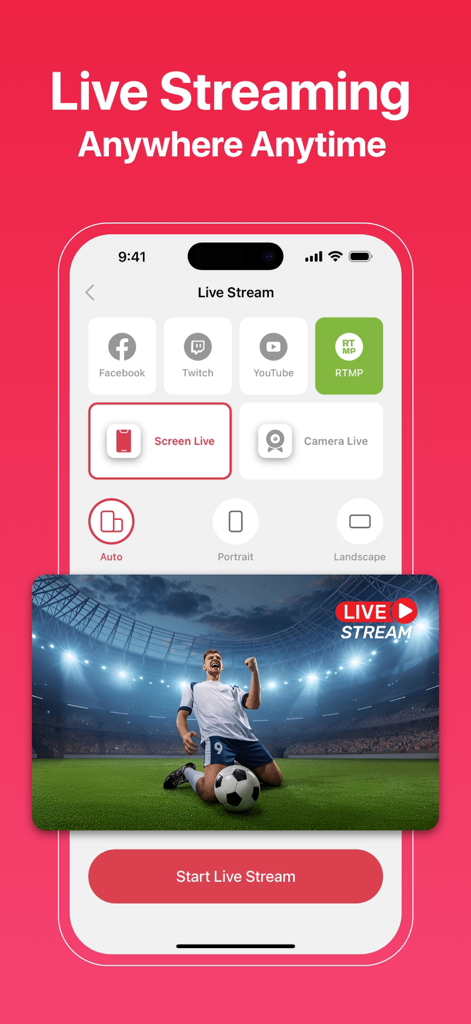
화면 녹화 기능이 있는 Facebook, Twitch 및 YouTube용 라이브 스트리밍 옵션을 보여주는 모바일 앱 인터페이스
화면 녹화 기능이 있는 Facebook, Twitch 및 YouTube용 라이브 스트리밍 옵션을 보여주는 모바일 앱 인터페이스

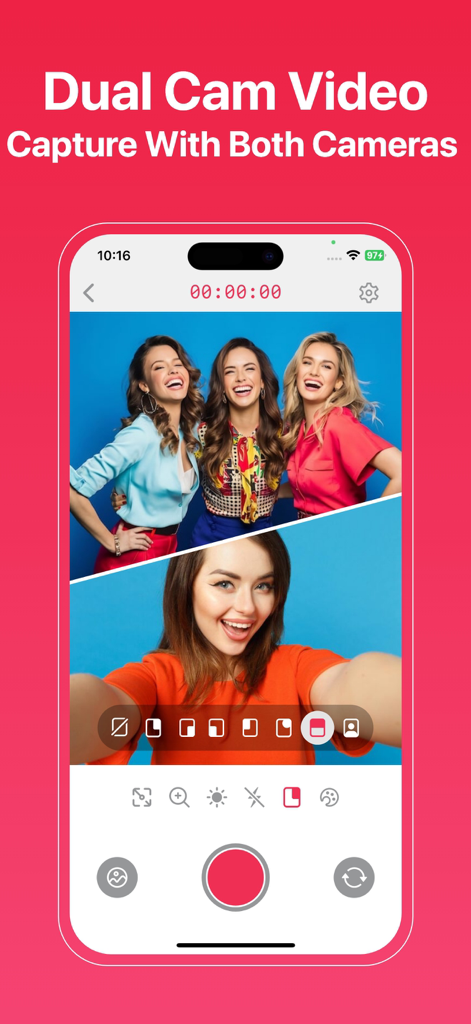
듀얼 캠 기능을 사용하여 전면 및 후면 카메라로 분할 화면 보기에서 녹화하는 모습을 보여주는 Screen Recorder 앱 인터페이스
듀얼 캠 기능을 사용하여 전면 및 후면 카메라로 분할 화면 보기에서 녹화하는 모습을 보여주는 Screen Recorder 앱 인터페이스

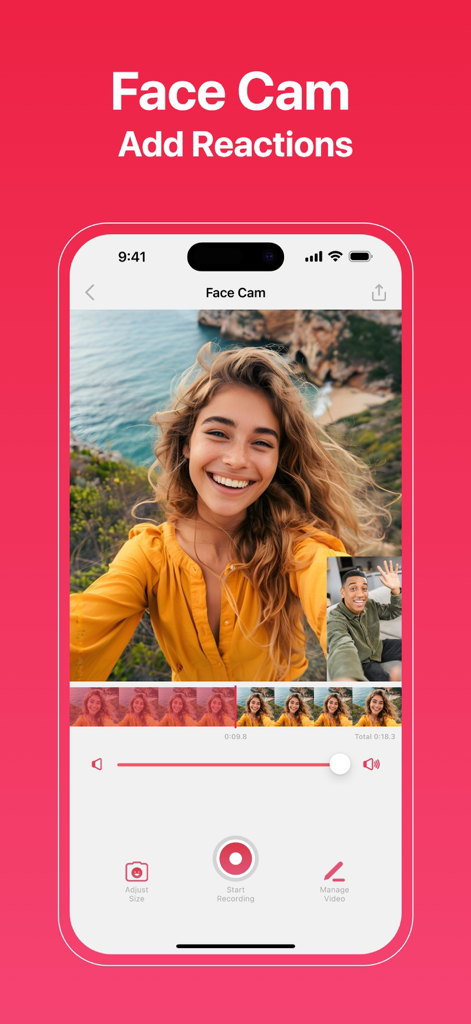
iPhone에서 Face Cam 및 반응 비디오 기능을 보여주는 Screen Recorder 앱 인터페이스
iPhone에서 Face Cam 및 반응 비디오 기능을 보여주는 Screen Recorder 앱 인터페이스

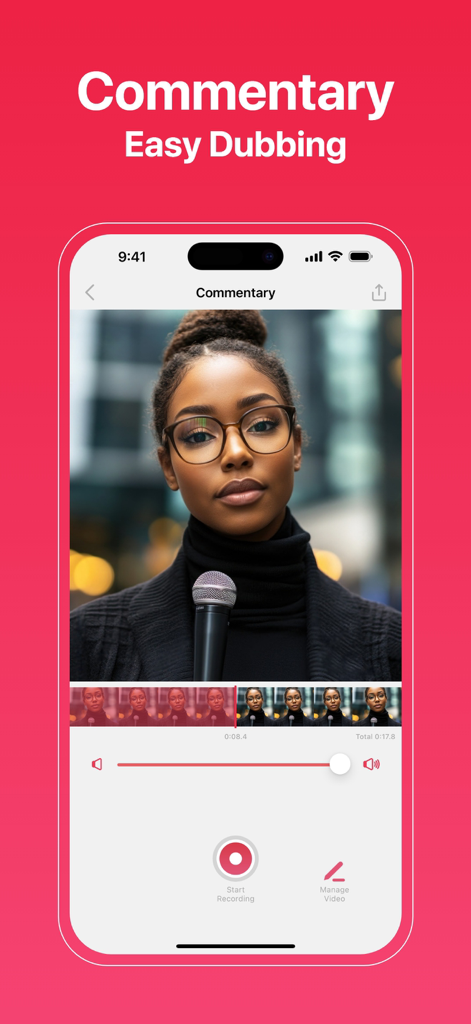
비디오 편집 도구가 있는 해설 및 쉬운 더빙 기능을 보여주는 모바일 화면 녹화기 앱 인터페이스
비디오 편집 도구가 있는 해설 및 쉬운 더빙 기능을 보여주는 모바일 화면 녹화기 앱 인터페이스

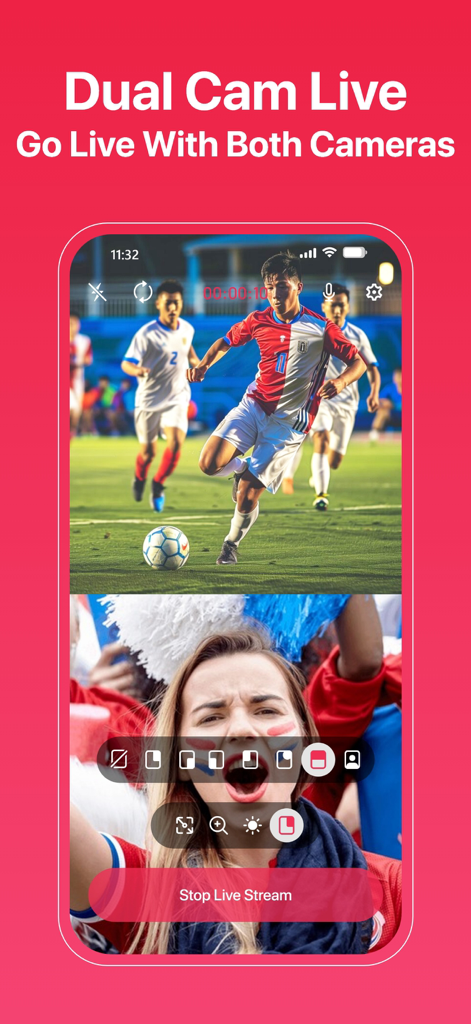
축구 경기와 반응 Face-Cam이 있는 듀얼 카메라 라이브 녹화를 보여주는 iPhone 앱 화면
축구 경기와 반응 Face-Cam이 있는 듀얼 카메라 라이브 녹화를 보여주는 iPhone 앱 화면

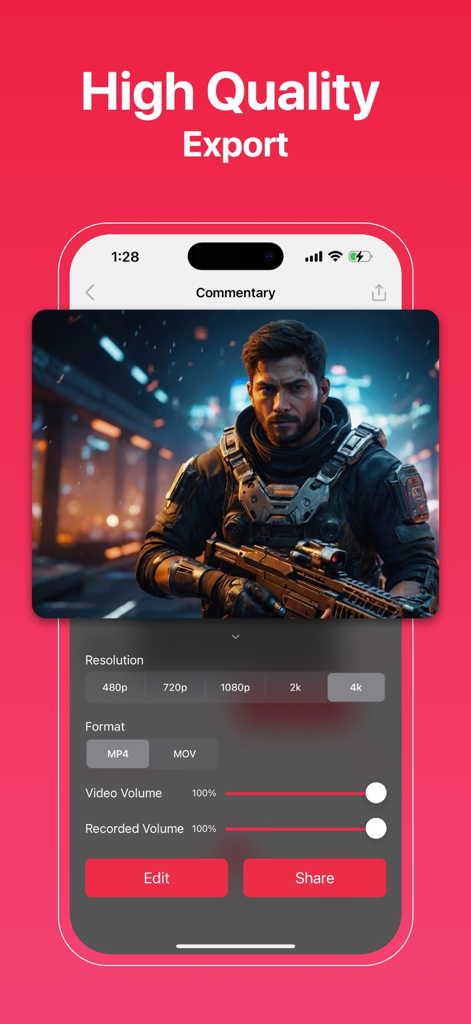
4K 고해상도 내보내기 설정 및 공유 옵션을 보여주는 Screen Recorder 앱 인터페이스
4K 고해상도 내보내기 설정 및 공유 옵션을 보여주는 Screen Recorder 앱 인터페이스

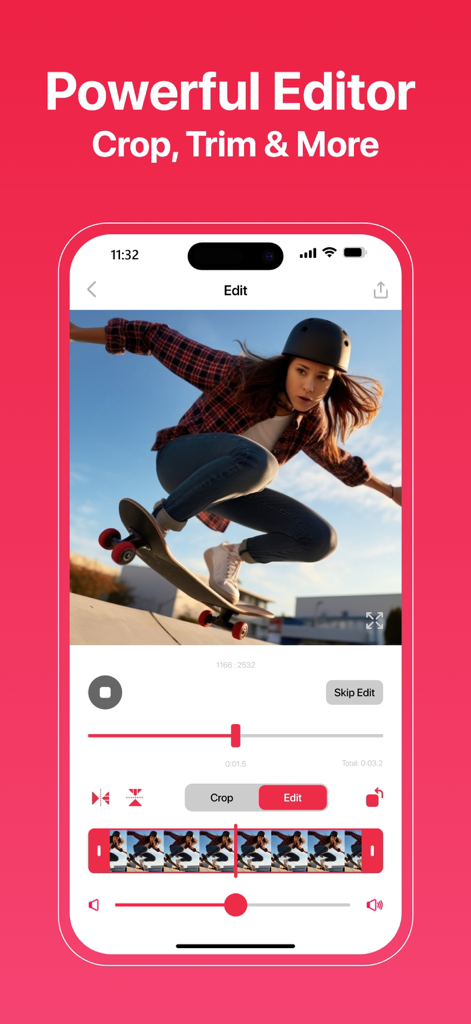
크리에이터를 위한 자르기 및 다듬기 도구가 있는 강력한 모바일 비디오 편집기를 보여주는 iPhone 화면
크리에이터를 위한 자르기 및 다듬기 도구가 있는 강력한 모바일 비디오 편집기를 보여주는 iPhone 화면

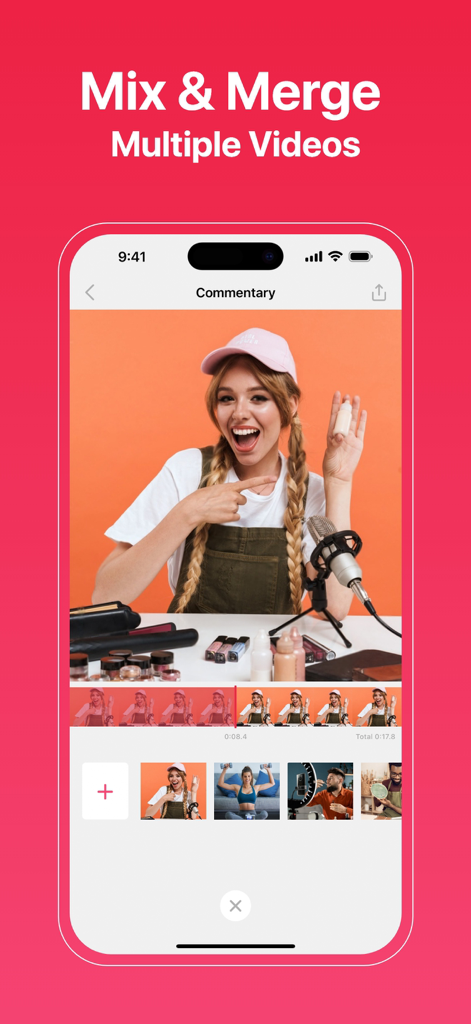
해설 기능이 있는 여러 비디오 클립을 혼합하고 병합하기 위한 Screen Recorder 앱 인터페이스를 표시하는 iPhone 화면.
해설 기능이 있는 여러 비디오 클립을 혼합하고 병합하기 위한 Screen Recorder 앱 인터페이스를 표시하는 iPhone 화면.

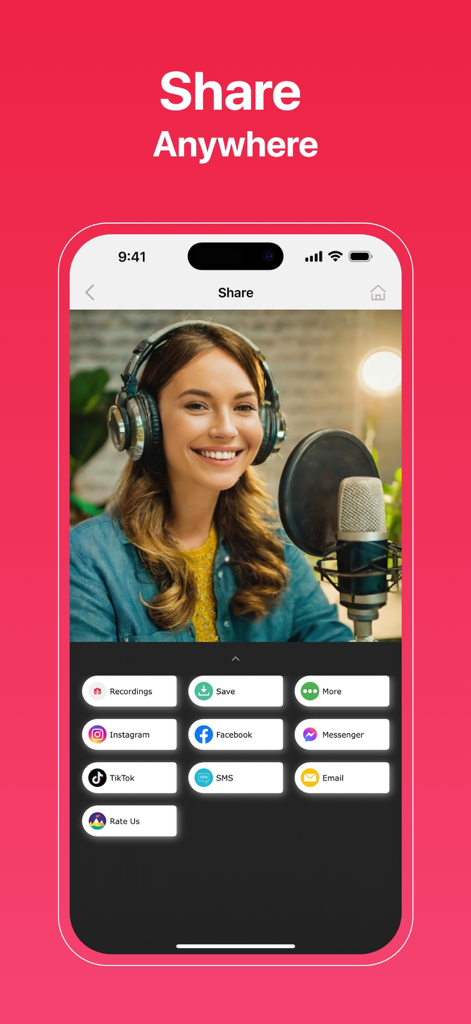
캡처된 비디오에 대한 TikTok 및 Instagram을 포함한 여러 소셜 미디어 공유 옵션을 표시하는 Screen Recorder 앱용 모바일 인터페이스

캡처된 비디오에 대한 TikTok 및 Instagram을 포함한 여러 소셜 미디어 공유 옵션을 표시하는 Screen Recorder 앱용 모바일 인터페이스

콘텐츠 제작 수준을 높이세요

이 앱을 돋보이게 하는 도구, 5K+ 명의 사용자가 선택.

🎭

멀티캠 반응

여러 Face-Cam 오버레이와 원활한 해설로 모든 동영상에 개성을 더하여 잠재고객과의 깊은 연결을 구축하세요.

📱

듀얼 캠 다용도

전면 및 후면 카메라를 사용하여 화면과 주변 환경을 동시에 녹화하세요. 언박싱 및 모바일 게임을 위한 최고의 도구입니다.

플랫폼 준비 편집

앱을 벗어나지 않고도 TikTok, Reels 또는 YouTube에 맞게 캔버스 크기를 즉시 조정하고 선명한 4K 해상도로 내보내세요.

앱 소개

에 대해 알아야 할 모든 것 Screen Recorder - Dual Cam.

설명

The All-in-One Solution for Flawless Screen Recording: Screen Recorder! With our app, you can record, edit, and share screen recordings more easily than ever before. Whether you’re a content creator, educator, gamer, or just capturing priceless moments, Screen Recorder is here to meet your needs. Key Features: Record Screen Capture seamless, high-resolution screen recordings. Perfect for tutorials, lectures, gameplay, and more. My Recordings (Drafts) Store and manage your recordings effortlessly with Drafts. Keep them accessible and well-organized for future editing and sharing. Face-cam Add more than one face-cam video to your recordings. Customize the size and placement of each face-cam for an engaging and interactive experience. Commentary Include multiple commentary videos to enhance your recordings. Ideal for lessons, reactions, or presentations, this feature helps you provide detailed explanations and insights. Video Crop Focus on the most important parts by cutting out unwanted sections of your video. Video Rotate Adjust your video orientation effortlessly. Whether flipping or turning it upside down, ensure perfect alignment every time. Video Trim Remove unnecessary portions to create concise and impactful content. Video Volume Fine-tune audio levels for a professional-quality recording. Ensure your voice and background sounds are perfectly balanced. Video Flip Flip videos vertically or horizontally to achieve the desired perspective. Dual-Cam Stream your screen and yourself simultaneously with front- and rear-camera functionality. Canvas Resize the canvas to fit any platform or requirement. Create content for presentations, social media, or personal projects with ease. User-Friendly Interface Navigate and utilize all features effortlessly with our intuitive design. High-Quality Output Enjoy professional editing tools and high-resolution recordings, including HD and 4K, to ensure your videos look and sound fantastic. Seamless Sharing Share your video recordings directly to Facebook, Instagram, Messenger, and more. Why Choose a Screen Recorder? Screen Recorder is designed to be user-friendly and versatile, catering to a broad range of users. Whether you’re a professional creating presentations, a teacher crafting educational materials, a gamer sharing achievements, or a content creator producing high-quality videos, this app has everything you need. Screen Recorder Subscription: * Using a subscription you have access to keep backup using dropbox or google drive, unlimited recordings and more. Watermarks and advertisements will be removed automatically. * Screen Recorder subscription is billed weekly, monthly or annually at the rate corresponding to the selected plan. * Payment will be charged to iTunes Account at confirmation of purchase. * Subscription automatically renews unless auto-renew is turned off at least 24-hours before the end of the current period. * Account will be charged for renewal within 24-hours prior to the end of the current period, and identify the cost of the renewal. * Subscriptions may be managed by the user and auto-renewal may be turned off by going to the user's Account Settings after purchase. * Any unused portion of a free trial period, if offered, will be forfeited when the user purchases a subscription to that publication, where applicable. - Terms & Conditions: https://app.matrixsolution.xyz/documents/Terms&Conditions.html - Privacy Policy: https://app.matrixsolution.xyz/documents/PrivacyPolicy_ScreenRecorder.html Got questions or feedback? Reach out to our dedicated support team at support@matrixsolution.xyz Follow us on social media: Facebook: @matrixsolution16

최신 버전

2.0

크기

36.2 MB

출시일

2024년 12월 11일

바이럴 성공을 향한 여정을 시작하세요

차세대 크리에이터와 함께하세요. iPhone에서 4K 게임 플레이를 캡처하고, 듀얼 캠 반응을 녹화하고, 전문가처럼 편집하세요. 여러분의 잠재고객이 기다리고 있습니다.

다운로드: App Store
FAQ

자주 묻는 질문

에 대해 알아야 할 모든 것 Screen Recorder - Dual Cam

Screen Recorder - Dual Cam이란 무엇인가요?

Screen Recorder - Dual Cam은 화면 녹화, 편집, 비디오 공유를 위한 올인원 솔루션입니다. 콘텐츠 제작자, 교육자, 게이머를 위한 듀얼 캠, 얼굴 캠, 해설과 같은 기능을 제공합니다.

Screen Recorder - Dual Cam으로 화면을 녹화할 수 있나요?

예, Screen Recorder - Dual Cam은 끊김 없는 고해상도 화면 녹화를 캡처합니다. 튜토리얼, 강의, 게임 플레이 및 기타 다양한 비디오 콘텐츠 제작에 적합합니다.

Screen Recorder - Dual Cam은 듀얼 카메라 녹화를 지원하나요?

예, Screen Recorder - Dual Cam은 듀얼 카메라 녹화를 지원합니다. 이를 통해 사용자는 전면 및 후면 카메라를 모두 사용하여 화면과 자신을 동시에 스트리밍할 수 있습니다.

Screen Recorder - Dual Cam을 사용하여 녹화에 제 얼굴을 어떻게 추가하나요?

Screen Recorder - Dual Cam에는 Face-cam 기능이 포함되어 있습니다. 사용자는 여러 개의 얼굴 캠 비디오를 추가하고 크기와 배치를 사용자 지정하여 매력적이고 대화형인 녹화 경험을 제공할 수 있습니다.

Screen Recorder - Dual Cam에서 어떤 편집 기능을 사용할 수 있나요?

Screen Recorder - Dual Cam은 비디오 자르기, 회전, 트리밍, 볼륨 조절, 플립과 같은 강력한 편집 도구를 제공합니다. 캔버스 크기 조절도 가능하며 고품질 내보내기를 지원합니다.

Screen Recorder - Dual Cam은 내보내기 시 어떤 해상도를 지원하나요?

Screen Recorder - Dual Cam은 HD 및 4K를 포함한 고품질 출력 해상도를 지원합니다. 사용자는 MP4 및 MOV와 같은 형식으로 비디오를 내보낼 수 있습니다.

Screen Recorder - Dual Cam에서 비디오를 소셜 미디어에 직접 공유할 수 있나요?

예, Screen Recorder - Dual Cam은 원활한 공유 기능을 제공합니다. 사용자는 Facebook, Instagram, Messenger, TikTok과 같은 소셜 미디어 플랫폼에 비디오 녹화를 직접 공유할 수 있습니다.

Screen Recorder - Dual Cam의 구독은 어떻게 작동하나요?

Screen Recorder - Dual Cam 구독은 주간, 월간 또는 연간으로 청구됩니다. 무제한 녹화, 클라우드 서비스 백업을 제공하며 워터마크 및 광고를 자동으로 제거합니다.

Screen Recorder - Dual Cam은 워터마크를 제거하나요?

예, Screen Recorder - Dual Cam 구독을 구매하면 모든 녹화에서 워터마크와 광고가 자동으로 제거됩니다.

Screen Recorder - Dual Cam의 개인정보처리방침은 어디에서 찾을 수 있나요?

Screen Recorder - Dual Cam의 개인정보처리방침은 https://app.matrixsolution.xyz/documents/PrivacyPolicy_ScreenRecorder.html에서 확인할 수 있습니다.

Screen Recorder - Dual Cam으로 라이브 스트리밍을 할 수 있나요?

예, Screen Recorder - Dual Cam을 사용하면 언제 어디서든 라이브 스트리밍을 할 수 있습니다. Facebook, Twitch, YouTube, RTMP와 같은 플랫폼으로의 스트리밍을 지원합니다.

Screen Recorder - Dual Cam에서 녹화를 어떻게 관리하나요?

Screen Recorder - Dual Cam에는 '내 녹화 (초안)' 기능이 포함되어 있습니다. 이를 통해 사용자는 녹화를 쉽게 저장하고 관리하여 향후 편집 및 공유를 위해 정리할 수 있습니다.

Screen Recorder - Dual Cam은 여러 개의 해설 비디오를 포함할 수 있나요?

예, Screen Recorder - Dual Cam을 사용하면 여러 개의 해설 비디오를 포함할 수 있습니다. 이는 강의나 프레젠테이션에 이상적인 상세한 설명과 통찰력을 제공하여 녹화를 향상시킵니다.

App information, icons, screenshots, and descriptions displayed on this page are sourced from the Apple App Store and are the property of their respective developers. Download estimates and rankings are based on MWM's proprietary models and may not reflect actual figures. This page is provided for informational and analytical purposes only.

Believe this page infringes your intellectual property? File a dispute