
이 페이지는 앱이나 개발자의 공식 페이지가 아니며, 정보 제공 및 논평을 목적으로 작성된 독립 편집 간행물입니다. 명시적으로 달리 언급되지 않는 한, 해당 앱이나 개발자는 MWM, Apple, Google Play, 앱 퍼블리셔 또는 앱 개발자와 제휴, 보증, 후원, 승인 또는 공식적으로 연결되어 있지 않으며, 이 페이지의 어떤 내용도 해당 앱이 MWM의 서비스를 사용하여 개발되었음을 의미하지 않습니다. 모든 상표, 로고, 스크린샷 및 기타 콘텐츠는 해당 소유자의 자산입니다.


Screen Recorder & Record Video
놀라운 게임 플레이를 녹화하고, FaceCam으로 바이럴 반응을 만들고, 탭 한 번으로 전문가처럼 편집하세요. 화면을 브랜드로 만들고 궁극의 녹화 툴킷으로 팔로워를 늘리세요.
다운로드
299K+사용자 평점
총 평가 수
4K+개발사
카테고리
Photo & Video지원 언어
2최신 버전
11.2크기
197.4 MB출시일
2019년 9월 18일내면의 크리에이터를 발휘하세요
초당 바이럴 콘텐츠를 녹화, 반응, 편집하는 데 도움이 되는 전체 전문가 도구 모음으로 기본 화면 녹화를 넘어서세요.
FaceCam 반응
화면과 얼굴을 동시에 녹화하세요. 브랜드를 구축하고 팔로워와 연결하는 매력적인 반응 동영상을 만드는 데 완벽합니다.
프로 게임 플레이 캡처
고품질 오디오와 선명한 해상도로 좋아하는 모바일 게임을 녹화하세요. 승리와 전략을 공유하기 위해 실시간 해설을 추가하세요.
자주 묻는 질문
에 대해 알아야 할 모든 것 Screen Recorder & Record Video
Screen Recorder & Record Video란 무엇인가요?
Screen Recorder & Record Video는 기기의 화면을 캡처하고, 비디오 게임을 녹화하며, 튜토리얼을 만드는 앱입니다. FaceCam 반응, 실시간 해설, 녹화 개선을 위한 인앱 비디오 편집기와 같은 기능을 포함합니다.
Screen Recorder & Record Video로 게임을 녹화할 수 있나요?
네, Screen Recorder & Record Video를 사용하면 좋아하는 비디오 게임을 촬영하고 특별한 게임 플레이를 만들 수 있습니다. 이 앱은 활성 애플리케이션에 관계없이 화면을 캡처합니다.
Screen Recorder & Record Video는 FaceCam 녹화를 지원하나요?
네, Screen Recorder & Record Video 앱을 사용하면 갤러리의 동영상에 반응하는 경이로운 FaceCam 동영상을 녹화할 수 있어 동영상 반응이 전문적으로 보이게 합니다.
Screen Recorder & Record Video로 화면 녹화에 오디오 해설을 추가할 수 있나요?
네, 사용자는 기기 화면을 녹화하고 동영상에 실시간 해설을 추가할 수 있습니다. 이 앱은 튜토리얼이나 교육을 위해 마이크를 켜거나 끌 수 있는 옵션을 제공합니다.
Screen Recorder & Record Video는 어떤 편집 기능을 제공하나요?
Screen Recorder & Record Video에는 인앱 비디오 편집기가 포함되어 있습니다. 이 편집기를 사용하면 사용자는 녹화 내용을 다듬고, 자르고, 스티커를 추가하고, 필터를 적용하고, 완전히 사용자 정의 가능한 텍스트를 포함할 수 있습니다.
Screen Recorder & Record Video의 가격은 얼마인가요?
Screen Recorder & Record Video는 3일 무료 체험 후 주당 2.99달러, 연간 49.99달러, 연간 19.99달러, 월간 9.99달러를 포함한 다양한 구독 플랜을 제공합니다. 가격은 iTunes 계정으로 청구됩니다.
Screen Recorder & Record Video는 무료 체험을 제공하나요?
네, Screen Recorder & Record Video는 모든 구독 플랜에 대해 3일 무료 체험을 제공합니다. 체험 기간 후에는 자동 갱신이 비활성화되지 않는 한 선택한 구독이 자동으로 갱신됩니다.
Screen Recorder & Record Video 구독을 어떻게 취소하나요?
사용자는 구매 후 iTunes 계정 설정을 통해 구독을 관리합니다. 요금 청구를 피하려면 현재 기간이 종료되기 최소 24시간 전에 자동 갱신을 비활성화해야 합니다. 현재 기간 동안에는 현재 구독 취소가 허용되지 않습니다.
Screen Recorder & Record Video의 개인 정보 보호 정책은 어디서 찾을 수 있나요?
Screen Recorder & Record Video의 개인 정보 보호 정책은 https://topappsandpopulargames.wordpress.com/privacy-policy/에서 확인할 수 있습니다. 이 문서는 사용자 데이터가 애플리케이션에 의해 어떻게 수집되고 사용되는지에 대한 자세한 내용을 담고 있습니다.
Screen Recorder & Record Video에서 녹화 내용을 공유할 수 있나요?
네, 사용자는 반응을 휴대폰에 직접 저장하거나 모든 소셜 네트워크에서 가족 및 친구와 공유할 수 있습니다. 이 기능을 통해 녹화된 콘텐츠를 쉽게 배포할 수 있습니다.
다음 스크린샷과 설명은 앱의 공식 스토어 목록에서 직접 가져온 것이며 앱 개발자의 자산입니다.
앱 스토어
스크린샷
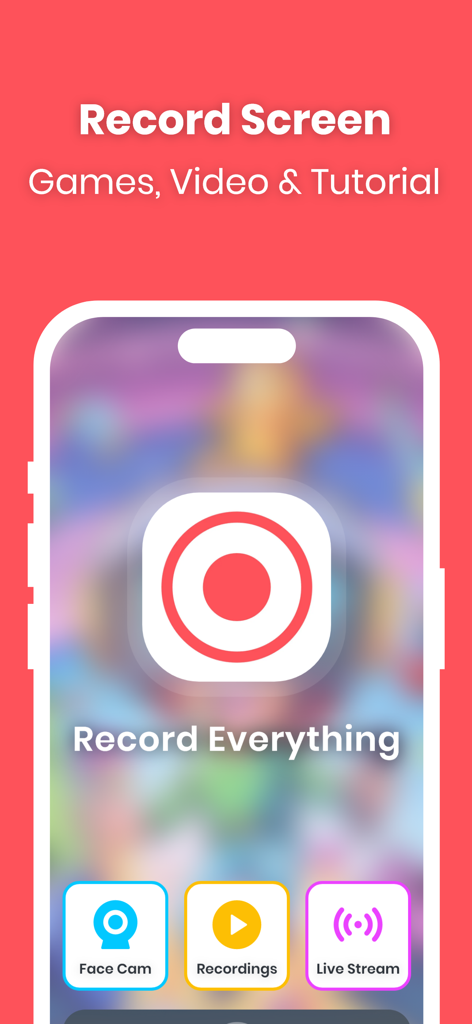
Face Cam 및 실시간 스트림 기능으로 게임 및 튜토리얼을 녹화하기 위한 화면 레코더 앱 인터페이스
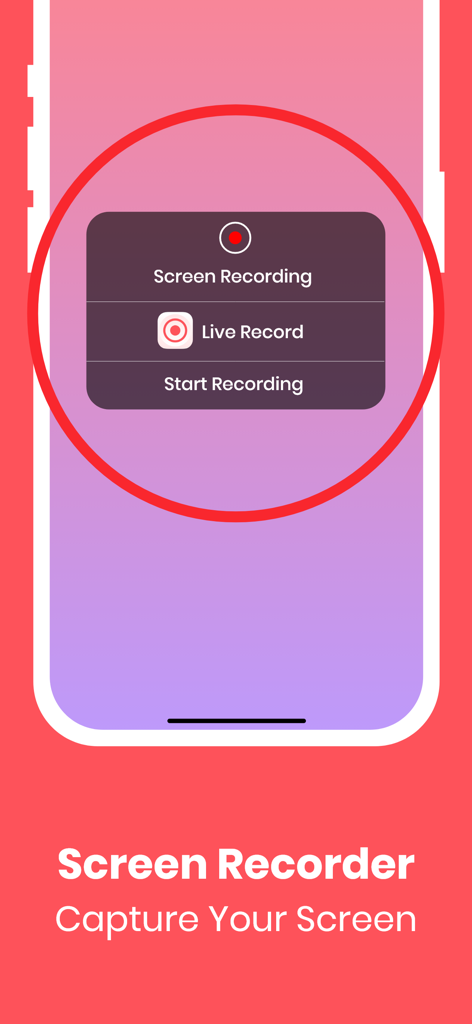
화면 녹화 시작 옵션을 보여주는 모바일 장치의 화면 레코더 앱 인터페이스
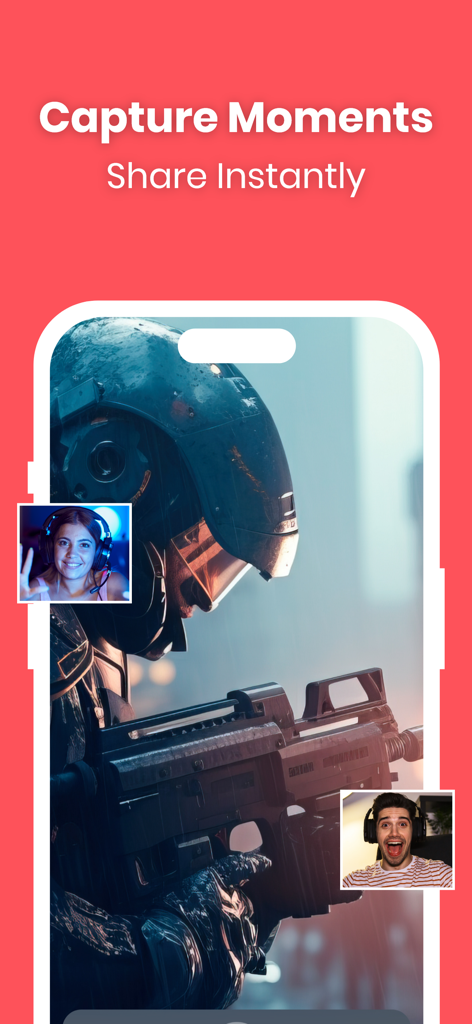
FaceCam 반응 오버레이가 있는 모바일 게임 플레이를 보여주는 화면 레코더 앱 인터페이스
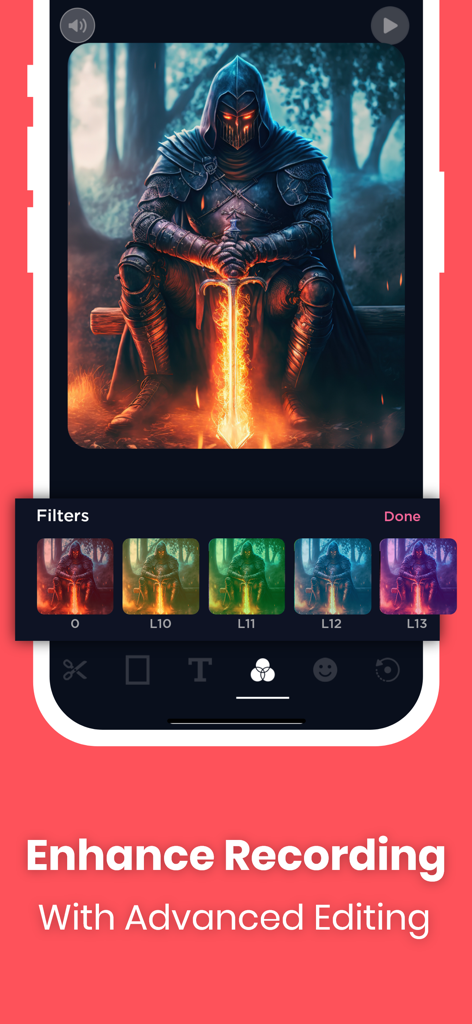
게임 화면 녹화에 고급 비디오 필터가 적용되는 것을 보여주는 모바일 인터페이스
설명
Download
비슷한 앱
유사한 기능과 사용자 경험을 가진 앱

Medal - Game Clipping
Medal B.V.

Screen Recorder,Video Recorder
VIDEOSHOW PTE. LTD.

Screen Recorder
App of the Year LLC

Record it! :: Screen Recorder
DIGISET LLC

Screen Recorder Voice & Video
Arthur Eduardo Skaetta Alvarez Desenvolvimento de Software LTDA.

Screen Recorder ®
Poster App LLP

Super Screen Recorder: Full HD
Dream United, Ltd.

Screen Recorder: Go Record
Torqued Studios LLC

Screen Recorder-Video & Voice
Danila Ianushev
이 페이지는 앱이나 개발자의 공식 페이지가 아니며, 정보 제공 및 논평을 목적으로 작성된 독립 편집 간행물입니다. 명시적으로 달리 언급되지 않는 한, 해당 앱이나 개발자는 MWM, Apple, Google Play, 앱 퍼블리셔 또는 앱 개발자와 제휴, 보증, 후원, 승인 또는 공식적으로 연결되어 있지 않으며, 이 페이지의 어떤 내용도 해당 앱이 MWM의 서비스를 사용하여 개발되었음을 의미하지 않습니다. 모든 상표, 로고, 스크린샷 및 기타 콘텐츠는 해당 소유자의 자산입니다.