Screen Recorder & Recorder

Screen Recorder & Recorder

다운로드: App Store
로고: Screen Recorder & Recorder

스크린 레코더 & 녹화기: 전문가처럼 캡처, 편집, 스트리밍

FaceCam으로 워터마크 없는 튜토리얼, 게임 반응, 공략 영상을 만드세요. 1080p HD로 녹화하고, 내장 편집기로 동영상을 다듬고, 바로 라이브 스트리밍하세요. 모두 하나의 앱에서 가능합니다.

개발사

K NAROLA BROTHERS & CO

카테고리

Productivity

다운로드

143K+

사용자 평점

4.6/5

총 평가 수

2K+

지원 언어

1

한눈에 보는 전문가 수준의 품질

이 인터페이스를 사용하는 143K+ 명의 사용자.

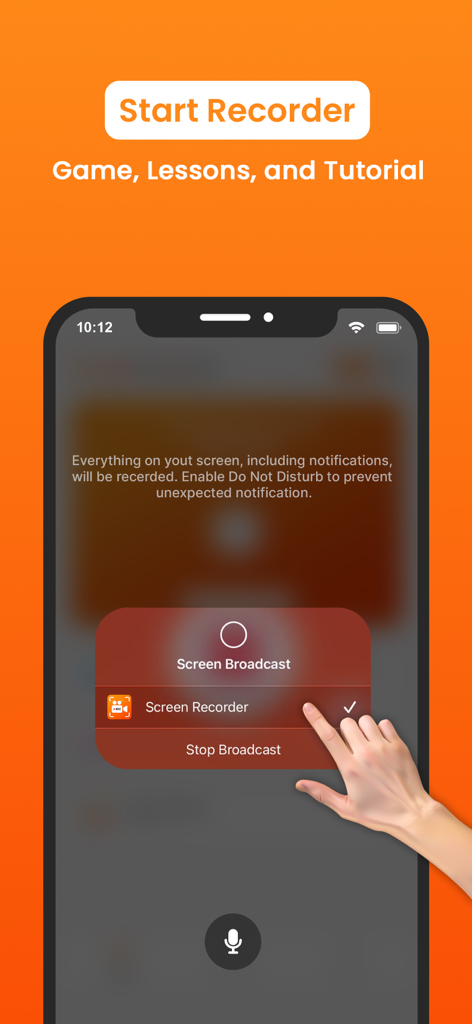
iPhone에서 스크린 레코더 앱을 사용하여 게임 및 튜토리얼용 화면 녹화 세션 시작하기
iPhone에서 스크린 레코더 앱을 사용하여 게임 및 튜토리얼용 화면 녹화 세션 시작하기

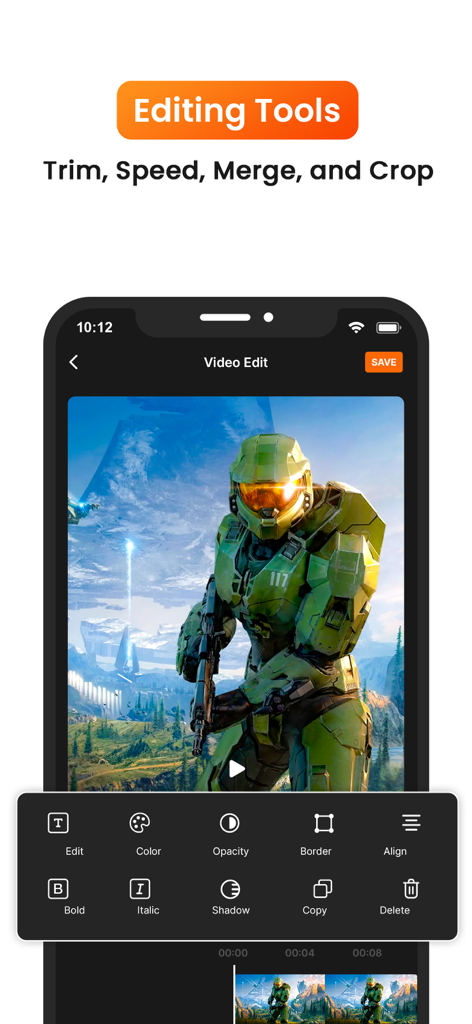
자르기 및 색상 조정 기능을 포함한 게임 푸티지용 동영상 편집 도구를 보여주는 모바일 앱 인터페이스
자르기 및 색상 조정 기능을 포함한 게임 푸티지용 동영상 편집 도구를 보여주는 모바일 앱 인터페이스

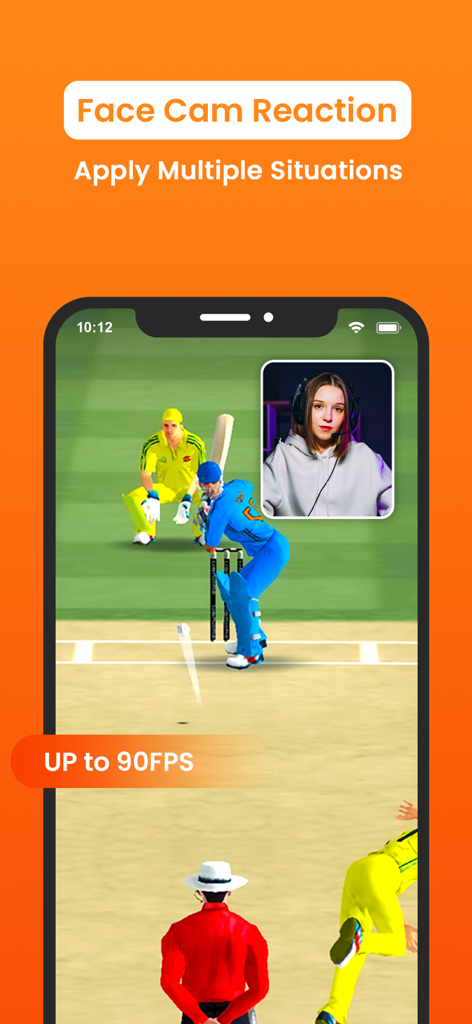
게이머 반응을 위한 Picture-in-Picture FaceCam 오버레이가 있는 크리켓 게임을 보여주는 화면 녹화 앱 인터페이스
게이머 반응을 위한 Picture-in-Picture FaceCam 오버레이가 있는 크리켓 게임을 보여주는 화면 녹화 앱 인터페이스

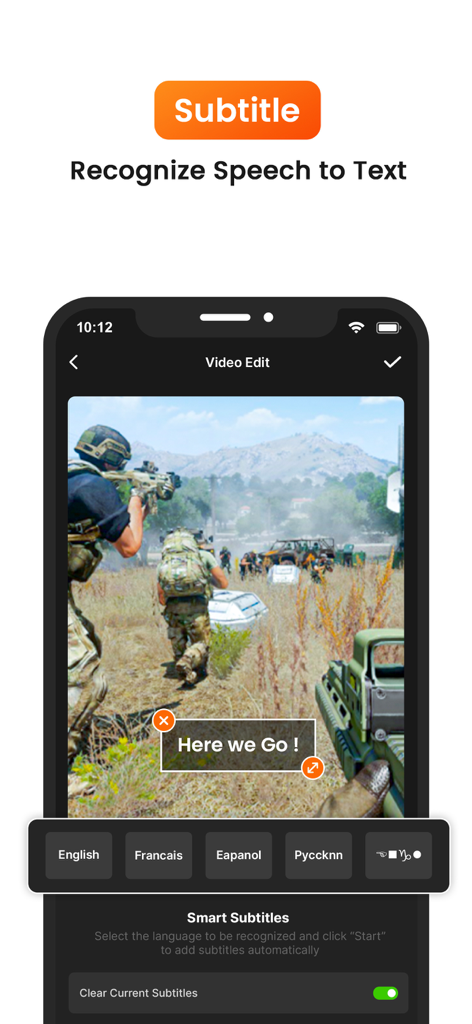
동영상 편집에서 스마트 자막 및 음성 텍스트 변환 추가를 위한 화면 녹화기 앱 인터페이스
동영상 편집에서 스마트 자막 및 음성 텍스트 변환 추가를 위한 화면 녹화기 앱 인터페이스

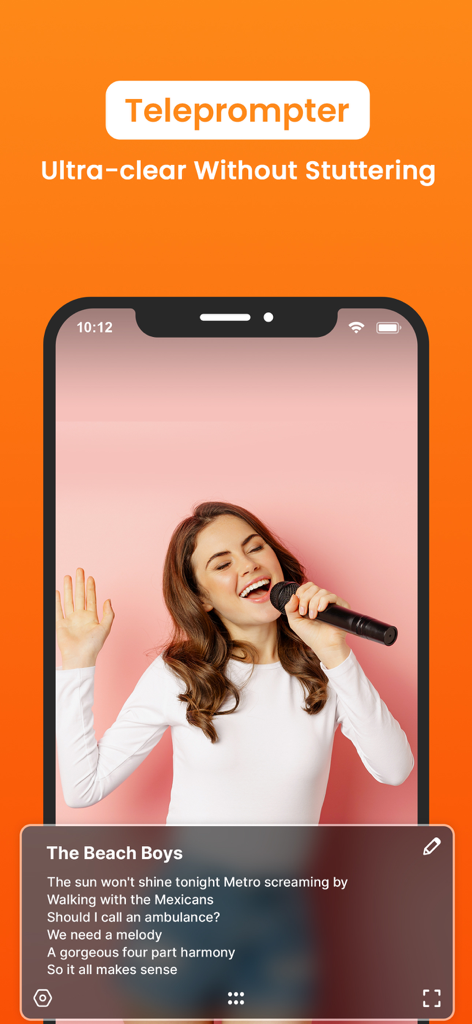
원활한 동영상 녹화 및 스크립트 읽기를 위한 프롬프터 기능이 표시된 모바일 앱 인터페이스
원활한 동영상 녹화 및 스크립트 읽기를 위한 프롬프터 기능이 표시된 모바일 앱 인터페이스

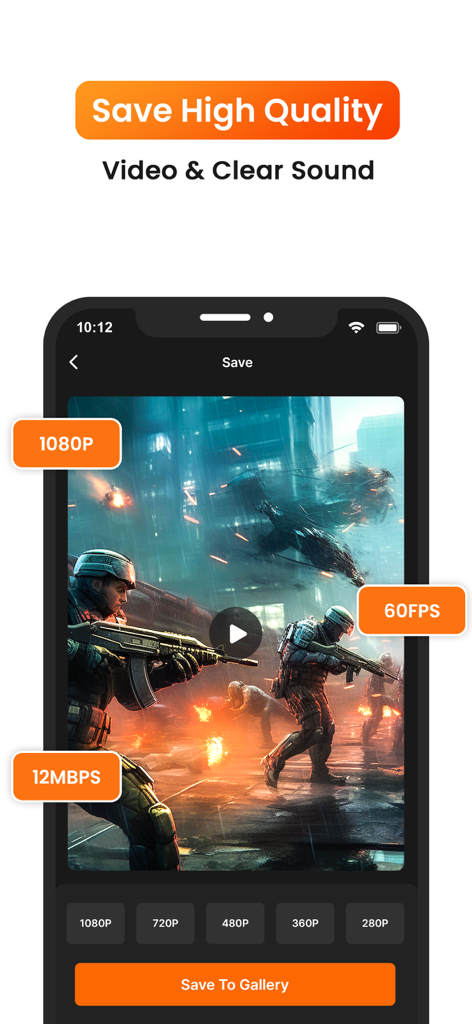
1080p 해상도 및 60fps에 대한 고품질 동영상 내보내기 옵션을 보여주는 화면 녹화 앱 인터페이스

1080p 해상도 및 60fps에 대한 고품질 동영상 내보내기 옵션을 보여주는 화면 녹화 앱 인터페이스

전문가처럼 콘텐츠 만들기

이 앱을 돋보이게 하는 도구, 143K+ 명의 사용자가 선택.

🤳

FaceCam & 오디오 통합

Picture-in-Picture 반응과 선명한 내부 오디오로 게임 플레이 및 튜토리얼에 개성을 더하세요.

✂️

올인원 전문가 편집기

앱을 떠나지 않고도 자르고, 붙이고, 음악을 추가하고, 속도를 조절하세요. 원본 푸티지에서 몇 분 안에 바이럴 영상을 만드세요.

워터마크 없음, 언제나

브랜드에 집중할 수 있는 전문적인 1080p/60fps 동영상을 내보내세요. 깔끔하고 선명하며 어떤 플랫폼에도 적합합니다.

리뷰 분석

사용자 리뷰 인사이트.

감정 점수

28%
부정적

요약

This mobile app receives mixed to largely negative feedback from users. While some appreciate its good video quality, ease of use for general or game recording, and utility for capturing specific sounds (with one user noting the absence of a watermark), the app is plagued by several critical issues. A prevalent problem involves recording functionality, where videos frequently fail to save, are corrupted, or do not appear in the album, with specific reports of previous recordings saving over current ones after multiple uses. Users also widely criticize the lack of essential UI controls, such as a pause button or a floating record indicator, and the overwhelming presence of intrusive and sometimes inappropriate advertisements, alongside various audio problems like delayed or absent sound.

주요 테마

Recording Functionality(6)
Audio Features(3)
User Interface & Controls(2)
Video Quality(2)
Ad & Monetization Experience(1)

앱 소개

에 대해 알아야 할 모든 것 Screen Recorder & Recorder.

설명

Screen Recorder is a powerful and easy-to-use app that allows you to record high-quality videos of your screen activities on Phone. Whether you're creating tutorials, game walkthroughs, or live streams, this app has everything you need to capture and share your screen effortlessly. ◆ Key Features ◆ • High-Quality Screen Recording: Record your screen in HD, up to 1080p resolution and 60 fps for a smooth, high-quality video experience. • FaceCam & Audio Recording: Add a personal touch to your videos by recording yourself using FaceCam, along with internal and external audio support. This is perfect for tutorials, gaming reactions, or presentations. • Live Streaming: Stream your screen directly to popular platforms like YouTube, Twitch, and Facebook in real-time. Engage with your audience while showing off your gameplay, app tutorials, or live presentations. • Video Editor: After recording, polish your videos with our built-in editor. Trim, cut, or merge clips, add text, music, and stickers for professional-looking results. You can even adjust playback speed for timelapse or slow-motion effects. • Video Sharing: Instantly share your recorded videos or live streams to social media platforms like YouTube, Instagram, Facebook, and more, or save them to your device's camera roll for later use. • Customizable Settings: Control recording parameters like resolution, bitrate, and frame rate to tailor your videos to your exact needs. • Record Games, Tutorials, & More: Capture your gameplay, create app tutorials, record video calls, or show step-by-step instructions with ease. • No Watermarks: Enjoy recording your screen without any watermarks, ensuring that your content looks clean and professional. • Background Recording: Continue recording even when switching apps or when your screen is off, perfect for longer tutorials or multi-tasking. • Countdown Timer & Gesture Controls: The countdown timer allows you to prepare before recording, while gesture controls help you highlight important areas on the screen during your video. ◆ Why Choose Screen Recorder? • User-Friendly Interface: Easy setup and recording for both beginners and professionals. • Ad-Free Experience: Enjoy an uninterrupted experience while recording or editing videos. • Free with Optional Premium Features: Get full access to basic recording features for free, with the option to unlock additional tools and advanced features via in-app purchases. ◆ How to Use: 1. Open the app and tap the "Start Recording" button. 2. Adjust your recording settings (resolution, frame rate, etc.). 3. Start recording your screen with just one tap. 4. Once done, access your recording in the gallery to edit or share. 5. Add FaceCam or external audio if needed. 6. Share your content or stream live with the tap of a button! ◆ Perfect for - Gamers looking to share gameplay videos - YouTubers and vloggers creating tutorials and app reviews - Teachers and educators making instructional videos - Anyone who needs to record and share their phone screen activities Get unlimited access to all premium features of Screen Recorder Pro by Subscribe Monthly Screen Recorder Pro at $1.99 and Yearly Screen Recorder Pro at $9.99 to use ads free versions of the premium app which can cancel anytime. • Privacy Policy: https://sites.google.com/view/knarolaprivacy •Terms of Service: https://sites.google.com/view/knarolaterms Download Screen Recorder today and start capturing your screen like a pro! Download now and turn your phone into a powerful content creation tool!

최신 버전

1.9

크기

33.7 MB

출시일

2024년 10월 17일

전문가처럼 화면 캡처 시작하기

143,000명 이상의 크리에이터와 함께 워터마크 없이 고품질 튜토리얼, 게임 플레이, 라이브 스트리밍을 녹화하세요. 지금 다운로드하여 휴대폰을 전문적인 프로덕션 스튜디오로 바꿔보세요.

다운로드: App Store

App information, icons, screenshots, and descriptions displayed on this page are sourced from the Apple App Store and are the property of their respective developers. Download estimates and rankings are based on MWM's proprietary models and may not reflect actual figures. This page is provided for informational and analytical purposes only.

Believe this page infringes your intellectual property? File a dispute