Screen Recorder,Screen Capture
다운로드: App Store

이 페이지는 앱이나 개발자의 공식 페이지가 아니며, 정보 제공 및 논평을 목적으로 작성된 독립 편집 간행물입니다. 명시적으로 달리 언급되지 않는 한, 해당 앱이나 개발자는 MWM, Apple, Google Play, 앱 퍼블리셔 또는 앱 개발자와 제휴, 보증, 후원, 승인 또는 공식적으로 연결되어 있지 않으며, 이 페이지의 어떤 내용도 해당 앱이 MWM의 서비스를 사용하여 개발되었음을 의미하지 않습니다. 모든 상표, 로고, 스크린샷 및 기타 콘텐츠는 해당 소유자의 자산입니다.

로고: Screen Recorder,Screen Capture
다운로드: App Store

Screen Recorder,Screen Capture

고화질 게임 플레이를 녹화하고, Twitch로 라이브 스트리밍하고, 전문가용 도구로 콘텐츠를 몇 초 만에 편집하세요. 광고도, 제한도 없이 – 차세대 크리에이터를 위한 완벽한 녹화 및 공유 기능을 제공합니다.

주요 수치

다운로드

111K+

사용자 평점

4.4/5

총 평가 수

3K+

개발사

Maryam Derakhshesh

카테고리

Utilities

지원 언어

17

최신 버전

2.5

크기

19.3 MB

출시일

2019년 4월 9일
기능

전문가처럼 캡처, 편집, 공유하세요

차세대 크리에이터를 위해 디자인된 올인원 광고 없는 스튜디오입니다. 방해 없이 화면 녹화를 고품질 콘텐츠로 전환하세요.

전문가급 게임 캡처

한 번의 탭으로 최고 수준의 순간을 고해상도로 녹화하세요. 광고 없음, 시간 제한 없음, 선택 가능한 마이크 오디오로 완벽한 해설을 더할 수 있습니다.

내장 크리에이티브 스튜디오

추가 앱은 필요 없습니다. 클립을 다듬고, 자르고, 속도를 조절하거나, 맞춤 텍스트와 스티커를 추가하여 TikTok 및 Instagram에서 바이럴될 콘텐츠를 만드세요.

다음 스크린샷과 설명은 앱의 공식 스토어 목록에서 직접 가져온 것이며 앱 개발자의 자산입니다.

앱 스토어

스크린샷
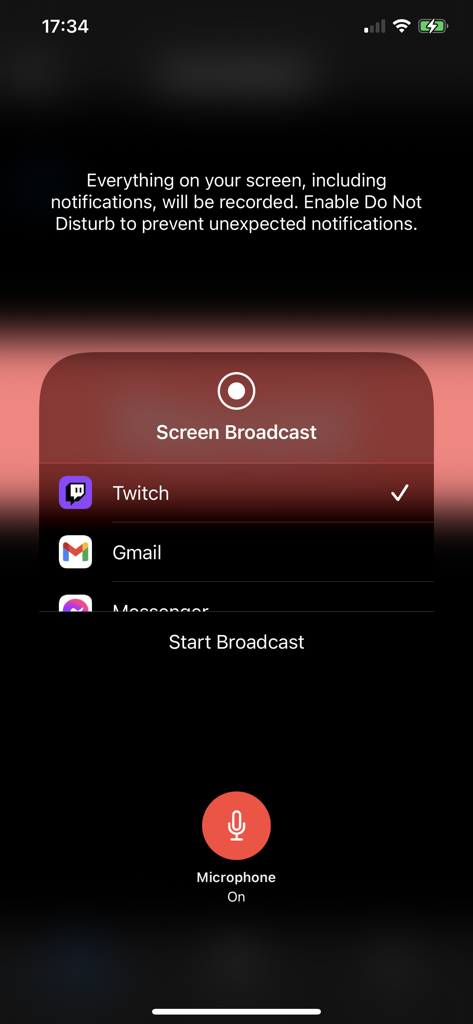
Screen Recorder,Screen Capture - iOS 화면 녹화기 인터페이스, Twitch 방송 옵션 및 마이크 토글 표시
iOS 화면 녹화기 인터페이스, Twitch 방송 옵션 및 마이크 토글 표시

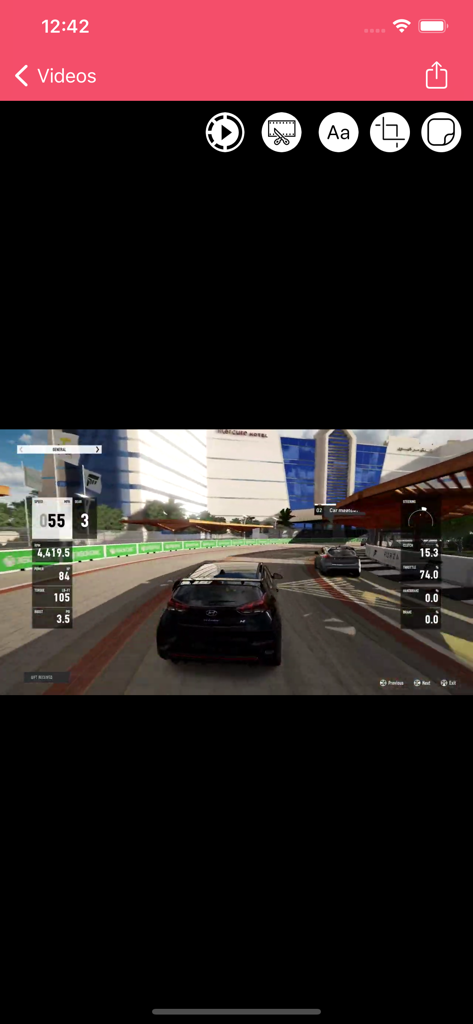
Screen Recorder,Screen Capture - Screen Recorder 앱 인터페이스, 트림, 텍스트, 자르기와 같은 편집 도구가 있는 레이싱 게임 영상 표시
Screen Recorder 앱 인터페이스, 트림, 텍스트, 자르기와 같은 편집 도구가 있는 레이싱 게임 영상 표시

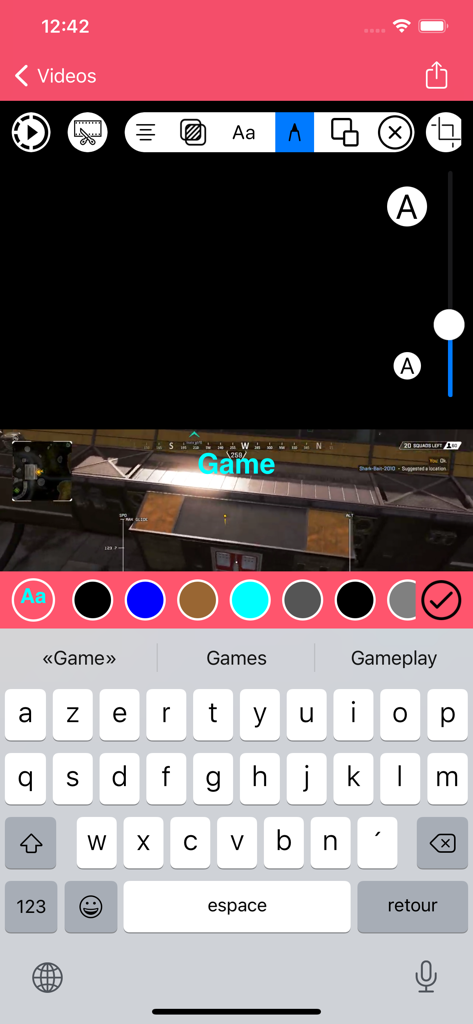
Screen Recorder,Screen Capture - Screen Recorder 앱 인터페이스, 모바일 게임 녹화에 맞춤 텍스트 오버레이가 있는 비디오 편집 표시
Screen Recorder 앱 인터페이스, 모바일 게임 녹화에 맞춤 텍스트 오버레이가 있는 비디오 편집 표시

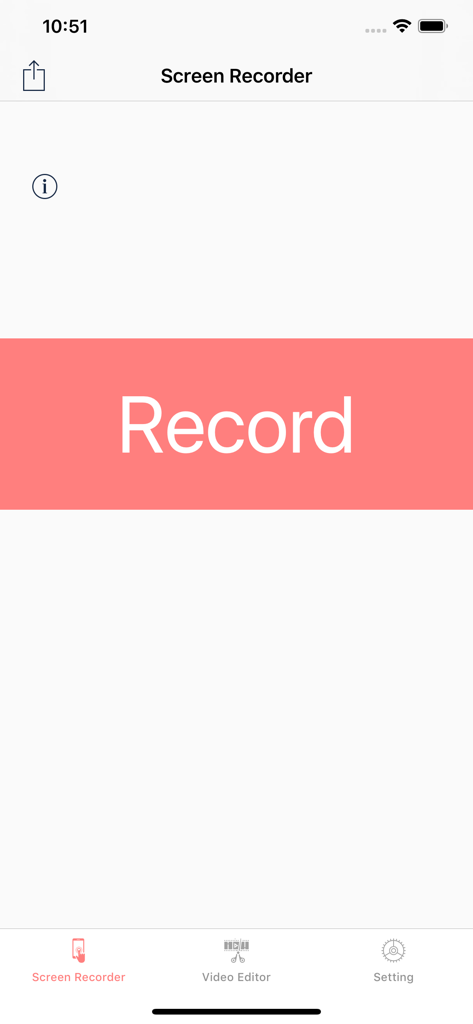
Screen Recorder,Screen Capture - Screen Recorder 앱의 메인 사용자 인터페이스, 비디오 편집 및 설정 메뉴 옵션과 함께 눈에 띄는 녹화 버튼 표시
Screen Recorder 앱의 메인 사용자 인터페이스, 비디오 편집 및 설정 메뉴 옵션과 함께 눈에 띄는 녹화 버튼 표시

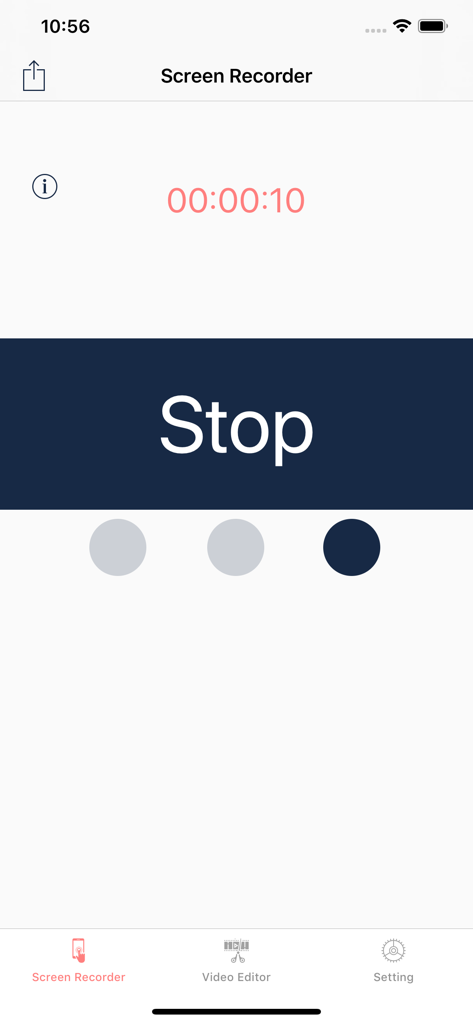
Screen Recorder,Screen Capture - Screen Recorder 앱 인터페이스, 활성 녹화 타이머와 큰 중지 버튼 표시
Screen Recorder 앱 인터페이스, 활성 녹화 타이머와 큰 중지 버튼 표시

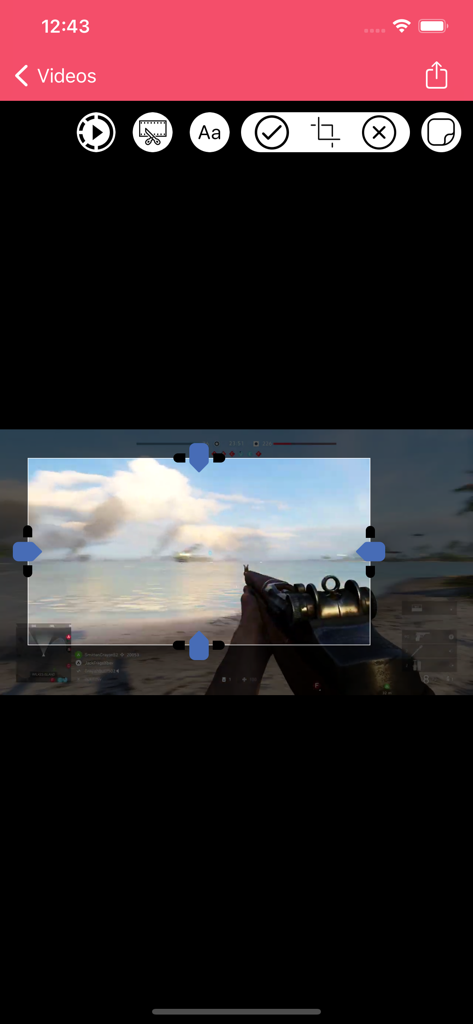
Screen Recorder,Screen Capture - 게임 영상 자르기를 위한 모바일 화면 녹화 앱 인터페이스

게임 영상 자르기를 위한 모바일 화면 녹화 앱 인터페이스

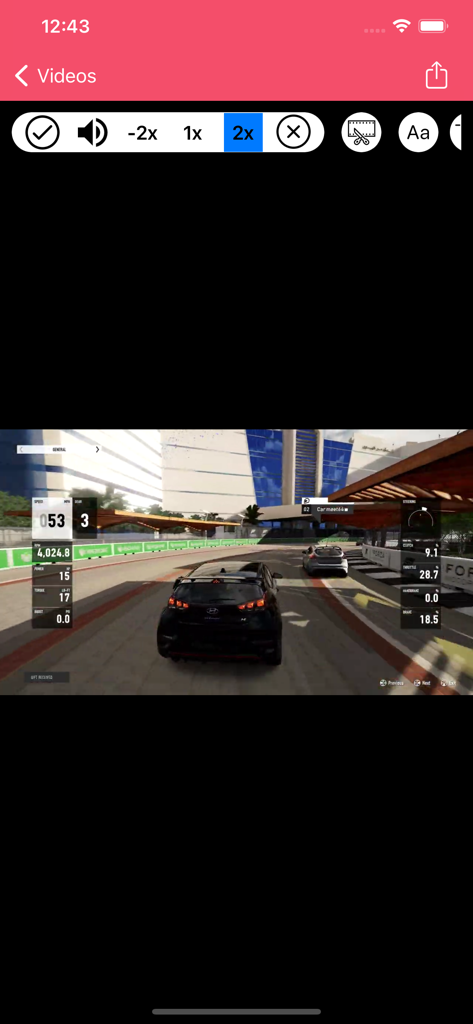
Screen Recorder,Screen Capture - Screen Recorder 앱 인터페이스, 속도 컨트롤이 있는 자동차 경주 게임 편집
Screen Recorder 앱 인터페이스, 속도 컨트롤이 있는 자동차 경주 게임 편집

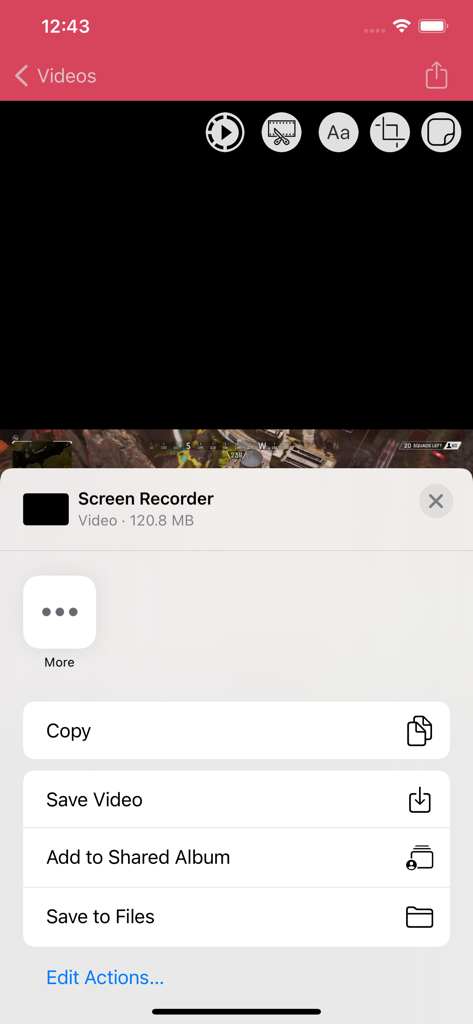
Screen Recorder,Screen Capture - 비디오 저장 또는 파일 복사 옵션이 있는 화면 녹화 앱의 iOS 공유 메뉴
비디오 저장 또는 파일 복사 옵션이 있는 화면 녹화 앱의 iOS 공유 메뉴

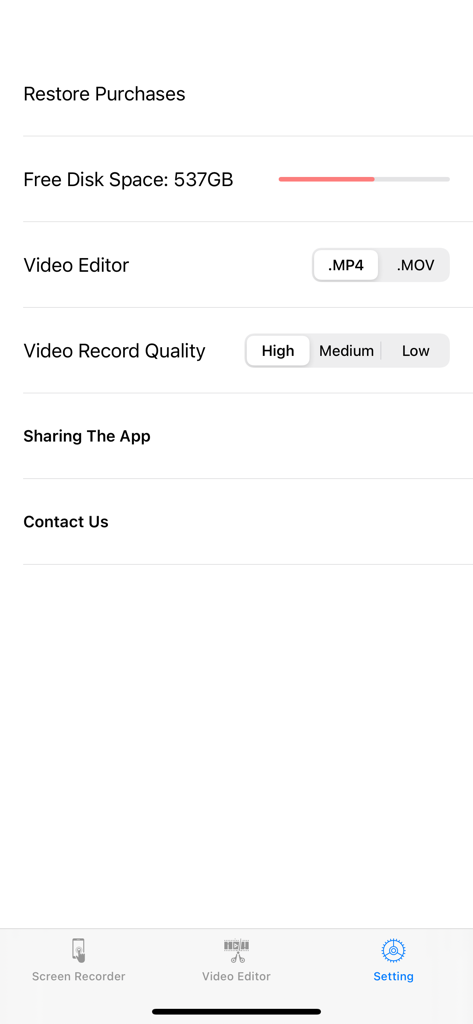
Screen Recorder,Screen Capture - 비디오 품질 및 파일 형식 옵션을 표시하는 Screen Recorder 앱의 설정 페이지

비디오 품질 및 파일 형식 옵션을 표시하는 Screen Recorder 앱의 설정 페이지

설명

+Screen Recorder App .Game Recorder
 .App to record devices screen
 .One tap to start full screen recording of your device
 .One tap to stop screen recording .Unlimited recording
 .Screen recorder gives you an accurate timer
 .Friendly user interface .It is easy to share recorded video .No matter what your device is busy with. this app records everything
.From your screen (game , video, instagram ,...) .No Ads included .Screen Recorder ( Screen capture ) includes Setting Part .Screen Recorder ( Screen capture ) includes Help Part .Universal App (iPhone & iPad )
 .Recording in the background AirPlay®
 .Auto File Naming
.Displays File Sizes
 .You can give it access to camera roll for editing and playing your videos +Microphone .It is optional to let it adding microphone sound to your recording (Turn microphone sound ON or OFF)
. +3D Touch .it supports 3D Touch for easy navigation .Video Format .Add video recording
 .Save recorded HQ Video with .MP4 and .MOV format .Share button gives you the chance to share recorded videos with iMessage email ,iCloud & almost every social media you can Archive recorded videos in iCloud
 +Add Texts On Videos
 .Change Font Style .Change Font Colour
 .Change Alignment .Change Background Colour
 .Change Text Transparency

 +Add Stickers On Videos

 +VIDEO EDITOR 
 .Trim your video (Change the length of videos)
 .Crop recorded videos (Change the scene) 
 .Change Speed Video Fast & slow (Slow motion)
 .Share edited video is easy
Save Edited Video with .MP4 and .MOV format in Camera roll +Live Stream and Recorder Screen 
 .Live stream : from Skype , Messenger and Twitch , Mobcrush , Periscope .Record Screen from Skype , Messenger and Twitch , Mobcrush , Periscope
 Subscription pricing and terms: ALL ACCESS $7.49 per 3 months (Billed 3 Months after 3-day Free trial is over) ---- ALL ACCESS $20.99 per year (Billed yearly after 3-day Free trial is over) In 12 month subscription priced at $1.62 Save 54% This price is for United States customers. Pricing in other countries may vary, actual charges may be converted to your local currency depending on the country of residence. https://vidiaweb.com/privacy_screenrecordervideoeditor.htmlYour subscription automatically renews unless auto-renew is turned off at least 24-hours before the end of the current period. Your credit card will be charged through your iTunes account. You can turn off auto-renew at any time from your iTunes Account Settings but refunds will not be provided for any unused portion of the term. Alternatively, there is a "Manage Subscription" menu option in the App Settings menu. Payment will be charged to iTunes Account at confirmation of purchase. Any unused portion of a free trial period will be forfeited when you purchase a subscription. https://vidiaweb.com/privacy_screenrecordervideoeditor.html https://vidiaweb.com/terms_screenrecordervideoeditor.html


Download

다운로드: App Store

이 페이지는 앱이나 개발자의 공식 페이지가 아니며, 정보 제공 및 논평을 목적으로 작성된 독립 편집 간행물입니다. 명시적으로 달리 언급되지 않는 한, 해당 앱이나 개발자는 MWM, Apple, Google Play, 앱 퍼블리셔 또는 앱 개발자와 제휴, 보증, 후원, 승인 또는 공식적으로 연결되어 있지 않으며, 이 페이지의 어떤 내용도 해당 앱이 MWM의 서비스를 사용하여 개발되었음을 의미하지 않습니다. 모든 상표, 로고, 스크린샷 및 기타 콘텐츠는 해당 소유자의 자산입니다.