Screen Recorder - StartRec
다운로드: App Store

이 페이지는 앱이나 개발자의 공식 페이지가 아니며, 정보 제공 및 논평을 목적으로 작성된 독립 편집 간행물입니다. 명시적으로 달리 언급되지 않는 한, 해당 앱이나 개발자는 MWM, Apple, Google Play, 앱 퍼블리셔 또는 앱 개발자와 제휴, 보증, 후원, 승인 또는 공식적으로 연결되어 있지 않으며, 이 페이지의 어떤 내용도 해당 앱이 MWM의 서비스를 사용하여 개발되었음을 의미하지 않습니다. 모든 상표, 로고, 스크린샷 및 기타 콘텐츠는 해당 소유자의 자산입니다.

로고: Screen Recorder - StartRec
다운로드: App Store

Screen Recorder - StartRec

화면을 놀라운 1080p로 캡처하고, Face Cam 반응을 추가하고, 전문가 수준의 편집 도구를 사용하여 TikTok, YouTube 및 Instagram용 바이럴 영상 콘텐츠를 제작하세요.

주요 수치

다운로드

415K+

사용자 평점

3.3/5

총 평가 수

700

개발사

Ion Dobrioglo

카테고리

Reference

지원 언어

33

최신 버전

3.1.6

크기

61.4 MB

출시일

2020년 3월 13일
기능

시선을 사로잡는 콘텐츠 제작

화면을 녹화하고, 반응을 추가하고, 몇 분 안에 바이럴 콘텐츠를 제작할 수 있는 올인원 스튜디오입니다.

Face Cam 오버레이

튜토리얼 및 게임 스트리밍에 적합한 라이브 반응 말풍선을 녹화에 추가하여 자신을 표현하세요.

전문적인 녹화 품질

1080p 해상도와 60fps로 모든 세부 사항을 캡처하여 하이라이트가 선명하고 전문적으로 보이도록 합니다.

다음 스크린샷과 설명은 앱의 공식 스토어 목록에서 직접 가져온 것이며 앱 개발자의 자산입니다.

앱 스토어

스크린샷
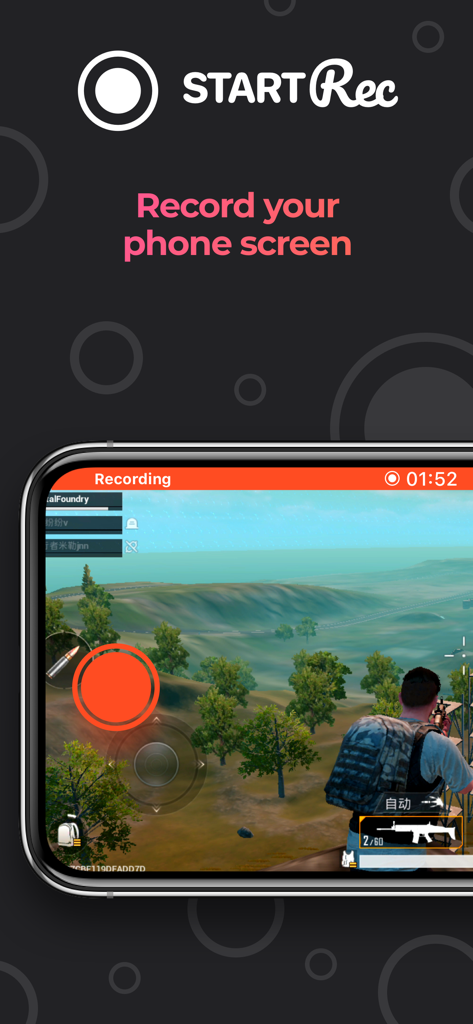
Screen Recorder - StartRec - StartRec 앱 화면에 스마트폰으로 녹화 중인 모바일 액션 게임이 표시됩니다.
StartRec 앱 화면에 스마트폰으로 녹화 중인 모바일 액션 게임이 표시됩니다.

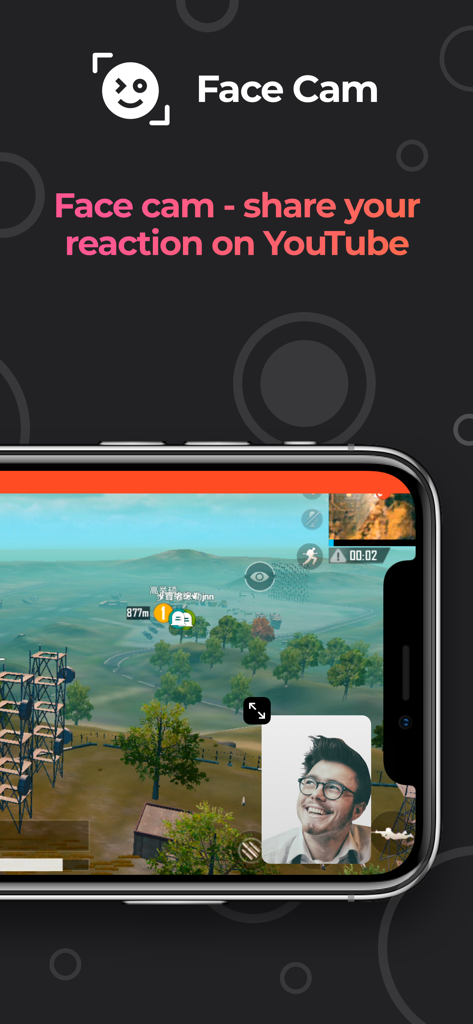
Screen Recorder - StartRec - Screen recorder 앱 인터페이스에 모바일 게임 플레이 위에 Face Cam 반응 오버레이가 표시됩니다.
Screen recorder 앱 인터페이스에 모바일 게임 플레이 위에 Face Cam 반응 오버레이가 표시됩니다.

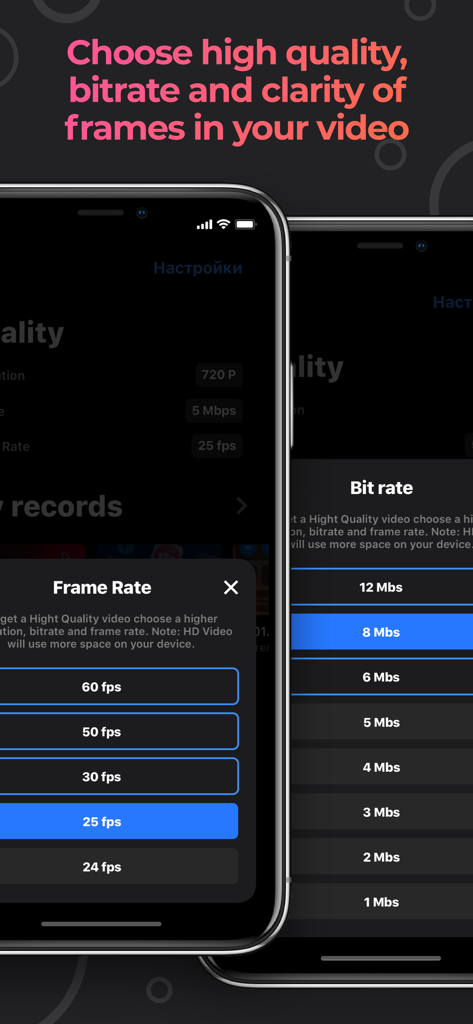
Screen Recorder - StartRec - StartRec 앱에서 비디오 프레임 속도 및 비트 전송률 선택 메뉴 옵션을 보여주는 모바일 앱 인터페이스
StartRec 앱에서 비디오 프레임 속도 및 비트 전송률 선택 메뉴 옵션을 보여주는 모바일 앱 인터페이스

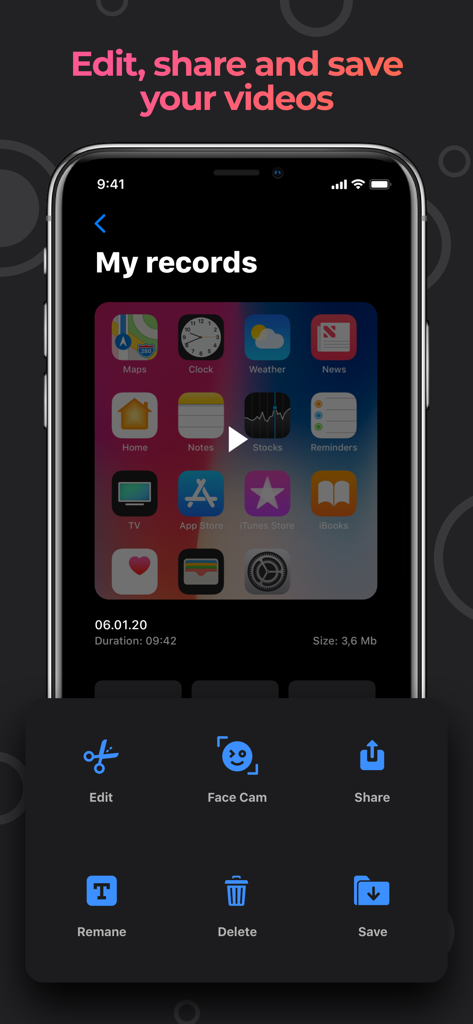
Screen Recorder - StartRec - StartRec 앱 인터페이스에 Face Cam을 사용하여 화면 녹화를 편집, 공유 및 저장하는 옵션이 표시됩니다.
StartRec 앱 인터페이스에 Face Cam을 사용하여 화면 녹화를 편집, 공유 및 저장하는 옵션이 표시됩니다.

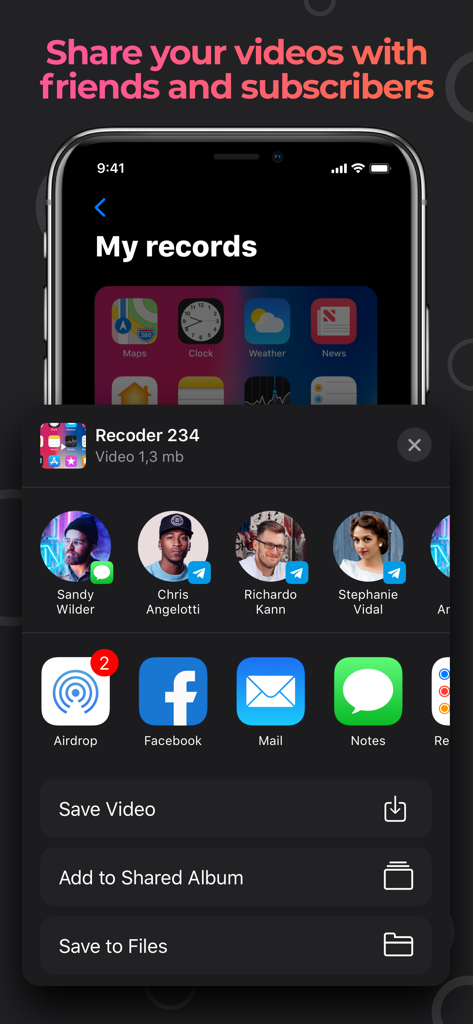
Screen Recorder - StartRec - iPhone의 StartRec 앱에 있는 화면 녹화 공유 인터페이스

iPhone의 StartRec 앱에 있는 화면 녹화 공유 인터페이스

설명

Using the StartRec app you can record the screen of your device with sound. Also you can capture your reaction using the Face Cam function and easily edit your video files. StartRec is compatible with all iPhone / iPad devices with iOS 11 and above. Features that our app provides: - Unlimited screen recording time as your device allows. - Use microphone when recording video. - Resolution when shooting video: HD-1080P, HD-720P, 480P, 360P. - Frame rate when shooting video: 60 frames per second, 50 frames per second, 30 frames per second, 25 frames per second, 24 frames per second. -Transmission rate when shooting video: 12 MB, 8 MB, 6 MB, 5 MB, 4 MB, 3 MB, 2 MB, 1 MB. - In any of your videos, add Face Cam reaction. - Edit the position and size of the Face Cam reaction. - Add videos from your gallery to insert your Face Cam reaction. - Increase your playback speed: Normal 1.00x, Low 0.20x and Height 4.00x. - Size your video for different purposes: 1: 1 4: 5 16:18 16: 9 9:16 5.5 '' 5.8 '' 3: 4 4: 3 2: 3 3: 22: 1 1: 2. - Color palette. - A large number of fonts. - Unlimited amount of text insertion. - 20 filters. - Rotate the video in different directions. - Flip video. - Change the background in different colors of the palette. - Share. - Save video to camera roll. - Add video from camera roll for editing. Upgrade to premium version to get unlimited full access to all premium features! The subscription plan is renewing automatically but you can cancel it at any time. Get StartRec Premium and enjoy: - Remove All Ads - Unlimited Recording Time. - Full Access to all the App Features. - Face Cam feature. * StartRec provides 2 subscription plans. The subscription plans are renewing automatically but you can cancel them at any time. * The weekly plan costs $4.99 / Week. (This is an old plan and it is not used any more. Only users who subscribed to it from the previous versions of the app can still use it) * Subscription payments will be charged to your iTunes account at confirmation of your purchase and upon commencement of each renewal term. Subscription will automatically renew to a paid subscription. You can cancel your subscription the iTunes settings at least 24-hours before. The cancellation will take effect the day after the last day of the current subscription period and you will be downgraded to the free service. Account will be charged for renewal within 24-hours prior to the end of the current period, and identify the cost of the renewal. Subscriptions may be managed by the user and auto-renewal may be turned off by going to the user's Account Settings after purchase. You can cancel your subscription via this url: https://support.apple.com/en-us/HT202039 Please before using Screen Recorder - StartRec and subscribing to StartRec Premium read and accept our Privacy Policy and Terms of use. You can access them inside the app or on our website on links below: Privacy Policy: https://iondobrioglo99.github.io/apps/privacy.txt Terms of usage: https://iondobrioglo99.github.io/apps/terms.txt If you need help or just want to leave a feedback please fell free to contact us on the website or email. We will be happy to read your reviews: Email: ion.dobrioglo99@gmail.com Our site page: https://sandersmason.github.io/

Download

다운로드: App Store

이 페이지는 앱이나 개발자의 공식 페이지가 아니며, 정보 제공 및 논평을 목적으로 작성된 독립 편집 간행물입니다. 명시적으로 달리 언급되지 않는 한, 해당 앱이나 개발자는 MWM, Apple, Google Play, 앱 퍼블리셔 또는 앱 개발자와 제휴, 보증, 후원, 승인 또는 공식적으로 연결되어 있지 않으며, 이 페이지의 어떤 내용도 해당 앱이 MWM의 서비스를 사용하여 개발되었음을 의미하지 않습니다. 모든 상표, 로고, 스크린샷 및 기타 콘텐츠는 해당 소유자의 자산입니다.








