이 페이지는 앱이나 개발자의 공식 페이지가 아니며, 정보 제공 및 논평을 목적으로 작성된 독립 편집 간행물입니다. 명시적으로 달리 언급되지 않는 한, 해당 앱이나 개발자는 MWM, Apple, Google Play, 앱 퍼블리셔 또는 앱 개발자와 제휴, 보증, 후원, 승인 또는 공식적으로 연결되어 있지 않으며, 이 페이지의 어떤 내용도 해당 앱이 MWM의 서비스를 사용하여 개발되었음을 의미하지 않습니다. 모든 상표, 로고, 스크린샷 및 기타 콘텐츠는 해당 소유자의 자산입니다.
Screenshot Studio
인디 개발자를 위한 최고의 디자인 지름길. 전문적인 레이아웃, 글래스모피즘 테마, 모든 기기 패밀리를 위한 원탭 일괄 내보내기를 통해 UI를 전환율 높은 스토어 준비 에셋으로 변환하세요.
주요 수치
다운로드
0
사용자 평점
1.0/5
총 평가 수
0
개발사
CLARITY SPACE GROUP PTY LTD
카테고리
Developer Tools
지원 언어
1
최신 버전
1.0.1
크기
4.0 MB
출시일
2025년 11월 6일
기능
50명 규모 스튜디오처럼 출시하세요
지루한 디자인 작업에 시간을 낭비하지 마세요. 몇 분 만에 원시 스크린샷을 프리미엄 전환율 높은 앱 스토어 에셋으로 변환하세요.
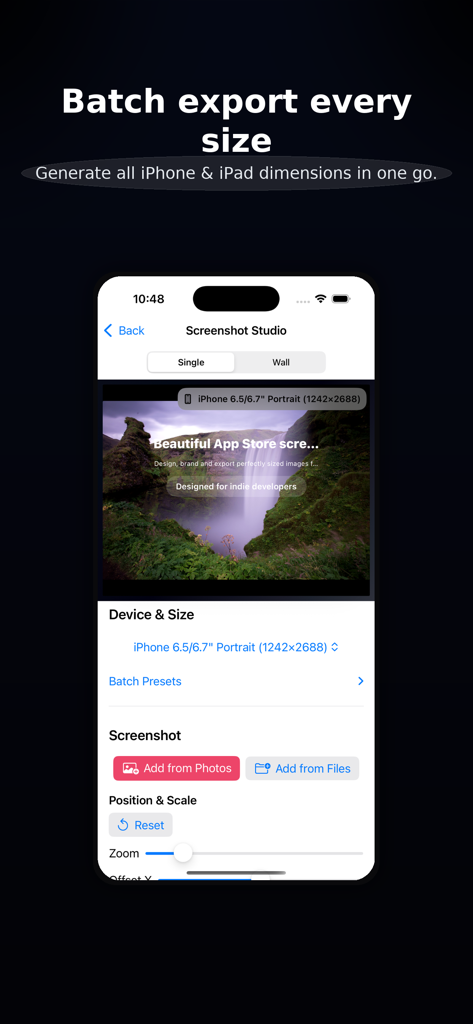
원탭 일괄 내보내기
iPhone 및 iPad에 필요한 모든 크기를 즉시 생성하세요. 수동 크기 조정 번거로움 없이 제출의 '마지막 단계'를 자동화하세요.
전문가 수준의 시각 템플릿
글래스모피즘, 세련된 그라데이션, 스마트 기기 프레임을 즉시 적용하세요. Figma나 Photoshop을 열지 않고도 최고 수준의 미학을 달성하세요.
다음 스크린샷과 설명은 앱의 공식 스토어 목록에서 직접 가져온 것이며 앱 개발자의 자산입니다.
앱 스토어
스크린샷
인디 개발자를 위한 앱 스토어 스크린샷 제작에 대한 텍스트가 녹색 잎 배경 위에 표시되는 Screenshot Studio의 마케팅 화면.
다양한 iPhone 및 iPad 화면 크기에 대한 일괄 내보내기 옵션을 보여주는 Screenshot Studio 인터페이스.
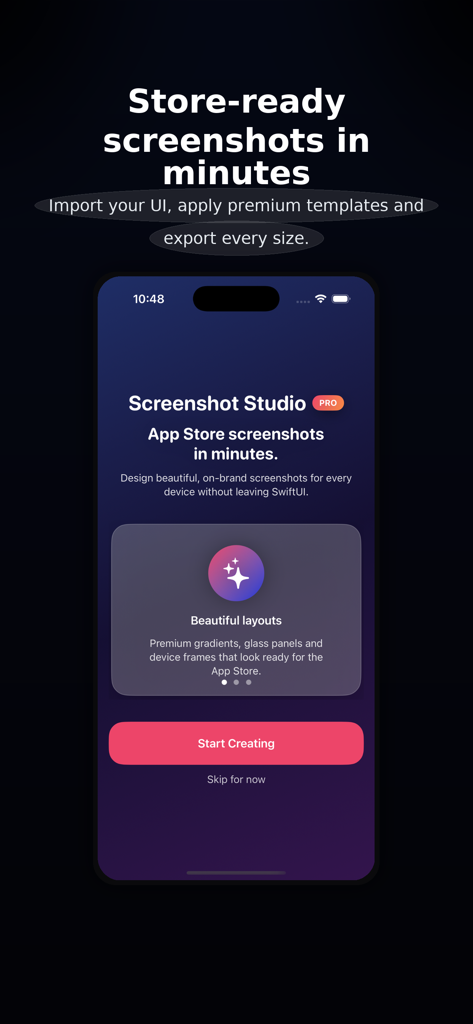
'스토어 준비 스크린샷을 몇 분 안에'라는 태그라인과 '만들기 시작' 버튼이 있는 Screenshot Studio 앱 홈 화면
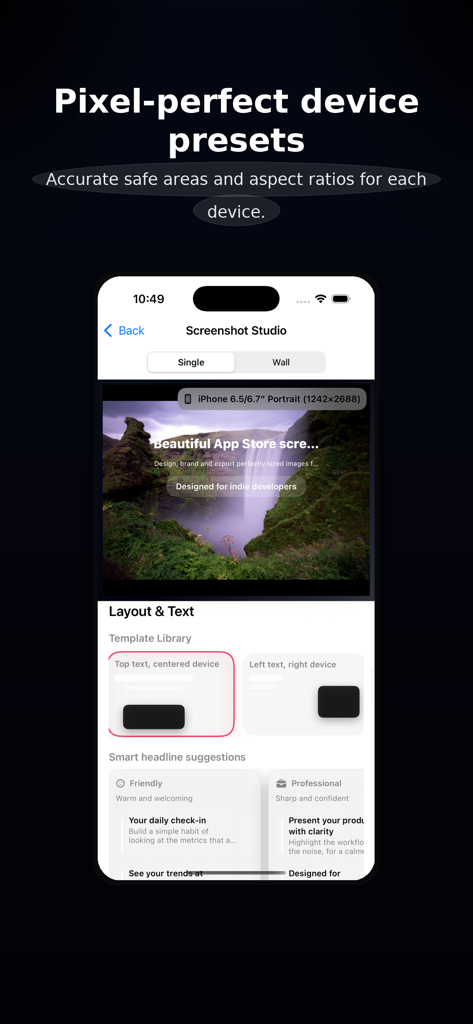
앱 스토어 스크린샷 제작을 위한 기기 사전 설정 및 레이아웃 옵션을 보여주는 Screenshot Studio 인터페이스
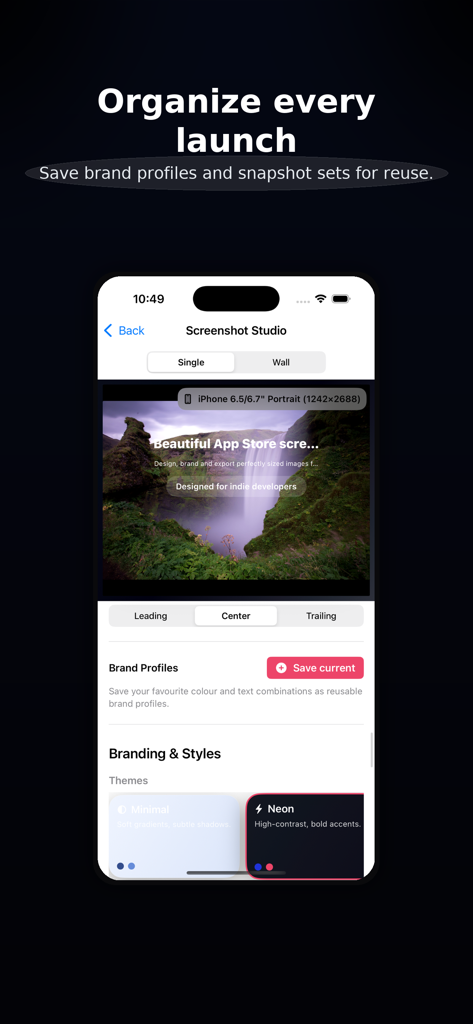
앱 스토어 이미지의 브랜드 프로필 및 테마 선택을 보여주는 Screenshot Studio 앱 인터페이스
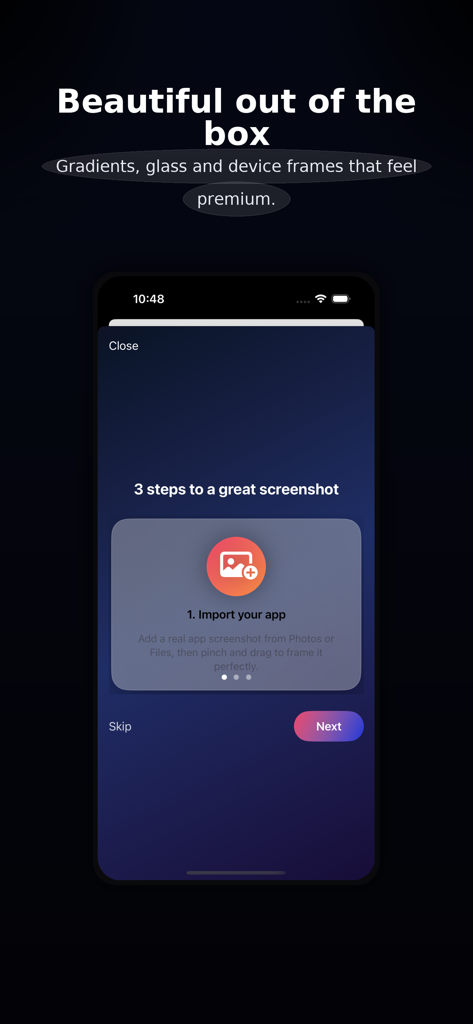
프리미엄 디자인을 위해 앱 스크린샷을 가져오는 첫 단계를 보여주는 모바일 앱 인터페이스
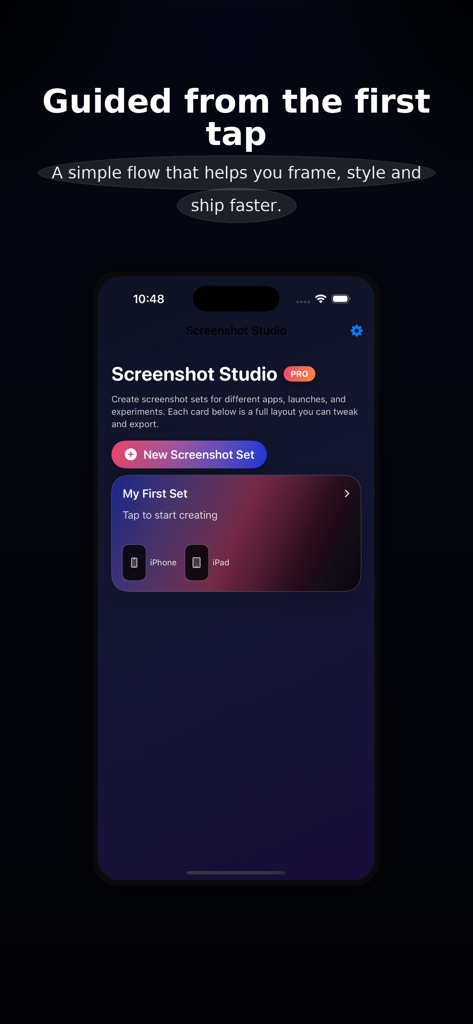
Screenshot Studio 모바일 앱 홈 화면에 새 스크린샷 세트 버튼과 iPhone 및 iPad 에셋에 대한 안내 설정 흐름이 표시됩니다.
설명
Screenshot Studio helps you create beautiful, on-brand, store-ready screenshots in minutes—without opening a traditional design tool.
Bring in a real screenshot from your app, choose a layout, pick a theme, and export perfectly sized images for every required iPhone and iPad device. The interface is tuned for premium results: bold typography, thoughtful spacing, refined gradients, glass panels, and clean device framing.
A focused, “wizard-like” flow
Quick Start steps guide you from choosing devices to importing your first screenshot and picking a layout.
Smart Fit auto-centers and scales your screenshot so key UI isn’t cropped.
Preset groups (e.g., “Standard iPhone Set”, “Full Storefront”) toggle multiple sizes in one tap.
Context-aware tips suggest best practices for titles, colors, contrast, and export.
Layouts & copy that sell your app
Template Library with visual cards: top-text hero, side-by-side, overlapping devices, full-bleed strip, and more.
Smart headline suggestions grouped by tone (Friendly, Professional, Results-focused).
Flexible copy controls for title, subtitle, and badge with alignment and sizing tuned for legibility.
Branding that feels pro
Themes like Minimal, Neon, and Editorial instantly restyle background, glass, and shadows.
Brand Profiles let you save full branding presets (colors + text) and reapply them in one tap.
Accent randomization (within theme palettes) offers quick inspiration while staying on-brand.
Optional “Lock colors, change vibe” keeps your brand colors while adjusting glass/shadow/typography feel.
Powerful preview & export
Single-device preview for precise framing.
“Wall” preview shows multiple device sizes in a staggered, poster-like layout—great for marketing shots.
Export Center summarizes enabled sizes (name, resolution, icon), shows progress, and lists recent renders.
Batch export generates every enabled size in one go.
Destination clarity: screenshots are saved to Photos and presented in the system share sheet for Files, AirDrop, Messages, and more.
Test export (low-res) quickly previews layout before generating full PNGs.
Accessibility & comfort
Respects Dynamic Type more in controls (canvas text remains layout-managed).
Accessibility mode increases control text size, tap targets, and vertical padding.
VoiceOver labels on template and theme cards (“Top text hero with centered device”, “Neon theme with high contrast”).
Performance & smoothness
Equatable subviews for stable previews and lists.
Debounced heavy updates; animations focus on interactions, not configuration churn.
Designed for indie developers and small teams, Screenshot Studio keeps you in flow: no layers to wrangle, no complex timelines—just your app’s UI, clear copy, and premium presentation.
Privacy Policy: https://clarityspace.store/privacy
Terms of Service: https://clarityspace.store/terms
이 페이지는 앱이나 개발자의 공식 페이지가 아니며, 정보 제공 및 논평을 목적으로 작성된 독립 편집 간행물입니다. 명시적으로 달리 언급되지 않는 한, 해당 앱이나 개발자는 MWM, Apple, Google Play, 앱 퍼블리셔 또는 앱 개발자와 제휴, 보증, 후원, 승인 또는 공식적으로 연결되어 있지 않으며, 이 페이지의 어떤 내용도 해당 앱이 MWM의 서비스를 사용하여 개발되었음을 의미하지 않습니다. 모든 상표, 로고, 스크린샷 및 기타 콘텐츠는 해당 소유자의 자산입니다.