
이 페이지는 앱이나 개발자의 공식 페이지가 아니며, 정보 제공 및 논평을 목적으로 작성된 독립 편집 간행물입니다. 명시적으로 달리 언급되지 않는 한, 해당 앱이나 개발자는 MWM, Apple, Google Play, 앱 퍼블리셔 또는 앱 개발자와 제휴, 보증, 후원, 승인 또는 공식적으로 연결되어 있지 않으며, 이 페이지의 어떤 내용도 해당 앱이 MWM의 서비스를 사용하여 개발되었음을 의미하지 않습니다. 모든 상표, 로고, 스크린샷 및 기타 콘텐츠는 해당 소유자의 자산입니다.


Security Camera - Smart Home
이 앱은 당신의 스마트 홈을 감시하는 '빅 브라더'가 됩니다. 무엇이 숨겨져 있는지, 누가 지켜보고 있는지 더 이상 궁금해하지 마십시오. 당신의 네트워크를 당신의 통제 하에 두십시오.
다운로드
100k+사용자 평점
총 평가 수
987개발사
카테고리
Lifestyle지원 언어
1최신 버전
2.1크기
82.8 MB출시일
2024년 12월 5일현대 스마트 홈 환경을 위한 네트워크 보안 및 기기 관리 솔루션
Security Camera - Smart Home 앱 주요 기능 분석
네트워크 보안 스캔 및 위험 평가
이 앱은 홈 네트워크 환경을 심층적으로 분석하고, 연결된 모든 기기를 자동으로 감지하며 각 기기에 대한 상세한 위험 평가를 수행합니다. 이를 통해 잠재적인 위협을 식별하고 네트워크의 안전을 보장합니다.
스마트 기기 통합 관리
이 도구는 사용자가 가정 내 모든 스마트 기기를 손쉽게 제어하고 관리할 수 있도록 지원하여, 연결된 기기 생태계의 편리한 운영을 가능하게 합니다.
네트워크 카메라 스캔 및 관리
이 앱은 네트워크 카메라를 자동으로 스캔하여, 사용자가 홈 보안 시스템의 카메라를 효과적으로 사용하고 관리할 수 있도록 돕습니다.
종합 FAQ 섹션
이 앱은 기기 연결이나 네트워크 보안과 관련된 질문에 대한 상세한 답변을 포함하는 포괄적인 FAQ 섹션을 제공하여, 사용자가 문제 발생 시 신뢰할 수 있는 참고 자료를 활용할 수 있도록 보장합니다.
프린터 기기 스캔 및 연결
이 도구는 네트워크 내의 프린터를 신속하게 식별하고 연결하여, 사용자가 복잡한 설정 과정 없이 무선 인쇄를 간편하게 수행할 수 있도록 해줍니다.
TV 기기 스캔
이 앱은 사용자가 홈 네트워크에 연결된 TV 기기를 빠르게 식별할 수 있도록 지원하여, 기기 관리의 편의성을 높입니다.
자주 묻는 질문
에 대해 알아야 할 모든 것 Security Camera - Smart Home
What is the Security Camera - Smart Home app?
The Security Camera - Smart Home app, also called Camera Finder, is an intelligent tool for home network security and smart device management. It scans for network devices, assesses risks, and helps control smart devices.
Does Security Camera - Smart Home scan for network devices?
Yes, the Security Camera - Smart Home app features robust network security scanning. It automatically detects all devices on your home network and performs detailed risk assessments to safeguard network security.
Can Security Camera - Smart Home find my printers?
Yes, Security Camera - Smart Home quickly identifies and connects to printers within your network. This enables easy wireless printing without complex setup processes, making home office tasks simpler.
How does Security Camera - Smart Home help with security cameras?
Security Camera - Smart Home supports automatic scanning of network cameras. It assists users in managing and utilizing their home security systems effectively, identifying potential vulnerabilities.
What smart devices can Security Camera - Smart Home identify?
Security Camera - Smart Home identifies printers, network cameras, and TV devices connected to your home network. It provides comprehensive management for these smart devices, enhancing your smart living experience.
Does Security Camera - Smart Home offer a free trial?
Yes, Security Camera - Smart Home offers free trials. A year-long subscription includes a 14-day free trial, and monthly subscriptions come with a 7-day free trial.
How do I cancel the Security Camera - Smart Home free trial?
You can cancel the Security Camera - Smart Home free trial without charge within 24 hours before the trial period ends. Ensure cancellation occurs before this deadline to avoid charges.
Can I turn off auto-renewal for my Security Camera - Smart Home subscription?
Yes, auto-renewal for Security Camera - Smart Home subscriptions can be turned off. You must disable it anytime before 24 hours prior to the end of your current subscription period.
Where can I find help for Security Camera - Smart Home app issues?
The Security Camera - Smart Home app includes a comprehensive FAQ section for user assistance regarding connectivity or security. For further support, the store description provides a support link.
Is it possible to cancel an active Security Camera - Smart Home subscription?
No, you cannot cancel your Security Camera - Smart Home subscription during its active period. Subscription management, including turning off auto-renewal, is available via your Account Settings.
다음 스크린샷과 설명은 앱의 공식 스토어 목록에서 직접 가져온 것이며 앱 개발자의 자산입니다.
앱 스토어
스크린샷
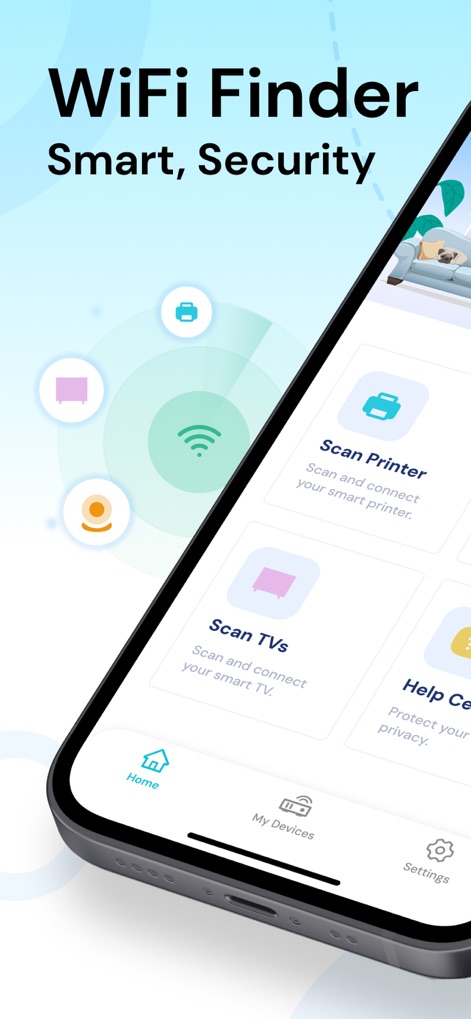
이 앱은 'WiFi Finder'라는 직관적인 인터페이스를 통해 사용자가 연결된 프린터와 TV 등 다양한 스마트 기기를 효율적으로 관리할 수 있도록 돕습니다.
스마트 홈 제어
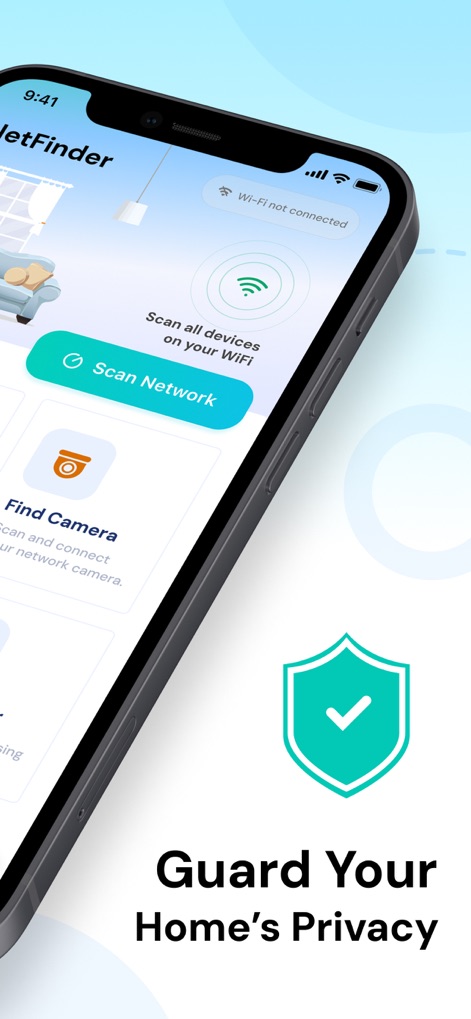
'Guard Your Home's Privacy'라는 메시지와 함께, 이 앱은 사용자가 'Scan Network' 버튼을 통해 홈 네트워크를 안전하게 스캔하고, 보안 방패 아이콘으로 보호 상태를 시각적으로 확인할 수 있게 합니다.
네트워크 보안 스캔
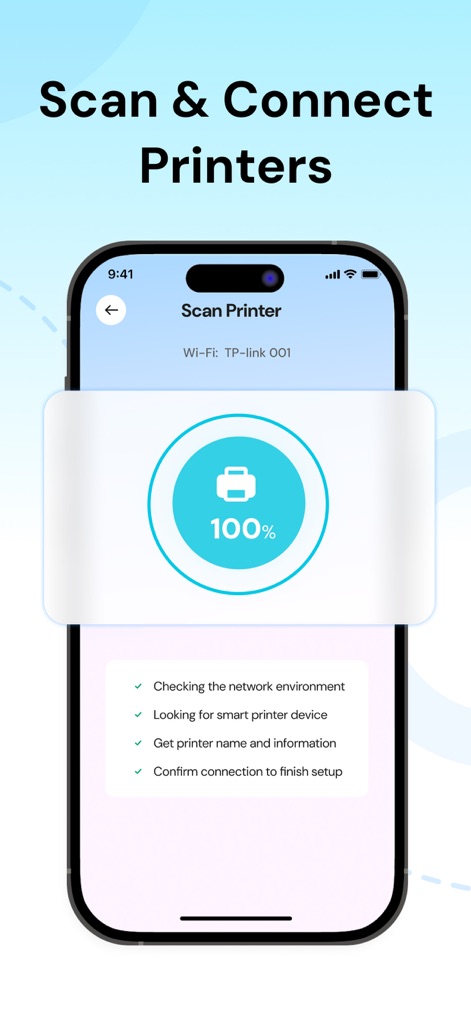
이 도구는 100% 완료된 진행률 표시를 통해 프린터 검색 과정을 보여주며, 네트워크 환경 확인 및 장치 정보 획득과 같은 상세한 설정 단계를 제공하여 연결을 간소화합니다.
프린터 연결 간소화
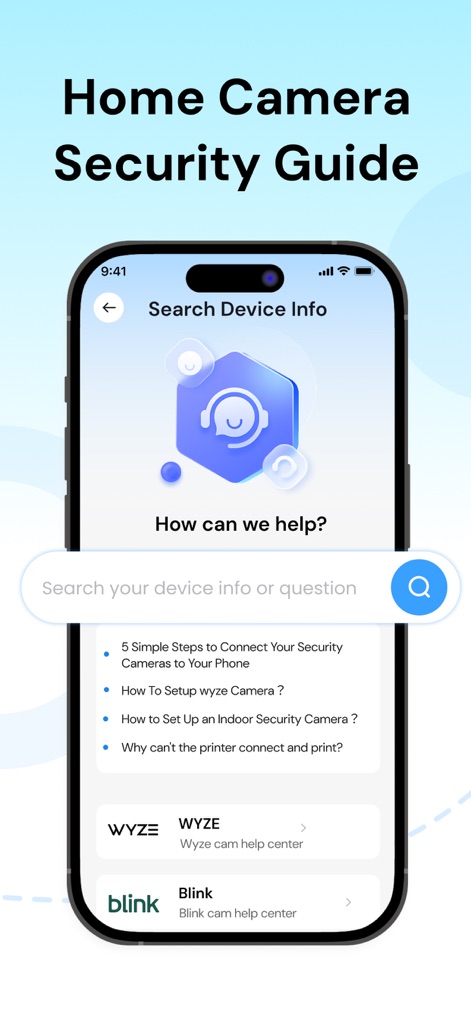
'Home Camera Security Guide' 섹션에서 사용자는 검색창을 통해 궁금증을 해소하고, 카메라 연결 방법과 같은 FAQ 문서를 통해 필요한 정보를 쉽게 찾을 수 있습니다.
종합적인 지원 가이드
설명
Download





이 페이지는 앱이나 개발자의 공식 페이지가 아니며, 정보 제공 및 논평을 목적으로 작성된 독립 편집 간행물입니다. 명시적으로 달리 언급되지 않는 한, 해당 앱이나 개발자는 MWM, Apple, Google Play, 앱 퍼블리셔 또는 앱 개발자와 제휴, 보증, 후원, 승인 또는 공식적으로 연결되어 있지 않으며, 이 페이지의 어떤 내용도 해당 앱이 MWM의 서비스를 사용하여 개발되었음을 의미하지 않습니다. 모든 상표, 로고, 스크린샷 및 기타 콘텐츠는 해당 소유자의 자산입니다.