
이 페이지는 앱이나 개발자의 공식 페이지가 아니며, 정보 제공 및 논평을 목적으로 작성된 독립 편집 간행물입니다. 명시적으로 달리 언급되지 않는 한, 해당 앱이나 개발자는 MWM, Apple, Google Play, 앱 퍼블리셔 또는 앱 개발자와 제휴, 보증, 후원, 승인 또는 공식적으로 연결되어 있지 않으며, 이 페이지의 어떤 내용도 해당 앱이 MWM의 서비스를 사용하여 개발되었음을 의미하지 않습니다. 모든 상표, 로고, 스크린샷 및 기타 콘텐츠는 해당 소유자의 자산입니다.

SenPlayer - Media Player
iPhone, Mac, Apple TV에서 4K/8K 고비트 전송률 콘텐츠를 NAS, Plex 및 클라우드 드라이브에서 끊김 없이 스트리밍하세요. 부드러운 120fps 재생과 원활한 기기 간 동기화를 경험하세요.
다운로드
228K+사용자 평점
총 평가 수
5K+개발사
카테고리
Entertainment지원 언어
5최신 버전
5.8.7크기
89.9 MB출시일
2023년 1월 20일개인 컬렉션을 위한 강력한 플레이어
SenPlayer는 자체 호스팅 애호가를 위해 설계되었으며, 엘리트급 디코딩과 개인 미디어 생태계와의 원활한 통합을 제공합니다.
만능 서버 통합
Plex, Emby, Jellyfin 또는 개인 NAS에서 직접 스트리밍하세요. SMB, FTP 및 WebDAV 지원으로 트랜스코딩 없이도 전체 라이브러리에 항상 액세스할 수 있습니다.
전례 없는 8K HDR 품질
4K/8K 울트라 HD, 120fps 고주사율 및 HDR10+에 대한 네이티브 지원으로 하드웨어의 한계를 경험하세요. 감독이 의도한 대로 Blu-ray ISO의 모든 세부 정보를 경험하세요.
자주 묻는 질문
에 대해 알아야 할 모든 것 SenPlayer - Media Player
SenPlayer는 어떤 동영상 형식을 지원하나요?
SenPlayer는 MP4, MKV, VOB, BIK, DAT, TS, MTS, M2T, M2TS, MPG, MPEG, AVI, RMVB, FLV, SWF, WEBM, 3GP, MOV, ISO를 포함한 동영상 형식을 지원합니다. 또한 4K/8K 초고화질 및 120fps 고프레임률 콘텐츠도 처리합니다.
SenPlayer는 클라우드 스트리밍 서비스를 지원하나요?
네, SenPlayer는 115 클라우드, 알리윈 드라이브, 바이두 넷디스크와 같은 인기 클라우드 서비스에서 스트리밍을 지원합니다. 또한 WebDAV, SMB, FTP와 같은 네트워크 프로토콜과 통합되어 다양한 콘텐츠 액세스를 제공합니다.
SenPlayer는 어떤 미디어 서버와 통합되나요?
SenPlayer는 Plex, Emby, Jellyfin, Feiniu와 같은 인기 미디어 서버와 통합됩니다. 멀티 서버 백업 및 통합 검색 기능을 제공하여 사용자가 다양한 미디어 라이브러리를 효율적으로 관리할 수 있도록 합니다.
SenPlayer는 여러 기기에서 재생 진행 상황을 동기화할 수 있나요?
네, SenPlayer는 시청 기록 및 재생 진행 상황에 대한 기기 간 동기화를 제공합니다. 이를 통해 iPhone, iPad, Apple TV 및 Mac에서 콘텐츠를 원활하게 이어볼 수 있습니다. 서버 및 IPTV 설정도 자동으로 동기화됩니다.
SenPlayer는 어떤 개인 정보 보호 기능을 제공하나요?
SenPlayer는 비밀번호, Face ID 또는 지문을 통한 앱 잠금과 같은 개인 정보 보호 기능을 제공합니다. 미디어를 암호화하기 위한 개인 금고가 포함되어 있으며, 무단 보기를 방지하기 위해 배경을 흐리게 처리합니다.
SenPlayer는 블루레이 디스크 재생을 지원하나요?
네, SenPlayer는 ISO 블루레이 디스크를 부드러운 디코딩 및 메인 기능, 추가 기능, 예고편에 대한 챕터 선택으로 재생합니다. 손실 없는 품질과 초고비트레이트로 선명한 디테일을 제공합니다.
SenPlayer의 사용자 지정 제스처 컨트롤은 어떻게 작동하나요?
SenPlayer는 사용자 지정 제스처 컨트롤을 제공합니다. 길게 누르면 가변 재생 속도, 두 번 탭하면 건너뛰기 또는 일시 중지, 핀치 앤 드래그로 확대/축소/재배치, 가장자리 스와이프로 밝기/볼륨 조절이 가능합니다. 햅틱 피드백도 포함되어 있습니다.
SenPlayer는 인트로 및 크레딧을 자동으로 건너뛸 수 있나요?
네, SenPlayer를 사용하면 폴더 또는 쇼별로 인트로 및 크레딧에 대한 사용자 지정 건너뛰기 시간을 설정할 수 있습니다. 또한 Emby 서버에서 직접 인트로/아웃트로 마커를 자동으로 감지하고 건너뜁니다.
SenPlayer에서 사용할 수 있는 자막 기능은 무엇인가요?
SenPlayer는 여러 사이트 또는 SRT, ASS, VTT, SSA와 같은 로컬 파일의 자막 검색을 지원하여 자막을 향상시킵니다. 사용자는 크기, 위치, 타이밍을 조정하고 HDR 자막 최적화의 이점을 누릴 수 있습니다.
SenPlayer는 어떤 HDR 표준을 지원하나요?
SenPlayer는 HDR10, HDR10+, HLG를 포함한 다양한 HDR 표준을 지원합니다. 이를 통해 향상된 대비와 색 충실도로 고품질 영화 같은 시청각 경험을 제공합니다.
다음 스크린샷과 설명은 앱의 공식 스토어 목록에서 직접 가져온 것이며 앱 개발자의 자산입니다.
앱 스토어
스크린샷
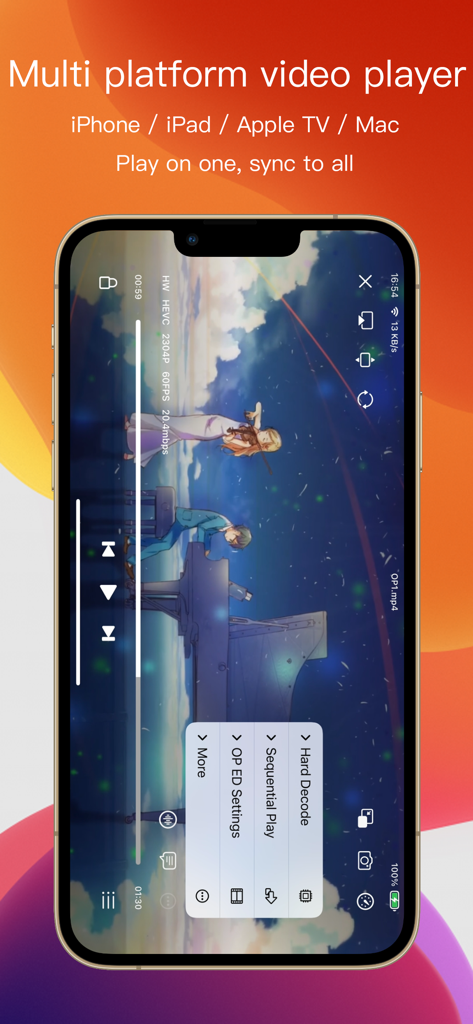
다중 플랫폼 동기화 및 고급 미디어 재생 기능을 강조하는 iPhone의 SenPlayer 앱 인터페이스
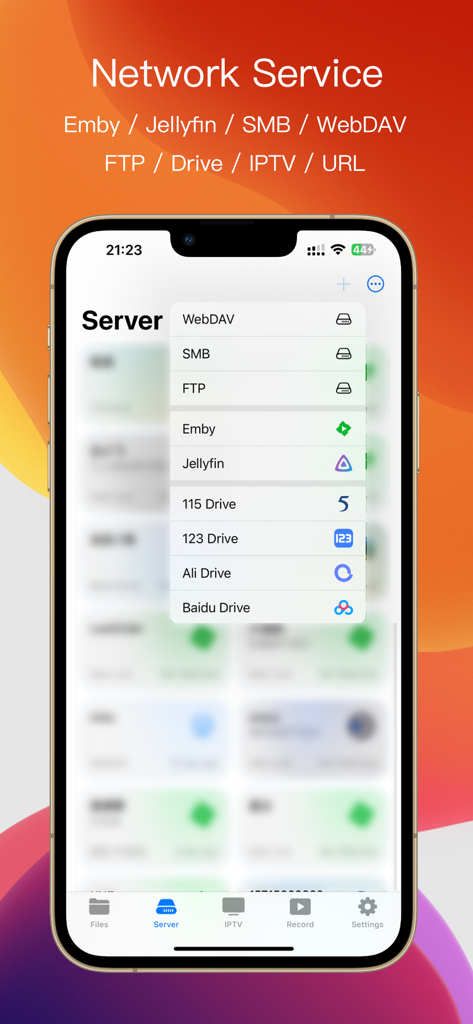
Emby Jellyfin SMB 및 클라우드 드라이브를 포함한 지원되는 네트워크 서비스를 보여주는 SenPlayer 앱 인터페이스
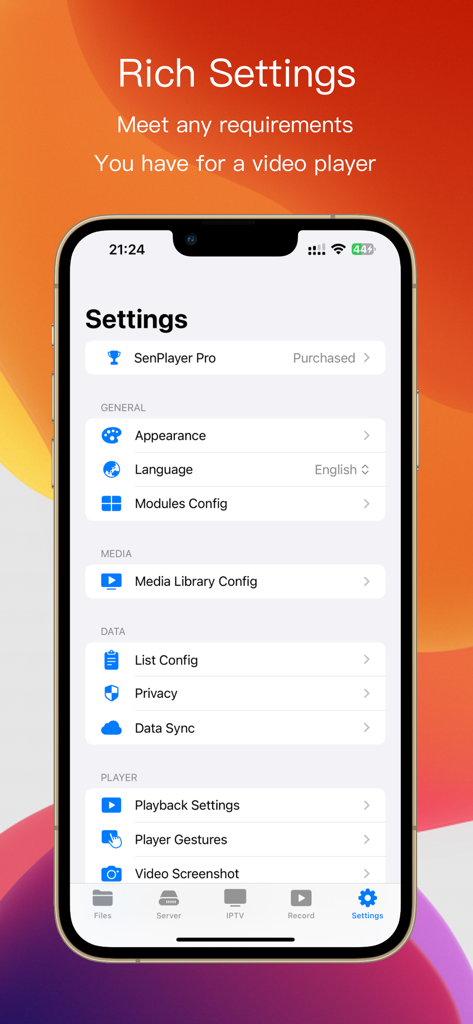
모양, 미디어 라이브러리, 개인 정보 보호 및 재생 설정을 보여주는 SenPlayer 미디어 플레이어 설정 화면
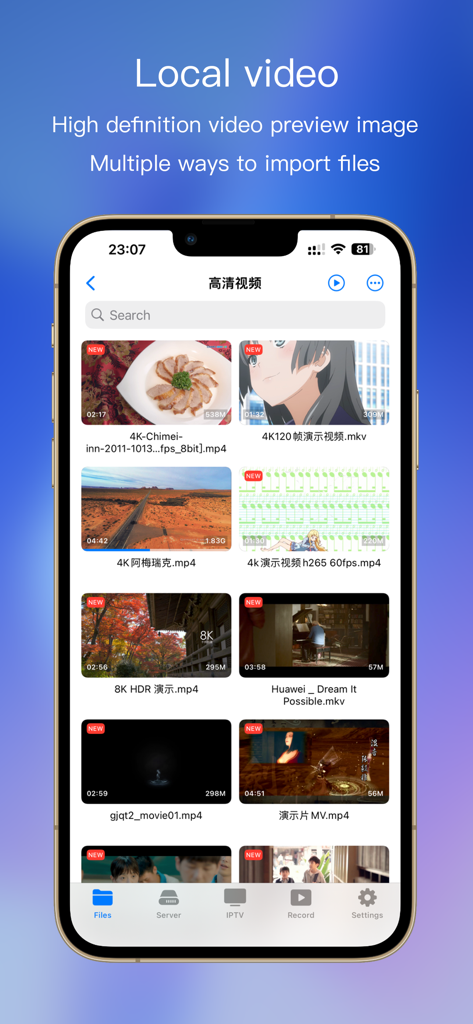
파일 세부 정보와 함께 고화질 4K 및 8K 비디오 썸네일 그리드를 표시하는 SenPlayer 로컬 비디오 라이브러리 화면
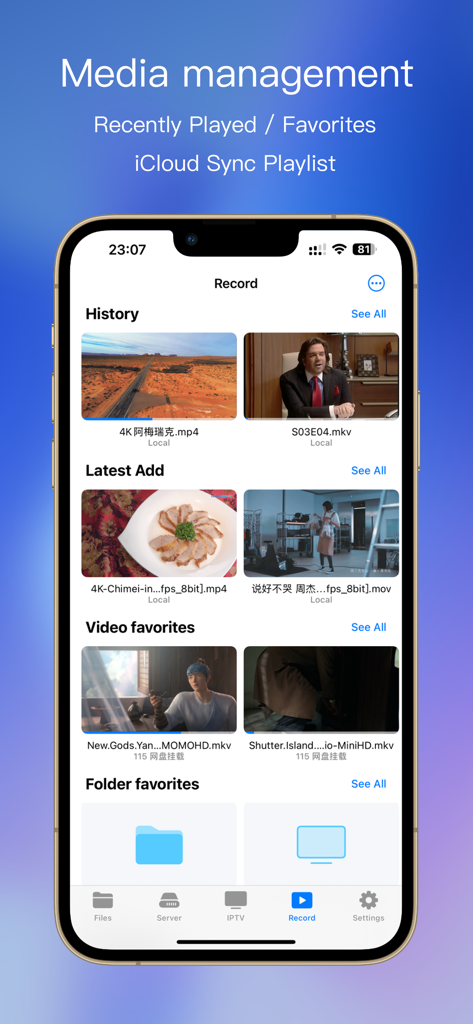
기록 및 즐겨찾기가 포함된 SenPlayer 미디어 관리 화면의 스마트폰 디스플레이
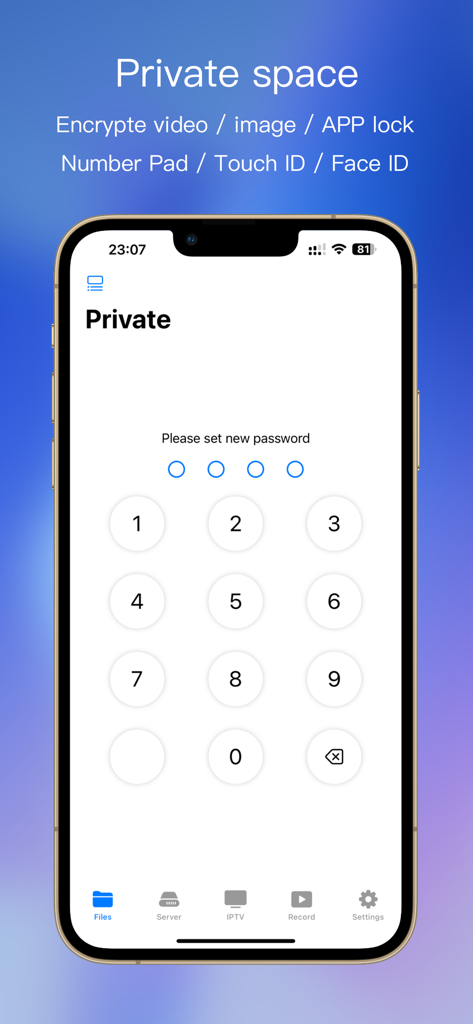
개인 금고 기능에 대한 암호를 설정하는 숫자 키패드를 보여주는 SenPlayer 인터페이스
설명
Download
비슷한 앱
유사한 기능과 사용자 경험을 가진 앱

网易爆米花-智能媒体库,全能云盘网盘播放器
Guangzhou NetEase Computer System Co.Ltd

Immich
Hau Tran

飞牛
Guangzhou TR Intelligent Manufacturing Technology Co., Ltd.
nPlayer
Newin Inc.

MiraPlay
悦 刘

NipaPlay
荣广 梁

VidHub -Video Library & Player
Nanjing Oumi Software Development Co., Ltd.

Fast Player - video player
化媚 席

zFuse - Media Player
s-joys Technology Co., Ltd.
이 페이지는 앱이나 개발자의 공식 페이지가 아니며, 정보 제공 및 논평을 목적으로 작성된 독립 편집 간행물입니다. 명시적으로 달리 언급되지 않는 한, 해당 앱이나 개발자는 MWM, Apple, Google Play, 앱 퍼블리셔 또는 앱 개발자와 제휴, 보증, 후원, 승인 또는 공식적으로 연결되어 있지 않으며, 이 페이지의 어떤 내용도 해당 앱이 MWM의 서비스를 사용하여 개발되었음을 의미하지 않습니다. 모든 상표, 로고, 스크린샷 및 기타 콘텐츠는 해당 소유자의 자산입니다.