SensorLog
SensorLog
다운로드: App Store

이 페이지는 앱이나 개발자의 공식 페이지가 아니며, 정보 제공 및 논평을 목적으로 작성된 독립 편집 간행물입니다. 명시적으로 달리 언급되지 않는 한, 해당 앱이나 개발자는 MWM, Apple, Google Play, 앱 퍼블리셔 또는 앱 개발자와 제휴, 보증, 후원, 승인 또는 공식적으로 연결되어 있지 않으며, 이 페이지의 어떤 내용도 해당 앱이 MWM의 서비스를 사용하여 개발되었음을 의미하지 않습니다. 모든 상표, 로고, 스크린샷 및 기타 콘텐츠는 해당 소유자의 자산입니다.

로고: SensorLog
다운로드: App Store

SensorLog

최대 100Hz로 iPhone 및 Apple Watch의 고충실도 원시 센서 데이터에 액세스하세요. CSV/JSON으로 내보내고 TCP/UDP/HTTP를 통해 실시간으로 스트리밍하며 정밀도로 Core ML 연구에 동력을 제공합니다.

주요 수치

다운로드

117K+

사용자 평점

4.1/5

총 평가 수

200

개발사

Bernd Thomas

카테고리

Utilities

지원 언어

2

최신 버전

6.1

크기

3.9 MB

출시일

2010년 9월 8일
기능

고정밀 센서 데이터 수집

Apple 하드웨어의 잠재력을 최대한 활용하세요. 고급 연구, IoT 프로토타이핑 및 기계 학습을 위해 실시간으로 원시 센서 데이터를 스트리밍하거나 로그를 내보냅니다.

초고주파 로깅

모션 분석 및 고속 원격 측정용으로 최대 100Hz의 데이터 기록, 과학 연구에 필요한 정밀도로 모든 세부 정보를 캡처합니다.

실시간 스트리밍 및 연결

TCP, UDP 또는 HTTP POST를 통해 사용자 지정 서버 또는 REST API로 즉시 데이터를 브로드캐스트하여 장치를 다목적 IoT 센서 노드로 전환합니다.

다음 스크린샷과 설명은 앱의 공식 스토어 목록에서 직접 가져온 것이며 앱 개발자의 자산입니다.

앱 스토어

스크린샷
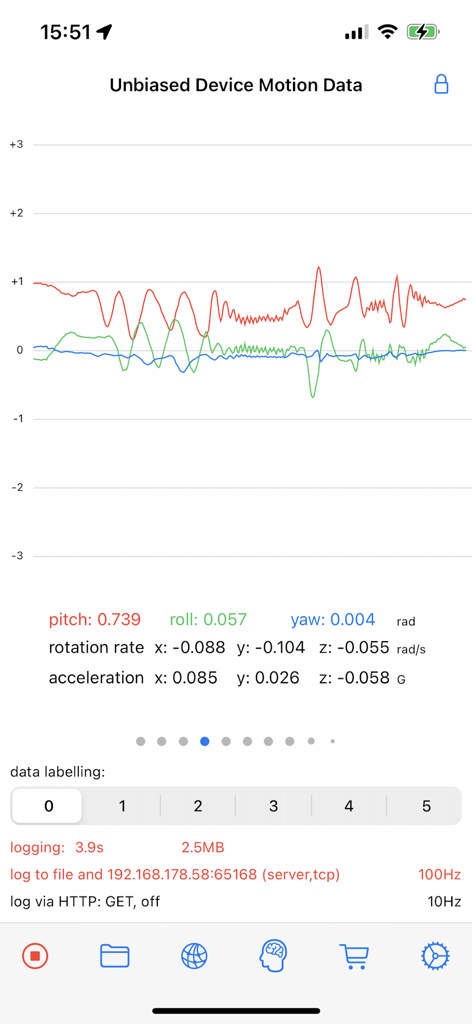
SensorLog - SensorLog 인터페이스가 기울기, 롤, 요에 대한 실시간 그래프와 함께 편향되지 않은 장치 모션 데이터를 표시합니다.
SensorLog 인터페이스가 기울기, 롤, 요에 대한 실시간 그래프와 함께 편향되지 않은 장치 모션 데이터를 표시합니다.

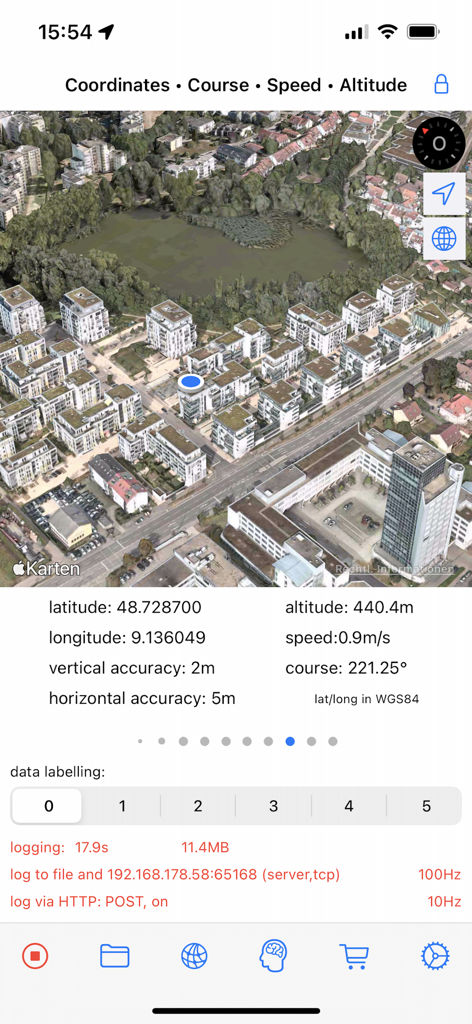
SensorLog - SensorLog 앱 인터페이스가 위도 및 경도를 포함한 3D 위성 지도와 실시간 GPS 센서 데이터를 표시합니다.
SensorLog 앱 인터페이스가 위도 및 경도를 포함한 3D 위성 지도와 실시간 GPS 센서 데이터를 표시합니다.

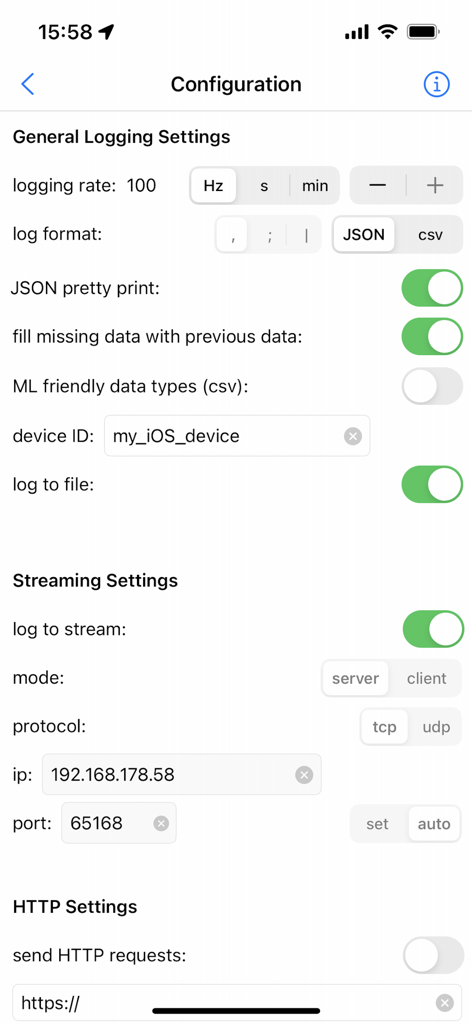
SensorLog - SensorLog 앱 구성 화면이 데이터 수집을 위한 로깅 및 스트리밍 설정을 보여줍니다.
SensorLog 앱 구성 화면이 데이터 수집을 위한 로깅 및 스트리밍 설정을 보여줍니다.

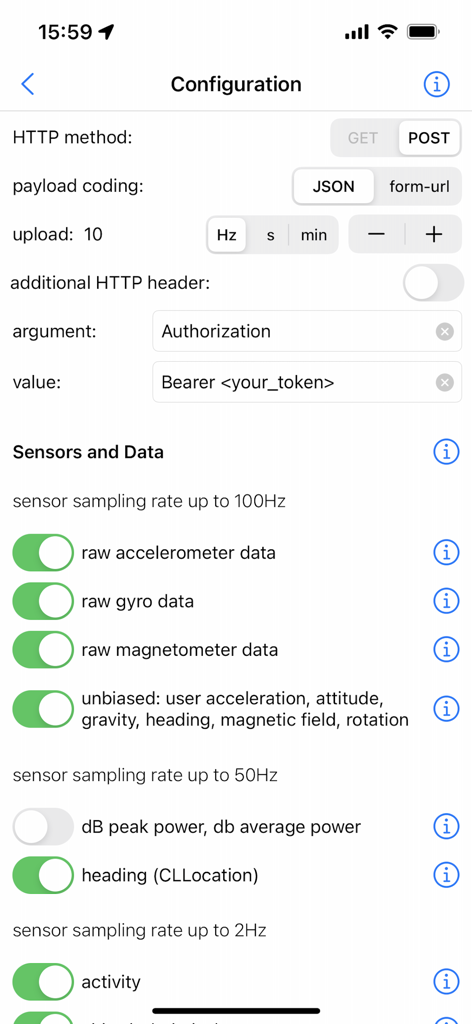
SensorLog - SensorLog 앱 구성 화면이 HTTP 설정 및 원시 데이터 수집을 위한 센서 샘플링 속도 토글을 보여줍니다.
SensorLog 앱 구성 화면이 HTTP 설정 및 원시 데이터 수집을 위한 센서 샘플링 속도 토글을 보여줍니다.

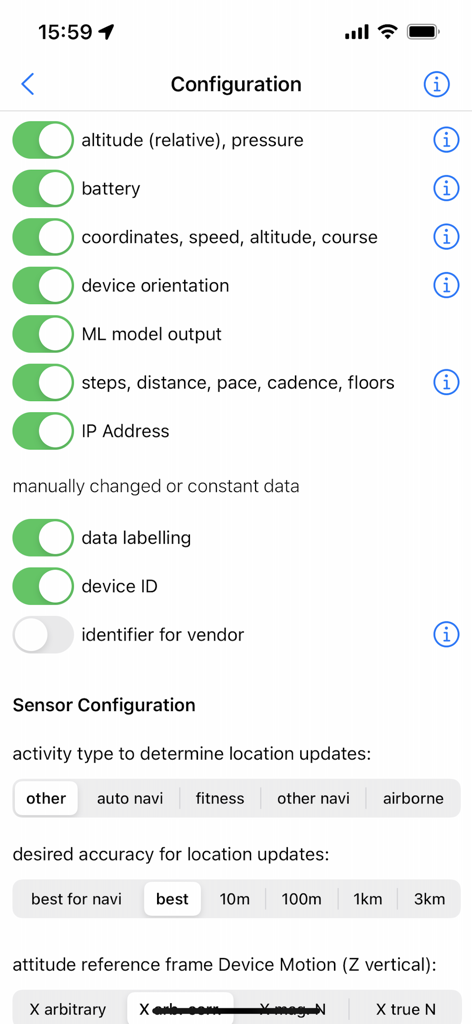
SensorLog - SensorLog 앱 구성 화면이 고도, 배터리, 좌표 및 ML 모델 출력을 포함한 센서 데이터 수집 토글을 보여줍니다.
SensorLog 앱 구성 화면이 고도, 배터리, 좌표 및 ML 모델 출력을 포함한 센서 데이터 수집 토글을 보여줍니다.

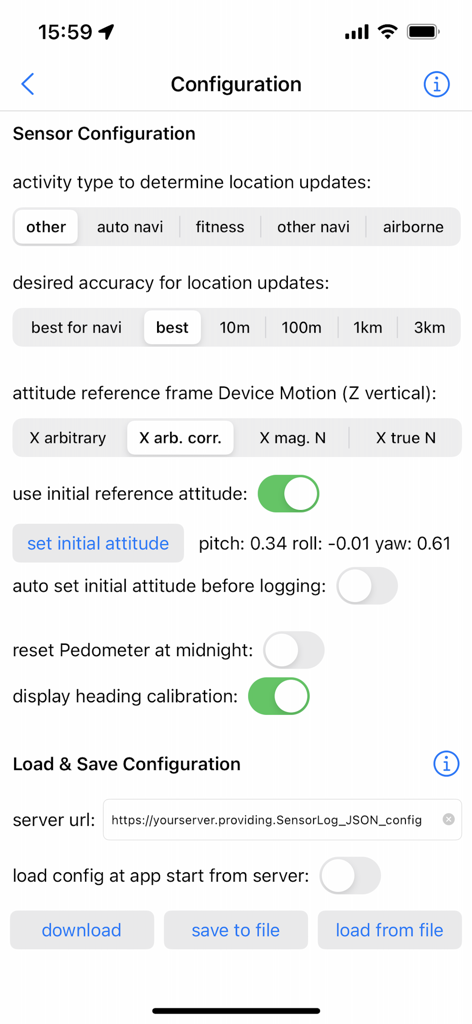
SensorLog - SensorLog 앱의 구성 인터페이스가 센서 정확도 및 데이터 저장 옵션을 보여줍니다.
SensorLog 앱의 구성 인터페이스가 센서 정확도 및 데이터 저장 옵션을 보여줍니다.

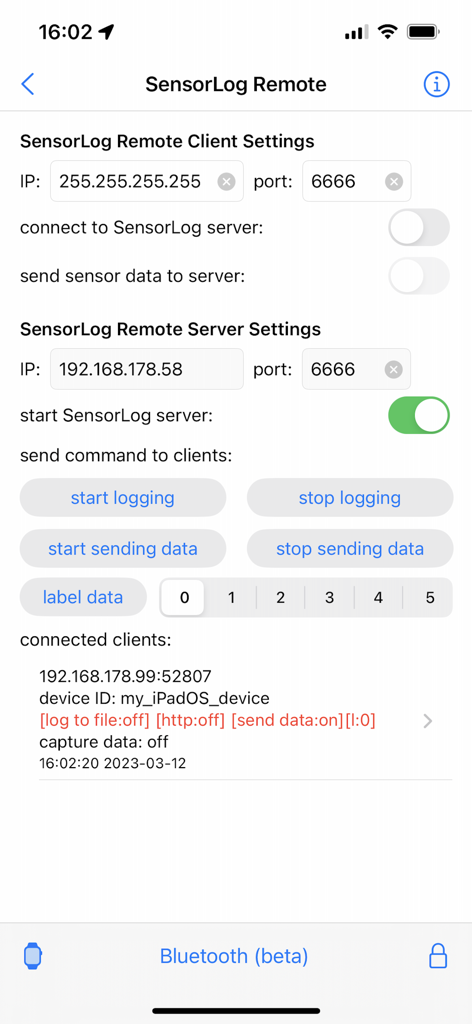
SensorLog - SensorLog Remote 인터페이스가 클라이언트 및 서버 구성 설정과 연결된 장치 상태를 보여줍니다.
SensorLog Remote 인터페이스가 클라이언트 및 서버 구성 설정과 연결된 장치 상태를 보여줍니다.

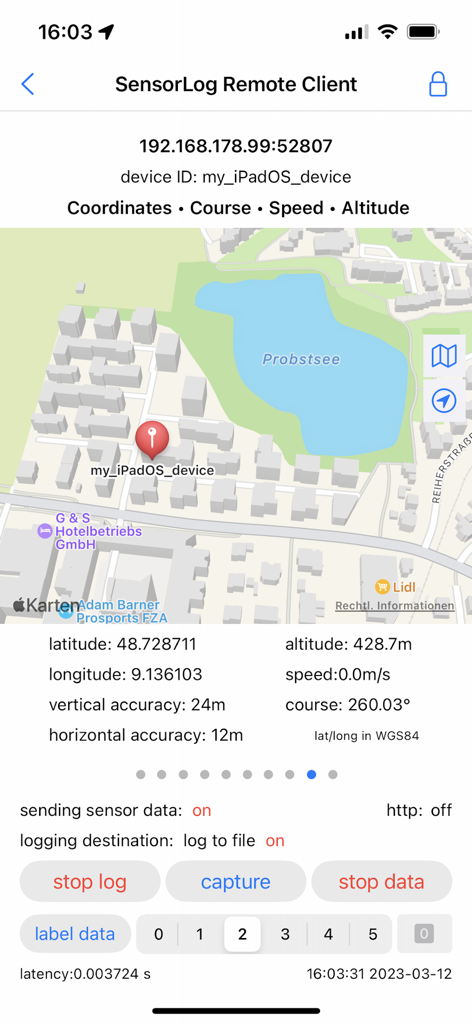
SensorLog - SensorLog 앱 인터페이스가 지도 및 좌표로 원격 클라이언트 GPS 추적을 보여줍니다.
SensorLog 앱 인터페이스가 지도 및 좌표로 원격 클라이언트 GPS 추적을 보여줍니다.

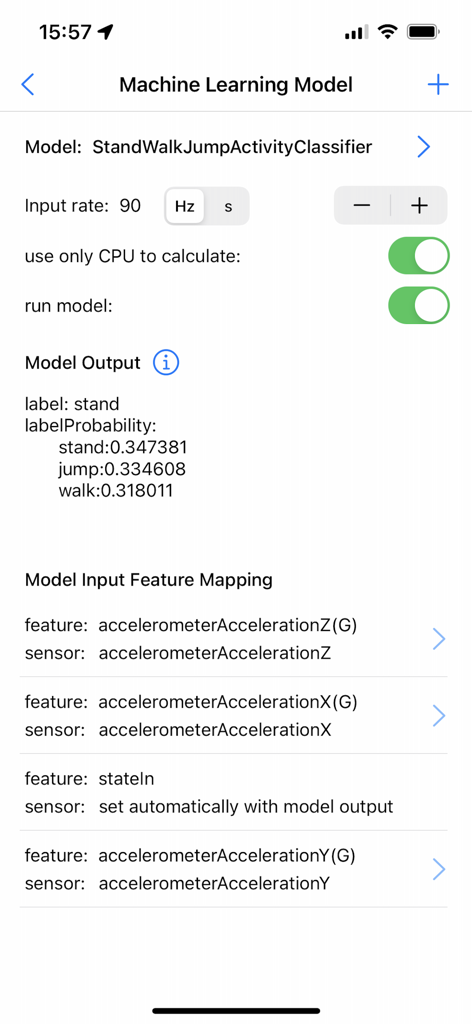
SensorLog - SensorLog 앱의 기계 학습 모델 인터페이스가 활동 분류 확률과 센서 입력 기능 매핑을 보여줍니다.
SensorLog 앱의 기계 학습 모델 인터페이스가 활동 분류 확률과 센서 입력 기능 매핑을 보여줍니다.

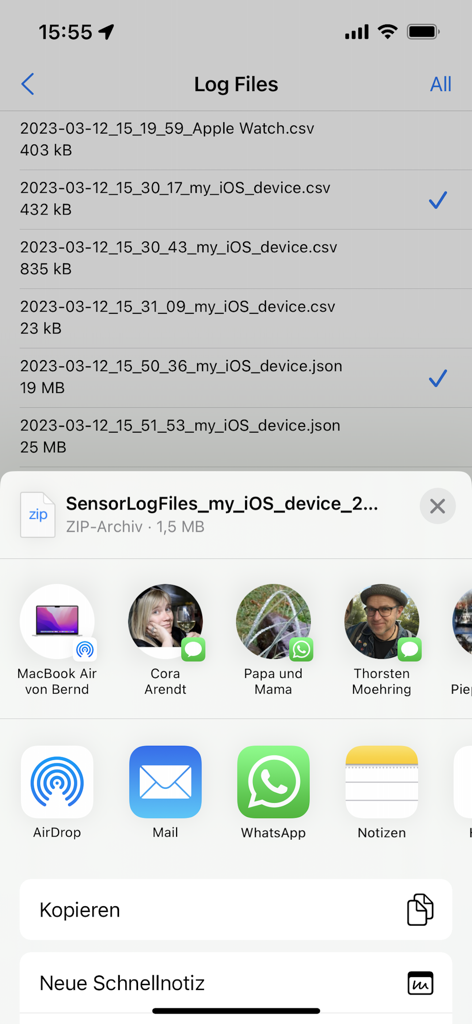
SensorLog - iOS 공유 시트를 통해 내보내지는 CSV 및 JSON 형식의 기록된 센서 데이터 파일 목록

iOS 공유 시트를 통해 내보내지는 CSV 및 JSON 형식의 기록된 센서 데이터 파일 목록

설명

With SensorLog you can read sensor data from the iPhone, iPad and Apple Watch. The sensor data can be saved as a file in CSV or JSON format, streamed via TCP/UDP or sent as an HTTP request. The most important functions for iPhone and iPad: - Sensor data can be recorded at up to 100Hz (depending on the iOS device version and sensor type). - Sensor data can be streamed in server or client mode using TCP or UDP. Depending on the network speed and the server or client configuration used, this is possible with up to 100Hz. - Via HTTP(S) GET/POST request, sensor data in JSON format (POST) or form-url encoded (POST and GET) can be transmitted to a REST API with up to 20Hz. - With the SensorLog Remote Client/Server function, an iPad or iPhone can connect as a SensorLog Remote Client to an iPhone or iPad, which takes on the role of SensorLog Remote Server. The client's sensor data can be visualized on the server, and the server can control the clients (start/stop logging, start/stop sending data). - Logging can be started and stopped using Siri and shortcuts. - SensorLog supports Core ML models created with Apple's Create ML app. Log data with SensorLog, train a model with the data in Create ML, load exported models in SensorLog and log the model prediction. Supported Create ML models are: Activity Classifier, Tabular Regressor and Tabular Classifier. - If you have an Apple Watch, HealthKit data such as heart rate, energy used, sleep and movement data can be exported on the watch as a csv or json file and then transferred to your iPhone. Sensor data iPhone / iPad: For sample log files, please visit the SensorLog homepage (link App Support). - CLLocation, CLHeading, CMAccelerometer, CMGyroData, CMMagnetometer, CMDeviceMotion, CMActivity, CMPedometer, CMAltimeter, WLAN and network provider IP addresses, device orientation, battery info, decibels. The most important functions for Apple Watch: - Logging Option 1: Logging duration up to 1 hour Simultaneous logging of all selectable sensor data is supported in the background with up to 50Hz. Individual sensors can be logged with a higher frequency of up to 100Hz. Sending data via HTTP requests is supported. - Logging option 2: Logging duration greater than 1 hour In the background only logging of the accelerometer data with max. 50Hz is supported. In the foreground all sensor data with up to 100Hz. Sending data via HTTP requests is only supported when the app is in the foreground. - Via HTTP(S) GET/POST request, sensor data can be transmitted to a REST API with up to 10Hz in JSON format (POST) or form-url encoded (POST and GET). - The Health Store data feature off the SensorLog Watch app allows you to export HealthKit data like heart rate, energy burned, sleep, and movement data. This data is automatically recorded by your Watch and can be read out and exported by SensorLog as csv or json file and transferred to your iPhone. - Logging can be started and stopped using Siri and Shortcuts. Sensor Data Watch: For sample log files, please visit the SensorLog homepage (link App Support). - CLLocation, CMAccelerometer, CMDeviceMotion, CMActivity, CMPedometer, CMAltimeter, battery info

Download

다운로드: App Store

이 페이지는 앱이나 개발자의 공식 페이지가 아니며, 정보 제공 및 논평을 목적으로 작성된 독립 편집 간행물입니다. 명시적으로 달리 언급되지 않는 한, 해당 앱이나 개발자는 MWM, Apple, Google Play, 앱 퍼블리셔 또는 앱 개발자와 제휴, 보증, 후원, 승인 또는 공식적으로 연결되어 있지 않으며, 이 페이지의 어떤 내용도 해당 앱이 MWM의 서비스를 사용하여 개발되었음을 의미하지 않습니다. 모든 상표, 로고, 스크린샷 및 기타 콘텐츠는 해당 소유자의 자산입니다.








