Shift Worker

Shift Worker

다운로드: App Store
로고: Shift Worker

Shift Worker: 9시부터 5시까지가 아닌, 당신의 삶을 위한 캘린더

까다로운 표준 캘린더와 싸우는 것을 멈추세요. 몇 초 만에 한 달 치 로스터 전체를 입력하고, 가족과 조율하고, 직관적인 시각적 아이콘으로 일정을 한눈에 확인하세요.

다운로드: App Store

개발사

Production Shed Pty Ltd

카테고리

Productivity

다운로드

258K+

사용자 평점

3.6/5

총 평가 수

4K+

지원 언어

1

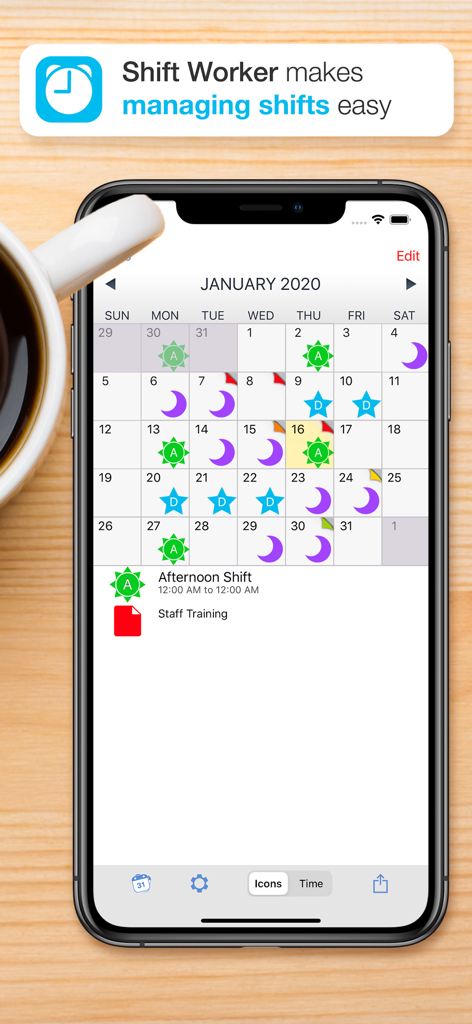
한눈에 보는 시각적 명확성

이 인터페이스를 사용하는 258K+ 명의 사용자.

시각적 근무 캘린더와 사용자 지정 근무 아이콘이 있는 Shift Worker 앱이 표시된 iPhone

시각적 근무 캘린더와 사용자 지정 근무 아이콘이 있는 Shift Worker 앱이 표시된 iPhone

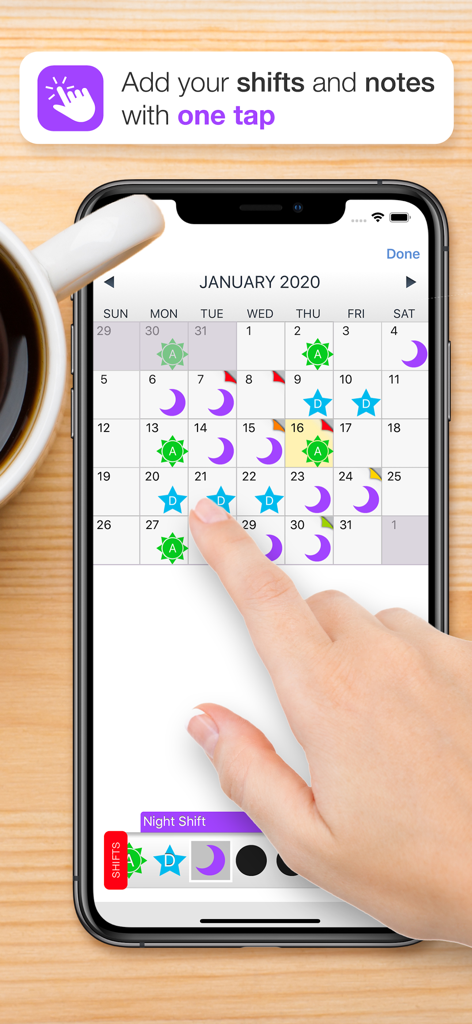
근무 아이콘과 날짜를 탭하여 근무를 추가하는 손이 있는 월별 캘린더를 보여주는 Shift Worker 앱 인터페이스

근무 아이콘과 날짜를 탭하여 근무를 추가하는 손이 있는 월별 캘린더를 보여주는 Shift Worker 앱 인터페이스

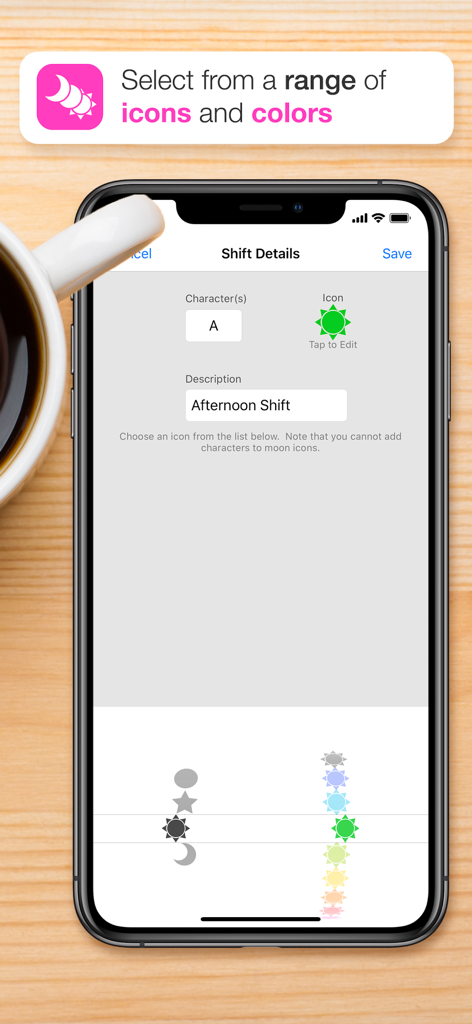
다양한 아이콘과 색상을 사용하여 근무 세부 정보를 사용자 지정하는 방법을 보여주는 Shift Worker 앱의 모바일 인터페이스

다양한 아이콘과 색상을 사용하여 근무 세부 정보를 사용자 지정하는 방법을 보여주는 Shift Worker 앱의 모바일 인터페이스

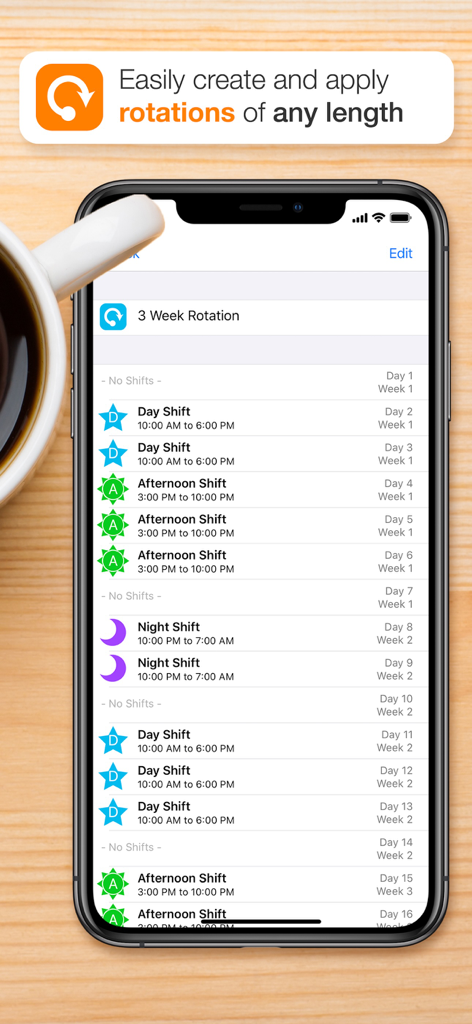
낮, 오후, 밤 근무에 대한 색상 아이콘이 있는 3주간의 근무 교대 일정을 표시하는 Shift Worker 앱 인터페이스

낮, 오후, 밤 근무에 대한 색상 아이콘이 있는 3주간의 근무 교대 일정을 표시하는 Shift Worker 앱 인터페이스

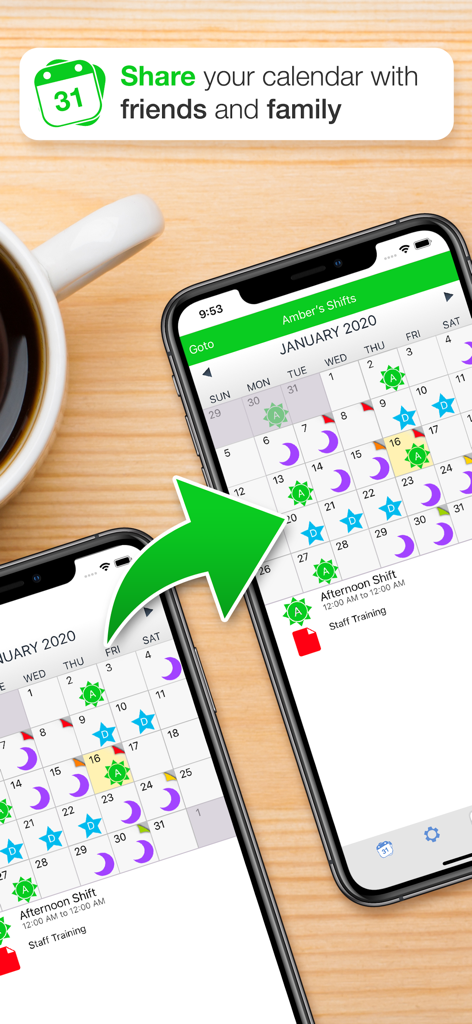
Shift Worker 앱 캘린더 인터페이스를 사용하여 근무 일정을 공유하는 두 대의 스마트폰

Shift Worker 앱 캘린더 인터페이스를 사용하여 근무 일정을 공유하는 두 대의 스마트폰

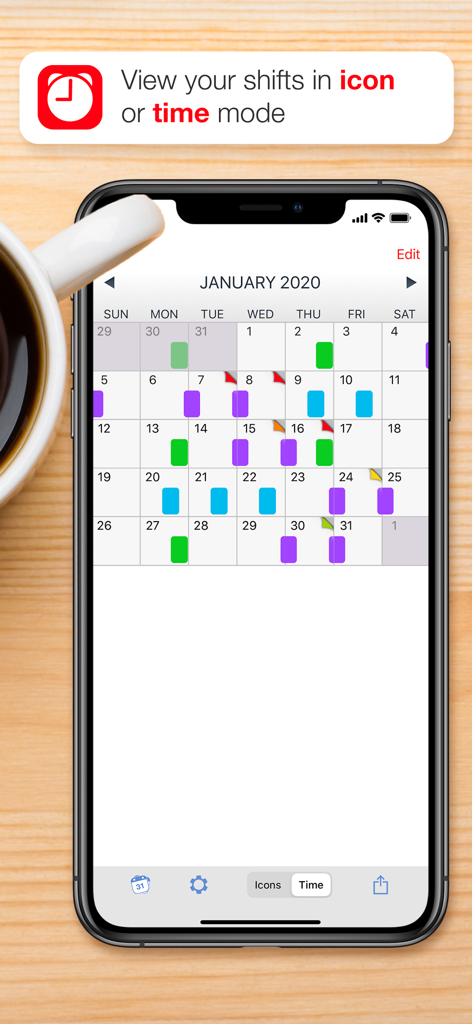
커피잔 옆에 시간 모드에서 색상으로 구분된 근무가 표시된 Shift Worker 앱 캘린더를 보여주는 iPhone 화면

커피잔 옆에 시간 모드에서 색상으로 구분된 근무가 표시된 Shift Worker 앱 캘린더를 보여주는 iPhone 화면

당신의 업무 방식에 맞춰 디자인되었습니다

이 앱을 돋보이게 하는 도구, 258K+ 명의 사용자가 선택.

번개처럼 빠른 로스터 입력

몇 초 만에 한 달 치 근무를 기록하세요. 근무 유형을 선택하고 날짜를 탭하기만 하면 캘린더가 즉시 채워집니다.

🎨

텍스트를 읽지 않고도 낮, 밤, 스윙 근무를 한눈에 구별할 수 있도록 고대비 아이콘과 색상을 사용하세요.

👨‍👩‍👧‍👦

가족과 연결 유지

일정을 이미지로 공유하거나 여러 캘린더를 동기화하여 사랑하는 사람들이 당신이 언제 집에 있는지 정확히 알 수 있도록 하세요.

앱 소개

에 대해 알아야 할 모든 것 Shift Worker.

설명

Shift Worker is designed for people who need a quick and easy way to enter and view their shifts. A traditional calendar is not always ideal for shift workers. Sometimes it's not easy to see your upcoming shift schedule very clearly, especially if your shifts don't fall into the traditional working week. Shift Worker solves this problem and turns the frustrating task of entry into a quick and easy experience. Shift Worker allows you to create your own types of shifts by combining visually-attractive icons with letters/numbers so that they can be easily identified at a glance. By including a range of icons (such as suns and stars for day and night shifts) in a variety of colors, any combination is possible for all types of shifts. Entering shifts can be done quickly by simply selecting a type of shift and tapping on each date it occurs. An entire month of shifts could be entered in seconds, an entire year in a few minutes! In addition, Shift Worker allows you create multiple calendars to see friends and family shifts! You can send your shifts to others so they can also see your shifts at a glance as an image or in their copy of Shift Worker. To make things even simpler, you can even save your shifts to your iPhone/iPod's background so that referring to your upcoming shift schedule is as simple as picking up your iPhone/iPod. Shift Worker also includes the ability to create colored personalized notes for each date. Notes can be used anytime additional information needs to be added to a date. FEATURES: - Create a virtually unlimited amount of shift types - Enter shifts on the calendar months in advance in seconds - Add your rotation and automatically fill the calendar in a few simple steps - Show friends and family shifts using multiple calendars - View the calendar in timeline format to see your shift flow at a glance - Create colored personalized notes for any date on the calendar - Include week of year or week 1/2 alternating pattern on calendar - Jump to any month by using the "Goto" button - Save a month's worth of shifts to your background - Share your shifts to others via email, MMS, Facebook or Twitter - Import other Shift Worker shifts and view them all within the one app - No in-app purchases! - No ads!

최신 버전

1.6.6

크기

19.9 MB

출시일

2010년 1월 25일

드디어, 당신의 교대 근무 생활을 위한 캘린더

일정을 단순화한 250,000명 이상의 전문가와 함께하세요. 몇 초 만에 한 달 전체 일정을 계획하고 가족에게 알리세요. 모두 광고나 구독 없이 가능합니다.

다운로드: App Store

App information, icons, screenshots, and descriptions displayed on this page are sourced from the Apple App Store and are the property of their respective developers. Download estimates and rankings are based on MWM's proprietary models and may not reflect actual figures. This page is provided for informational and analytical purposes only.

Believe this page infringes your intellectual property? File a dispute