SidePilot

SidePilot

다운로드: App Store
로고: SidePilot

SidePilot: ArduPilot 드론을 위한 전문 모바일 지상국

노트북 대신 MAVLink 플릿을 완벽하게 제어하세요. 통합 ADSB 안전 기능을 갖춘 iOS 기기에서 복잡한 웨이포인트 미션을 실행하고 실시간 텔레메트리를 모니터링하며 파라미터를 직접 관리할 수 있습니다.

다운로드: App Store

개발사

Tom Brereton

카테고리

Utilities

다운로드

48K+

사용자 평점

3.9/5

총 평가 수

100

지원 언어

1

주머니 속의 미션 컨트롤

이 인터페이스를 사용하는 48K+ 명의 사용자.

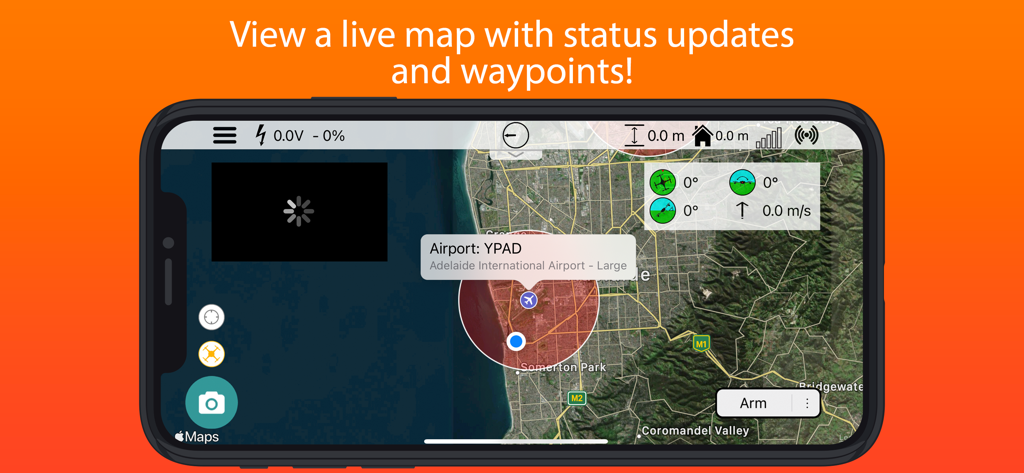
실시간 드론 지도와 텔레메트리 데이터를 보여주는 SidePilot 지상국 인터페이스
실시간 드론 지도와 텔레메트리 데이터를 보여주는 SidePilot 지상국 인터페이스

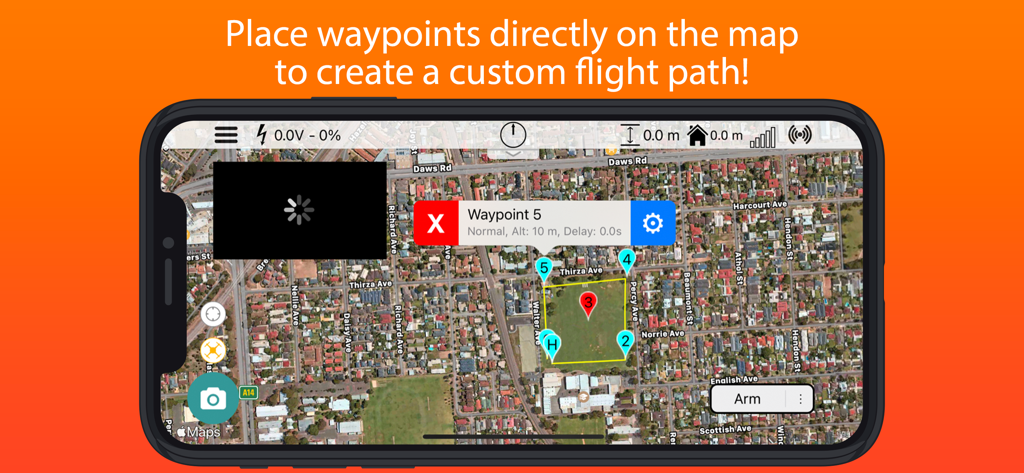
커스텀 드론 비행 경로 계획을 위해 번호가 매겨진 웨이포인트가 있는 위성 지도를 표시하는 SidePilot 앱 인터페이스
커스텀 드론 비행 경로 계획을 위해 번호가 매겨진 웨이포인트가 있는 위성 지도를 표시하는 SidePilot 앱 인터페이스

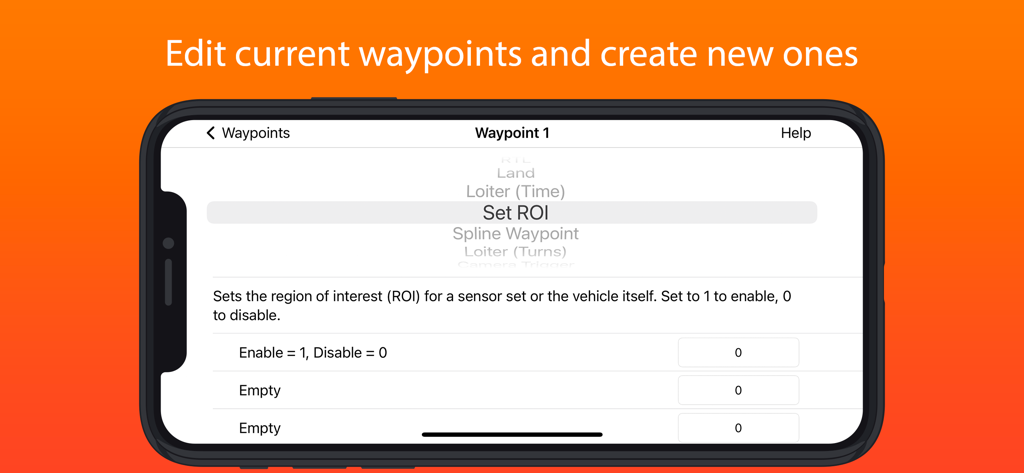
드론 웨이포인트 구성 및 관심 영역(ROI) 설정을 보여주는 SidePilot 앱 인터페이스
드론 웨이포인트 구성 및 관심 영역(ROI) 설정을 보여주는 SidePilot 앱 인터페이스

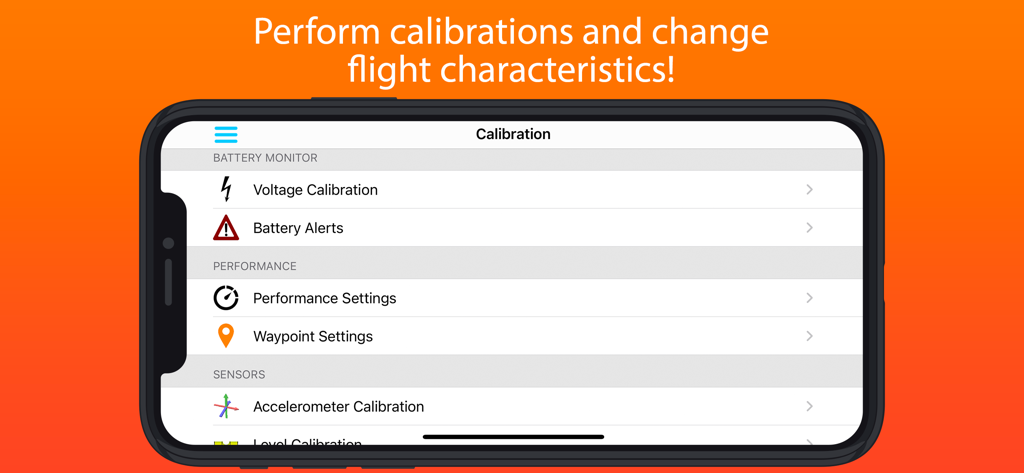
SidePilot 드론 보정 및 비행 설정 인터페이스
SidePilot 드론 보정 및 비행 설정 인터페이스

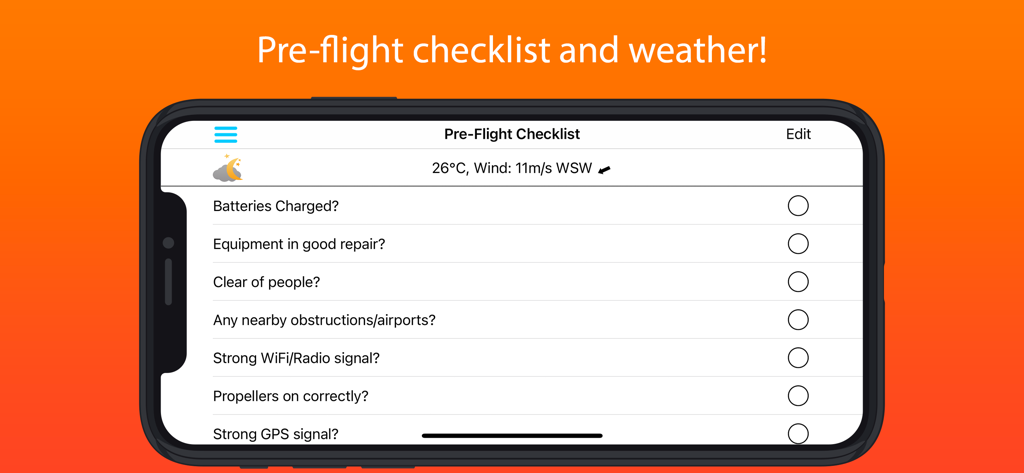
비행 전 드론 체크리스트와 날씨 데이터를 보여주는 SidePilot 앱 스크린샷

비행 전 드론 체크리스트와 날씨 데이터를 보여주는 SidePilot 앱 스크린샷

여러분의 모바일 지휘 센터

이 앱을 돋보이게 하는 도구, 48K+ 명의 사용자가 선택.

🗺️

고급 미션 계획

즉석에서 복잡한 자율 비행을 설계하세요. iPad 또는 iPhone에서 직접 웨이포인트를 생성하고, 지오펜스를 설정하거나, 전문적인 측량 그리드를 생성할 수 있습니다.

🛡️

전문가 수준의 상황 인식

인근 항공기에 대한 통합 ADSB 경고, 실시간 텔레메트리 데이터, 주요 비행 통계에 대한 맞춤형 음성 알림을 통해 자신 있게 비행하세요.

⚙️

현장용 파라미터 튜닝

PC가 필요 없습니다. 현장에서 드론의 성능을 최적화하기 위해 실시간으로 ArduPilot 파라미터를 확인, 편집 및 저장하세요.

앱 소개

에 대해 알아야 할 모든 것 SidePilot.

설명

This is the app for drone enthusiasts who wish to have a more portable ground station. Works with ArduPilot autopilot via WiFi, Bluetooth Low Energy or Cellular connection, including 3DR Solo. NOTE: You must have either WiFi, Cellular or Serial Bluetooth connection to your drone. User Manual is available at https://sidepilot.net Features: • Supports ArduCopter, ArduPlane and ArduRover via MAVLink protocol. • Displays current drone location, with information such as altitude, yaw, pitch and roll. • ADSB integration to display nearby aircraft and provide warnings. • Create, edit and delete waypoints and geofences. • Audible alerts for important information. • Edit, save and load parameters. • Perform a Pre-Flight checklist with live weather information. • Low battery warnings and alerts. • View onboard video, and live stream it to YouTube. • Record telemetry logs and export for sharing. • Follow Me - Have your drone follow you using your devices GPS location, or visually with Object Tracking. • Orbit mode - Automatically orbit an object for a fantastic cinematic shots! • Grid Waypoints - Create a survey grid to fly • Tap to fly - Tap a location on the map to send your drone there! • Perform calibrations at the field. • And many, many more... Quick-start guide (Using a WiFi connection): 1. Turn on drone and connect using WiFi. 2. Start SidePilot, navigate to settings and select either WiFi UDP, TCP or 3DR Solo (as applicable). 3. If setting up WiFi manually, click on WiFi Settings and input the correct IP address and port that the MAVLink protocol is running over. 4. Go back to the main screen and press the connect button on the top right. The app will begin displaying information about the drone. If not, double check your WiFi settings. Please post suggestions and bug reports on the SidePilot Facebook page or via email to tom@sidepilot.net WARNING: Continued use of GPS running in the background can dramatically decrease battery life. Note: iPads without cellular do not have GPS capability unless tethered to a iOS Device with cellular, and even then it is poor and not suitable for navigation.

최신 버전

2.1.6

크기

111.2 MB

출시일

2016년 9월 29일

어디서나 미션을 완벽하게 지휘하세요

노트북 대신 가장 강력한 iOS 지상국을 선택한 48,000명 이상의 전문 조종사들과 함께하세요. 주머니 속에서 전문적인 MAVLink 제어, ADSB 안전 경고, 고급 미션 계획 기능을 바로 이용할 수 있습니다.

다운로드: App Store

App information, icons, screenshots, and descriptions displayed on this page are sourced from the Apple App Store and are the property of their respective developers. Download estimates and rankings are based on MWM's proprietary models and may not reflect actual figures. This page is provided for informational and analytical purposes only.

Believe this page infringes your intellectual property? File a dispute