Signature Maker - SignHub
다운로드: App Store

이 페이지는 앱이나 개발자의 공식 페이지가 아니며, 정보 제공 및 논평을 목적으로 작성된 독립 편집 간행물입니다. 명시적으로 달리 언급되지 않는 한, 해당 앱이나 개발자는 MWM, Apple, Google Play, 앱 퍼블리셔 또는 앱 개발자와 제휴, 보증, 후원, 승인 또는 공식적으로 연결되어 있지 않으며, 이 페이지의 어떤 내용도 해당 앱이 MWM의 서비스를 사용하여 개발되었음을 의미하지 않습니다. 모든 상표, 로고, 스크린샷 및 기타 콘텐츠는 해당 소유자의 자산입니다.

로고: Signature Maker - SignHub
다운로드: App Store

Signature Maker - SignHub

iPhone을 강력한 모바일 오피스로 전환하세요. 맞춤형 서명을 만들고, 문서를 스캔하고, 몇 초 만에 합의서를 완료하세요. 프린터가 필요 없습니다.

주요 수치

다운로드

15K+

사용자 평점

4.6/5

총 평가 수

100

개발사

Waleed Afzal

카테고리

Business

지원 언어

1

최신 버전

1.16

크기

32.1 MB

출시일

2023년 11월 6일
기능

간소화된 전문가 서명

모든 현대 전문가를 위해 설계된 모바일 우선 플랫폼에서 계약서를 스캔, 서명 및 관리하는 데 필요한 모든 것을 제공합니다.

스마트 문서 스캐너

하드웨어를 버리세요. iPhone 카메라를 사용하여 종이 문서를 즉시 고품질 PDF로 변환하세요.

브랜드 서명 스타일

다양한 색상, 굵기, 스타일로 제공되는 맞춤 서명으로 전문적인 이미지를 유지하세요.

다음 스크린샷과 설명은 앱의 공식 스토어 목록에서 직접 가져온 것이며 앱 개발자의 자산입니다.

앱 스토어

스크린샷
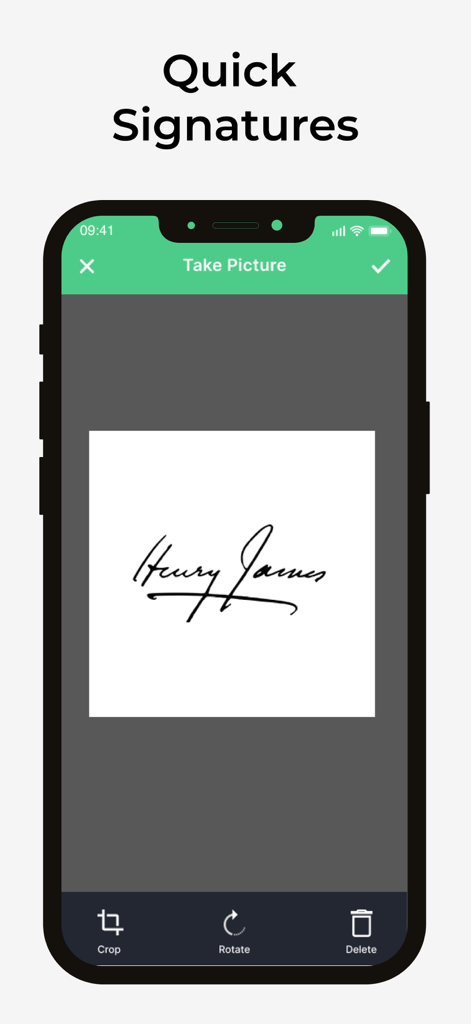
Signature Maker - SignHub - 서명을 캡처하고 자르기 및 회전 옵션을 보여주는 모바일 앱 인터페이스
서명을 캡처하고 자르기 및 회전 옵션을 보여주는 모바일 앱 인터페이스

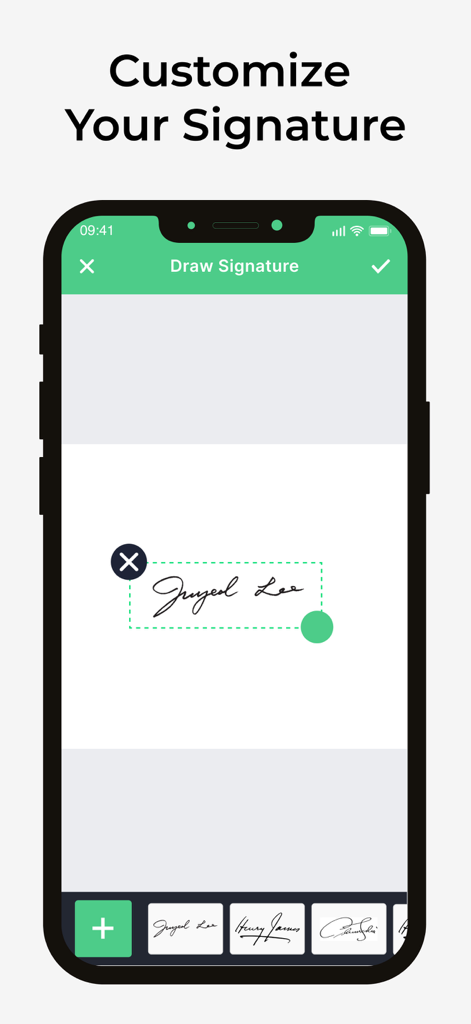
Signature Maker - SignHub - SignHub에서 디지털 서명을 그리고 사용자 지정하는 모바일 앱 인터페이스.
SignHub에서 디지털 서명을 그리고 사용자 지정하는 모바일 앱 인터페이스.

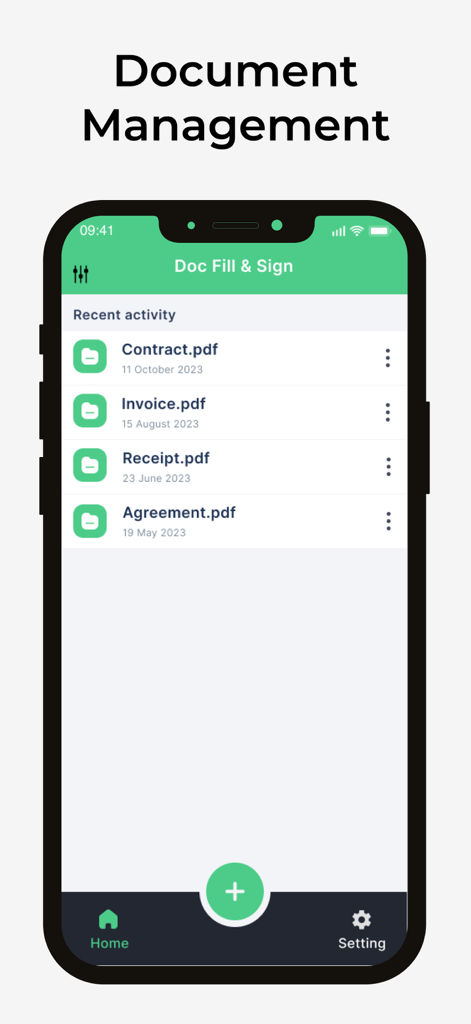
Signature Maker - SignHub - 계약서, 송장, 영수증을 포함한 관리 문서 목록을 보여주는 SignHub 모바일 앱 인터페이스.
계약서, 송장, 영수증을 포함한 관리 문서 목록을 보여주는 SignHub 모바일 앱 인터페이스.

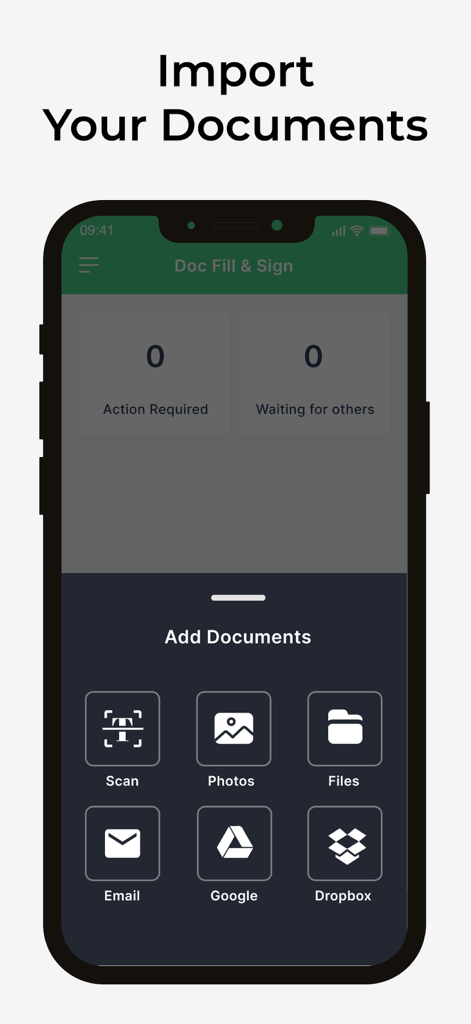
Signature Maker - SignHub - Google Drive 및 Dropbox와 같은 스캔, 사진, 파일 및 클라우드 서비스에서 문서를 추가하는 옵션을 보여주는 SignHub 앱 인터페이스.
Google Drive 및 Dropbox와 같은 스캔, 사진, 파일 및 클라우드 서비스에서 문서를 추가하는 옵션을 보여주는 SignHub 앱 인터페이스.

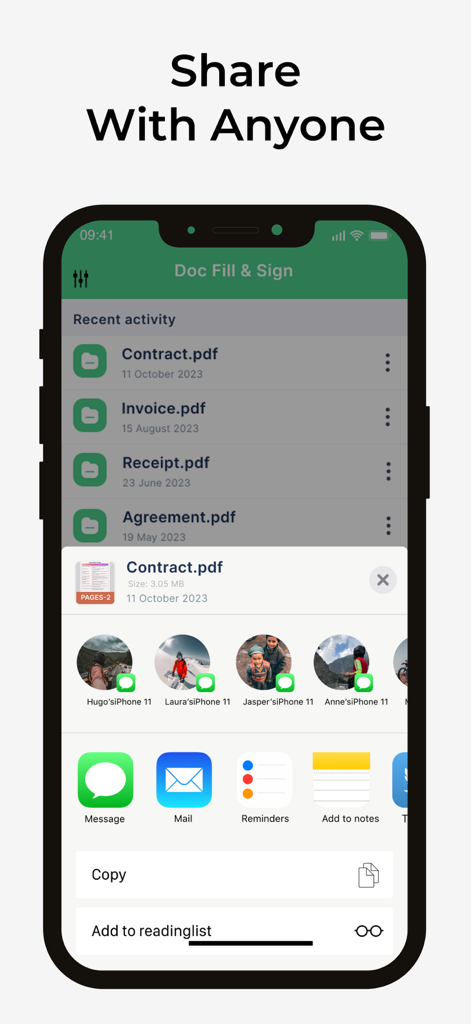
Signature Maker - SignHub - 서명된 계약서 및 PDF에 대한 문서 공유 옵션을 보여주는 SignHub 앱 인터페이스
서명된 계약서 및 PDF에 대한 문서 공유 옵션을 보여주는 SignHub 앱 인터페이스

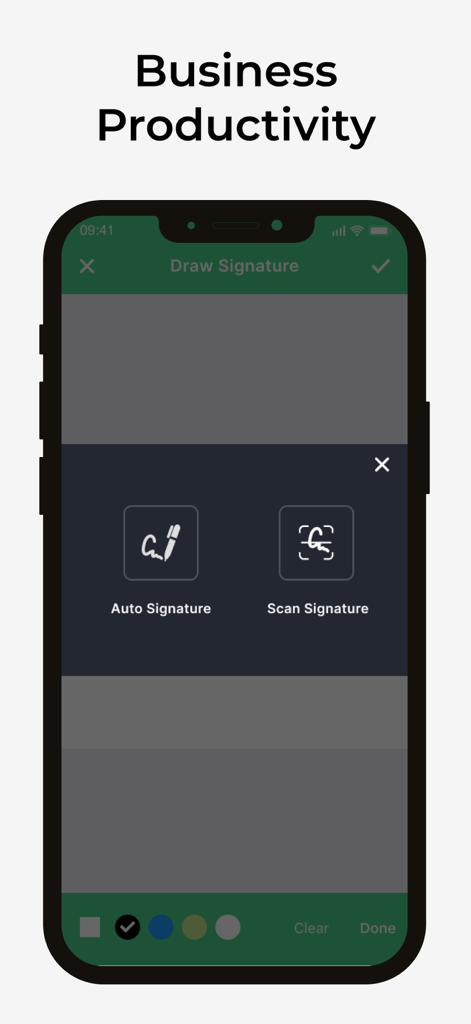
Signature Maker - SignHub - 자동 서명 및 스캔 서명 옵션을 표시하는 SignHub 모바일 앱 화면

자동 서명 및 스캔 서명 옵션을 표시하는 SignHub 모바일 앱 화면

설명

SignHub: The Smarter Signature Maker SignHub is your all-in-one Signature Maker app that turns your iPhone into a powerful tool for signing, managing, and sharing documents. Whether you’re a business professional, freelancer, or student, SignHub simplifies the way you handle paperwork—no printing, scanning, or faxing required. Key Features: Fast & Easy Signing: Sign documents, agreements, and contracts in just a few taps. Custom Signature Maker: Create, draw, or import your signature with different styles, colors, and sizes. Smart Document Scanner: Scan documents instantly and sign them directly within the app. Efficient File Management: Organize, store, and access all your files securely in one place. Seamless Sharing Options: Share your signed documents via email, messaging apps, or cloud storage. Perfect for Work & Life: Stay productive by signing on the go—ideal for business, school, or remote work. Say goodbye to the hassle of paperwork. With SignHub, you get a clean interface, reliable tools, and the convenience of a true mobile Signature Maker. Download SignHub today and experience the easiest way to sign and manage your documents on iOS. You can get unlimited access to all the advanced functionality by subscribing to a monthly or a yearly plan inside the app. There's also a free 3 day trial period to get a taste of what SignHub Premium has to offer. Once expired, the trial period automatically changes to a paid monthly subscription. Payment will be charged to iTunes Account at confirmation of purchase. Subscription automatically renews unless auto-renew is turned off at least 24-hours before the end of the current period. Account will be charged for renewal within 24-hours prior to the end of the current period, and identify the cost of the renewal. Subscriptions may be managed by the user and auto-renewal may be turned off by going to the user's Account Settings after purchase. Any unused portion of a free trial period, if offered, will be forfeited when the user purchases a subscription to that publication, where applicable. Privacy Policy : https://sites.google.com/view/signhub-privacy Terms of Use : https://sites.google.com/view/signhub-terms Website: https://signhub-c8642.web.app

Download

다운로드: App Store

이 페이지는 앱이나 개발자의 공식 페이지가 아니며, 정보 제공 및 논평을 목적으로 작성된 독립 편집 간행물입니다. 명시적으로 달리 언급되지 않는 한, 해당 앱이나 개발자는 MWM, Apple, Google Play, 앱 퍼블리셔 또는 앱 개발자와 제휴, 보증, 후원, 승인 또는 공식적으로 연결되어 있지 않으며, 이 페이지의 어떤 내용도 해당 앱이 MWM의 서비스를 사용하여 개발되었음을 의미하지 않습니다. 모든 상표, 로고, 스크린샷 및 기타 콘텐츠는 해당 소유자의 자산입니다.








