Signature: sign documents
다운로드: App Store

이 페이지는 앱이나 개발자의 공식 페이지가 아니며, 정보 제공 및 논평을 목적으로 작성된 독립 편집 간행물입니다. 명시적으로 달리 언급되지 않는 한, 해당 앱이나 개발자는 MWM, Apple, Google Play, 앱 퍼블리셔 또는 앱 개발자와 제휴, 보증, 후원, 승인 또는 공식적으로 연결되어 있지 않으며, 이 페이지의 어떤 내용도 해당 앱이 MWM의 서비스를 사용하여 개발되었음을 의미하지 않습니다. 모든 상표, 로고, 스크린샷 및 기타 콘텐츠는 해당 소유자의 자산입니다.


로고: Signature: sign documents
다운로드: App Store

Signature: sign documents

프린터는 이제 그만, 몇 초 안에 계약서에 서명하세요. 자연스러운 필체를 캡처하고, 여러 페이지 문서에 즉시 서명하고, 완전한 오프라인 개인 정보 보호 기능으로 워터마크 없는 PDF를 내보내세요.

주요 수치

다운로드

22K+

사용자 평점

4.6/5

총 평가 수

100

개발사

GAL APP LTD

카테고리

Utilities

지원 언어

24

최신 버전

1.5.4

크기

14.9 MB

출시일

2025년 6월 3일
기능

간편해진 전문가 서명

부동산 중개인, 프리랜서, 원격 근무자가 프린터 없이 몇 초 안에 계약을 처리할 수 있는 완벽한 모바일 도구.

실제 잉크 필기 서명

화면에서 그리거나 AI 자동 배경 제거 기능으로 종이 서명을 스캔하여 전문가 수준의 서명을 만드세요.

즉각적인 일괄 서명

서명을 한 번만 배치하면 모든 페이지에 자동으로 동기화되어 긴 문서를 손쉽게 처리하세요.

다음 스크린샷과 설명은 앱의 공식 스토어 목록에서 직접 가져온 것이며 앱 개발자의 자산입니다.

앱 스토어

스크린샷
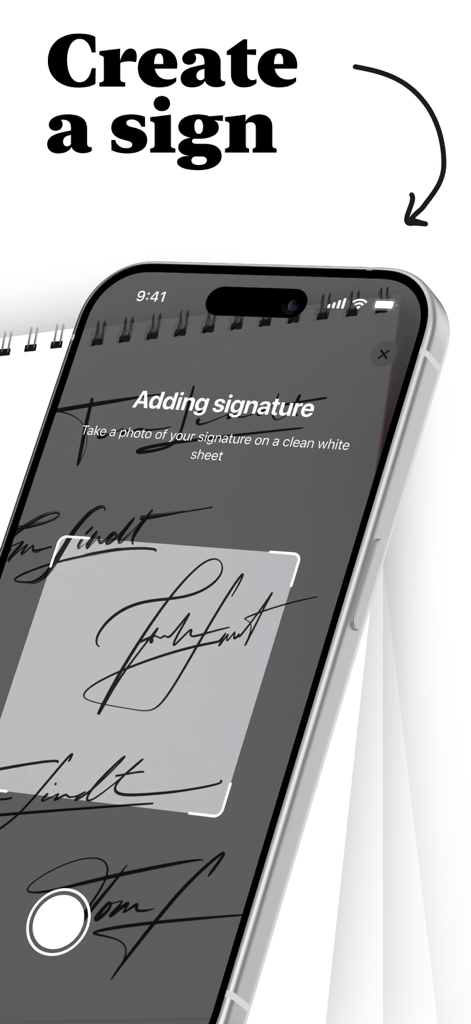
Signature: sign documents - Signature 앱에서 카메라를 사용하여 손글씨 서명을 캡처하는 과정을 보여주는 iPhone 화면
Signature 앱에서 카메라를 사용하여 손글씨 서명을 캡처하는 과정을 보여주는 iPhone 화면

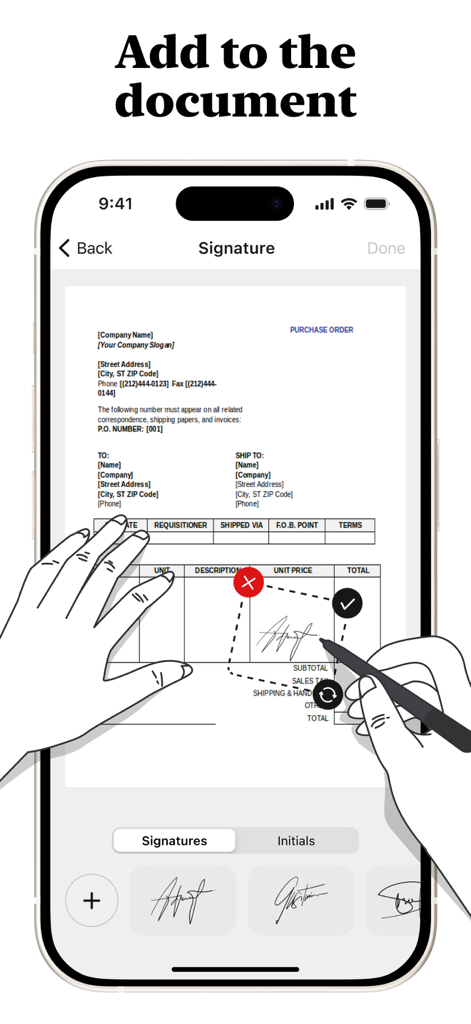
Signature: sign documents - Signature 앱을 사용하여 구매 주문서에 디지털 서명을 추가하는 사용자를 보여주는 iPhone 화면
Signature 앱을 사용하여 구매 주문서에 디지털 서명을 추가하는 사용자를 보여주는 iPhone 화면

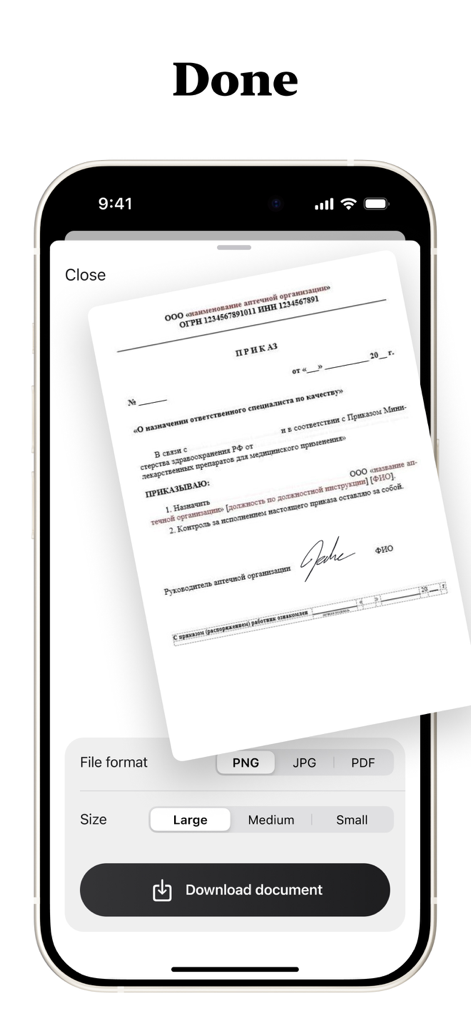
Signature: sign documents - 서명된 문서의 다운로드 설정을 포함하여 파일 형식 및 크기를 보여주는 모바일 앱 인터페이스.

서명된 문서의 다운로드 설정을 포함하여 파일 형식 및 크기를 보여주는 모바일 앱 인터페이스.

설명

SignQuick - Professional Digital Document Signing Transform your document workflow with SignQuick, the comprehensive digital signing solution designed for professionals, students, and anyone who needs to sign documents quickly and securely. Create Perfect Signatures Draw signatures naturally with your finger using our intuitive drawing canvas, or take photos of handwritten signatures on paper with automatic background removal. Create professional initials for quick document marking and approval, and store unlimited signatures and initials for instant access. Universal Document Support Import and sign PDF documents with full formatting preservation. Work seamlessly with Word documents, PowerPoint presentations, and text files. Scan physical documents directly with your camera and enjoy automatic conversion of non-PDF files to PDF format for universal compatibility. Advanced Signing Features Drag, resize, and position signatures anywhere on your documents. Copy signatures to all pages or select specific pages for bulk signing with real-time preview of signature placement before finalizing. Precision controls ensure perfect signature positioning every time. Multiple Export Options Save signed documents as PDF, PNG, or JPG formats. Export directly to Files app, email, or cloud storage services while maintaining original document quality with no compression artifacts. Share signed documents instantly with clients, colleagues, or institutions. Professional Quality Output Generate clean, watermark-free signed documents with high-resolution signature rendering. Preserve original document formatting and layout for professional appearance suitable for legal and business use. Premium Features Access unlimited document pages - sign lengthy contracts and reports without restrictions. Enjoy unlimited signature storage - create and save as many signatures as needed. Benefit from advanced PDF conversion - transform any document format to PDF. Receive priority support and regular feature updates. Security and Privacy All signatures are stored securely on your device with no cloud storage of sensitive documents unless you choose to export. Maintain complete privacy and control over your signature data with full offline functionality - sign documents anywhere, anytime. Why Choose SignQuick? SignQuick eliminates the need for printing, manual signing, and scanning. Whether you're a business professional handling contracts, a student submitting assignments, or anyone dealing with paperwork, SignQuick streamlines your document workflow. The intuitive interface follows Apple's design guidelines, ensuring a familiar and efficient user experience. Perfect for real estate agents, lawyers, consultants, students, small business owners, and remote workers who need reliable, professional document signing capabilities on their mobile device. Download SignQuick today and experience the future of digital document signing. Full access is available only with an active subscription. After subscribing, the chosen plan will be billed immediately. Terms: https://www.apple.com/legal/internet-services/itunes/dev/stdeula/

Download

다운로드: App Store

이 페이지는 앱이나 개발자의 공식 페이지가 아니며, 정보 제공 및 논평을 목적으로 작성된 독립 편집 간행물입니다. 명시적으로 달리 언급되지 않는 한, 해당 앱이나 개발자는 MWM, Apple, Google Play, 앱 퍼블리셔 또는 앱 개발자와 제휴, 보증, 후원, 승인 또는 공식적으로 연결되어 있지 않으며, 이 페이지의 어떤 내용도 해당 앱이 MWM의 서비스를 사용하여 개발되었음을 의미하지 않습니다. 모든 상표, 로고, 스크린샷 및 기타 콘텐츠는 해당 소유자의 자산입니다.








