
이 페이지는 앱이나 개발자의 공식 페이지가 아니며, 정보 제공 및 논평을 목적으로 작성된 독립 편집 간행물입니다. 명시적으로 달리 언급되지 않는 한, 해당 앱이나 개발자는 MWM, Apple, Google Play, 앱 퍼블리셔 또는 앱 개발자와 제휴, 보증, 후원, 승인 또는 공식적으로 연결되어 있지 않으며, 이 페이지의 어떤 내용도 해당 앱이 MWM의 서비스를 사용하여 개발되었음을 의미하지 않습니다. 모든 상표, 로고, 스크린샷 및 기타 콘텐츠는 해당 소유자의 자산입니다.


Simple Calendar: ToDo Planner
어수선함을 벗겨내고 진정한 효율성을 드러냅니다. 이 앱은 당신의 시간 관리를 군더더기 없이 명확하게 만듭니다.
다운로드
12.5M+사용자 평점
총 평가 수
475.9K개발사
카테고리
Productivity지원 언어
35최신 버전
5.8.0크기
111.9 MB출시일
2018년 11월 16일기능 중심의 미니멀리스트 iOS 캘린더 솔루션 평가
Simple Calendar: ToDo Planner 앱 심층 분석
iOS 캘린더 연동 및 손쉬운 공유
이 앱은 iCloud 캘린더 및 Google 캘린더 공유 기능을 활용하여, 사용자가 가족, 파트너 및 동료와 일정을 손쉽게 공유하고 다른 스케줄링 앱과 동기화할 수 있게 해줍니다.
유연한 알림 설정
사용자는 이벤트 시간뿐만 아니라 5분, 15분 전 등 다양한 사전 알림을 설정하여, 중요한 약속이나 계획을 놓치지 않고 효과적으로 시간을 관리할 수 있습니다.
다양한 캘린더 보기 모드
이 도구는 월간, 주간(7일, 5일, 3일), 일간 보기 모드를 제공하여, 사용자가 자신의 필요에 가장 적합한 방식으로 일정을 확인하고 관리할 수 있도록 지원합니다.
글꼴 크기 조절 및 색상 코딩
사용자는 글꼴 크기(10가지 옵션)를 조절하고, 이벤트에 맞춰 글꼴 굵기를 변경하며, 다양한 캘린더를 색상으로 구분하여 개인화된 명확한 일정 관리가 가능합니다.
강력한 보안 잠금 기능
이 앱은 패스코드, Face ID 및 Touch ID를 이용한 보안 잠금 기능을 제공하여, 사용자의 개인 일정 정보를 안전하게 보호하고 프라이버시를 지킬 수 있도록 돕습니다.
상세 이벤트 정보 추가
사용자는 각 이벤트에 메모, URL 및 지도를 추가하여, 모든 관련 정보를 한곳에 통합하고 중요한 세부 사항을 쉽게 참조할 수 있습니다.
자주 묻는 질문
에 대해 알아야 할 모든 것 Simple Calendar: ToDo Planner
Is Simple Calendar a free application?
Yes, the Simple Calendar app is completely free to download and use. It emphasizes simplicity and core functionality for users.
Can I share my schedules with others using Simple Calendar?
Yes, Simple Calendar supports sharing features with iCloud Calendar and Google Calendar. This enables easy schedule sharing with family, partners, and colleagues.
How many widgets does Simple Calendar offer?
Simple Calendar provides 15 widgets to help users see their events at a glance directly from their device's home screen.
Does Simple Calendar allow for font size adjustment?
Yes, Simple Calendar offers extensive font size adjustment with 10 options, including five specific sizes (extra-small, small, medium, large, extra-large) and bold/light styles.
What display options are available in the Simple Calendar app?
Simple Calendar provides monthly, weekly (7, 5, or 3 days), and daily display options. Users can switch between these views with a single tap.
Can users customize the color scheme within Simple Calendar?
Yes, Simple Calendar supports color coding for different calendars (e.g., work, home) and allows switching the background color between white and black. It offers 20 color themes.
How does Simple Calendar ensure event synchronization?
Simple Calendar utilizes the standard iOS calendar function. This ensures that schedules created within the app synchronize with other scheduling applications and the iOS standard calendar.
Can Simple Calendar be secured with a passcode?
Yes, Simple Calendar provides a secure passcode lock feature. Users can also secure the app using Face ID and Touch ID to protect their calendar privacy.
Does Simple Calendar support event notification settings?
Yes, Simple Calendar allows users to set up notifications for scheduled events. Notifications can be configured for the event time, or at intervals like 5 minutes, 15 minutes, or more prior.
Why do old events disappear in Simple Calendar, and how can I fix it?
Old events may disappear because the app uses the iOS calendar's default sync settings. To fix this, go to iOS Settings > Calendar > Sync, and select 'All Events.'
Can I create event templates in Simple Calendar?
Yes, Simple Calendar allows users to create templates for adding similar events easily. This streamlines the process of scheduling recurring or common activities.
다음 스크린샷과 설명은 앱의 공식 스토어 목록에서 직접 가져온 것이며 앱 개발자의 자산입니다.
앱 스토어
스크린샷
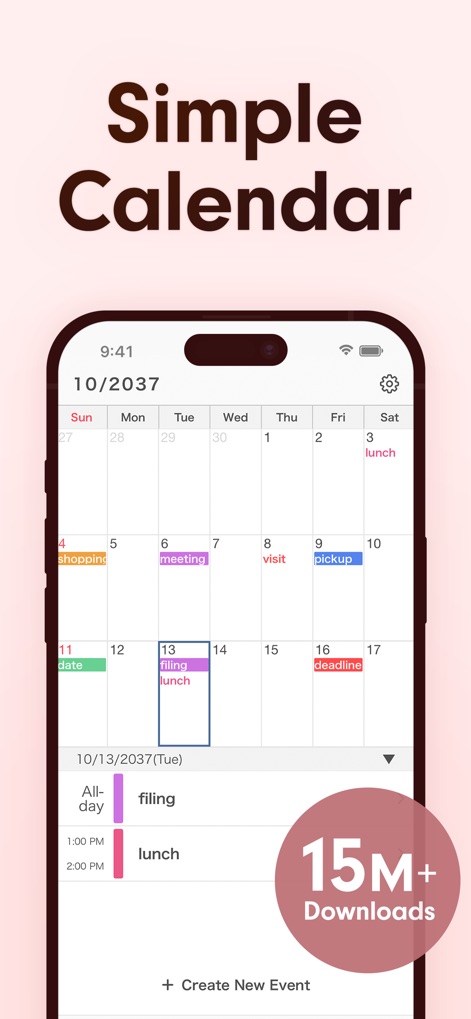
이 앱은 깔끔한 월별 보기와 선택한 날짜의 상세한 이벤트 목록을 통해 직관적인 스케줄 관리를 제공합니다.
직관적인 스케줄 관리
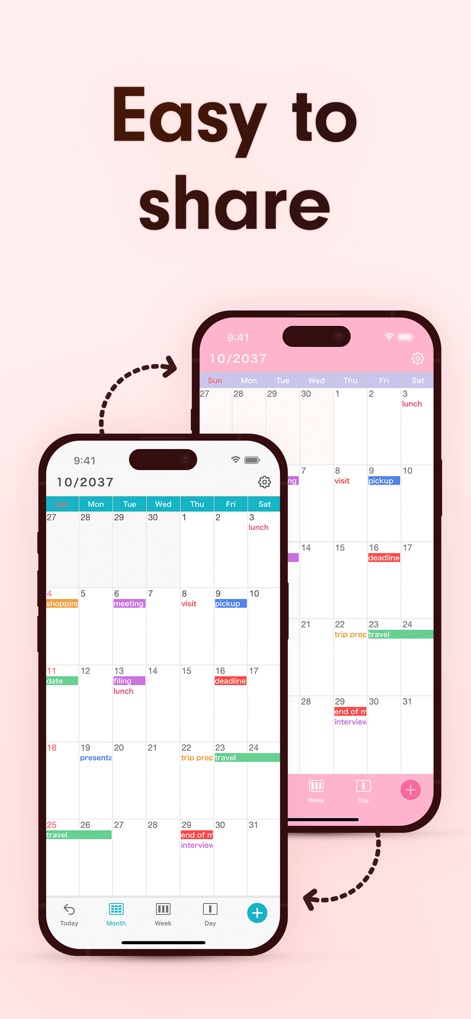
이 앱은 직관적인 공유 기능을 통해 여러 기기에서 스케줄을 손쉽게 동기화하며, 협업을 위한 공유 가능한 캘린더 인터페이스를 제공합니다.
간편한 스케줄 공유
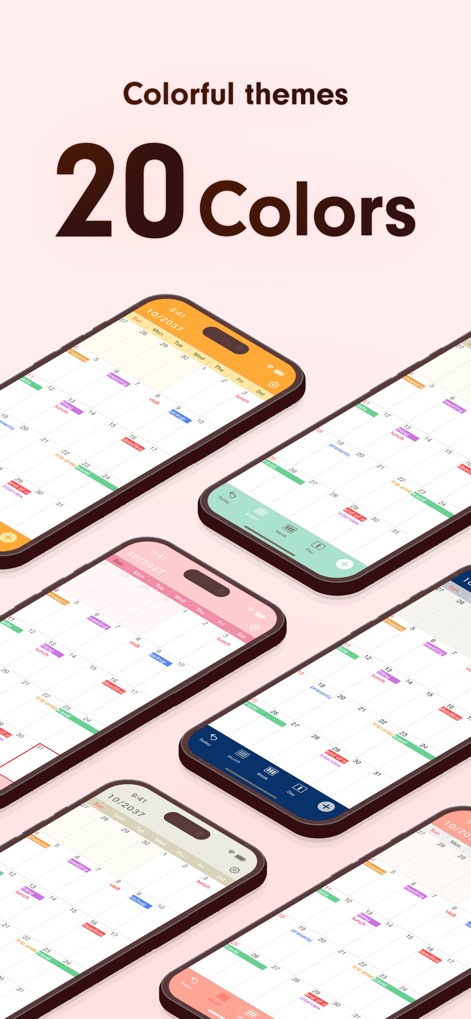
이 앱은 20가지 이상의 다채로운 색상 테마를 제공하여 개인의 취향에 맞게 캘린더를 맞춤 설정하고, 이벤트를 색상 코딩으로 명확하게 구분할 수 있도록 지원합니다.
다채로운 테마
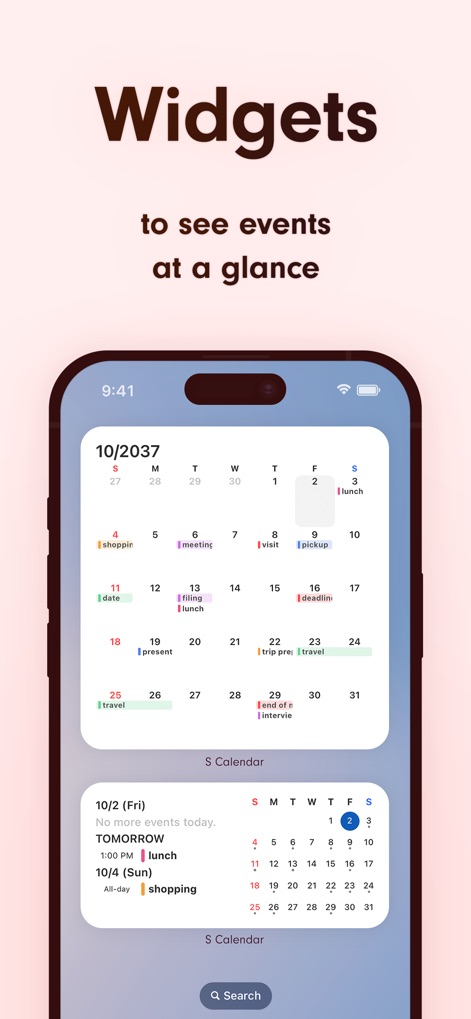
이 앱은 유용한 홈 화면 위젯을 제공하여 사용자가 월별 캘린더와 예정된 이벤트 목록을 한눈에 확인하며 효율적으로 일정을 관리할 수 있도록 돕습니다.
한눈에 보는 위젯
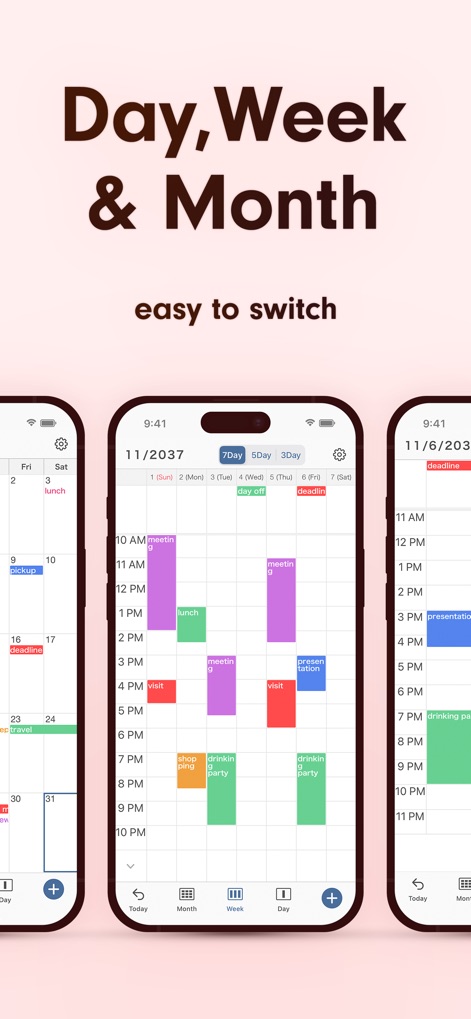
이 앱은 사용자가 월별, 주간, 일별 보기 모드를 손쉽게 전환할 수 있도록 지원하며, 7일 주간 보기 옵션을 통해 일정 관리를 유연하게 할 수 있습니다.
유연한 보기 모드
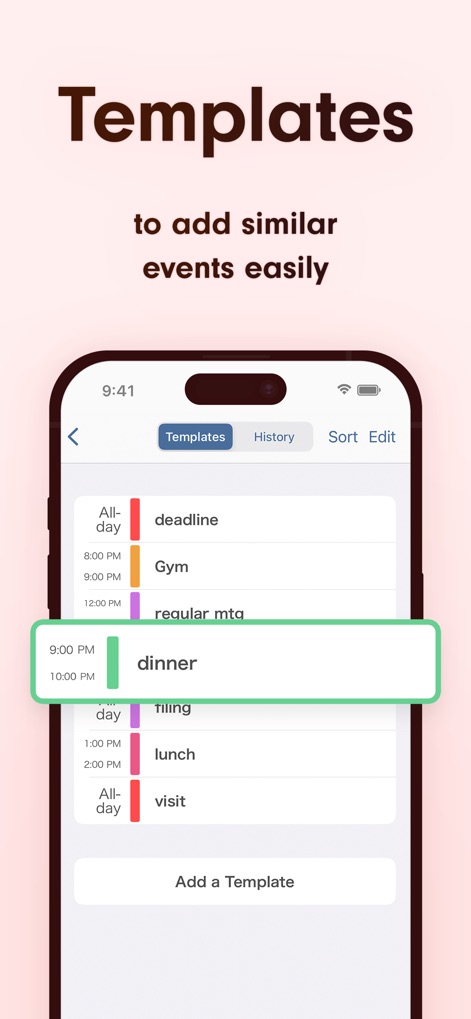
이 앱은 이벤트 템플릿 목록을 제공하여 사용자가 유사한 일정을 손쉽게 추가할 수 있도록 돕고, '템플릿 추가' 기능을 통해 반복적인 스케줄 관리를 간소화합니다.
간편한 템플릿 활용
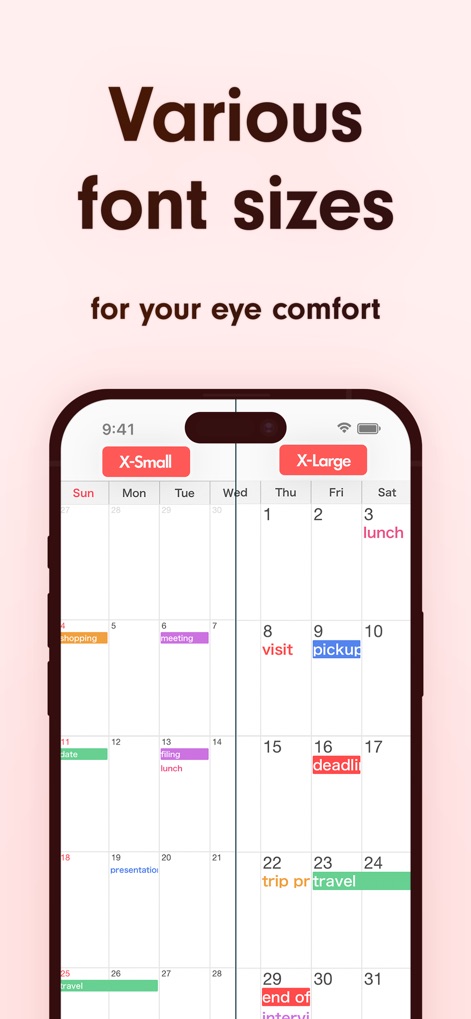
이 앱은 다양한 글꼴 크기 조절 옵션을 제공하여 사용자의 시각적 편안함을 높이고, 'X-Small' 및 'X-Large' 버튼으로 텍스트 크기를 즉시 변경할 수 있습니다.
맞춤형 글꼴 크기
설명
Download
비슷한 앱
유사한 기능과 사용자 경험을 가진 앱

Notion: Notes, Tasks, AI
Notion Labs, Incorporated

Freenotes®: AI Notes Taking
Hangzhou Free Notes Technology Co., Ltd

Structured - Daily Planner
unorderly GmbH

Google Tasks: Get Things Done
Google LLC

TickTick:To-Do List & Calendar
Appest Limited

Noteful: Notes & PDF Markup
Noteful Technologies Ltd

Todoist: To Do List & Calendar
Doist Inc.

To do list MinimaList & Widget
Inner Grow Limited

monday.com - Work Platform
monday.com Ltd.
이 페이지는 앱이나 개발자의 공식 페이지가 아니며, 정보 제공 및 논평을 목적으로 작성된 독립 편집 간행물입니다. 명시적으로 달리 언급되지 않는 한, 해당 앱이나 개발자는 MWM, Apple, Google Play, 앱 퍼블리셔 또는 앱 개발자와 제휴, 보증, 후원, 승인 또는 공식적으로 연결되어 있지 않으며, 이 페이지의 어떤 내용도 해당 앱이 MWM의 서비스를 사용하여 개발되었음을 의미하지 않습니다. 모든 상표, 로고, 스크린샷 및 기타 콘텐츠는 해당 소유자의 자산입니다.