SketchifyTracer
SketchifyTracer
다운로드: App Store

이 페이지는 앱이나 개발자의 공식 페이지가 아니며, 정보 제공 및 논평을 목적으로 작성된 독립 편집 간행물입니다. 명시적으로 달리 언급되지 않는 한, 해당 앱이나 개발자는 MWM, Apple, Google Play, 앱 퍼블리셔 또는 앱 개발자와 제휴, 보증, 후원, 승인 또는 공식적으로 연결되어 있지 않으며, 이 페이지의 어떤 내용도 해당 앱이 MWM의 서비스를 사용하여 개발되었음을 의미하지 않습니다. 모든 상표, 로고, 스크린샷 및 기타 콘텐츠는 해당 소유자의 자산입니다.

로고: SketchifyTracer
다운로드: App Store

SketchifyTracer

모든 사진을 몇 초 안에 트레이싱 가능한 윤곽선으로 바꾸세요. iPhone을 디지털 프로젝터로 사용하여 비율을 마스터하고, 세부 사항을 선명하게 하고, TikTok 및 Instagram에 적합한 멋진 예술 작품을 만드세요.

주요 수치

다운로드

200

사용자 평점

1.0/5

총 평가 수

0

개발사

Dharmesh Hirpara

카테고리

Utilities

지원 언어

1

최신 버전

2.0

크기

56.0 MB

출시일

2024년 1월 2일
기능

예술 게임 레벨 올리기

비율 때문에 고생하지 말고 창작을 시작하세요. AR 기반 도구는 스마트폰을 전문 트레이싱 스테이션으로 변환하여 언제나 완벽한 스케치를 제공합니다.

정밀 AR 트레이싱

카메라를 통해 좋아하는 사진을 종이에 직접 보세요. 휴대폰을 장착하고 선을 따라가면 완벽한 정확도와 완벽한 스케일을 얻을 수 있습니다.

맞춤형 라인 필터

모든 이미지를 선명하고 트레이싱 가능한 스텐실로 바꾸세요. 펜을 대기 전에도 모든 디테일을 돋보이게 하기 위해 Pro-Edge 및 Contrast 도구를 사용하세요.

다음 스크린샷과 설명은 앱의 공식 스토어 목록에서 직접 가져온 것이며 앱 개발자의 자산입니다.

앱 스토어

스크린샷
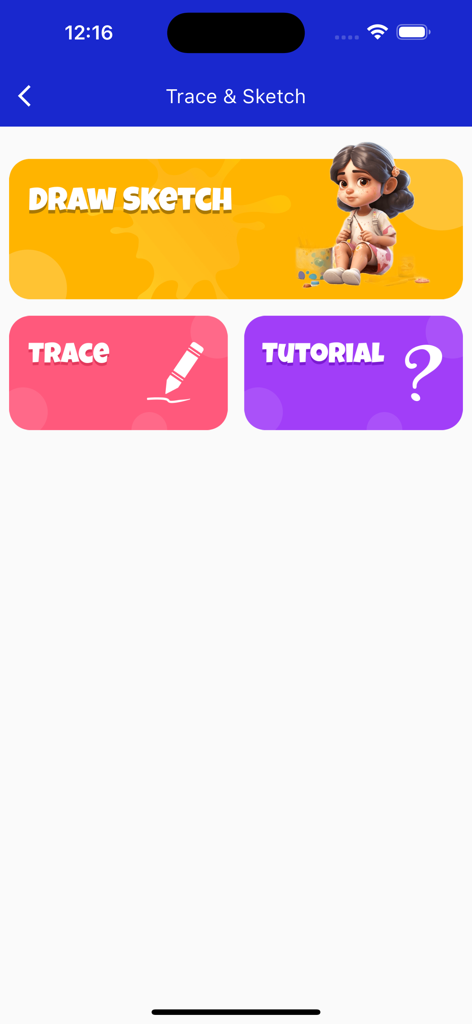
SketchifyTracer - SketchifyTracer의 사용자 인터페이스에 Draw Sketch Trace 및 Tutorial 메뉴 버튼이 표시됨
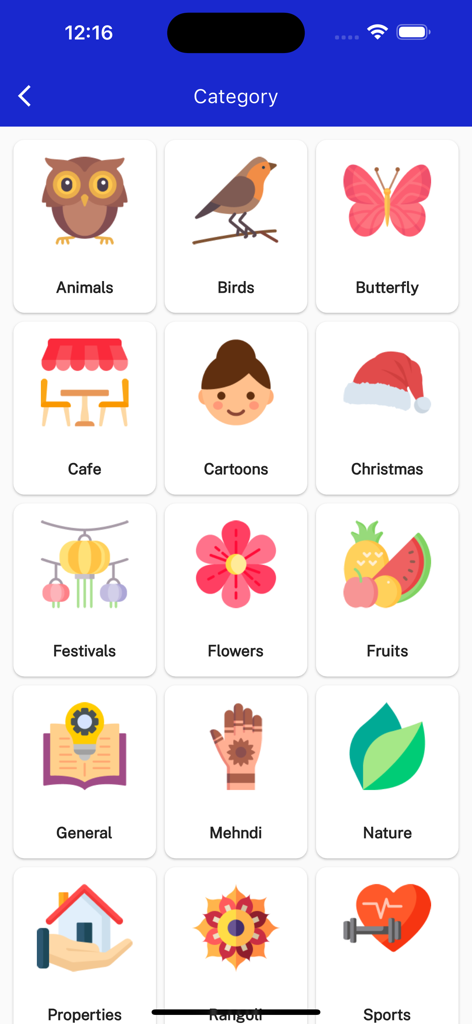
SketchifyTracer의 사용자 인터페이스에 Draw Sketch Trace 및 Tutorial 메뉴 버튼이 표시됨

SketchifyTracer - 동물, 만화, 꽃과 같이 트레이싱할 수 있는 그림 범주를 보여주는 모바일 앱 화면.
동물, 만화, 꽃과 같이 트레이싱할 수 있는 그림 범주를 보여주는 모바일 앱 화면.

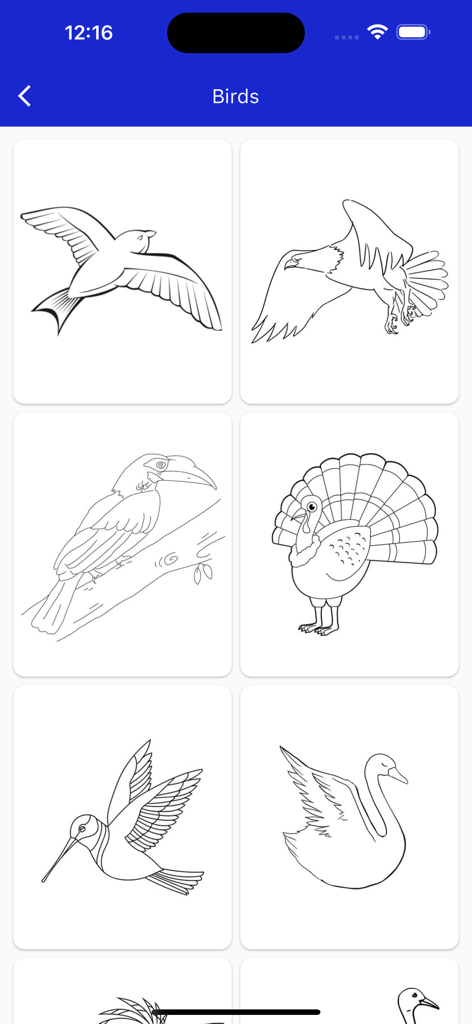
SketchifyTracer - SketchifyTracer 앱의 갈매기, 독수리, 큰부리새, 칠면조, 벌새, 백조를 트레이싱하는 새 라인 아트 그림 갤러리

SketchifyTracer 앱의 갈매기, 독수리, 큰부리새, 칠면조, 벌새, 백조를 트레이싱하는 새 라인 아트 그림 갤러리

설명

Tracing is used to transfer an image into line work from a photo or artwork. You place your tracing paper over it and draw the lines that you see. So, Trace it & Sketch it. Using this app you can learn drawing or tracing. Select an image from the gallery or capture an image with a camera then just apply the filter. After that, you will see that image on the camera screen with transparency & you have to put drawing paper or book anything on which you want to trace and draw. Your image will not appear on paper but a transparent image with camera so that you can trace it on paper. Key Feature: Edge level: Edge Level filter, you can control the sharpness and definition of edges in your drawings, giving them a different and professional look. Adjusting the Edge Level can help you achieve different artistic styles and emphasise specific details. Noise: To tackle any unwanted noise in your drawings or images, we have included a Noise filter. This feature helps reduce graininess or pixelation, resulting in cleaner and smoother lines and surfaces. Contrast: The Contrast filter lets you enhance the tonal range in your drawings, making the colors appear more vibrant and the shadows and highlights more pronounced. It adds depth and richness to your artwork. Sharpness: The Sharpness filter enables you to enhance the overall clarity and crispness of your drawings. By adjusting the sharpness level, you can achieve a more defined and polished look, making your artwork stand out. Using this you may learn and practice drawing. Also make tracing an image easy. Just select an image from the app or gallery apply filter to create image traceable. The image will appear on screen with camera open. Place phone about 1feet above and look into the phone and draw on paper.

Download

다운로드: App Store

이 페이지는 앱이나 개발자의 공식 페이지가 아니며, 정보 제공 및 논평을 목적으로 작성된 독립 편집 간행물입니다. 명시적으로 달리 언급되지 않는 한, 해당 앱이나 개발자는 MWM, Apple, Google Play, 앱 퍼블리셔 또는 앱 개발자와 제휴, 보증, 후원, 승인 또는 공식적으로 연결되어 있지 않으며, 이 페이지의 어떤 내용도 해당 앱이 MWM의 서비스를 사용하여 개발되었음을 의미하지 않습니다. 모든 상표, 로고, 스크린샷 및 기타 콘텐츠는 해당 소유자의 자산입니다.








