
이 페이지는 앱이나 개발자의 공식 페이지가 아니며, 정보 제공 및 논평을 목적으로 작성된 독립 편집 간행물입니다. 명시적으로 달리 언급되지 않는 한, 해당 앱이나 개발자는 MWM, Apple, Google Play, 앱 퍼블리셔 또는 앱 개발자와 제휴, 보증, 후원, 승인 또는 공식적으로 연결되어 있지 않으며, 이 페이지의 어떤 내용도 해당 앱이 MWM의 서비스를 사용하여 개발되었음을 의미하지 않습니다. 모든 상표, 로고, 스크린샷 및 기타 콘텐츠는 해당 소유자의 자산입니다.


다운로드
2.5M+사용자 평점
총 평가 수
336.3K개발사
카테고리
Photo & Video지원 언어
14최신 버전
17.3크기
194.3 MB출시일
2013년 3월 8일템플릿 기반의 간편한 영상 제작 및 편집 기능 평가
Slideshow Maker - MovieStudio 앱 분석
템플릿 기반의 간편한 비디오 생성
1000개 이상의 디자인 템플릿을 활용하여 단 3단계 만에 사진과 음악으로 고품질 비디오를 쉽게 제작할 수 있습니다.
사진을 음악 비디오로 전환
사용자가 소중한 사진들을 선택하고 배경 음악을 추가하여 기억에 남는 포토 비디오나 슬라이드쇼를 손쉽게 제작할 수 있도록 돕습니다.
다양한 테마의 슬라이드쇼 및 비디오 제작
생일, 결혼식, 가족 추억, 기념일, 프로모션, 행사, 초대장, 추모 등 여러 목적에 맞는 맞춤형 비디오를 만들 수 있습니다.
인기 쇼트 비디오 및 소셜 미디어 콘텐츠 제작
릴스, 틱톡 형식, 인스타그램 스토리, 유튜브 인트로/아웃트로 등 최신 트렌드를 반영한 숏폼 비디오 템플릿과 다양한 소셜 미디어 플랫폼에 최적화된 콘텐츠를 쉽게 만들 수 있습니다.
소상공인을 위한 홍보 비디오 제작
제품 쇼케이스, 판매 발표, 브랜드 소개 등 비즈니스 홍보에 필요한 비디오를 빠르고 쉽게 만들어 마케팅 활동에 활용할 수 있습니다.
전문적인 비디오 편집 도구 제공
클립 자르기, 분할 및 병합, 속도 조절, 텍스트 및 애니메이션 캡션 추가, 필터 및 효과 적용, 음악 트랙 레이어링, 전환 효과 블렌딩 등 다양한 편집 기능을 제공하여 비디오 품질을 향상시킵니다.
자주 묻는 질문
에 대해 알아야 할 모든 것 Slideshow Maker - MovieStudio
What is MovieStudio Video Maker?
MovieStudio Video Maker is a photo video maker app that merges photos to create slideshows. It allows users to edit and share photo music videos on social media platforms like TikTok, YouTube, Instagram, Facebook, and Twitter.
How do I create a video with MovieStudio Video Maker?
Users create videos in three steps: choose a template, replace photos, text, videos, and music, then export the video. After export, it can be shared to social media or saved to an album.
Does MovieStudio Video Maker offer templates for different occasions?
Yes, MovieStudio Video Maker offers rich video templates for 9 scene themes, including Birthday, Wedding, Promos, Holiday, Travel, and Family. These templates are continuously updated.
Can I export videos in high definition using MovieStudio Video Maker?
Yes, MovieStudio Video Maker supports 1080p high-definition resolution rendering and export for produced videos. This ensures compatibility for playing on high-definition TVs and projectors.
What are the benefits of a MovieStudio VIP subscription?
A MovieStudio VIP subscription includes free access to all templates, no watermark exports, high-definition exports, removal of advertisements, and all paid functions within the app.
How much does a MovieStudio VIP subscription cost?
MovieStudio VIP offers three subscription durations: "Monthly Fee", "Quarterly Fee", and "Annual Fee”. The specific pricing is detailed within the app during the purchase process.
How do I cancel my MovieStudio VIP subscription?
To cancel a MovieStudio VIP subscription, go to iOS device Settings, then iTunes Store and App Store, select your Apple ID, click View Apple ID, then Subscribe, and select MovieStudio to cancel.
Does MovieStudio Video Maker allow sharing videos to social media?
Yes, MovieStudio Video Maker allows users to share videos to social media platforms such as YouTube, Instagram, TikTok, Facebook, and Twitter with one click after creation, making sharing convenient.
Does MovieStudio Video Maker have video effects like 3D or object tracking?
Yes, MovieStudio Video Maker includes over 1000 picture animation effects, professional film and television post-production technology, and key 3D effects such as photo wall and real-time object tracking.
Can I edit photos and text within MovieStudio Video Maker templates?
Yes, MovieStudio Video Maker provides easy template editing, enabling users to swap photos and text to customize their video creations. This ensures personalization of each video project.
다음 스크린샷과 설명은 앱의 공식 스토어 목록에서 직접 가져온 것이며 앱 개발자의 자산입니다.
앱 스토어
스크린샷
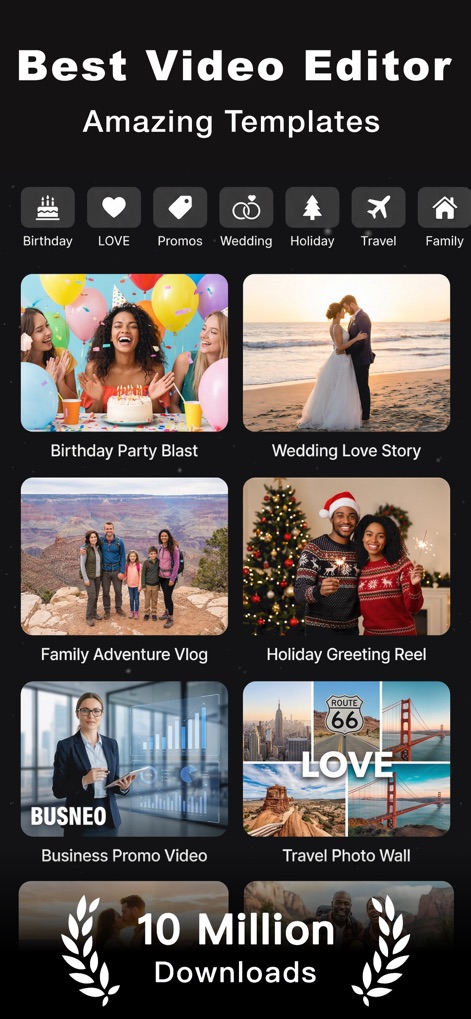
이 앱은 생일, 결혼식 등 다양한 테마별 템플릿과 함께, 각 템플릿의 매력적인 미리보기 이미지를 제공합니다.
다양한 템플릿 탐색
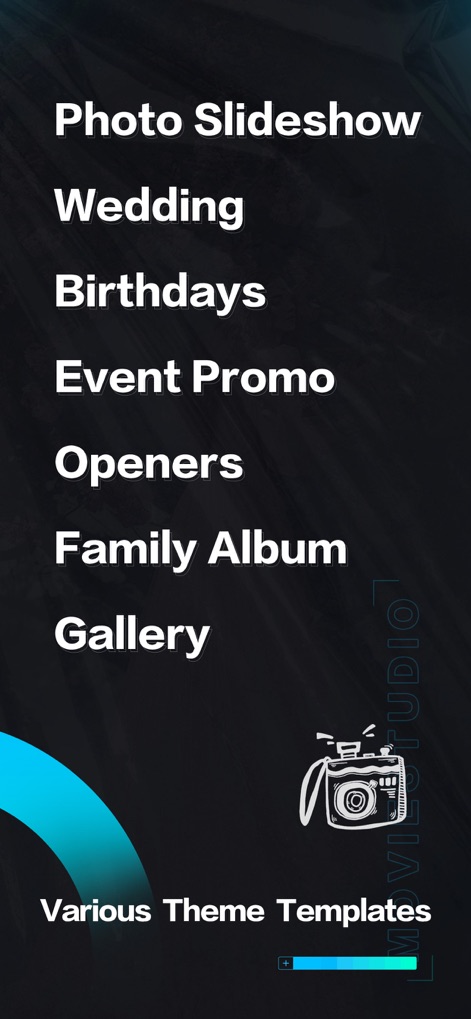
사용자는 사진 슬라이드쇼, 결혼식, 생일 등 다양한 주제별 카테고리를 통해 원하는 테마의 영상을 손쉽게 제작할 수 있습니다.
테마별 영상 제작
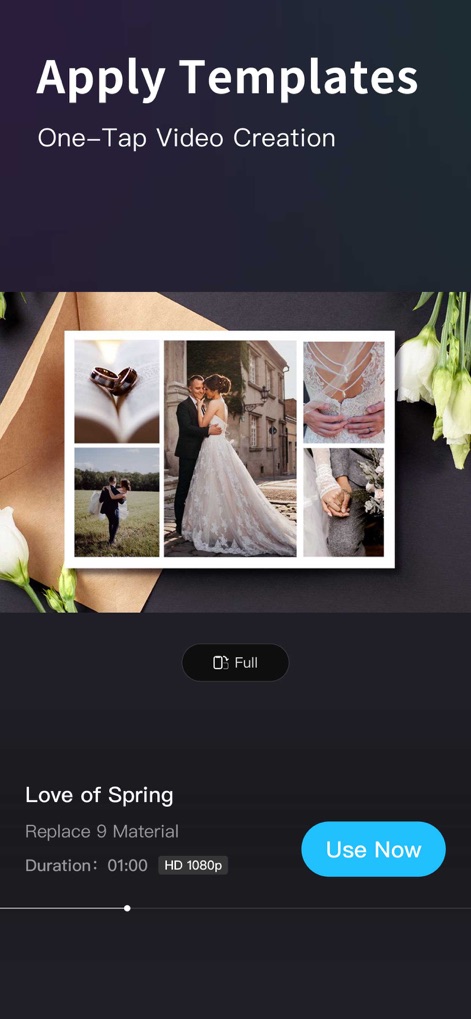
사용자는 미리보기 화면에서 여러 사진으로 구성된 템플릿을 확인하고, HD 1080p 해상도로 영상을 내보낼 수 있습니다.
간편한 템플릿 적용
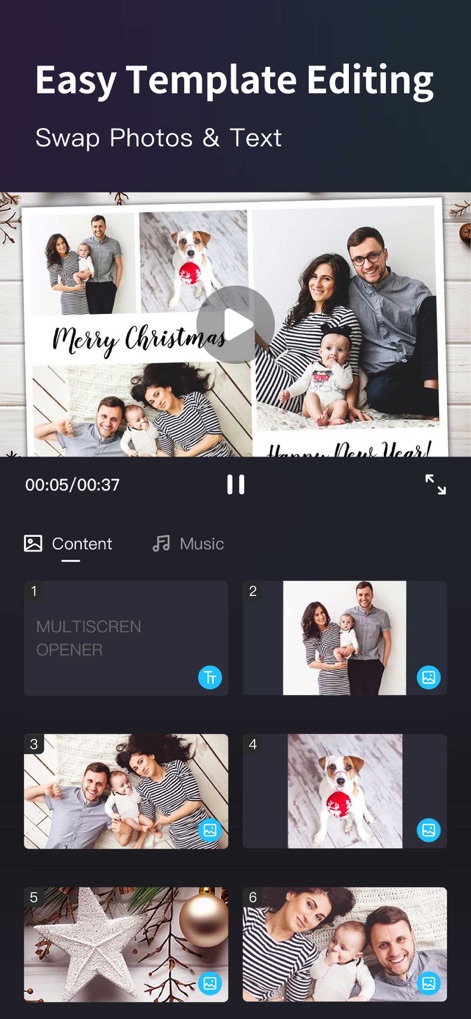
이 도구는 사용자가 개별 클립의 사진을 교체하거나 텍스트를 수정하여 템플릿을 쉽게 편집할 수 있도록 지원합니다.
맞춤형 템플릿 편집
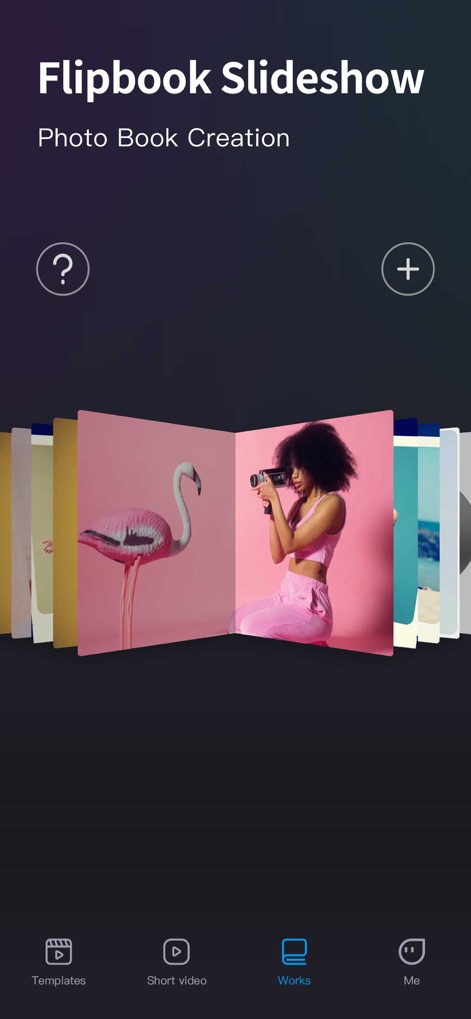
사용자는 이 앱의 독특한 플립북 효과를 활용하여 사진첩처럼 넘겨보는 슬라이드쇼를 만들고, 생성된 작품을 'Works' 섹션에서 관리할 수 있습니다.
다채로운 플립북 슬라이드
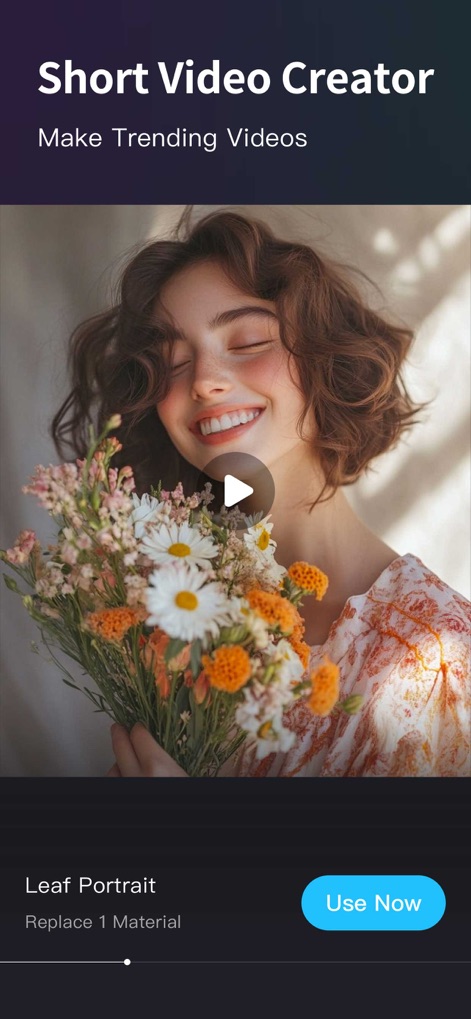
이 도구는 단일 이미지 또는 비디오를 활용한 짧은 영상 제작을 지원하며, 사용자는 'Use Now' 버튼으로 즉시 편집을 시작할 수 있습니다.
트렌디한 쇼츠 제작

사용자는 이 앱의 하트 모양 콜라주 기능을 통해 여러 장의 사진을 감각적으로 배치하고, 'Replace 10 Material' 옵션으로 콘텐츠를 손쉽게 변경할 수 있습니다.
개성 있는 콜라주 영상
설명
Download
비슷한 앱
유사한 기능과 사용자 경험을 가진 앱

VEED Shorts: AI videos
VEED Ltd

AI Video Maker - Renderforest
Renderforest LLC

Filmigo Video Maker & Editor
VIDEOSHOW PTE. LTD.

Slideshow Maker Video & Photo
Honk Honk Punch Pty Ltd

Quick Slideshow Maker + Music
Zipo Apps Ltd.

Salad Video -Video Editor
ChengDu PinGuo Technology Co., Ltd.

Story Swag - Quick Reels
Slider LLC

StoryWave - Video Maker
UNSTATIC LTD

Smoozly: Animated Stories
Smoozly Inc.
이 페이지는 앱이나 개발자의 공식 페이지가 아니며, 정보 제공 및 논평을 목적으로 작성된 독립 편집 간행물입니다. 명시적으로 달리 언급되지 않는 한, 해당 앱이나 개발자는 MWM, Apple, Google Play, 앱 퍼블리셔 또는 앱 개발자와 제휴, 보증, 후원, 승인 또는 공식적으로 연결되어 있지 않으며, 이 페이지의 어떤 내용도 해당 앱이 MWM의 서비스를 사용하여 개발되었음을 의미하지 않습니다. 모든 상표, 로고, 스크린샷 및 기타 콘텐츠는 해당 소유자의 자산입니다.