이 페이지는 앱이나 개발자의 공식 페이지가 아니며, 정보 제공 및 논평을 목적으로 작성된 독립 편집 간행물입니다. 명시적으로 달리 언급되지 않는 한, 해당 앱이나 개발자는 MWM, Apple, Google Play, 앱 퍼블리셔 또는 앱 개발자와 제휴, 보증, 후원, 승인 또는 공식적으로 연결되어 있지 않으며, 이 페이지의 어떤 내용도 해당 앱이 MWM의 서비스를 사용하여 개발되었음을 의미하지 않습니다. 모든 상표, 로고, 스크린샷 및 기타 콘텐츠는 해당 소유자의 자산입니다.
Smart Printer: iPrint App Scan
iPhone, iPad, Mac을 위한 완벽한 클라우드 통합, 고해상도 OCR 스캔, 안전한 모바일 인쇄로 하이브리드 워크플로우를 간소화하세요.
주요 수치
다운로드
200
사용자 평점
1.0/5
총 평가 수
0
개발사
waqar ullah
카테고리
Business
지원 언어
1
최신 버전
1.0.7
크기
106.0 MB
출시일
2025년 4월 21일
기능
현대 전문가를 위한 스마트한 인쇄
iPhone을 고성능 명령 센터로 전환하세요. 인쇄와 스캔을 손쉽게 만들어주는 AI 기반 도구로 하이브리드 워크플로우를 간소화하세요.
원활한 무선 자유
케이블은 잊으세요. 방 건너편이든 도시 반대편이든 모든 Apple 장치에서 Wi-Fi, AirPrint 또는 Bluetooth를 통해 즉시 인쇄하세요.
AI 기반 모바일 스캐너
실제 문서를 검색 가능한 디지털 자산으로 전환하세요. 내장 OCR과 고해상도 스캔을 사용하여 몇 초 만에 텍스트를 편집 가능한 형식으로 변환하세요.
다음 스크린샷과 설명은 앱의 공식 스토어 목록에서 직접 가져온 것이며 앱 개발자의 자산입니다.
앱 스토어
스크린샷
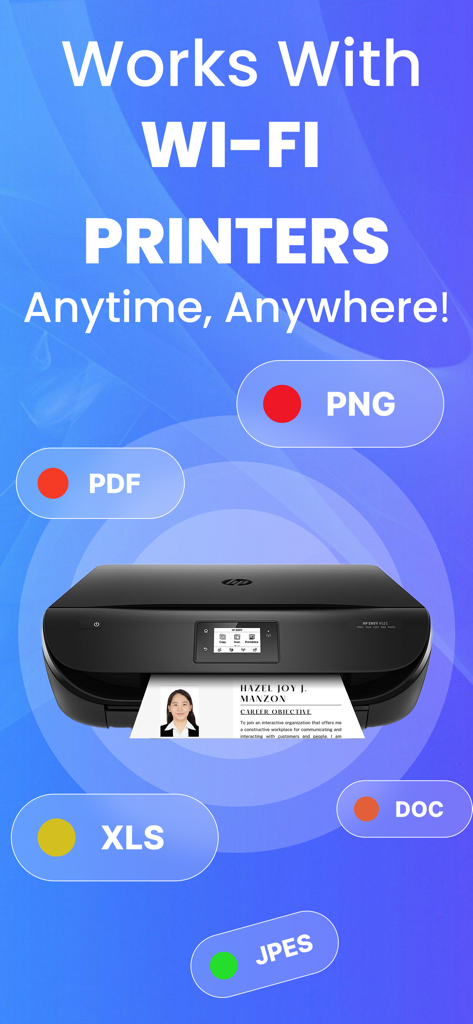
다양한 문서 형식을 지원하는 Smart Printer iPrint 앱에서 무선 Wi-Fi 인쇄
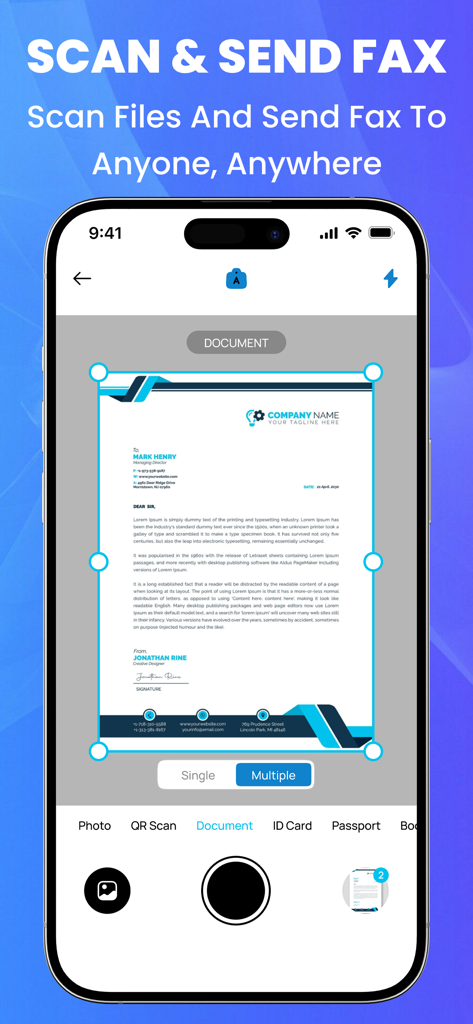
Smart Printer 앱을 사용하여 팩스로 보낼 문서를 스캔하는 것을 보여주는 스마트폰 인터페이스
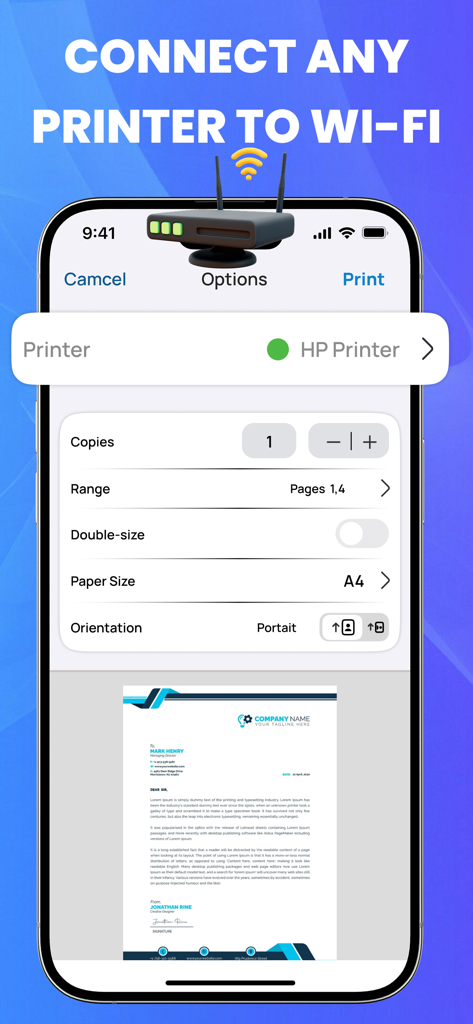
iPhone에서 Wi-Fi 프린터 연결 및 인쇄 설정을 보여주는 Smart Printer 앱 인터페이스
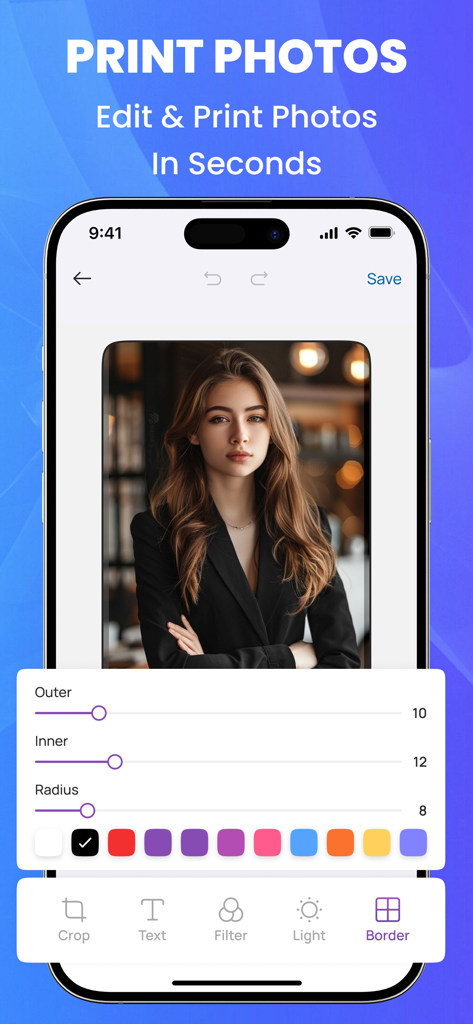
iPhone 화면에서 Smart Printer 앱의 사진 편집 및 테두리 기능 표시
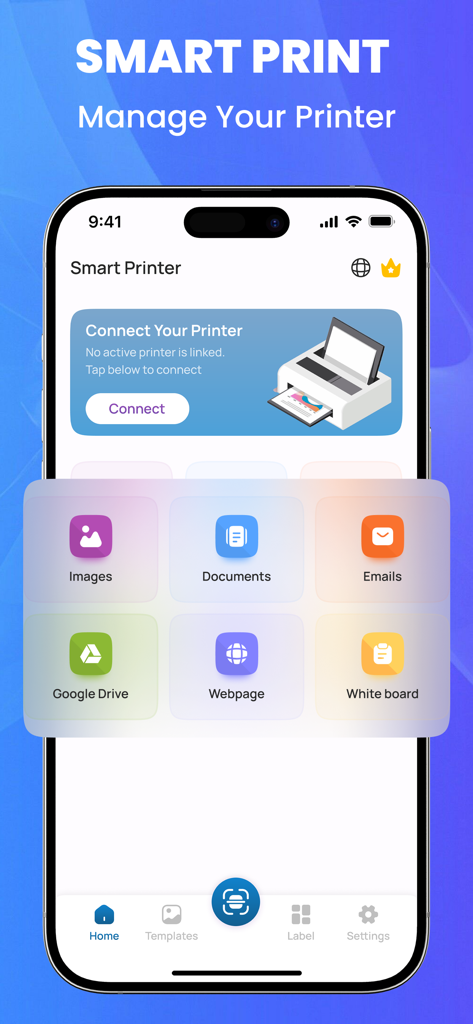
문서, 이미지 및 클라우드 파일 인쇄 옵션을 보여주는 iPhone의 Smart Printer 앱 홈 화면
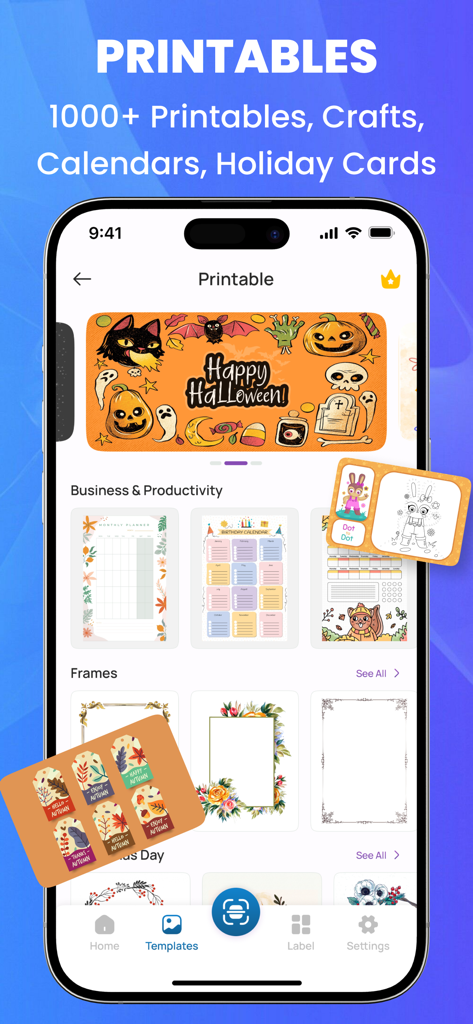
달력, 플래너, 휴일 카드 등 인쇄 가능한 템플릿 라이브러리를 표시하는 Smart Printer 앱 화면
설명
AI Smart Printer: Revolutionizing Printing for Homes and Offices.
The Smart Printer is a next-generation printing solution designed to enhance productivity, streamline workflow, and integrate seamlessly into modern digital environments. With advanced wireless connectivity, intelligent automation, and eco-friendly features, this printer is perfect for both home and office use.
Cutting-Edge Wireless Connectivity
Say goodbye to tangled cables and complicated setup processes. The Smart Printer supports Wi-Fi, Bluetooth, and cloud printing, allowing users to print from any device, anytime, anywhere. Whether you're working from a desktop, laptop, tablet, or smartphone, this printer ensures effortless document and photo printing with just a few taps. Additionally, compatibility with Apple AirPrint, Google Cloud Print, and Mopria Print Services makes mobile printing smoother than ever.
Intelligent Automation & Smart Features
Equipped with AI-powered print management, the Smart Printer optimizes ink usage, reduces waste, and suggests maintenance schedules based on real-time diagnostics. The voice control feature enables hands-free printing, as it integrates with virtual assistants like Amazon Alexa, Google Assistant, and Siri. Simply say, “Print my report,” and your document is ready in seconds.
High-Quality Printing Performance
Whether you need crisp text documents, vibrant color graphics, or high-resolution photos, the Smart Printer delivers stunning print quality with ultra-HD resolution and precision ink technology. With dual-cartridge or tank-based ink systems, users can choose cost-effective options that provide long-lasting and smudge-free prints.
Fast & Efficient Printing
Speed matters, and this printer doesn't disappoint. It offers high-speed printing of up to 30 pages per minute (ppm) for black-and-white prints and 25 ppm for color prints. Automatic double-sided (duplex) printing helps reduce paper consumption, making it an eco-conscious choice for businesses.
Seamless Cloud & App Integration
With cloud compatibility, users can print directly from Google Drive, Dropbox, OneDrive, and other cloud storage services. The companion mobile app offers real-time monitoring, remote troubleshooting, and the ability to scan and print documents from anywhere.
Advanced Security & Data Protection
In an era where cybersecurity is crucial, the Smart Printer ensures your data remains safe. It features secure print release, encrypted data transfer, and user authentication options to protect sensitive documents from unauthorized access.
Eco-Friendly & Cost-Effective
Designed with sustainability in mind, the Smart Printer incorporates energy-saving technology that reduces power consumption. It supports recyclable ink cartridges and paper-saving modes to help users minimize waste while lowering operating costs.
Multi-Functionality for Maximum Productivity
This all-in-one device goes beyond just printing. It includes:
Scanner – High-resolution scanning with OCR (Optical Character Recognition) for converting printed text into digital formats.
Note:
Payment will be charged to your iTunes account at confirmation of purchase. Your subscription will automatically renew unless auto-renew is turned off at least 24-hours before the end of the current subscription period. Your account will be charged for renewal within 24-hours prior to the end of the current subscription period. Automatic renewals will cost the same price you were originally charged for the subscription. You can manage your subscriptions and turn off auto-renewal by going to your Account Settings on the App Store after purchase. Read our terms of service and Privacy Policy for more information.
Privacy policy
https://waqarullahapps.blogspot.com/2025/04/privacy-policy.html
Terms of use
https://waqarullahapps.blogspot.com/2025/04/terms-of-use.html
이 페이지는 앱이나 개발자의 공식 페이지가 아니며, 정보 제공 및 논평을 목적으로 작성된 독립 편집 간행물입니다. 명시적으로 달리 언급되지 않는 한, 해당 앱이나 개발자는 MWM, Apple, Google Play, 앱 퍼블리셔 또는 앱 개발자와 제휴, 보증, 후원, 승인 또는 공식적으로 연결되어 있지 않으며, 이 페이지의 어떤 내용도 해당 앱이 MWM의 서비스를 사용하여 개발되었음을 의미하지 않습니다. 모든 상표, 로고, 스크린샷 및 기타 콘텐츠는 해당 소유자의 자산입니다.