Smart Printer Wireless: iPrint
다운로드: App Store

이 페이지는 앱이나 개발자의 공식 페이지가 아니며, 정보 제공 및 논평을 목적으로 작성된 독립 편집 간행물입니다. 명시적으로 달리 언급되지 않는 한, 해당 앱이나 개발자는 MWM, Apple, Google Play, 앱 퍼블리셔 또는 앱 개발자와 제휴, 보증, 후원, 승인 또는 공식적으로 연결되어 있지 않으며, 이 페이지의 어떤 내용도 해당 앱이 MWM의 서비스를 사용하여 개발되었음을 의미하지 않습니다. 모든 상표, 로고, 스크린샷 및 기타 콘텐츠는 해당 소유자의 자산입니다.


로고: Smart Printer Wireless: iPrint
다운로드: App Store

Smart Printer Wireless: iPrint

iPhone 또는 iPad를 강력한 모바일 허브로 바꾸세요. 케이블, 드라이버, 번거로움 없이 10,000개 이상의 프린터로 문서, 사진, PDF를 즉시 인쇄하세요.

주요 수치

다운로드

24K+

사용자 평점

4.7/5

총 평가 수

700

개발사

Pol Nadal Serra

카테고리

Business

지원 언어

10

최신 버전

1.1.5

크기

50.6 MB

출시일

2025년 6월 21일
기능

당신의 완벽한 모바일 오피스 허브

장치를 강력한 제어 센터로 바꾸세요. 속도와 완전한 개인 정보 보호를 위해 설계된 전문가 수준의 도구로 문서를 인쇄, 스캔 및 관리하세요.

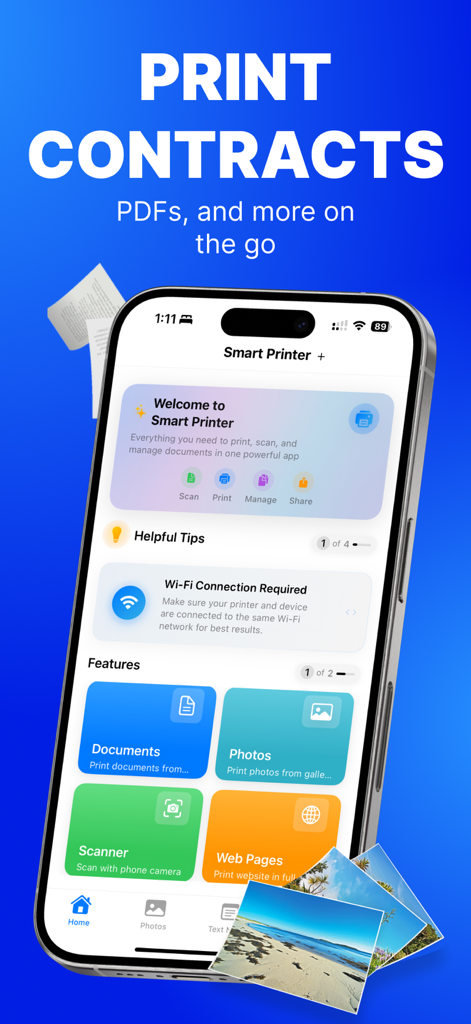
원탭 범용 인쇄

9000개 이상의 프린터 모델에 즉시 연결하세요. 설정이나 케이블 없이 Wi-Fi를 통해 사진, PDF, 클라우드 파일을 인쇄하세요.

AI 기반 스마트 스캐너

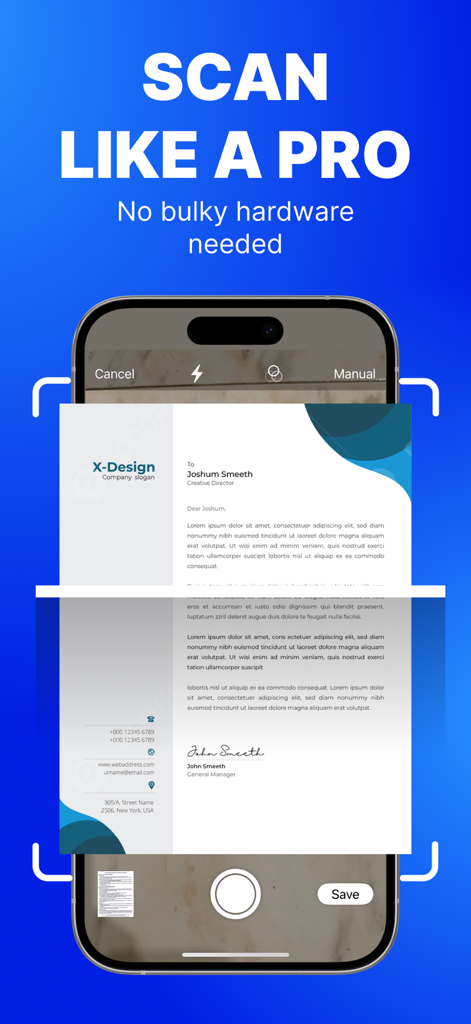
자동 가장자리 감지 및 OCR로 완벽한 스캔을 캡처하세요. 물리적 문서를 검색 가능한 다중 페이지 PDF로 몇 초 만에 변환하세요.

다음 스크린샷과 설명은 앱의 공식 스토어 목록에서 직접 가져온 것이며 앱 개발자의 자산입니다.

앱 스토어

스크린샷
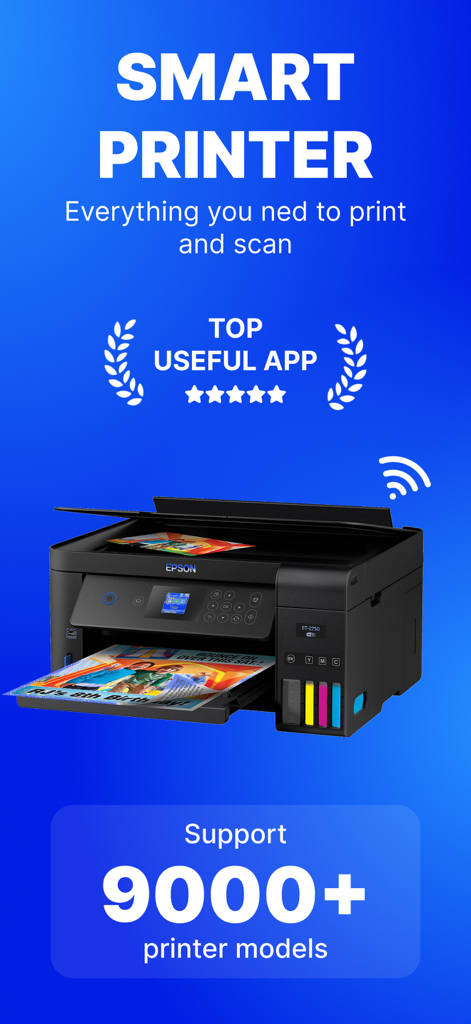
Smart Printer Wireless: iPrint - 9000개 이상의 프린터 모델 지원 및 최고 등급 앱 배지를 보여주는 Smart Printer Wireless 앱 프로모션 그래픽.
9000개 이상의 프린터 모델 지원 및 최고 등급 앱 배지를 보여주는 Smart Printer Wireless 앱 프로모션 그래픽.

Smart Printer Wireless: iPrint - 인쇄 및 스캔 옵션을 보여주는 Smart Printer Wireless iPrint 앱 인터페이스
인쇄 및 스캔 옵션을 보여주는 Smart Printer Wireless iPrint 앱 인터페이스

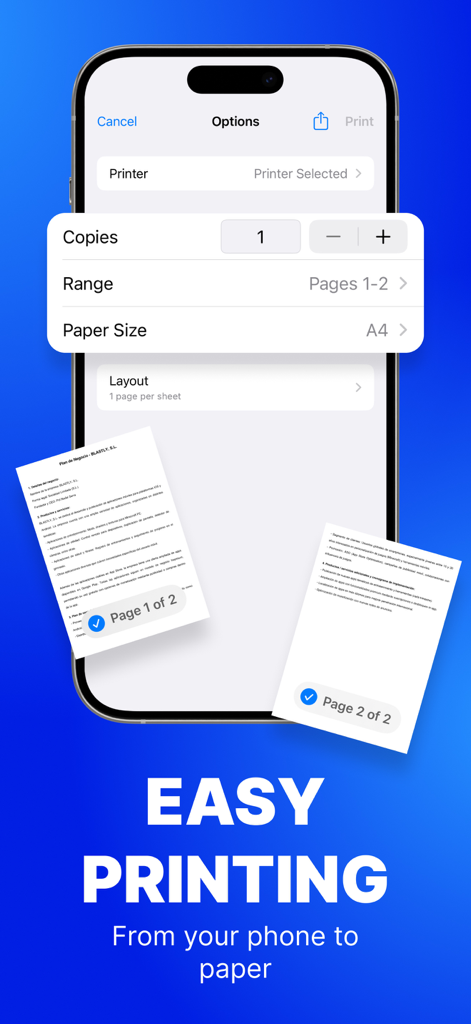
Smart Printer Wireless: iPrint - 복사본 및 용지 크기와 같은 문서 인쇄 설정을 보여주는 iPhone의 Smart Printer 앱 인터페이스.
복사본 및 용지 크기와 같은 문서 인쇄 설정을 보여주는 iPhone의 Smart Printer 앱 인터페이스.

Smart Printer Wireless: iPrint - 자동 가장자리 감지 기능으로 전문가용 문서를 스캔하는 iPhone 인터페이스
자동 가장자리 감지 기능으로 전문가용 문서를 스캔하는 iPhone 인터페이스

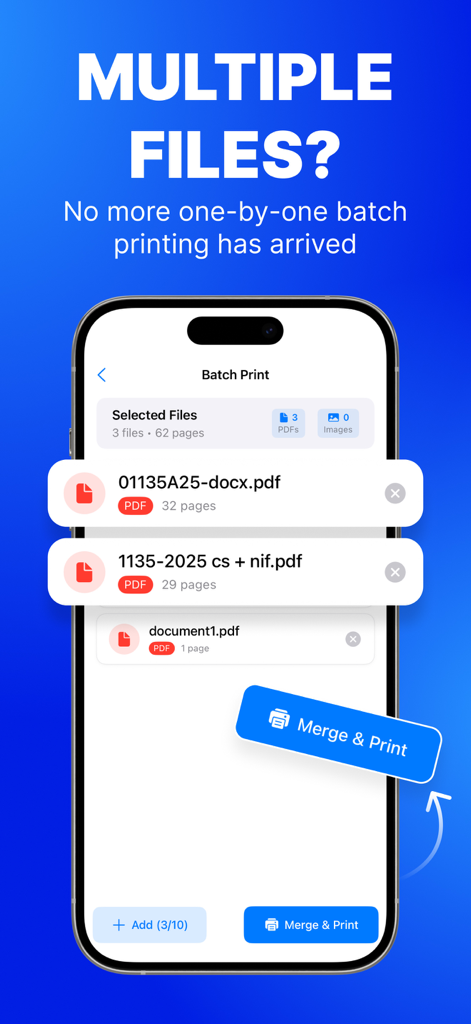
Smart Printer Wireless: iPrint - 여러 PDF 파일을 병합하고 한 번에 인쇄하는 일괄 인쇄 기능을 보여주는 스마트폰 인터페이스.

여러 PDF 파일을 병합하고 한 번에 인쇄하는 일괄 인쇄 기능을 보여주는 스마트폰 인터페이스.

설명

PRINT. SCAN. DONE. Turn your iPhone or iPad into a full print & scan hub—no cables, drivers or PC required. Lightning-fast Phone-to-Print technology puts photos, PDFs and docs on paper in seconds. WHY YOU’LL LOVE IT • Zero-setup AirPrint & Wi-Fi pairing for 10.000+ printers. • One-tap printing from Files, Mail, Photos, Safari or any share sheet PRINT EVERYTHING, ANYWHERE – Photos, PDFs, Word®, Pages®, Excel®, web pages & emails – Cloud files: iCloud, Dropbox, Google Drive, OneDrive SMART SCANNER – Auto edge-detect & perspective fix – Merge pages into one searchable PDF (OCR in 10 languages) – Annotate, highlight & e-sign before printing POWER USER CONTROLS – Copies, page range, duplex, colour/mono, N-up & posters – Paper sizes A3–A6, Letter, Legal & label sheets – Save presets for frequent jobs Premium Subscriptions: • Subscribed user has unlimited access to the premium printing services • User can subscribe for one month or one year auto renewing subscriptions • Payment will be charged to iTunes Account at confirmation of purchase • Subscription automatically renews unless auto-renew is turned off at least 24-hours before the end of the current period • Account will be charged for renewal within 24-hours prior to the end of the current period • Subscriptions may be managed by the user and auto-renewal may be turned off by going to the user Account Settings after purchase COMPATIBILITY Works with 99 % of AirPrint & Wi-Fi printers—just keep your device and printer on the same network. PRIVACY-FIRST All processing happens on-device. We never collect your documents. Privacy: https://printer.addonsmcpe.website/privacy_policy.html Terms: https://printer.addonsmcpe.website/terms_conditions.html EULA: https://printer.addonsmcpe.website/eula.html

Download

다운로드: App Store

이 페이지는 앱이나 개발자의 공식 페이지가 아니며, 정보 제공 및 논평을 목적으로 작성된 독립 편집 간행물입니다. 명시적으로 달리 언급되지 않는 한, 해당 앱이나 개발자는 MWM, Apple, Google Play, 앱 퍼블리셔 또는 앱 개발자와 제휴, 보증, 후원, 승인 또는 공식적으로 연결되어 있지 않으며, 이 페이지의 어떤 내용도 해당 앱이 MWM의 서비스를 사용하여 개발되었음을 의미하지 않습니다. 모든 상표, 로고, 스크린샷 및 기타 콘텐츠는 해당 소유자의 자산입니다.








