Smart Tasks - Lists Made Easy

Smart Tasks - Lists Made Easy


다운로드: App Store
로고: Smart Tasks - Lists Made Easy

Smart Tasks - 미니멀리스트 라이프스타일을 위한 쉬운 목록 작성

Apple 생태계를 위해 디자인된 아름답고 직관적인 플래너로 마음을 정리하세요. 우아한 미학, 상호작용 가능한 제스처, 모든 기기 간의 원활한 동기화로 한 주를 정리하세요.

개발사

Francesco Prospato

카테고리

Productivity

다운로드

318K+

사용자 평점

4.7/5

총 평가 수

4K+

지원 언어

4

움직이는 단순함

이 인터페이스를 사용하는 318K+ 명의 사용자.

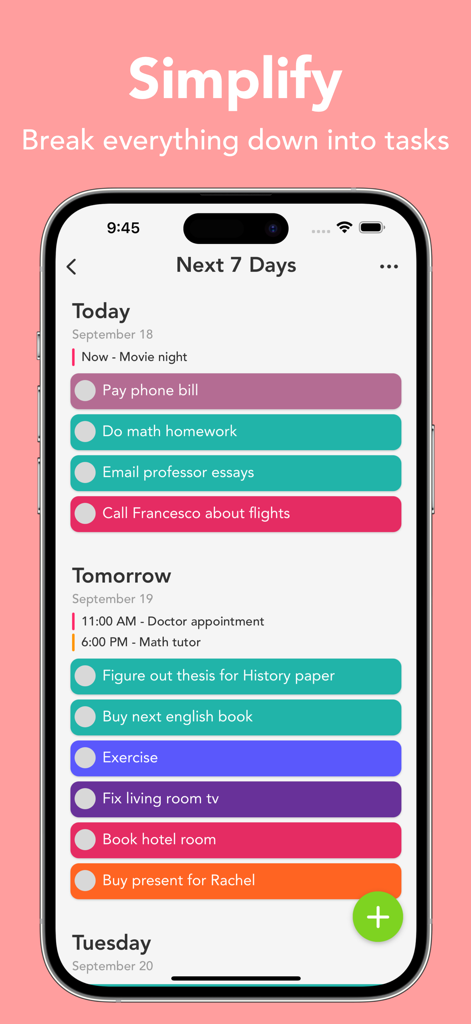
Smart Tasks 앱의 iPhone 화면에서 보이는 다채롭고 미니멀리스트 스타일의 주간 할 일 목록.

Smart Tasks 앱의 iPhone 화면에서 보이는 다채롭고 미니멀리스트 스타일의 주간 할 일 목록.

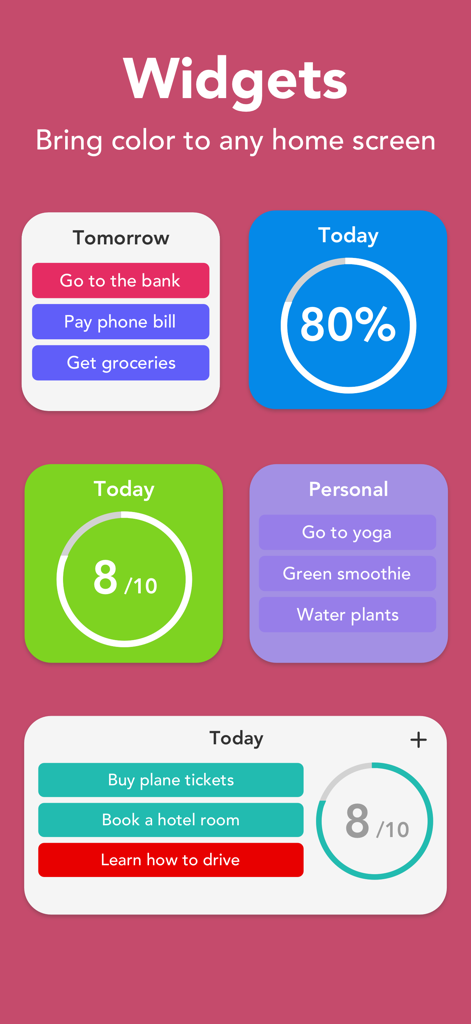
할 일 목록과 일일 완료 진행 상황을 보여주는 다채롭고 미니멀리스트 스타일의 iOS 위젯 모음.

할 일 목록과 일일 완료 진행 상황을 보여주는 다채롭고 미니멀리스트 스타일의 iOS 위젯 모음.

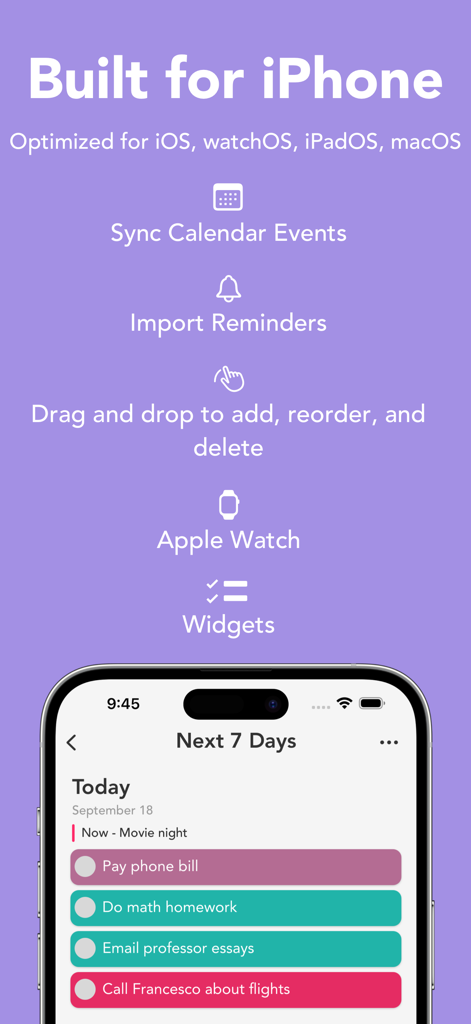
캘린더 동기화, 미리 알림 가져오기, 색상 코드로 구분된 할 일 목록과 같은 iPhone 기능을 강조하는 Smart Tasks 앱 홍보 그래픽.

캘린더 동기화, 미리 알림 가져오기, 색상 코드로 구분된 할 일 목록과 같은 iPhone 기능을 강조하는 Smart Tasks 앱 홍보 그래픽.

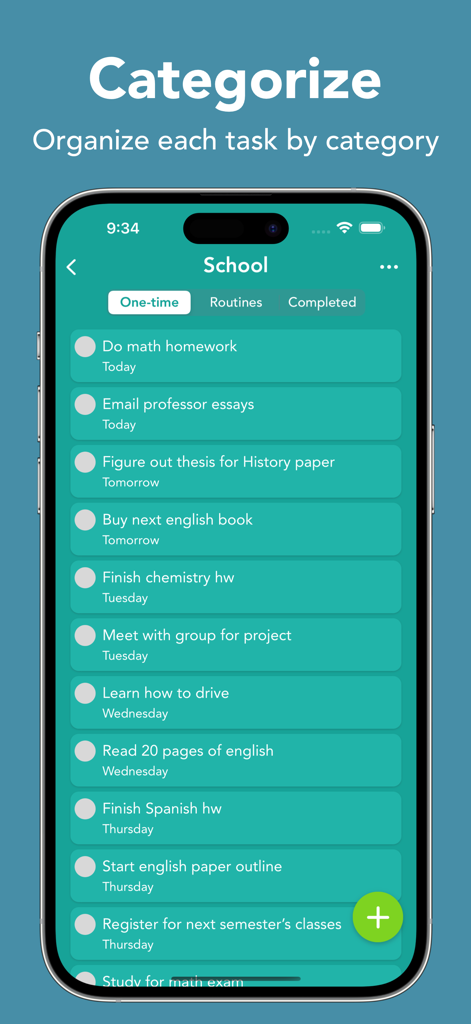
범주별로 정리된 학교 과제 목록이 있는 Smart Tasks 앱을 보여주는 스마트폰 화면.

범주별로 정리된 학교 과제 목록이 있는 Smart Tasks 앱을 보여주는 스마트폰 화면.

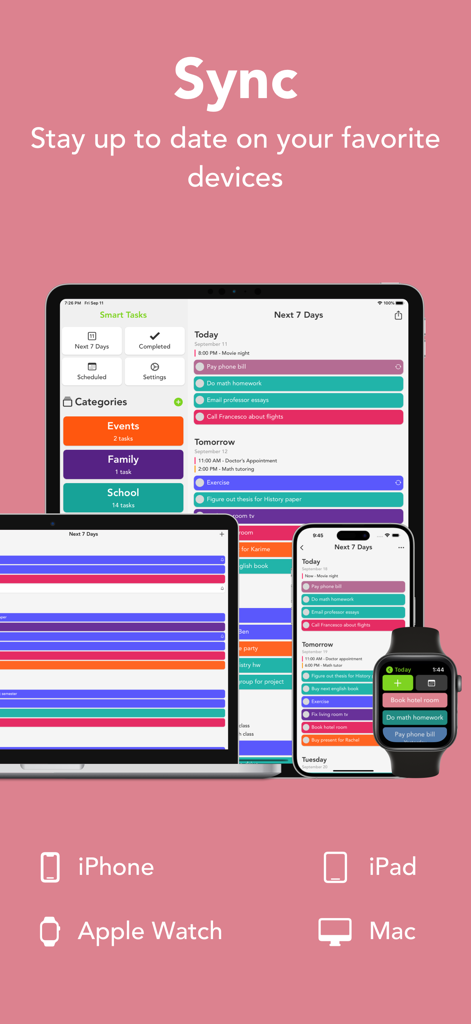
iPhone, iPad, Mac, Apple Watch 전반에서 원활한 동기화를 보여주는 Smart Tasks 앱 인터페이스

iPhone, iPad, Mac, Apple Watch 전반에서 원활한 동기화를 보여주는 Smart Tasks 앱 인터페이스

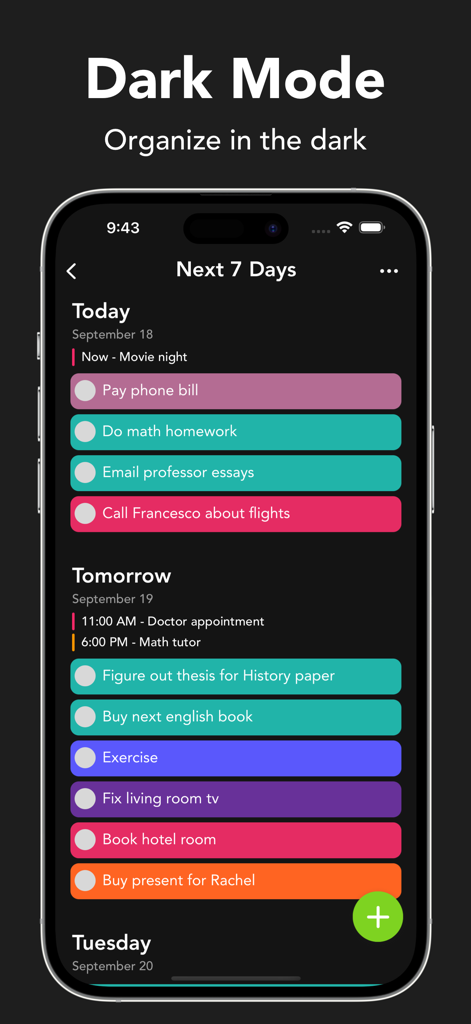
다채로운 작업 막대가 있는 주간 일정을 보여주는 다크 모드의 Smart Tasks 모바일 앱 인터페이스

다채로운 작업 막대가 있는 주간 일정을 보여주는 다크 모드의 Smart Tasks 모바일 앱 인터페이스

순수한 단순함으로 하루를 마스터하세요

이 앱을 돋보이게 하는 도구, 318K+ 명의 사용자가 선택.

🎨

미학적 개인화

시각 중심의 정리 도구를 위해 디자인된 41가지 생생한 색상과 사용자 지정 앱 아이콘으로 작업 공간을 맞춤 설정하세요.

🔄

Apple 생태계 마스터리

기본 Handoff 및 iCloud 통합으로 iPhone, iPad, Mac, Apple Watch 전반에서 원활하게 동기화하세요.

마찰 없는 워크플로우

드래그 앤 드롭 제스처와 Apple Pencil 필기 인식 지원으로 만족스러운 촉각 상호작용을 경험하세요.

앱 소개

에 대해 알아야 할 모든 것 Smart Tasks - Lists Made Easy.

설명

Featured in App Store's "Hot This Week" for multiple weeks. Welcome to Smart Tasks: a simple, yet powerful way to get things done! See your whole week in a minimalistic and interactive design. Write down everything from your time-sensitive work to things you just don’t want to forget about. Keep yourself from worrying about what you have to do and start getting things done. Simple. Fast. Intuitive. Built for you! FEATURES • Simple and highly interactive design • Drag and drop to quickly add, reorder, delete, and import tasks • Swipe on any tasks, category, or date to access quick actions to get things done quicker • Choose between 41 aesthetically pleasing colors for categories • Home screen quick actions • Export/import tasks and categories • Smart Notifications APPLE SPECIFIC FEATURES • Widgets • Dark mode • Notification quick actions • Add, edit, delete, and view Apple Calendar events • Import reminders from the Apple Reminders app • Device Handoff when adding tasks and categories • Full VoiceOver support PREMIUM FEATURES • iCloud sync • Reminders in tasks • Daily, weekly, monthly, and after completion routines • Notes in tasks • Week layout • Unlimited categories • Change app’s icon color • Special configuration options • Duplicating tasks • Custom swipe actions • Prioritize today • Link, email, and phone number detection in titles and notes IPAD SPECIFIC FEATURES • Multiple window support • Keyboard Shortcuts • Drag and drop multiple task files for quick importing • iPad mouse support • Apple Pencil support  • Scribble support to quickly add new tasks and categories APPLE WATCH SPECIFIC FEATURES • Independent Apple Watch app • Watch Complications for all sizes • Add/edit tasks and categories right from your wrist SUBSCRIPTION Smart Tasks has a subscription service for premium features. No sign-up is needed. Upgrade anytime to Smart Tasks +. Without Smart Tasks +, users will only have access to a limited amount of features. Subscriptions from Smart Tasks + will be charged to your card connected to your iTunes account. Your subscription will automatically renew unless canceled at least 24 hours before the end of the current period. You can manage your subscription in your account settings after purchase. Any unused time left in a given free trial will be forfeited when purchasing a subscription. For more details please look at: Privacy Policy: https://smarttasksapp.com/privacy/ Terms of Service: https://smarttasksapp.com/terms/ Thank you for using Smart Tasks! I'm constantly updating the app to make it better.

최신 버전

2.15

크기

61.4 MB

출시일

2020년 3월 20일

더 스마트하고 간단한 한 주를 맞이할 준비가 되셨나요?

318,000명 이상의 사용자와 함께 모든 Apple 기기에서 할 일 목록을 원활하고 다채로운 경험으로 바꿔보세요. 오늘 바로 할 일을 시작하세요.

다운로드: App Store

App information, icons, screenshots, and descriptions displayed on this page are sourced from the Apple App Store and are the property of their respective developers. Download estimates and rankings are based on MWM's proprietary models and may not reflect actual figures. This page is provided for informational and analytical purposes only.

Believe this page infringes your intellectual property? File a dispute