Sonic Tools SVM
Sonic Tools SVM
다운로드: App Store

이 페이지는 앱이나 개발자의 공식 페이지가 아니며, 정보 제공 및 논평을 목적으로 작성된 독립 편집 간행물입니다. 명시적으로 달리 언급되지 않는 한, 해당 앱이나 개발자는 MWM, Apple, Google Play, 앱 퍼블리셔 또는 앱 개발자와 제휴, 보증, 후원, 승인 또는 공식적으로 연결되어 있지 않으며, 이 페이지의 어떤 내용도 해당 앱이 MWM의 서비스를 사용하여 개발되었음을 의미하지 않습니다. 모든 상표, 로고, 스크린샷 및 기타 콘텐츠는 해당 소유자의 자산입니다.

로고: Sonic Tools SVM
다운로드: App Store

Sonic Tools SVM

귀하의 장치를 고정밀 진단 연구실로 만드세요. 엔지니어, 오디오 애호가, DIY 문제 해결사를 위해 설계된 실시간 FFT, RTA 및 데이터 내보내기 도구를 사용하여 음향을 분석하고, 기계적 진동을 모니터링하며, 자기장을 측정하세요.

주요 수치

다운로드

312K+

사용자 평점

4.5/5

총 평가 수

11K+

개발사

Takuji Matsugaki

카테고리

Utilities

지원 언어

14

최신 버전

2.1.12

크기

1.8 MB

출시일

2017년 6월 6일
기능

전문가급 진단 도구

귀하의 장치를 정밀한 실험실로 바꾸세요. 전문가와 파워 유저를 위해 제작된 오픈소스 도구로 소리, 진동, 자기장을 정량화하세요.

삼중 센서 스위트

소리, 기계적 진동, 자기장을 동시에 모니터링하세요. 값비싼 전용 하드웨어를 단 하나의 휴대용 실험실급 유틸리티로 대체하세요.

고급 스펙트럼 분석

고주파수 해상도를 갖춘 FFT, RTA, 스펙트로그램 뷰를 활용하세요. 홈 시어터를 보정하고, 소음 공해를 식별하며, 기계적 문제를 정밀하게 진단하세요.

다음 스크린샷과 설명은 앱의 공식 스토어 목록에서 직접 가져온 것이며 앱 개발자의 자산입니다.

앱 스토어

스크린샷
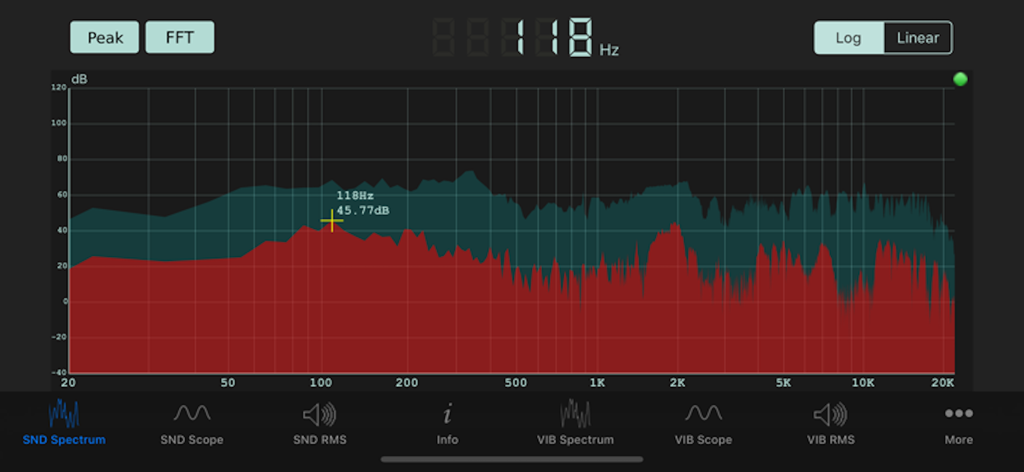
Sonic Tools SVM - FFT 주파수 그래프와 데시벨 수준을 보여주는 실시간 사운드 스펙트럼 분석기가 있는 Sonic Tools SVM 앱의 기술 인터페이스
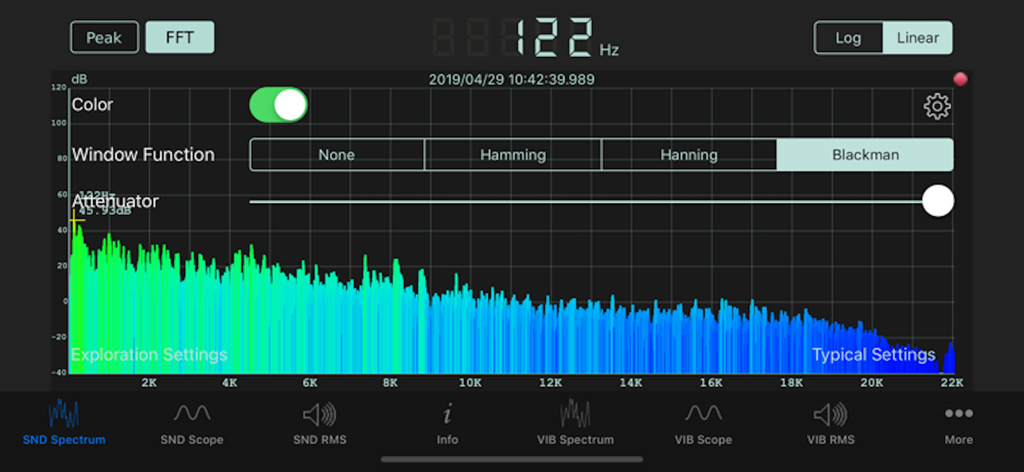
FFT 주파수 그래프와 데시벨 수준을 보여주는 실시간 사운드 스펙트럼 분석기가 있는 Sonic Tools SVM 앱의 기술 인터페이스

Sonic Tools SVM - FFT 및 윈도우 함수 설정이 있는 주파수 그래프를 보여주는 Sonic Tools SVM 사운드 스펙트럼 분석기 인터페이스
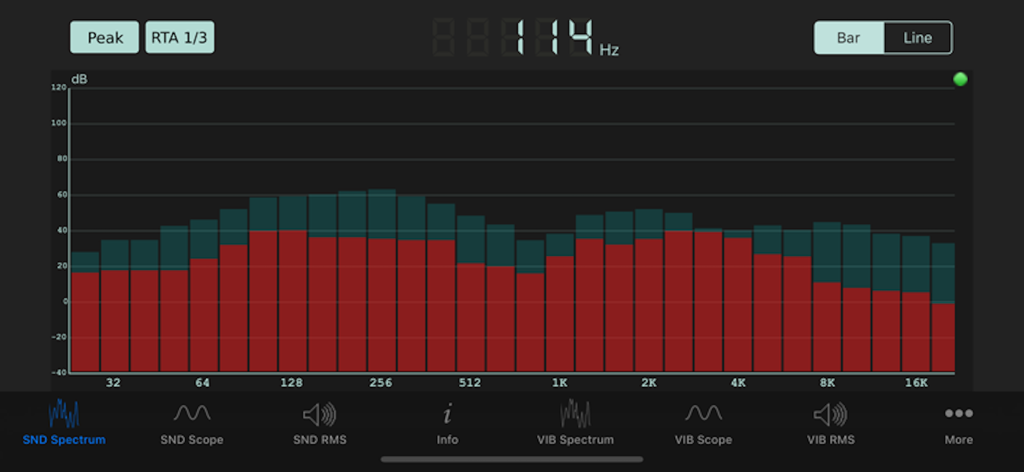
FFT 및 윈도우 함수 설정이 있는 주파수 그래프를 보여주는 Sonic Tools SVM 사운드 스펙트럼 분석기 인터페이스

Sonic Tools SVM - 실시간 분석기 막대 차트를 표시하는 Sonic Tools SVM 앱 사운드 스펙트럼 인터페이스
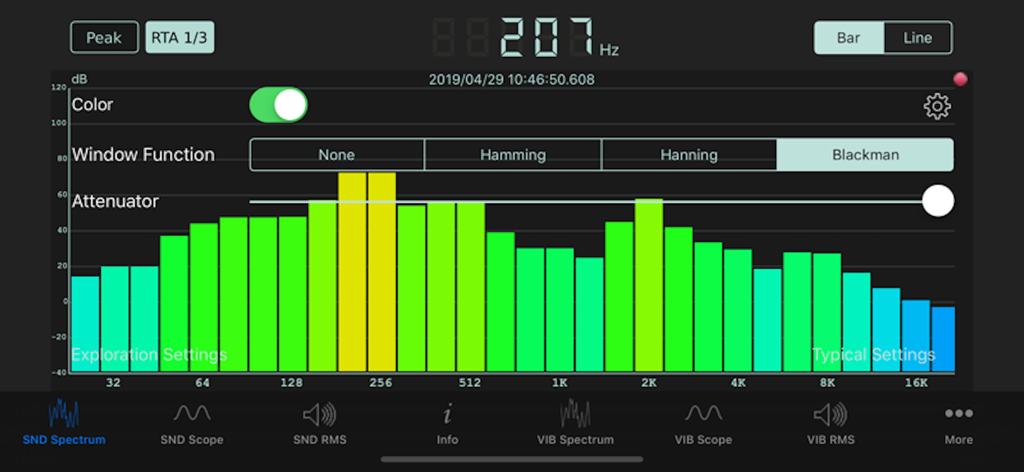
실시간 분석기 막대 차트를 표시하는 Sonic Tools SVM 앱 사운드 스펙트럼 인터페이스

Sonic Tools SVM - 주파수 막대 차트와 dB 수준을 보여주는 실시간 사운드 스펙트럼 분석기가 있는 Sonic Tools SVM 앱
주파수 막대 차트와 dB 수준을 보여주는 실시간 사운드 스펙트럼 분석기가 있는 Sonic Tools SVM 앱

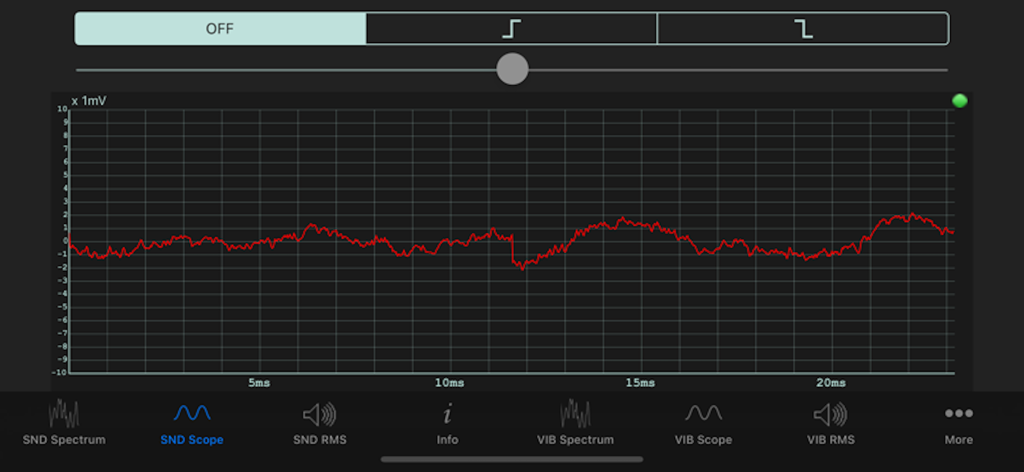
Sonic Tools SVM - Sonic Tools SVM 앱의 SND 스코프 인터페이스에 표시된 실시간 사운드 파형

Sonic Tools SVM 앱의 SND 스코프 인터페이스에 표시된 실시간 사운드 파형

설명

This is an analyzer for sound, vibration and magnetic field. As the source code of this is widely published as an open source software on GitHub, you can make custom version of this. We welcome the users who want us to make customized version of this app. * Sound (Analyzer [FFT / RTA / Spectrogram], Scope, RMS, Signal Generator) * Vibration (Analyzer [FFT], Scope, RMS) * Magnetic field (Scope, RMS) You can pinch (zoom) and pan (scroll) on measurement screens other than RTA and spectrogram, and pan (band selection) on RTA. You can pause by tapping the measurement screen. Since the measurement time is displayed at the time of pause, it is suitable for leaving as evidence. Please take a screenshot of the screen in the system standard way. [Application example] · Record the present situation as quantitative evidence, such as by using recording and use it for the improvement of obstacles. · Use it for science education. · Use it along with the sweep generator to improve the acoustic characteristics of the listening room. Note: This application has an audio signal oscillation function, and depending on the operation it may generate sound that is harmful to the human body, so please refrain from using things like headphones or headsets. We are not responsible for damage caused by using that equipment. The resolution of the spectrum analysis of speech is about 11 Hz inherent, however, the actual resolution is in the maximum of 3 Hz by interpolation processing. It is not the accuracy that can be used to tune an instrument. Please use the instrument tuning application for that purpose. If you can not find the current point by zooming in or scrolling, you can return to the default state that you can see the whole picture by pressing and holding the measurement screen long. For a good result with Octave RTA, we recommend using Window Function and Fast Latency Mode. The adjustable range of the FFT/Scope/RMS gain is from -20 dB to 20 dB. The adjustable range of the SP gain is from 0 dB to 80 dB. The noise reduction threshold is from -80 dB to 0 dB. Allows you to output the data of Sound Spectrum, Sound Spectrogram, and every RMS'. You can use the data files by Files.app on iOS or iTunes File Sharing on Mac. Please note that the output file of Spectrogram is not small not like other data files.

Download

다운로드: App Store

이 페이지는 앱이나 개발자의 공식 페이지가 아니며, 정보 제공 및 논평을 목적으로 작성된 독립 편집 간행물입니다. 명시적으로 달리 언급되지 않는 한, 해당 앱이나 개발자는 MWM, Apple, Google Play, 앱 퍼블리셔 또는 앱 개발자와 제휴, 보증, 후원, 승인 또는 공식적으로 연결되어 있지 않으며, 이 페이지의 어떤 내용도 해당 앱이 MWM의 서비스를 사용하여 개발되었음을 의미하지 않습니다. 모든 상표, 로고, 스크린샷 및 기타 콘텐츠는 해당 소유자의 자산입니다.








